Everything your practice runs on, in one system.

Scheduling, exams, billing, inventory and AI, built as one system so nothing gets typed twice.

Schedule a demo

A selection of what Lupa does. Can’t see something? Ask a Lupa expert

Bookings, records and client
messages in one place.

Everything the front desk needs before the patient walks in.

Online booking

Clients book from your website at any hour, into slots that match your vets’ real schedules.

Learn moreShow less

The booking portal shows only the appointment types you choose to offer online, with times worked out from each vet’s schedule and shifts. Clients pick a vet or any available team member, answer your intake questions and confirm. Bookings can need approval or go straight onto the schedule, and Lupa can assign a free room automatically.
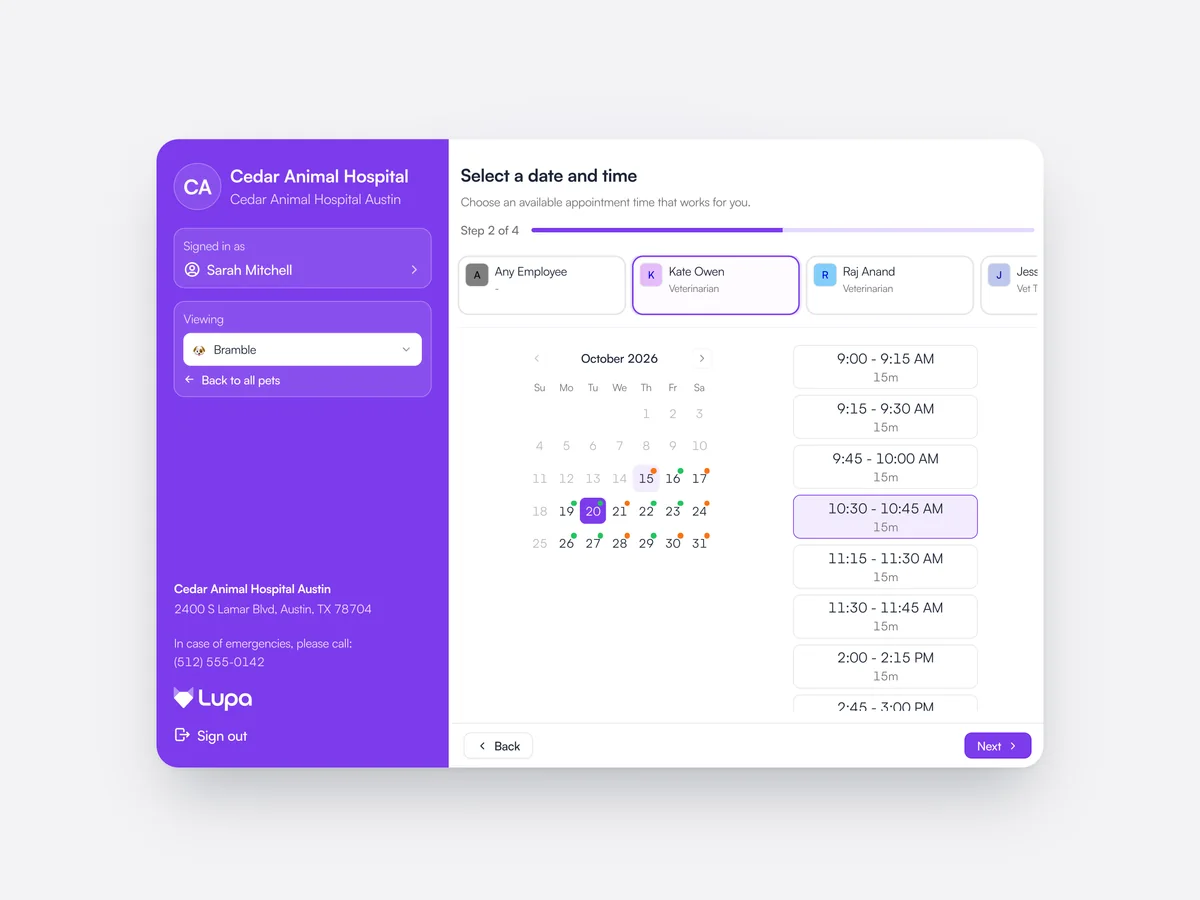
The Cedar Animal Hospital booking page for Bramble: Kate Owen chosen, a day picked on the month calendar and a 10:30 AM slot selected

Pet records

Every appointment, vaccine, lab result and invoice on one timeline, with an AI summary at the top.

Learn moreShow less

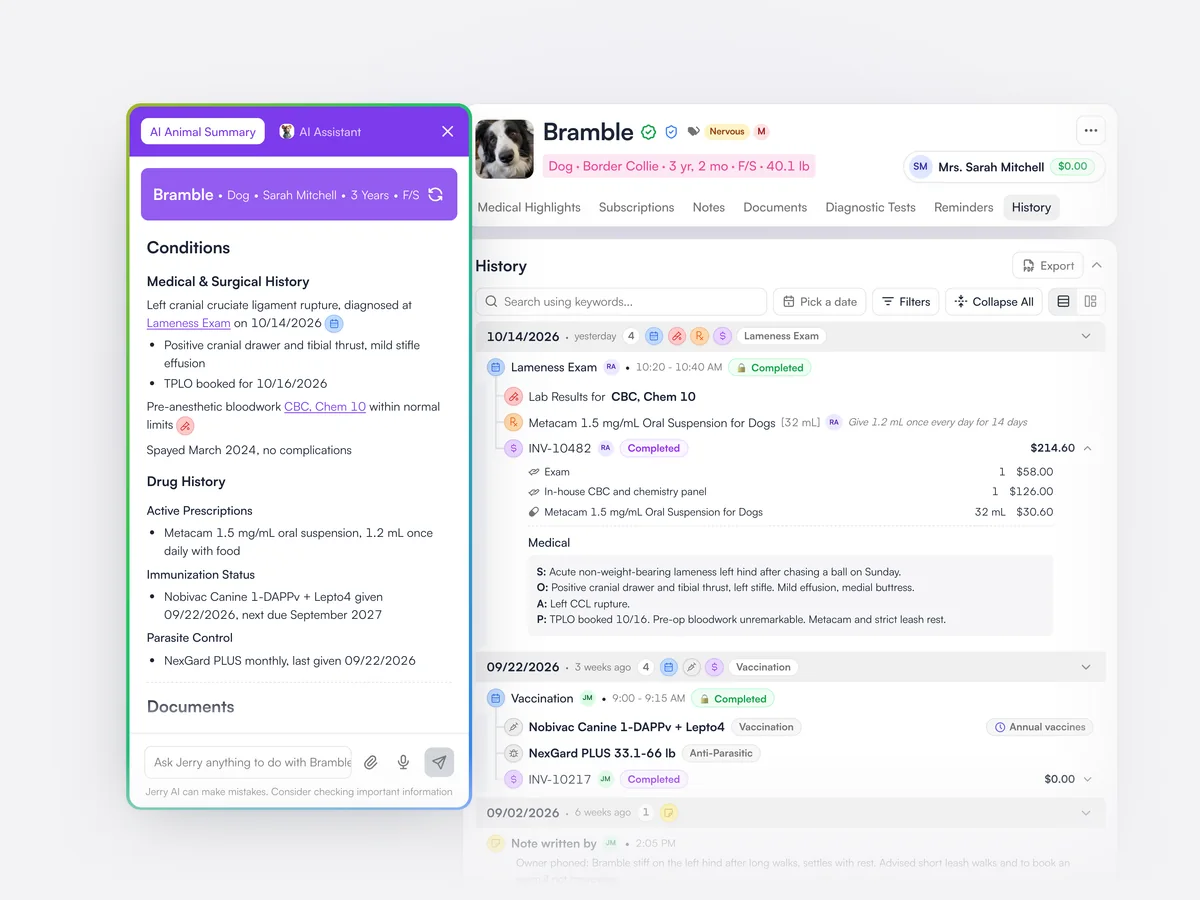
The pet page brings together the animal’s details, alerts, wellness plan and insurance, and a history of every visit, prescription, lab result, document and invoice. The history can be searched, filtered by date or type, and exported. An AI summary lists the pet’s conditions, current medication and vaccination status, with links back to the source.

Bramble’s record: the AI animal summary of her conditions and drug history beside a timeline of appointments, lab results, prescriptions, vaccinations and invoices

Client inbox

WhatsApp, text and app messages from clients in one inbox the whole team can answer.

Learn moreShow less

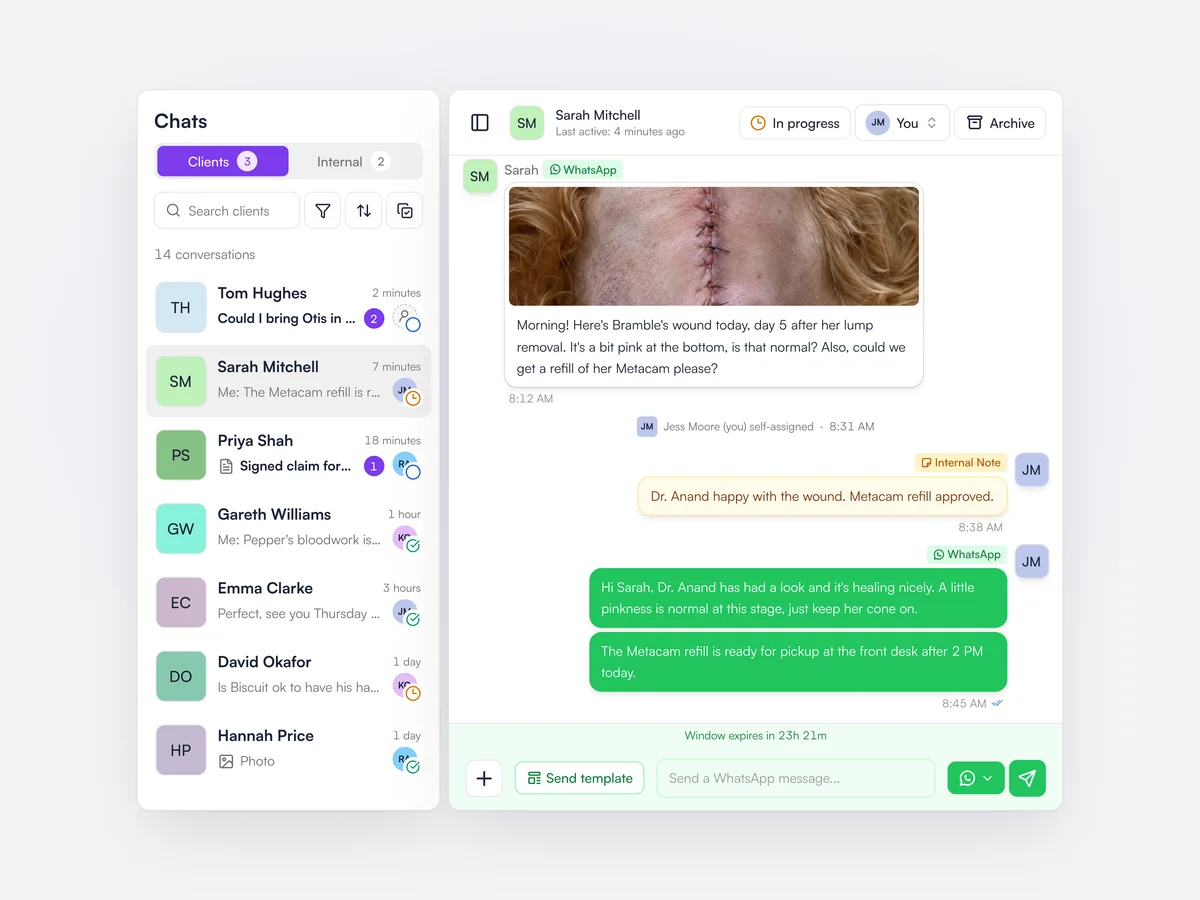
Every client conversation sits in one shared inbox, whatever channel it came in on. Conversations can be assigned to a team member, marked in progress or closed, and the team can leave internal notes that clients never see. Photos and files sent by clients are kept on the conversation.

The client inbox: conversations with their status and assignee on the left, and Sarah Mitchell’s WhatsApp messages about Bramble’s wound open on the right, with an internal note from the team

Campaigns

Pick an audience, like dogs overdue for vaccines, and create the email with AI, and send. It takes two minutes. Send via email, text or WhatsApp.

Learn moreShow less

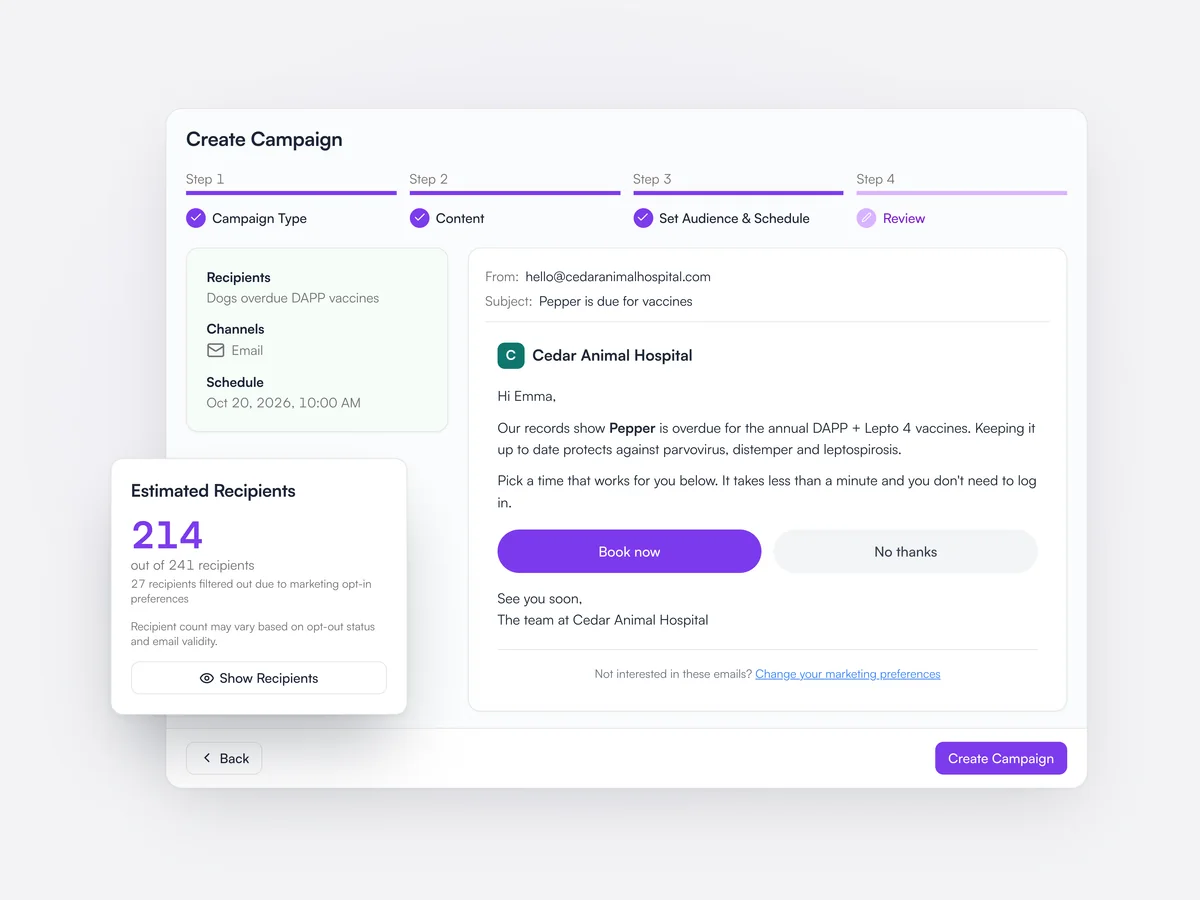
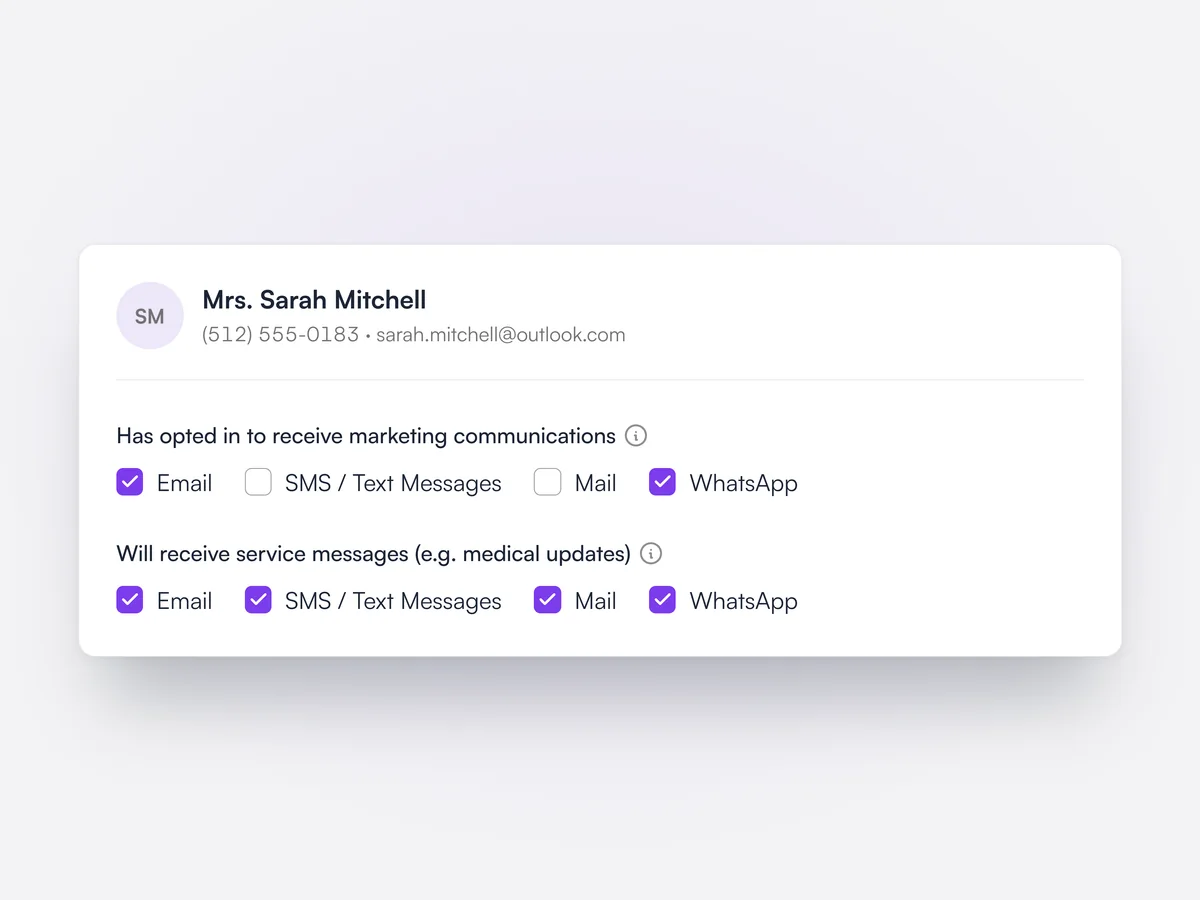
Audiences are built from filters on clients, pets, appointments, wellness plans and products bought, and respect each client’s marketing consent for each channel. Messages can include a button that opens a booking page already filled in for that client. Each campaign reports who received, opened and booked.

Reviewing an email campaign to dogs overdue for DAPP vaccines: 214 recipients after marketing opt-outs, and the email with Book now and No thanks buttons

Reminders

Vaccine reminders go out by email, text or WhatsApp, as many steps before and after the due date as you like.

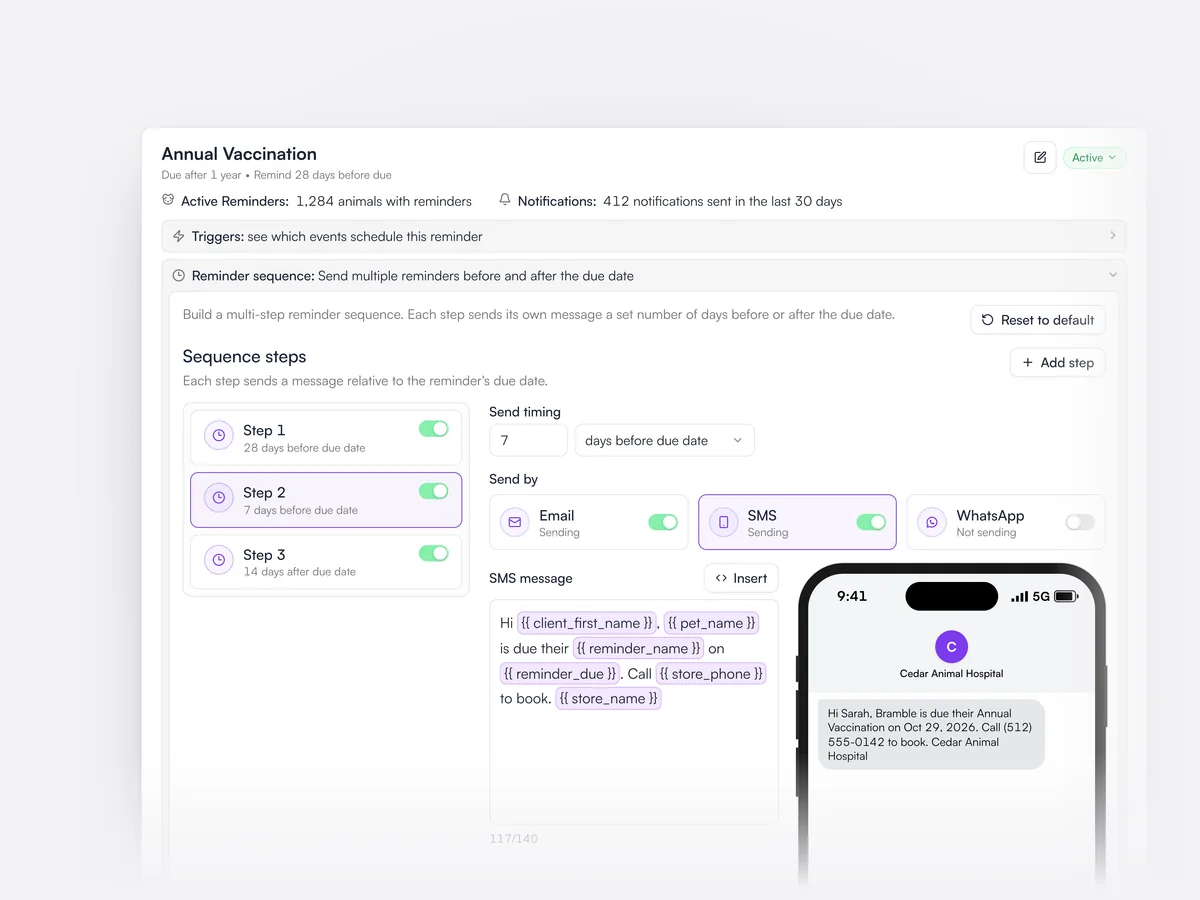
Reminders are created automatically when a vaccine or treatment is given, and each reminder type has its own timing and message per channel. A pet’s scheduled reminders show on its record. Reminders can also be printed as letters for clients without email.

The Annual Vaccination reminder: three steps from 28 days before the due date to 14 days after, with the 7-day step sending by email and text and its text message previewed on a phone

Pet owner app

Clients book, message the practice and see what their pet is due, from their phone.

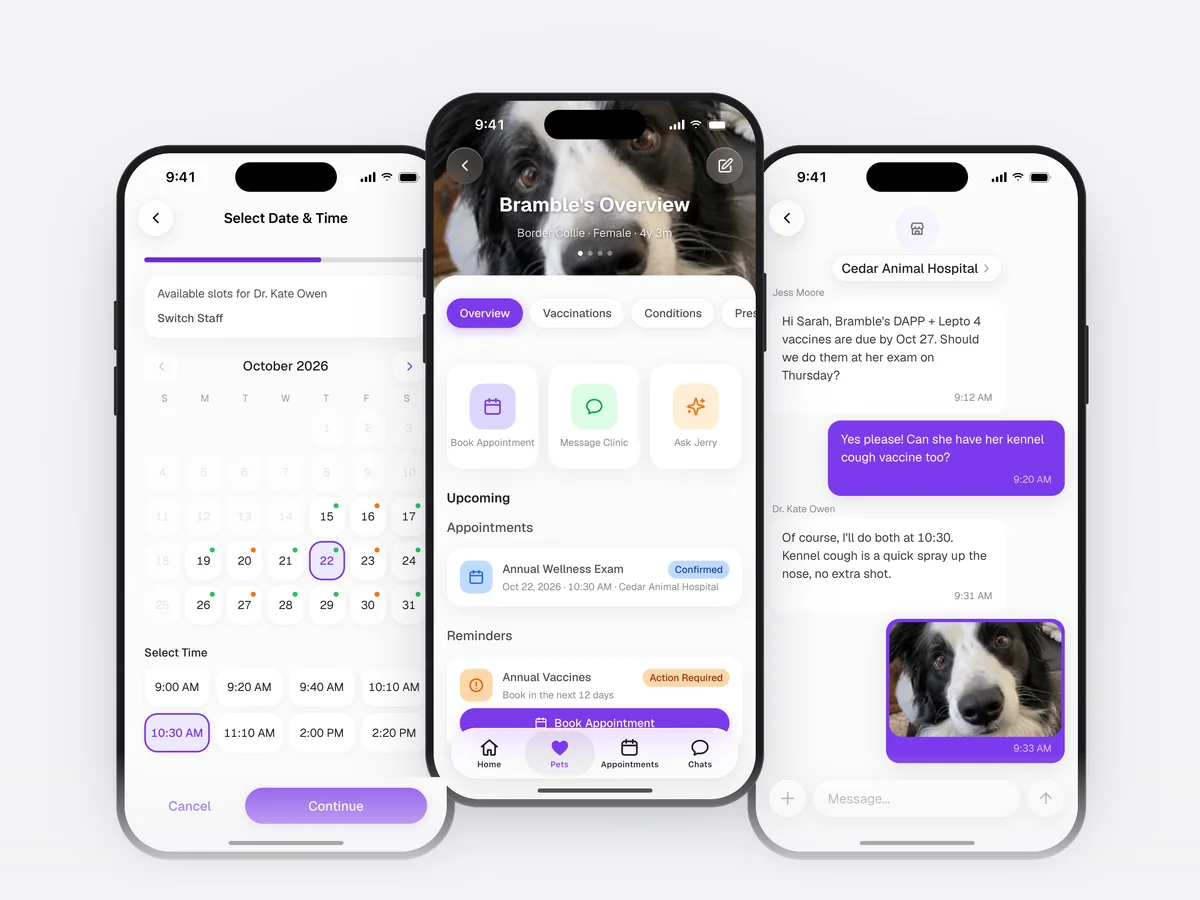
The Lupa app for iOS and Android lets clients book appointments, chat with the practice and see their pet’s upcoming appointments, vaccinations, conditions and prescriptions. Lab results only appear after the vet has reviewed them.

The Lupa app for pet owners on three phones: picking a time with Dr. Kate Owen, Bramble’s overview with her next appointment and vaccines due, and a chat with Cedar Animal Hospital

Recurring appointments

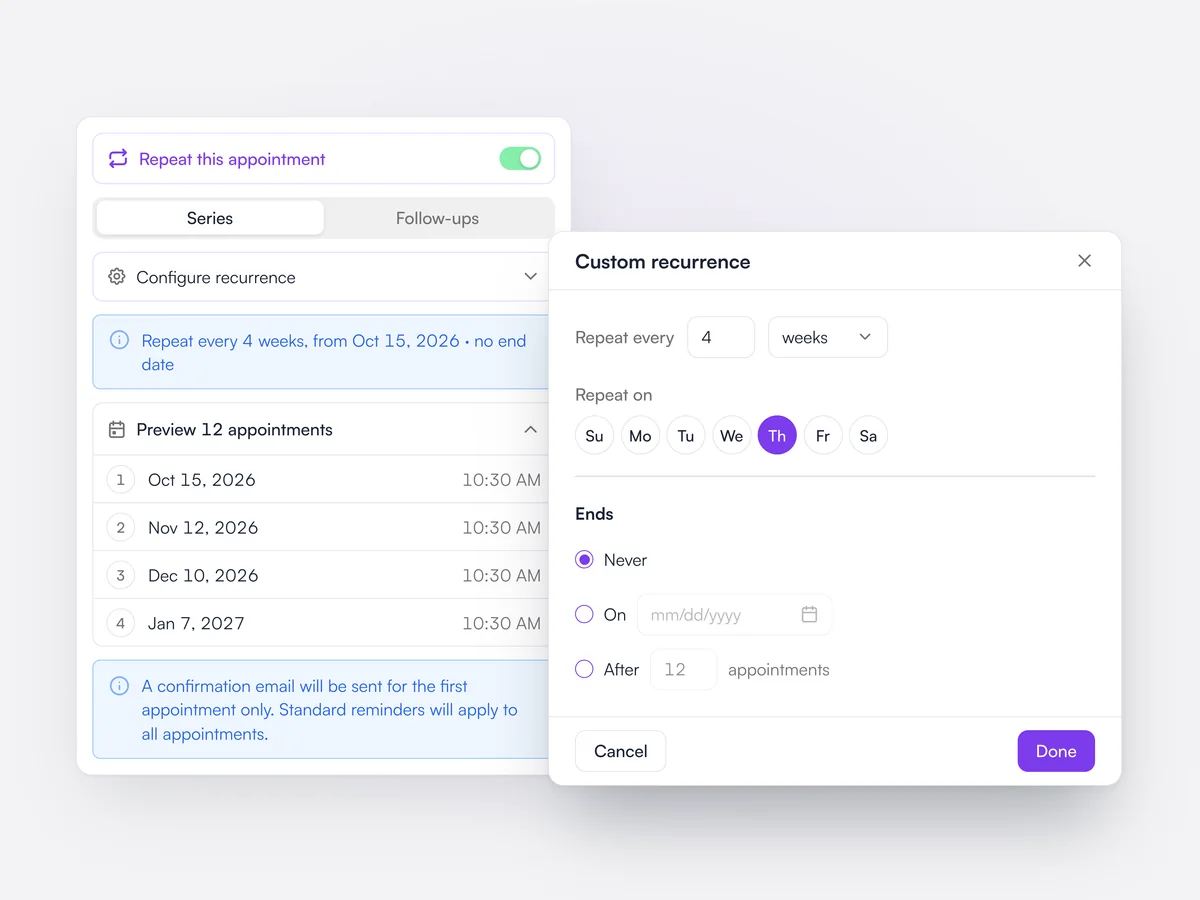
Book a series once, open-ended if you like, and change just one visit or every visit after it.

Repeat appointments can run for a set number of visits or carry on with no end date. Editing or canceling one asks whether to change only that visit or that visit and every one after it.

Setting an appointment to repeat every 4 weeks on a Thursday with no end date, with the custom recurrence options open

Map schedule

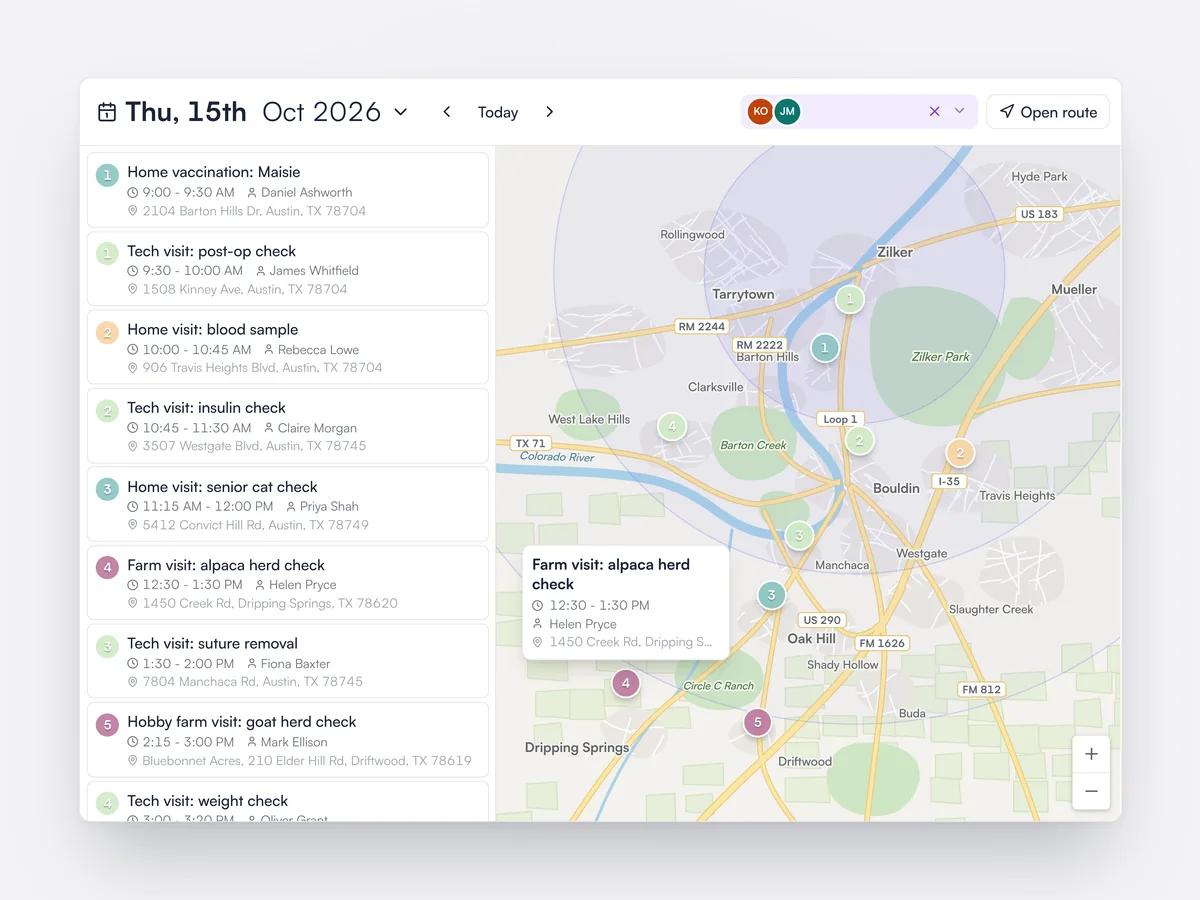
See the day’s house calls and farm calls on a map, colored by appointment type.

The map schedule plots each visit at the client’s address, colored by appointment type, with the details of the visit on hover. It is built for mobile, ambulatory and large-animal vets planning a day on the road.

The map schedule for Thursday: the day’s house calls and farm calls listed in time order beside a map of numbered pins colored by appointment type, with a farm call’s details open

Patient flow chart

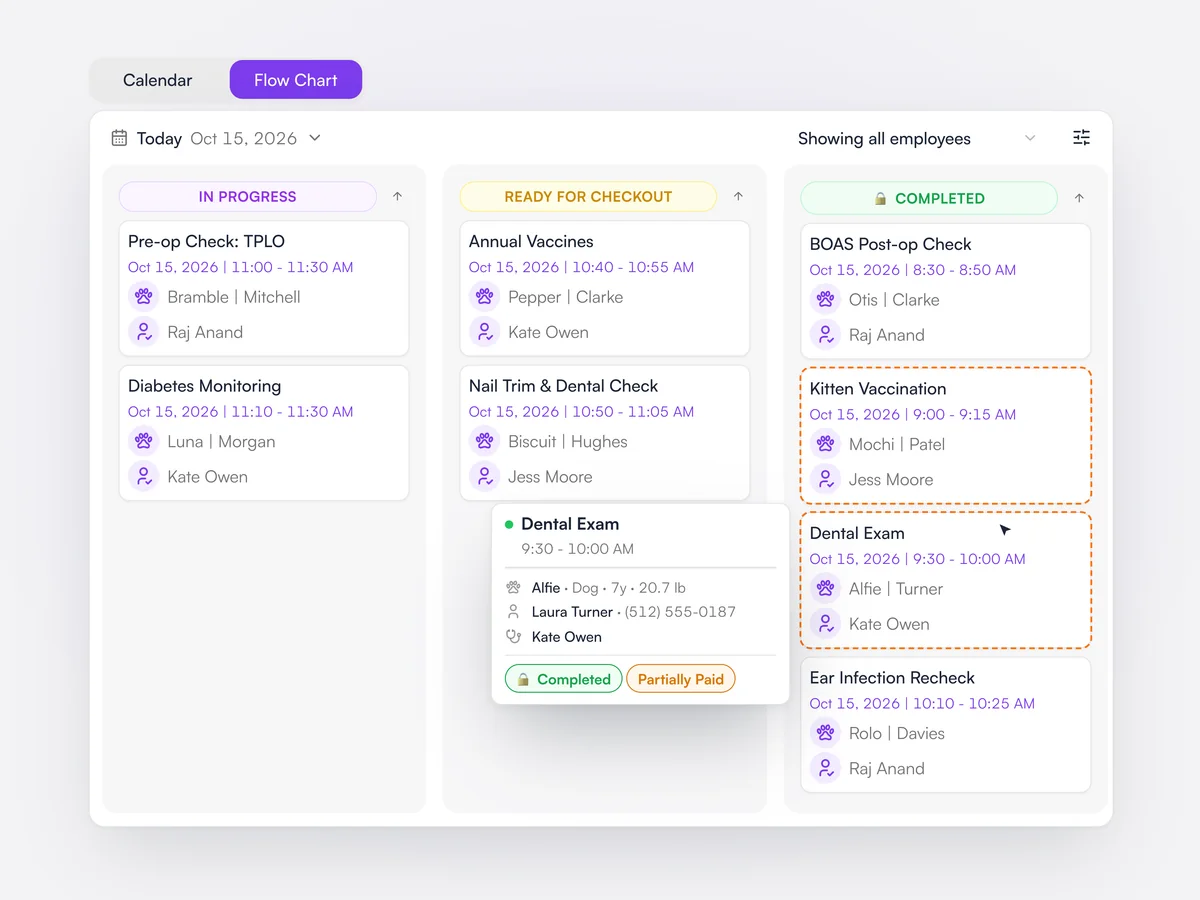
Today’s appointments on a board by status, so everyone can see where each patient is.

The flow chart lays the day’s appointments out in columns by status, and the practice chooses which statuses to show. Finished visits that still need paying are outlined, so nothing leaves without being settled.

The flow chart for today: appointments in In progress, Ready for checkout and Completed columns, with finished visits that still need paying outlined

Online booking deposits

Take a deposit or full payment at booking, set per appointment type.

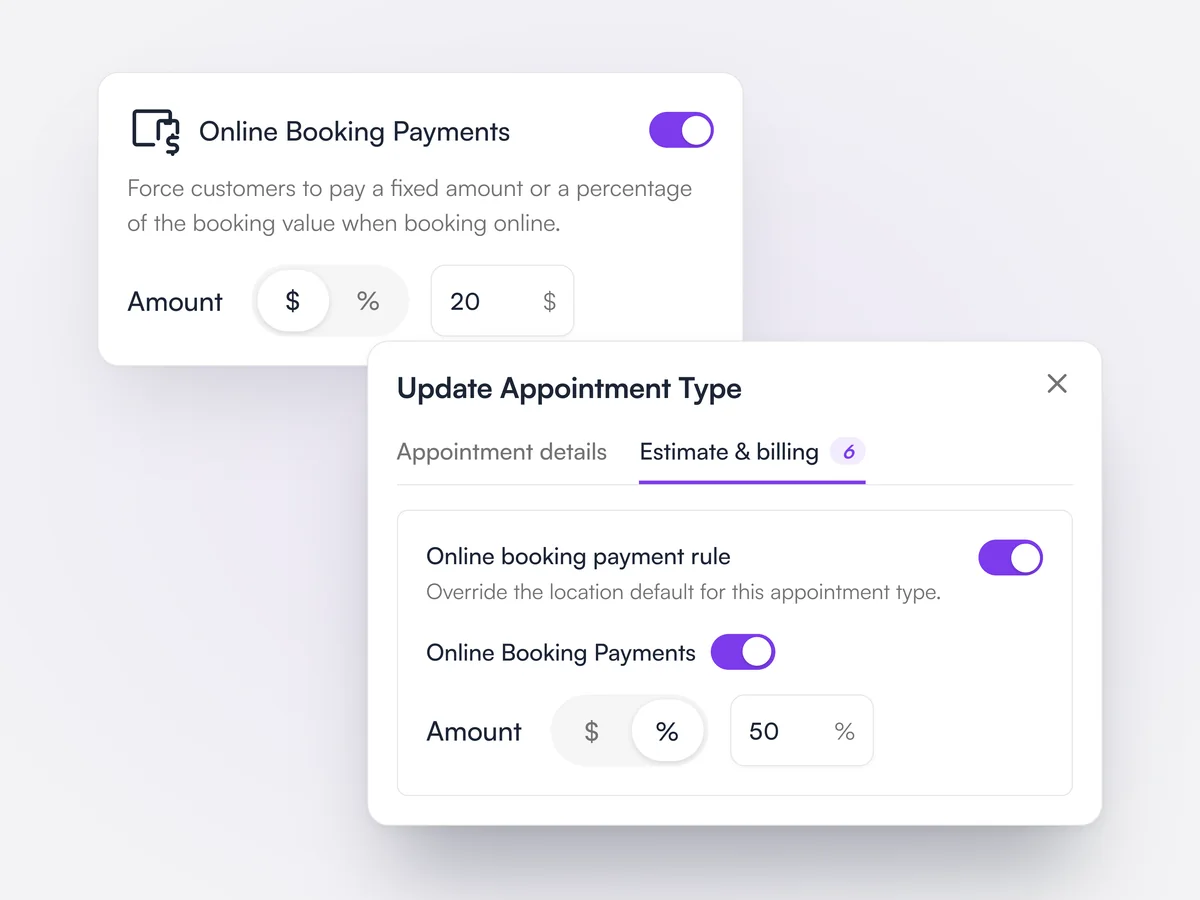
Each appointment type offered online can ask for nothing, a deposit or full payment, for example a deposit on surgeries and full payment on new-client exams. Payments are taken through Lupa Pay and sit against the appointment until it is invoiced.

The practice default for online booking payments set to a $20 deposit, and an appointment type overriding it to take 50% at booking

Booking rules

Set how close to the start time clients can book, and whether bookings confirm themselves.

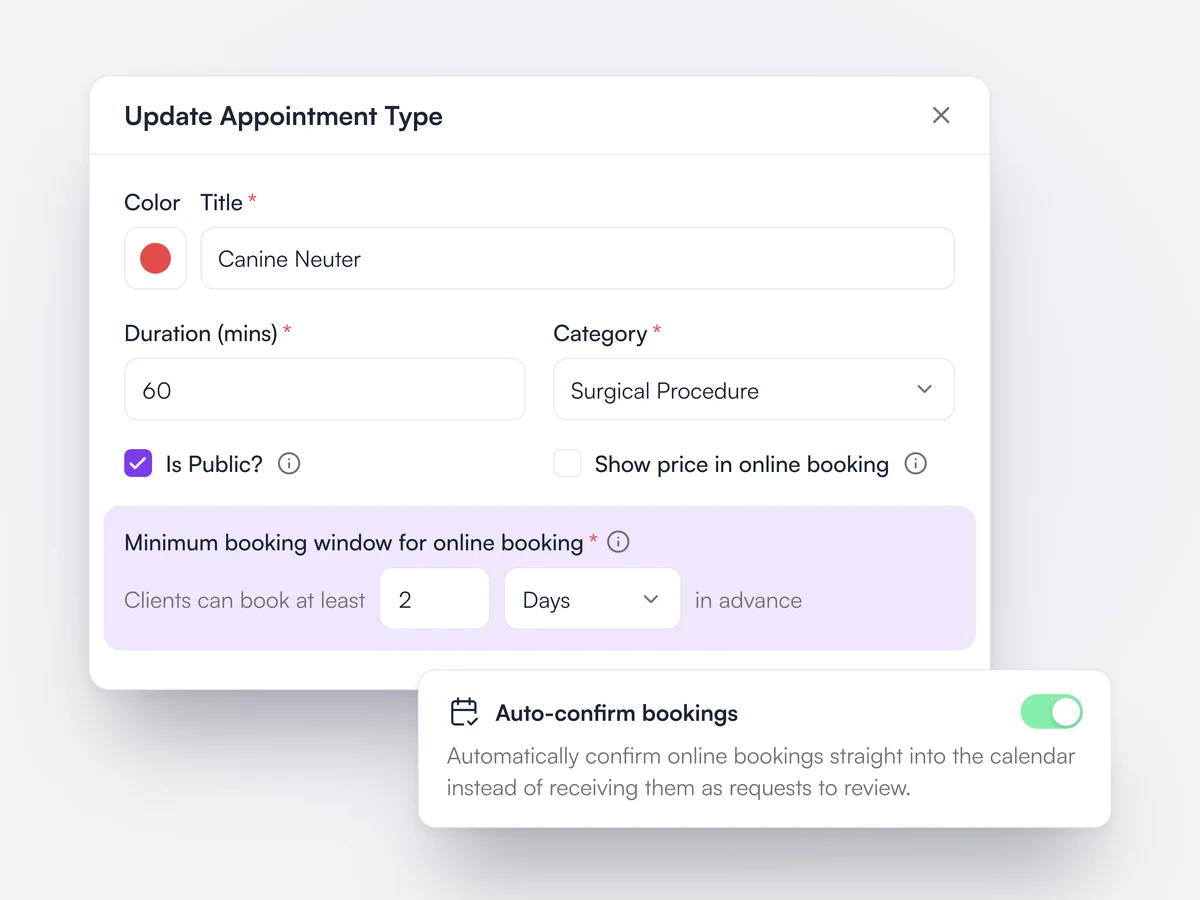
Each appointment type can have a minimum notice period for online bookings. Online bookings can wait for the team to confirm them or go straight onto the schedule.

An appointment type set so clients can book online at least 2 days in advance, with the Auto-confirm bookings setting switched on

Online registration forms

Choose which client and pet details new clients fill in before their first visit.

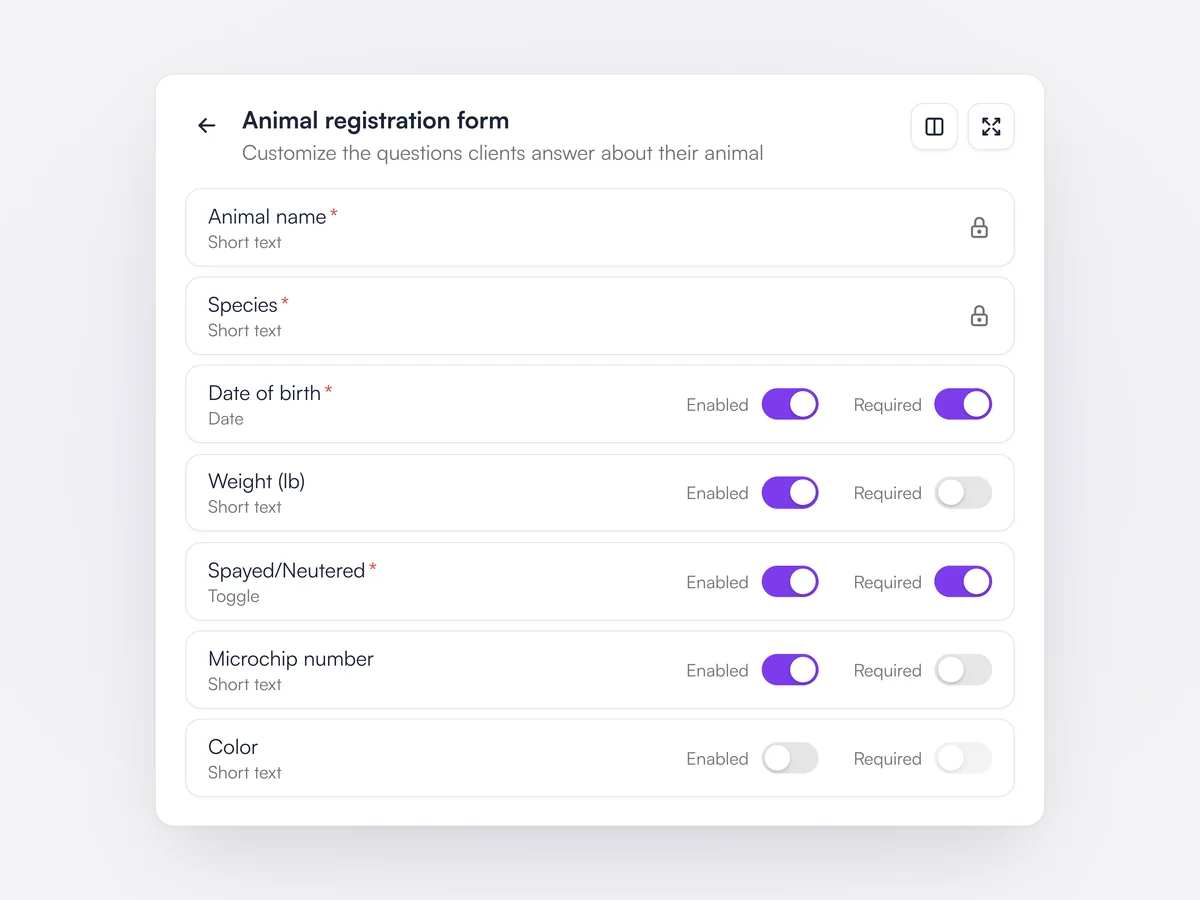
The practice decides which fields appear on the online registration form and which are required. Practices can also turn on pre-registration on its own, so new clients register before booking.

The animal registration form settings: name and species locked as required, date of birth and neutered required, weight and microchip optional, color turned off

Search that takes action

Take a payment, check a patient in or print an invoice straight from the search results.

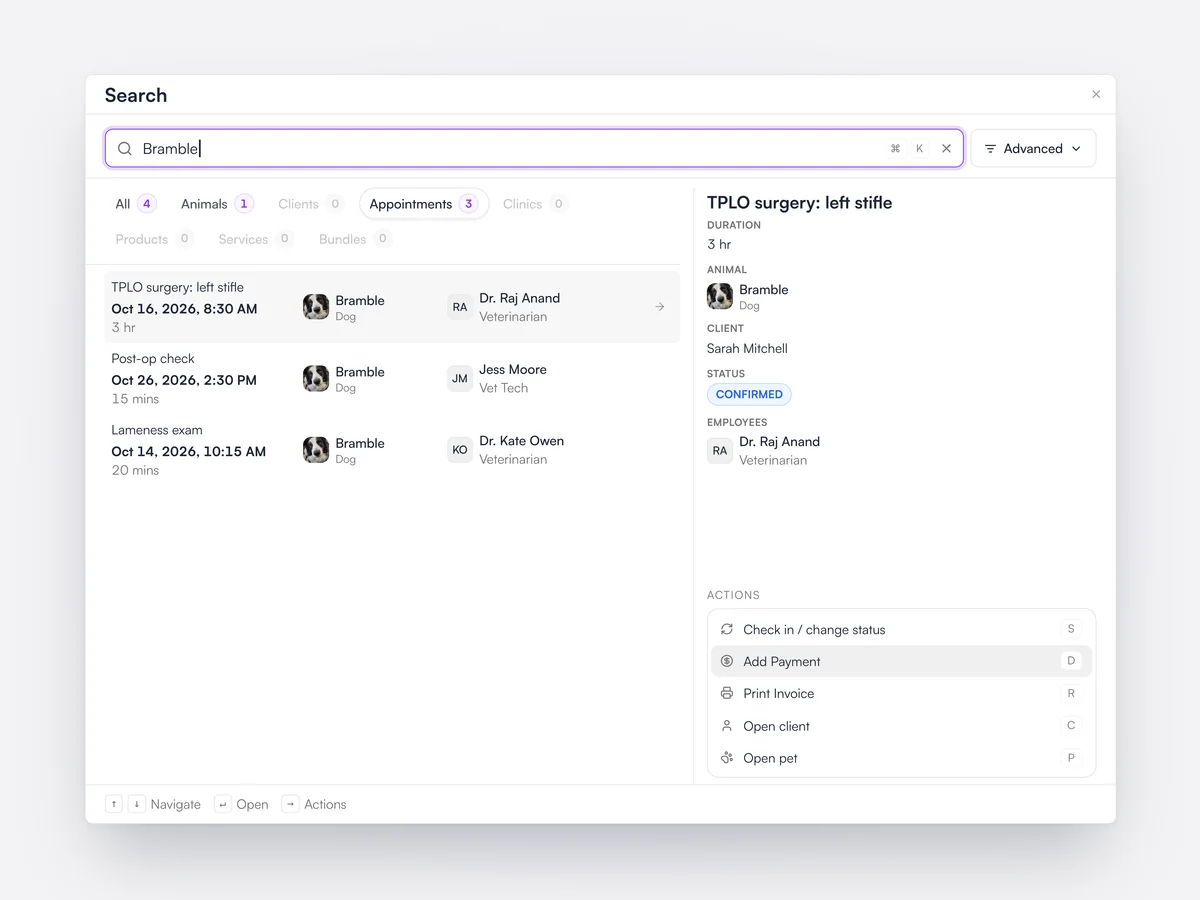
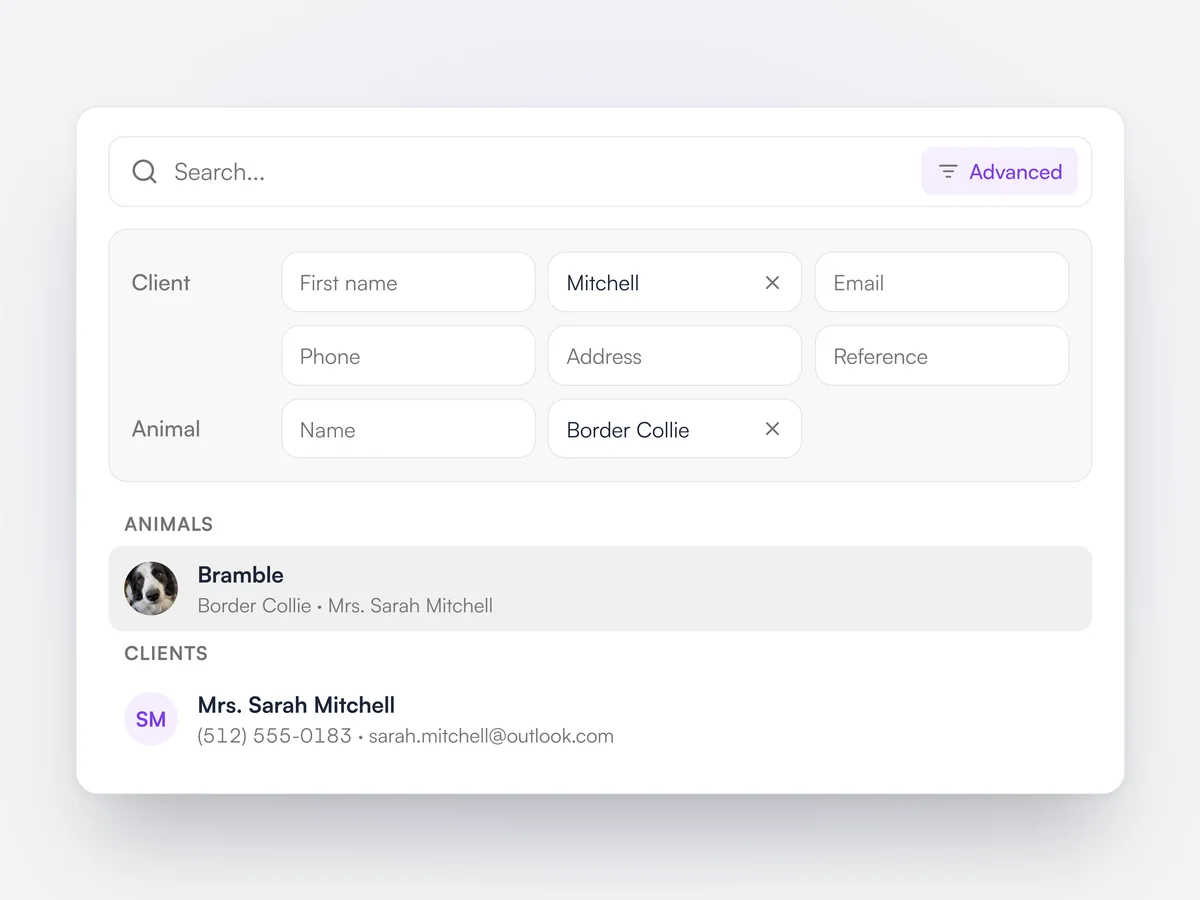
Search finds clients, pets, invoices and appointments by name, phone number or reference ID. Common actions sit next to each result, so the front desk can take a payment, check a patient in or create an invoice without opening the record first. A shortcuts menu lists every keyboard shortcut.

Searching for Bramble: her TPLO appointment selected, with actions to check in, add a payment or print the invoice

WhatsApp Business

Connect your existing WhatsApp number and keep the last six months of chats.

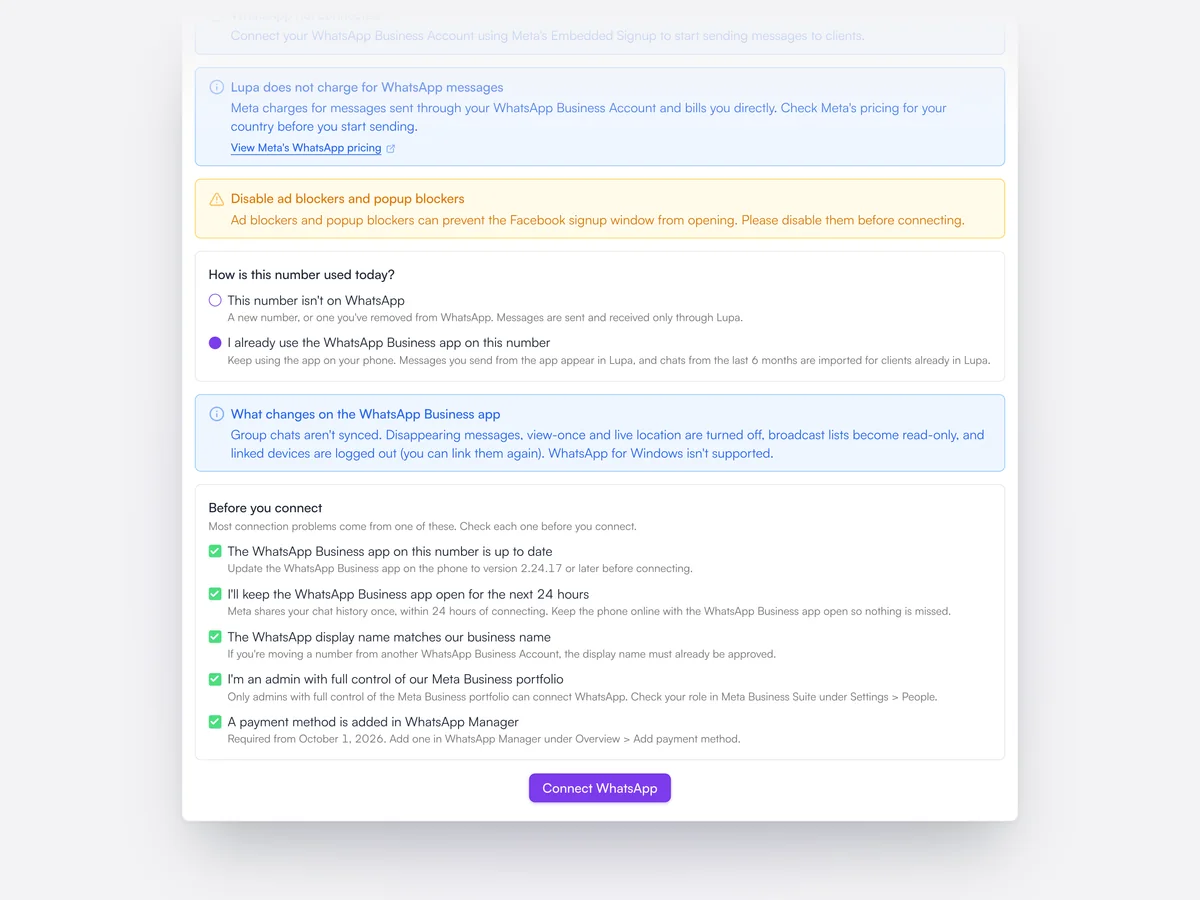
Practices connect the WhatsApp Business number they already use, and the last six months of chats are brought into Lupa. Reminders, campaigns and replies to clients can all go by WhatsApp, with message templates for when the 24-hour reply window has closed.

Connecting a WhatsApp Business number that is already in use, with the checks to tick before connecting

Your own email domain

Emails to clients come from your practice’s domain, not ours.

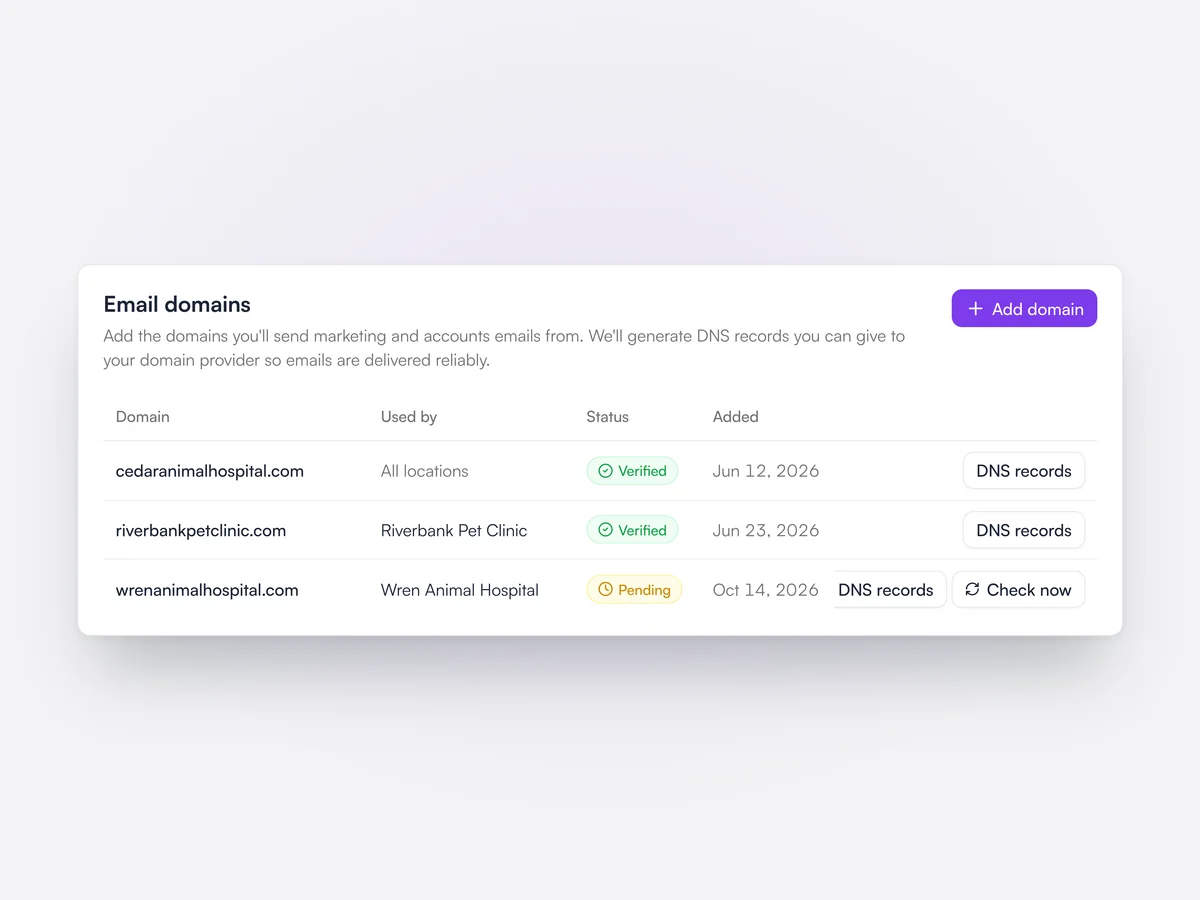
Practices add and verify their own email domain, so reminders, invoices and campaigns are sent from their own address. Email templates and signatures are managed in Lupa.

The Email domains card: cedaranimalhospital.com verified for all locations, a Riverbank Pet Clinic domain verified, and a Wren Animal Hospital domain pending with a Check now button

Calls and walk-ins

Log phone calls and walk-in conversations on the client’s record.

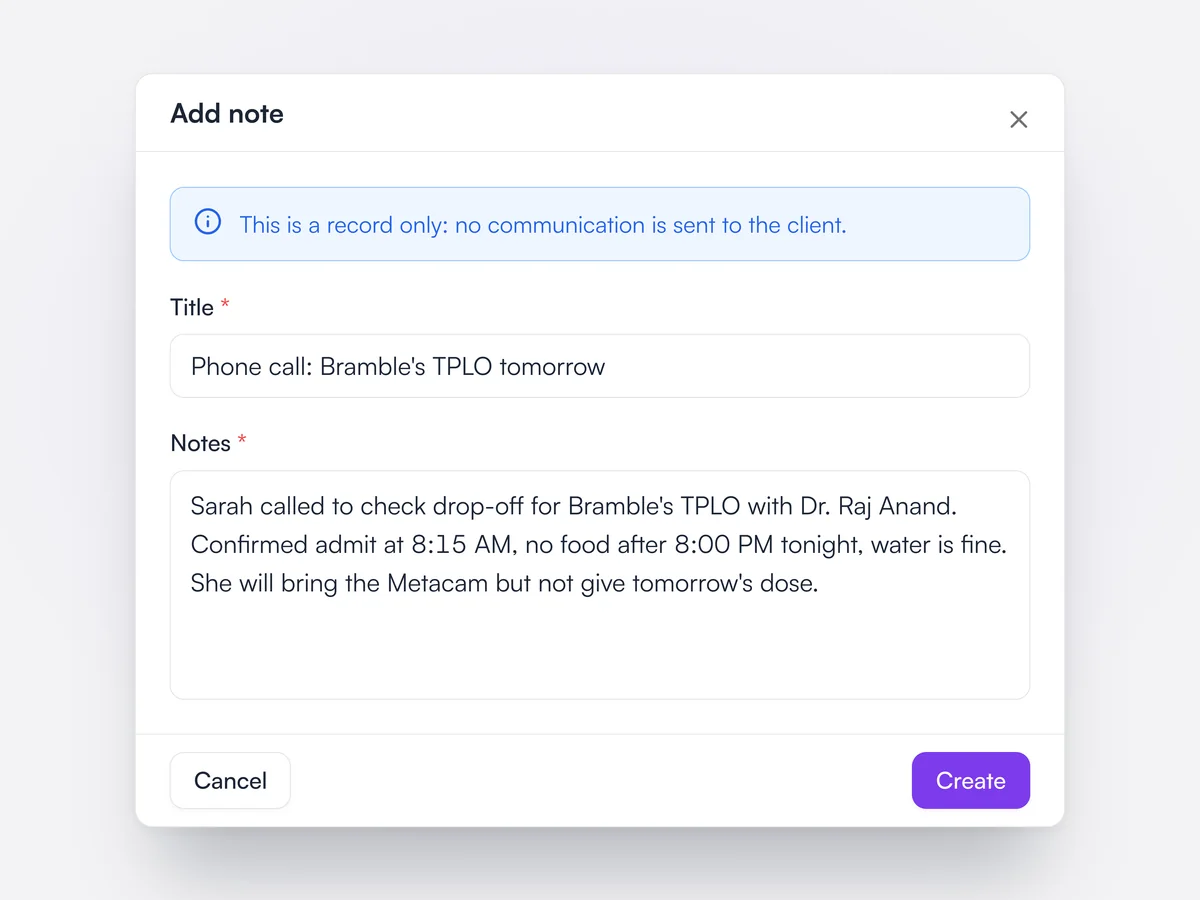
Phone calls, walk-ins and other conversations can be recorded on the client, so the next person to speak to them knows what was said.

Adding a note of a phone call to a client's communications, with the reminder that nothing is sent to the client

Several contacts per client

Add a partner, caregiver or farm manager as an extra contact on the account.

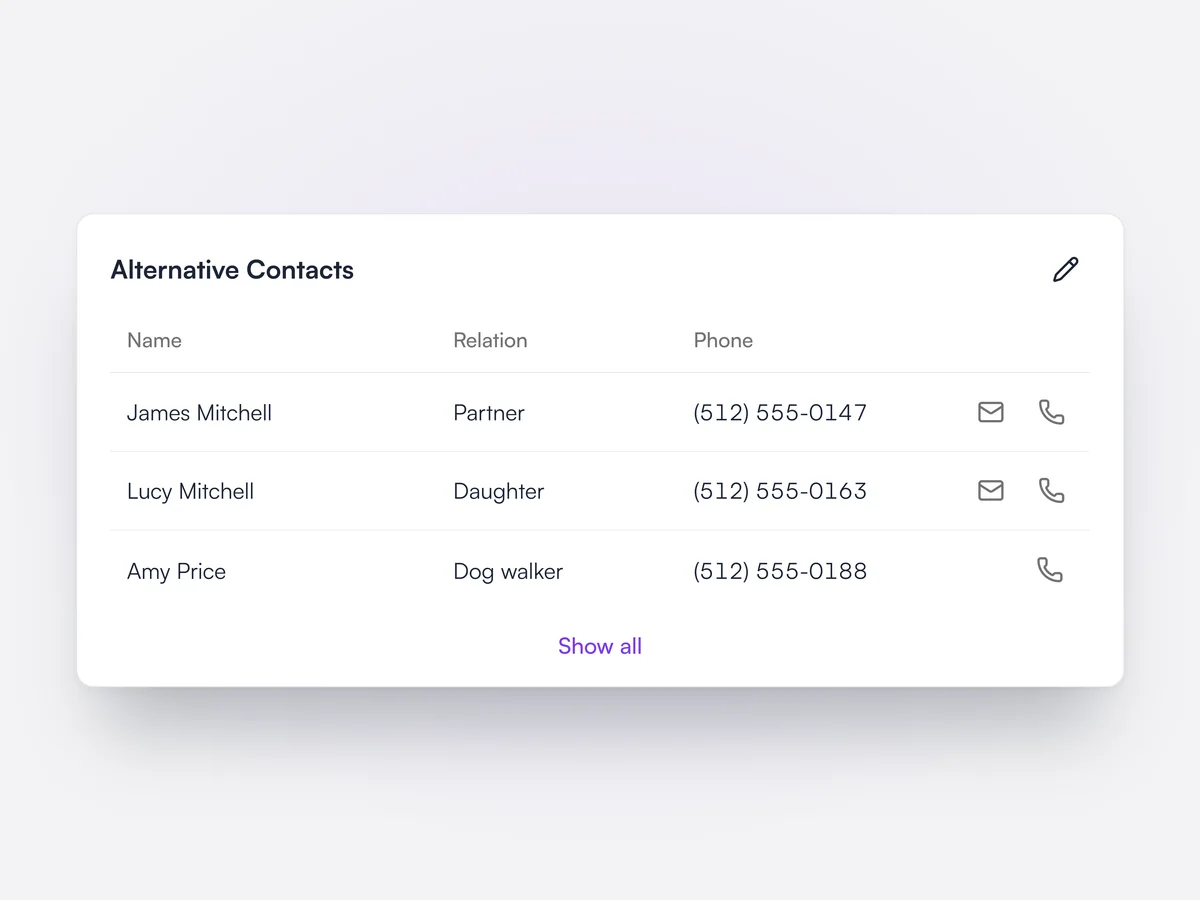
Each client can have several contact people with their own phone numbers and emails. Animals can also have extra people attached, such as co-owners, trainers and referring vets, each with their own permissions.

Sarah Mitchell's Alternative Contacts: her partner, her daughter and her dog walker, each with a phone number and quick email and call buttons

Smart Import

Upload a new patient’s history from another practice and Lupa fills in the record for you to check.

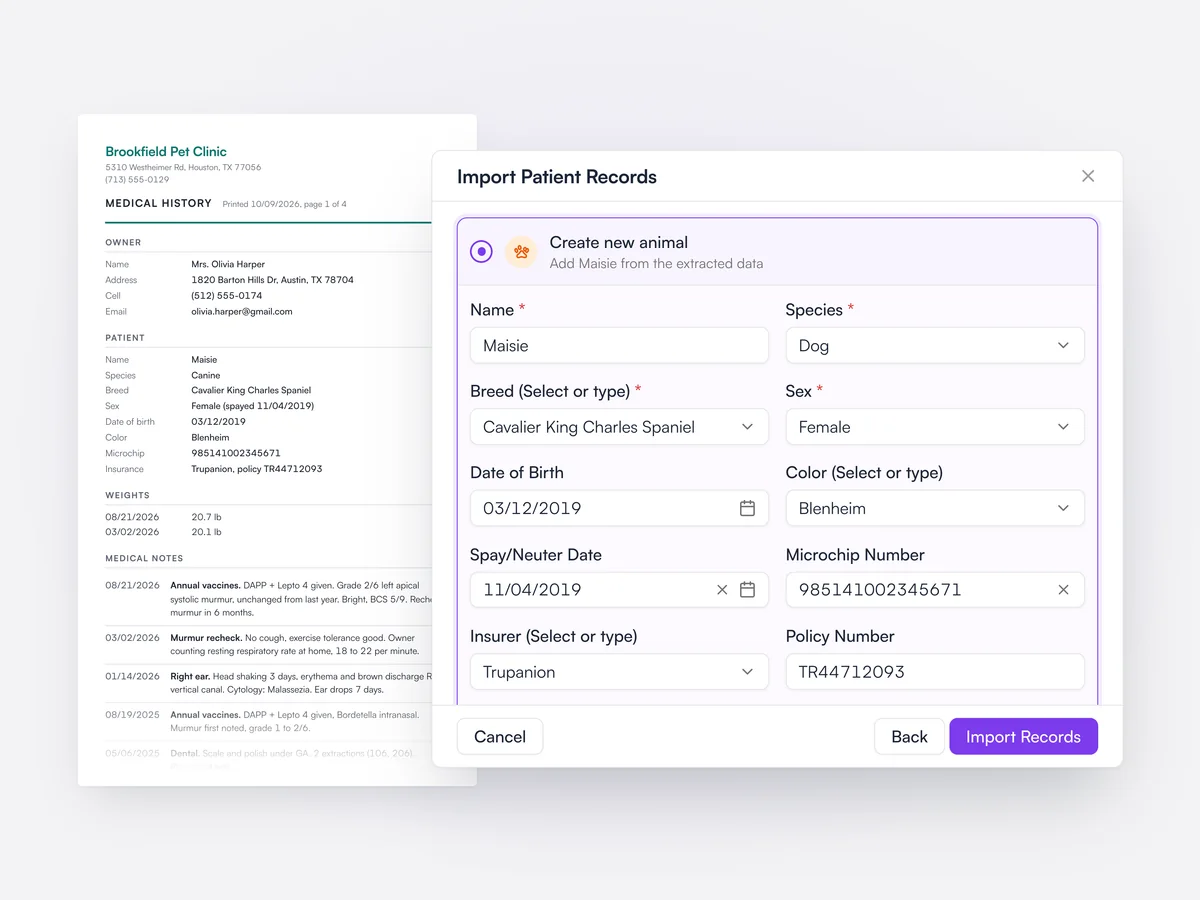
When a client registers with a medical history from their old practice, Lupa reads the document and fills in the client and pet details for the team to review before anything is saved.

Smart Import filling in a new dog’s name, breed, date of birth, microchip and insurance from a medical history uploaded from another practice

Pre-appointment questionnaires

Ask clients your own questions when they book, set per appointment type.

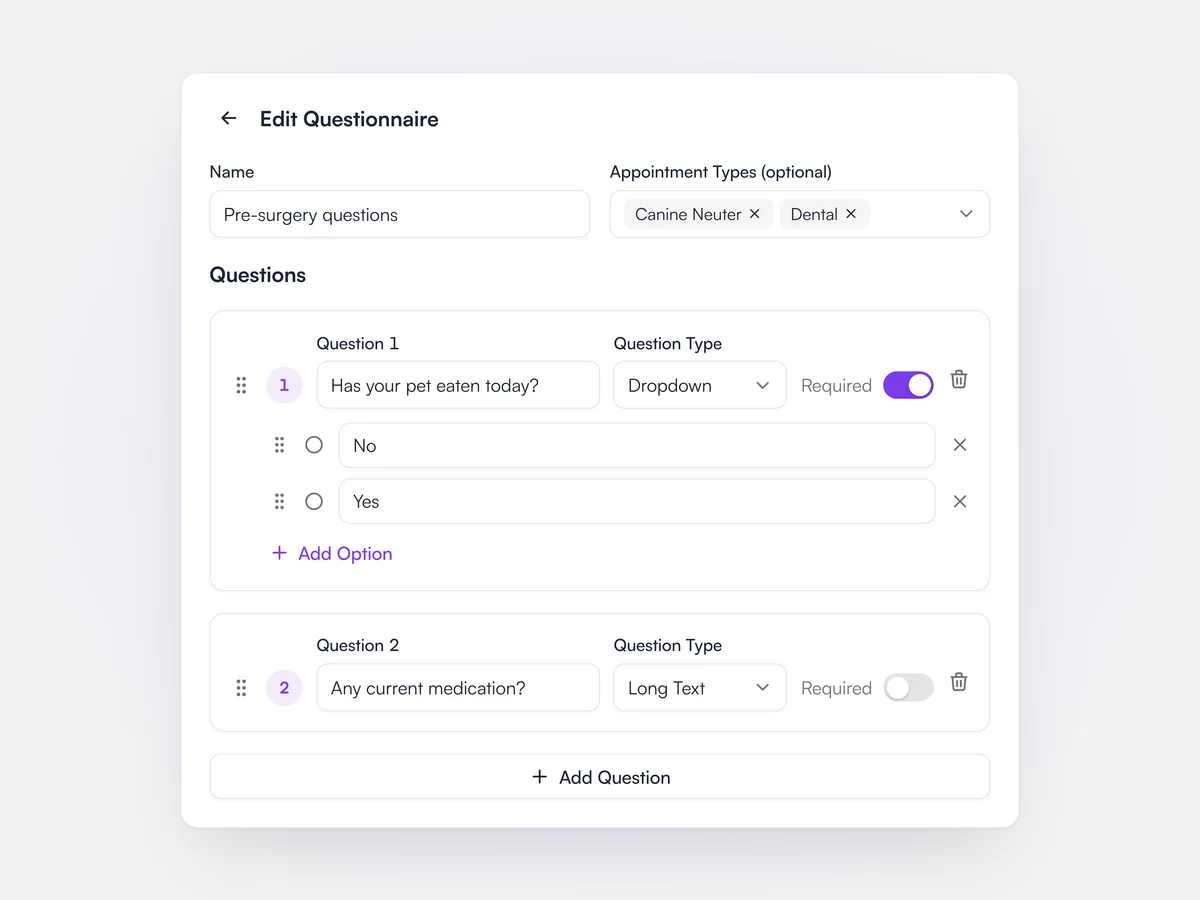
Practices build questionnaires from text, long text, dropdown and checkbox questions, mark each one required or optional, and choose which appointment types show them. Clients answer while booking online. The answers appear on the appointment so the team can read them before the visit.

Editing a Pre-surgery questions questionnaire for spay/neuter and dental appointments: a required dropdown asking if the pet has eaten today, with No and Yes options, and a long text question about current medication

Pre-appointment instructions

Send clients your instructions for each type of appointment, linked from their confirmation email.

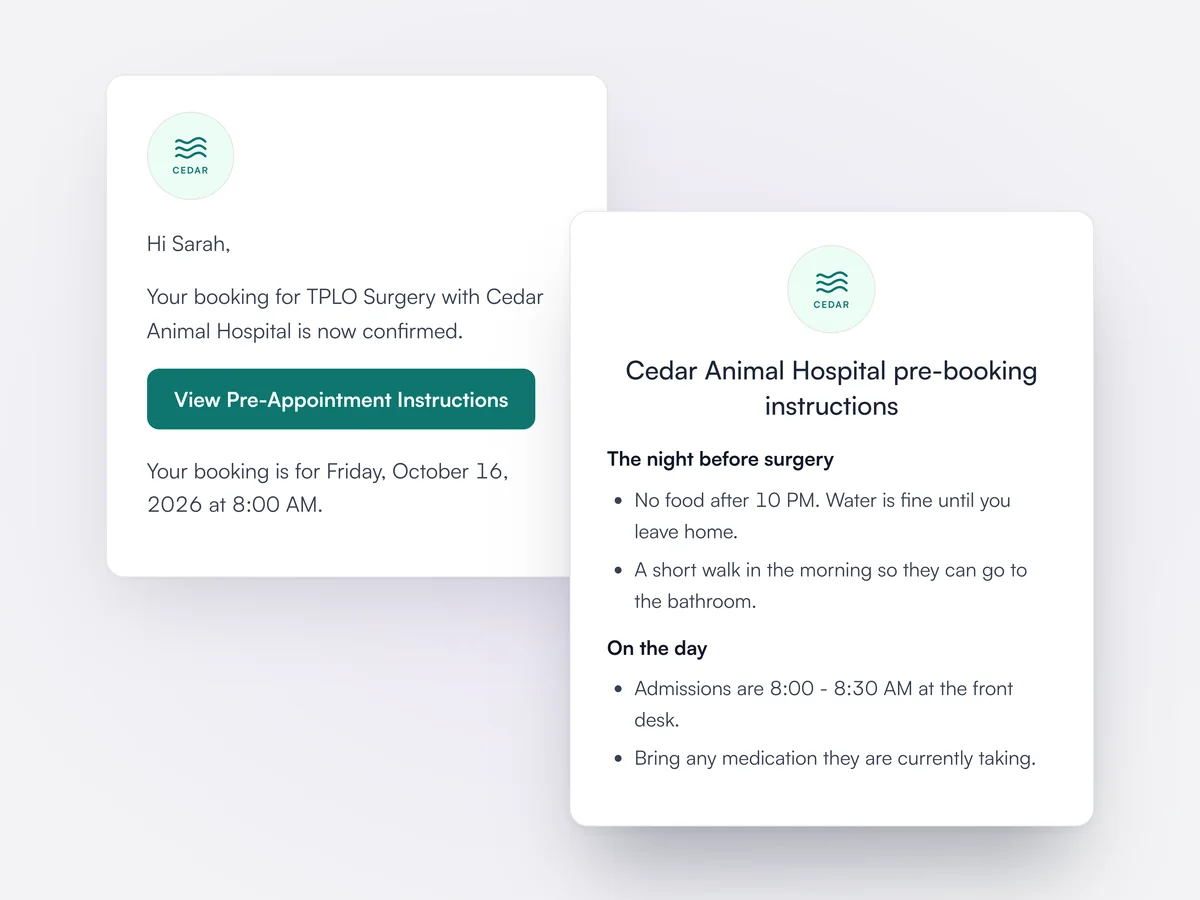
Practices write instructions, such as fasting before surgery, and link them to one or more appointment types, or leave them as the default for all. The booking confirmation and reminder emails include a View Pre-Appointment Instructions button that opens them on a page with the practice logo.

A booking confirmation email to Sarah for TPLO surgery with a View Pre-Appointment Instructions button, and the Cedar Animal Hospital instructions page it opens with fasting and admission times

Clients cancel online

Clients can cancel their own appointments online, up to 24 hours before the start time.

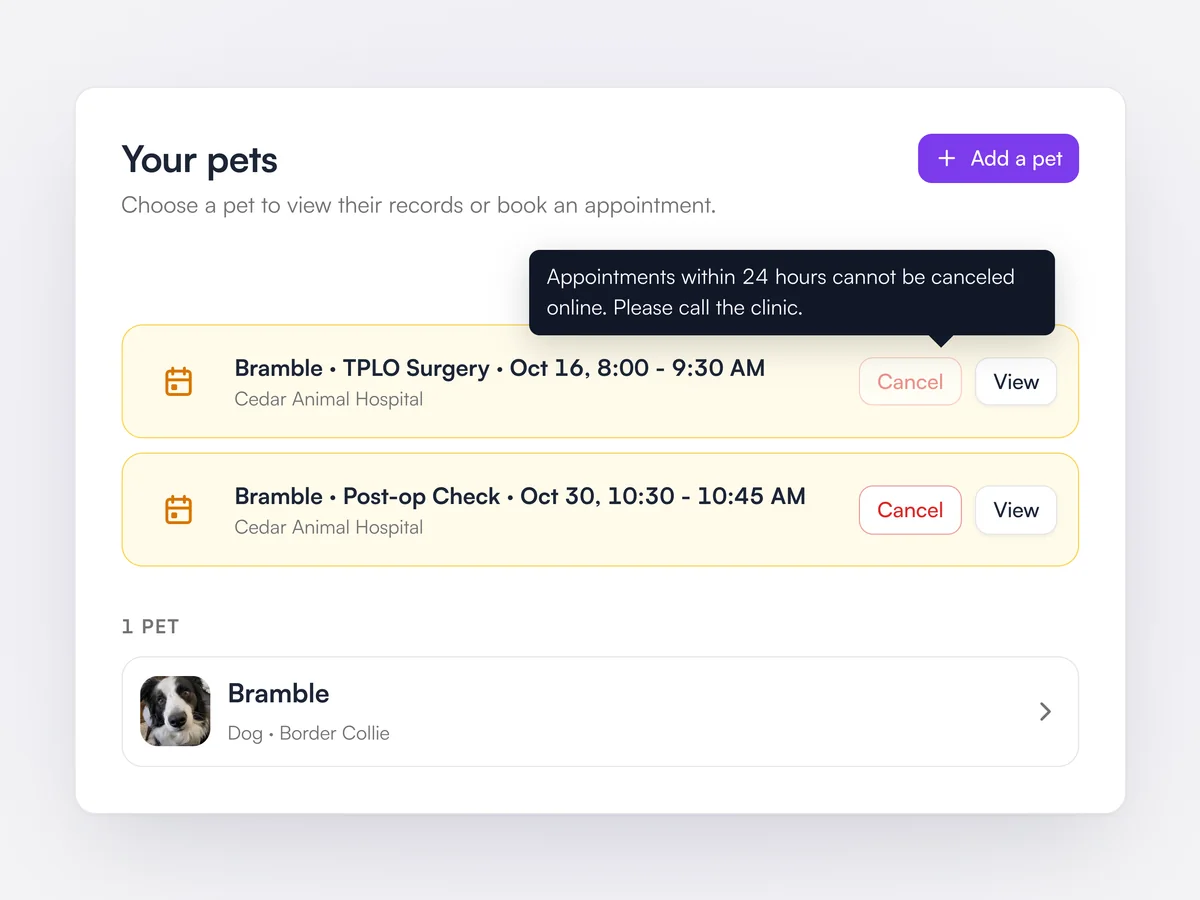
With online cancellation turned on, signed-in clients see a Cancel button next to each upcoming appointment in the booking portal and confirm it before it goes through. Within 24 hours of the start the button is disabled and asks them to call the clinic. They receive a cancellation confirmation.

Sarah's booking portal showing Bramble's TPLO surgery tomorrow with Cancel disabled and a note to call the clinic, and a post-op check later in October that she can still cancel

Pet owner web portal

Clients who sign in to your booking page can see their pets' appointments, records and prescriptions.

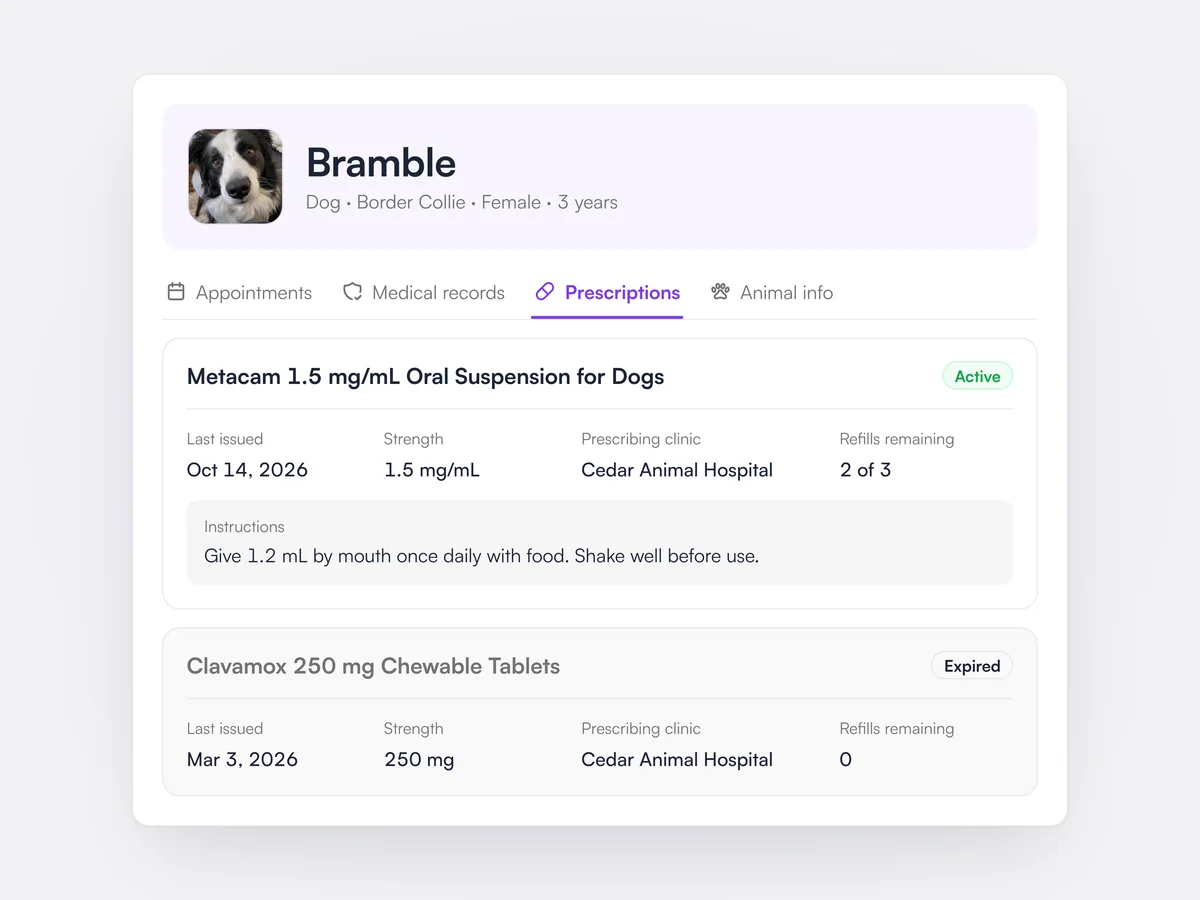
The booking portal doubles as a client portal in the browser, with no app needed. Each pet has a profile with tabs for appointments, medical records such as vaccinations and parasite prevention, prescriptions with refills remaining and instructions, and animal details. Clients can add a pet or book a follow-up from the same page.

Bramble's profile in the Cedar Animal Hospital web portal on the Prescriptions tab: active Metacam 1.5 mg/mL with dosing instructions and refills remaining, and an expired Clavamox prescription

Wellness plans in the app

Clients see their pet's plan, what it includes and how much they have saved this year.

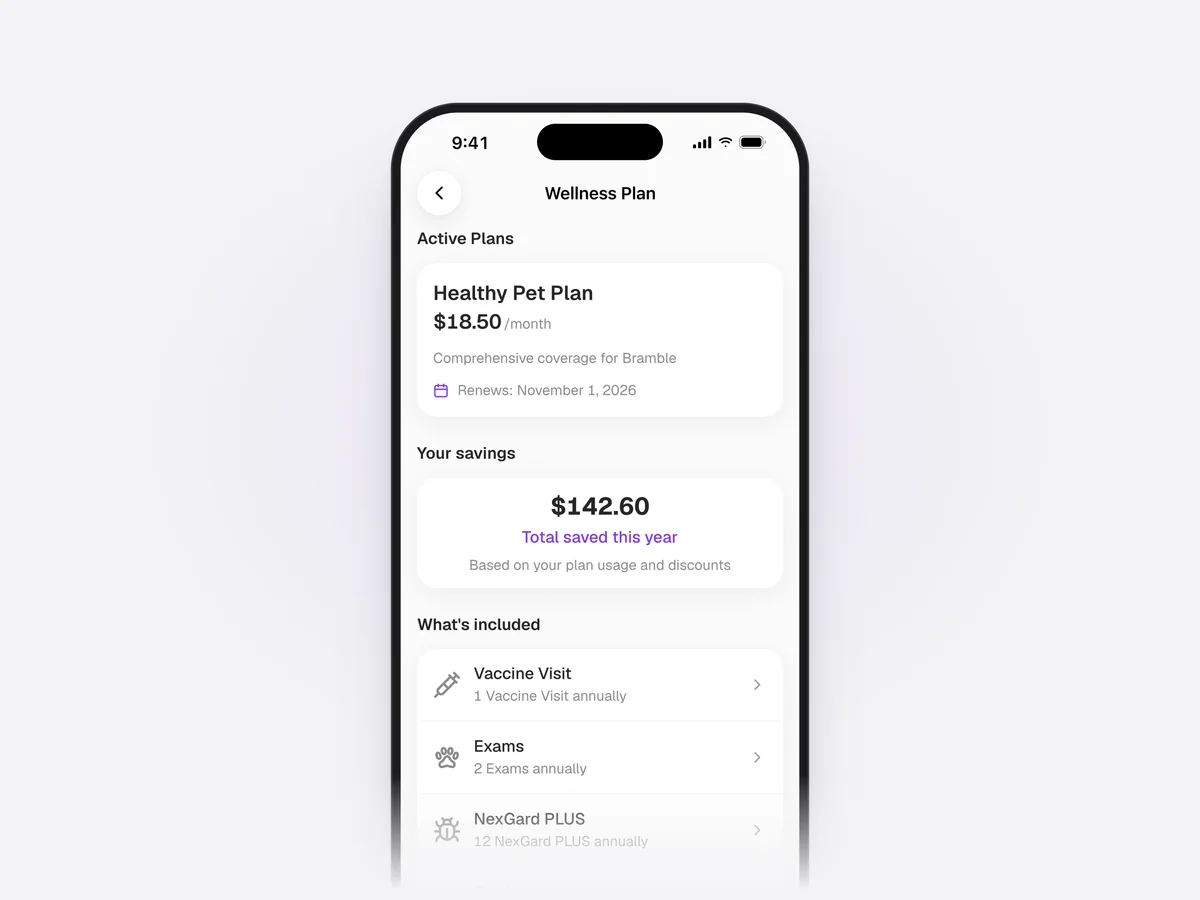
In the Lupa app, each pet's wellness plan page shows the active plan with its price and renewal date, the total saved this year from plan usage and discounts, and every allowance in the plan. Tapping an allowance shows its usage history and a button to book it.

Bramble's Healthy Pet Plan in the Lupa app at $18.50 a month, renewing on November 1, 2026, with $142.60 saved this year and the allowances it includes

Hide your clinic address

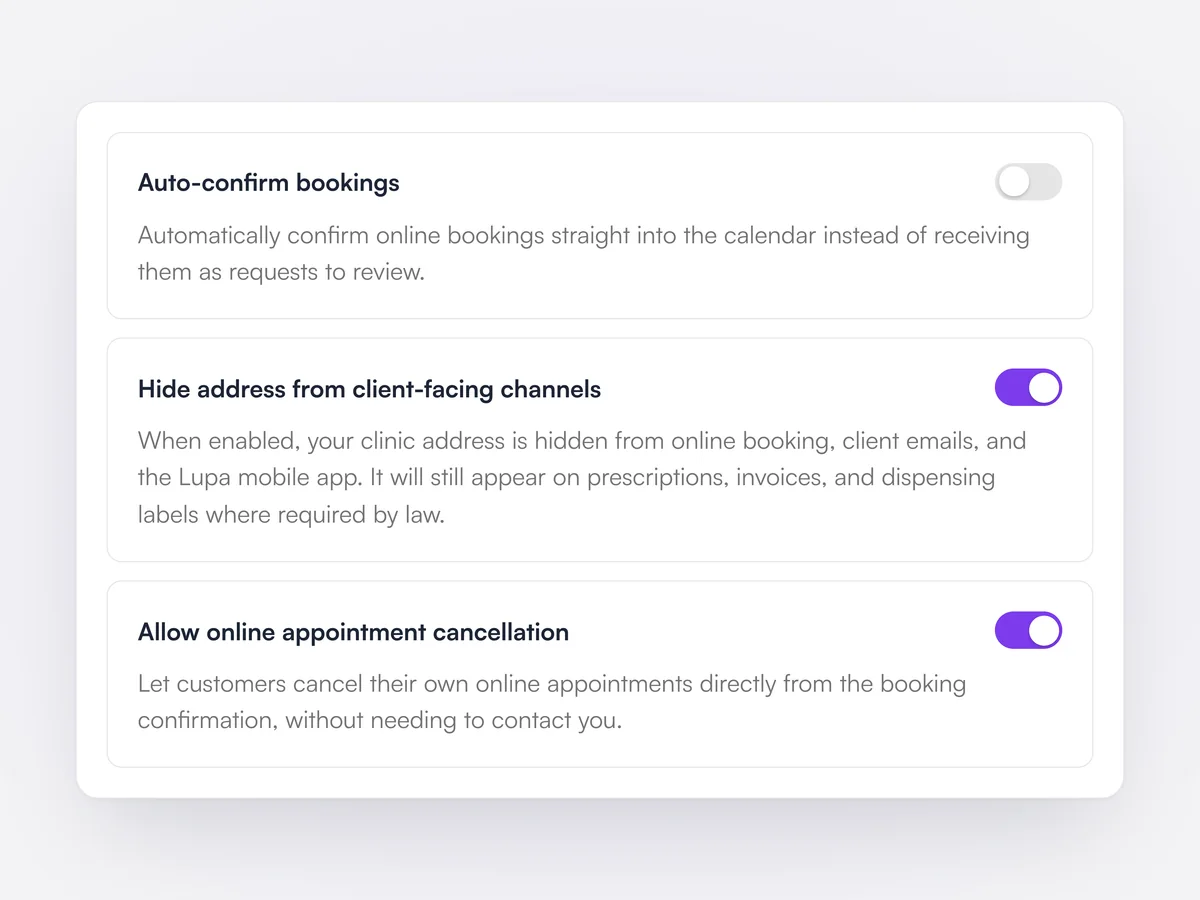
Keep your address off online booking, client emails and the app, for house-call and mobile practices.

One setting hides the clinic address from the booking portal, client emails and the Lupa mobile app. It still prints on prescriptions, invoices and dispensing labels, where the law requires it.

Online booking settings with Hide address from client-facing channels switched on, between Auto-confirm bookings and Allow online appointment cancellation

Schedule blocks

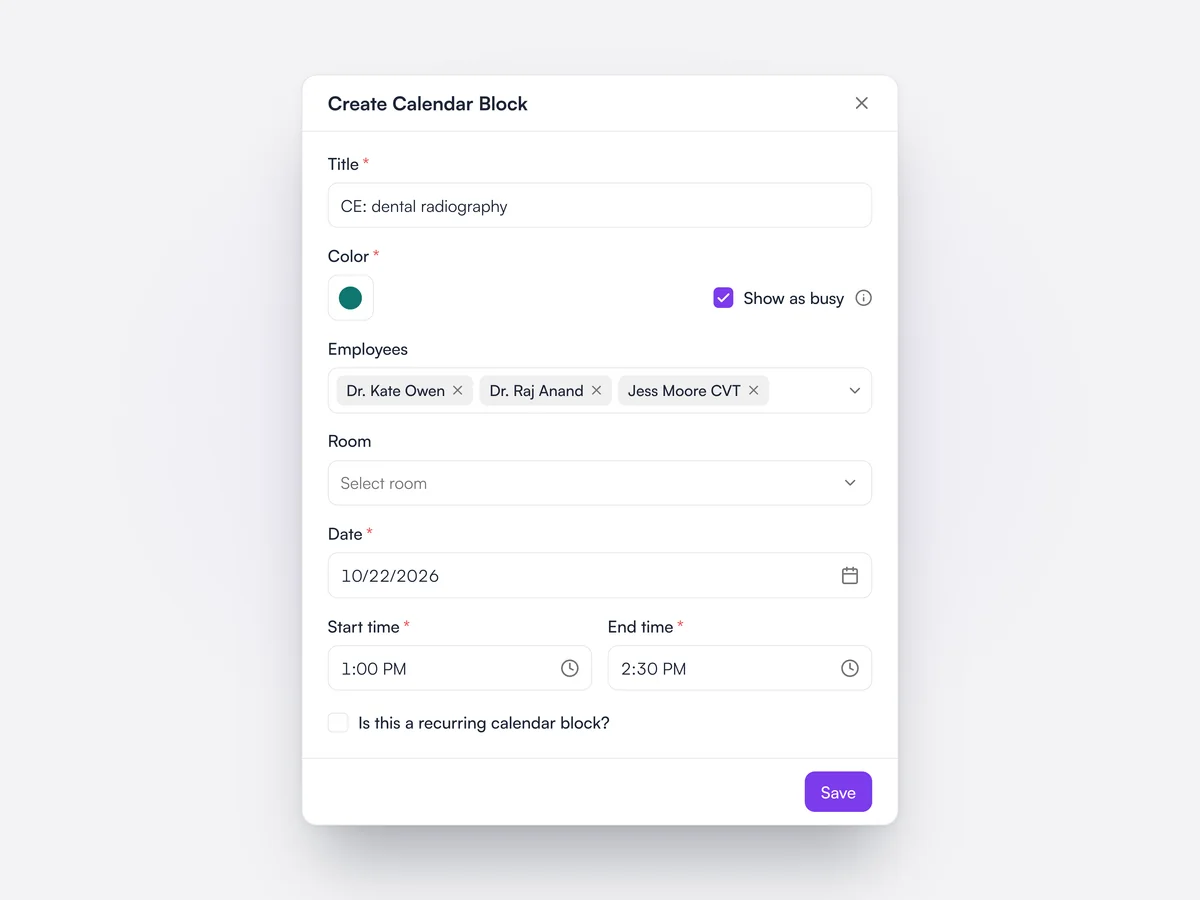
Block out time for named team members or a room, once or on a repeat.

A calendar block has a title, a color, the team members and room it covers, and a date and time. It can repeat daily or every one to four weeks on chosen days until an end date. Blocks marked as busy stop online bookings for the people on them.

The Create Calendar Block dialog for a CE session on October 22, 1:00 to 2:30 PM, covering three team members and set to show as busy

Double-booking checks

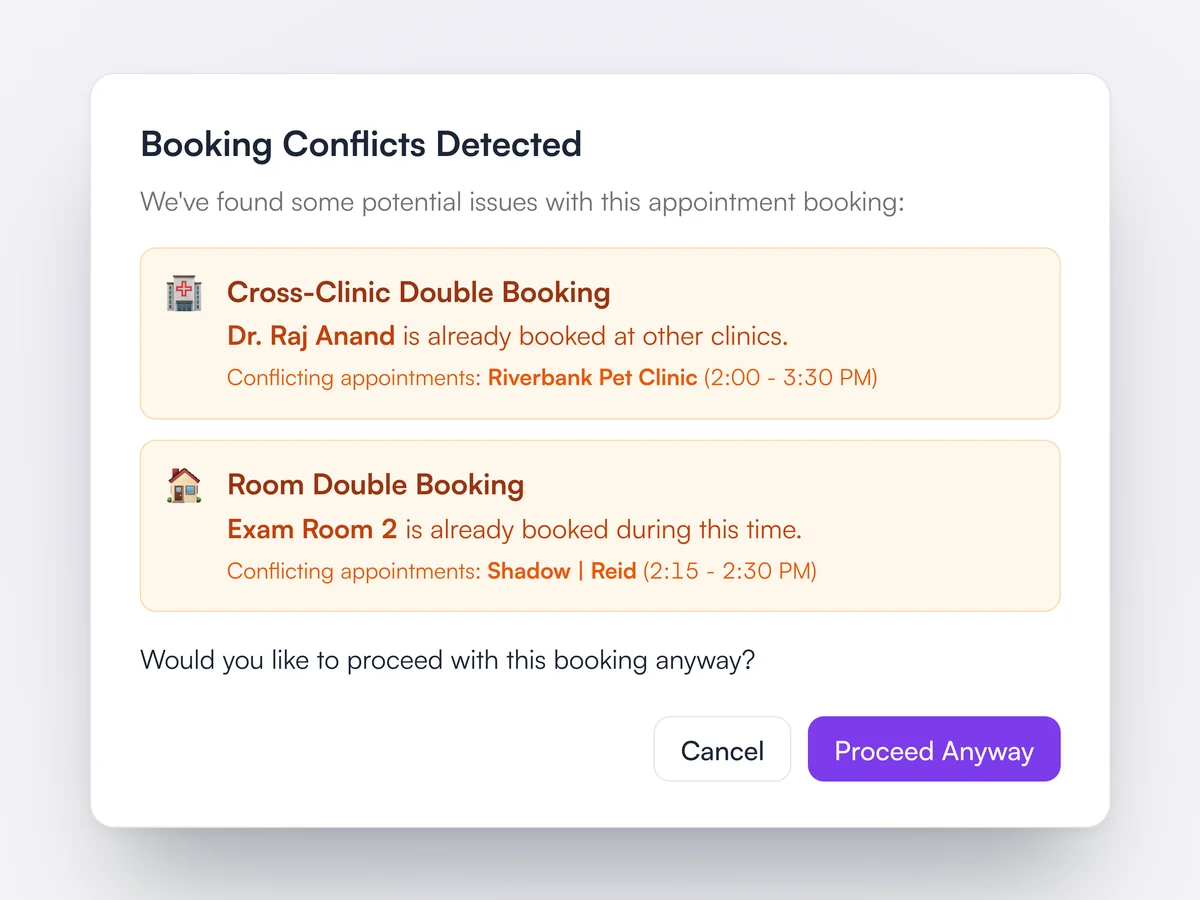
Lupa warns before saving a booking that clashes with a vet, a room or business hours.

When an appointment is saved, Lupa checks for staff double bookings, room double bookings and bookings outside the team member's or practice's hours. In a group it also checks whether the vet is already booked at another location, and names the location and time. The front desk can cancel or carry on.

The Booking Conflicts Detected dialog: Dr. Raj Anand is already booked at Riverbank Pet Clinic from 2:00 to 3:30 PM, and Exam Room 2 is already booked, with Cancel and Proceed Anyway

Other locations' appointments on your schedule

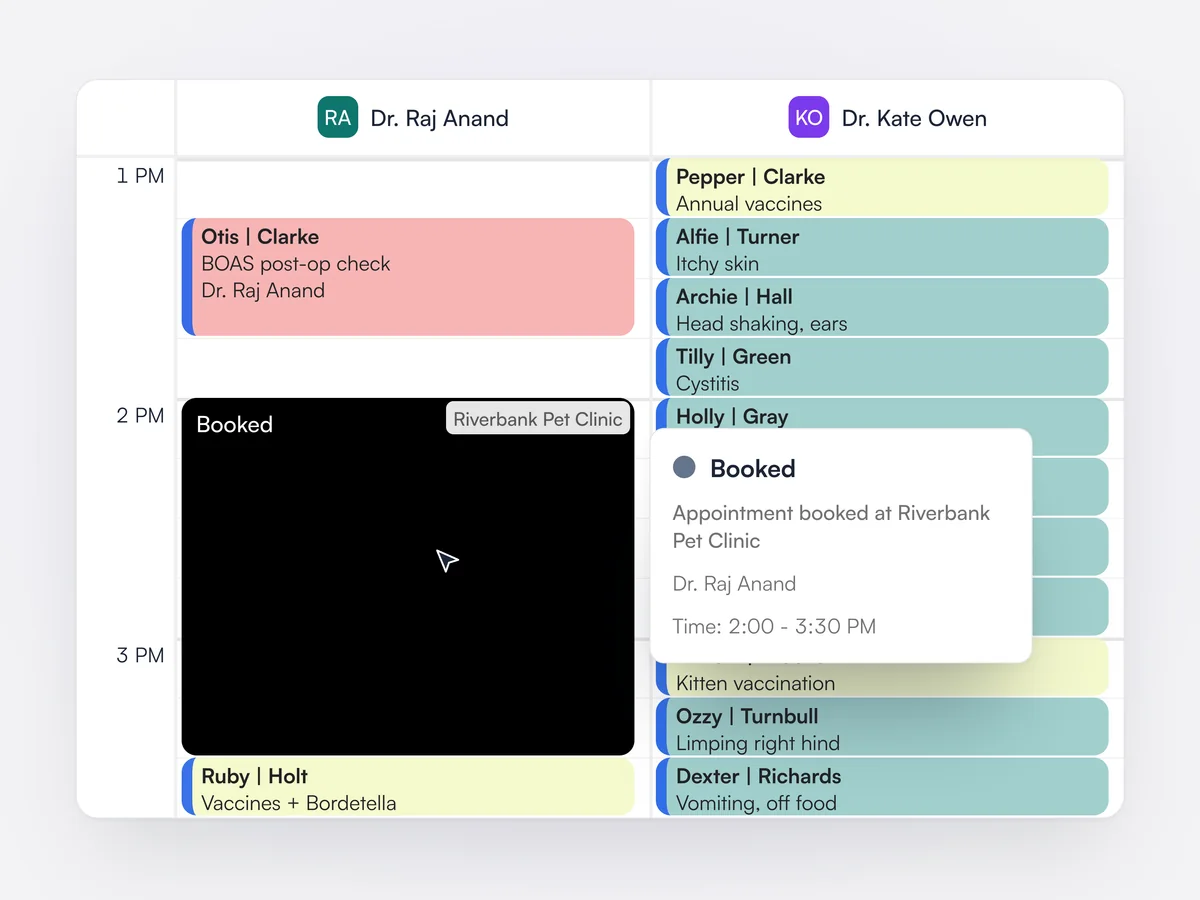
When a vet works across locations, their appointments elsewhere show as busy time on your schedule.

Appointments a team member has at another location in the group appear on this location's calendar as a Booked block with the other location's name. A company setting decides whether other locations see full details or only that the time is busy.

Dr. Raj Anand's column in the Cedar Animal Hospital schedule with a black Booked block from 2:00 to 3:30 PM labeled Riverbank Pet Clinic, and its hover card saying the appointment is booked at Riverbank

Waiting-room timer

Checked-in patients show how long they have been waiting, turning amber at 10 minutes and red at 20.

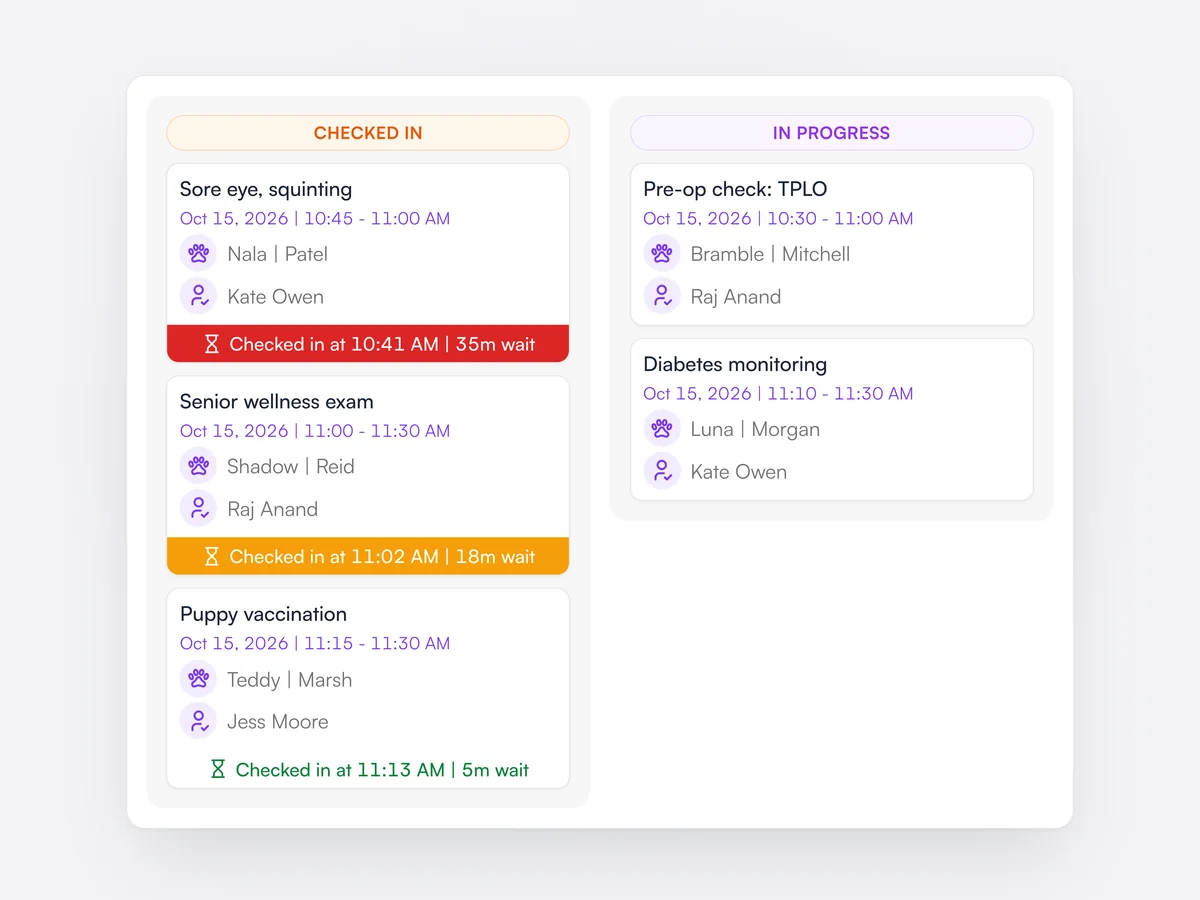
On the flow chart, each checked-in appointment shows the check-in time and the minutes waited, counted from check-in or the booked start, whichever is later. The banner turns amber after 10 minutes and red after 20, so the team can see who has been waiting longest.

The flow chart's Checked In column with three appointments waiting 35, 18 and 5 minutes, their banners red, amber and green, beside the In Progress column

Right-click on appointments

Right-click an appointment to move its status on, invoice it, take a deposit or record a weight.

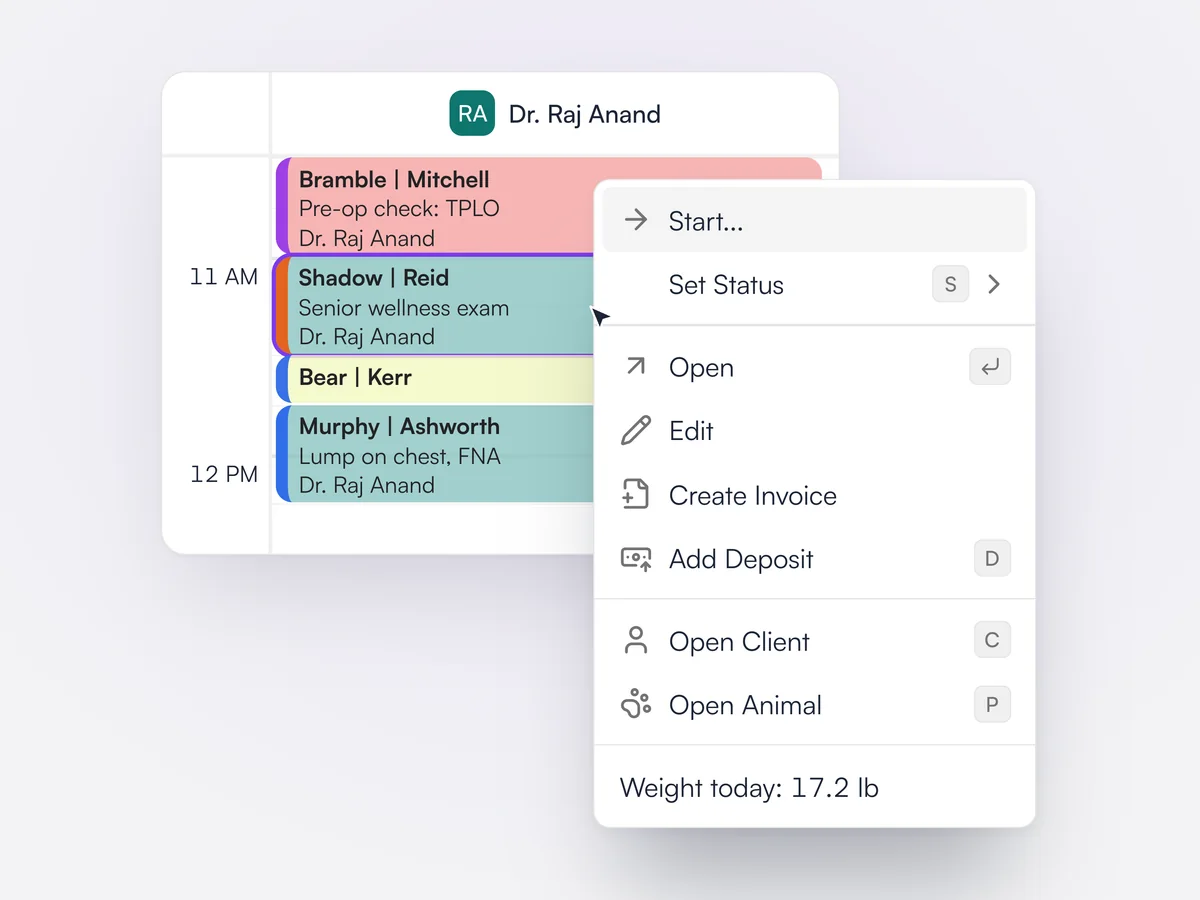
The calendar's right-click menu moves an appointment to its next status or any status, opens or edits it, creates the invoice and adds a payment or deposit. It also opens the client or the animal, and records today's weight without leaving the calendar. Most actions have a one-key shortcut.

The right-click menu on a checked-in appointment in Dr. Raj Anand's schedule: Start, Set Status, Open, Edit, Create Invoice, Add Deposit, Open Client, Open Animal and today's weight

Jump two, three or four weeks ahead

Jump the schedule 14, 21 or 28 days ahead in one click when booking a recheck.

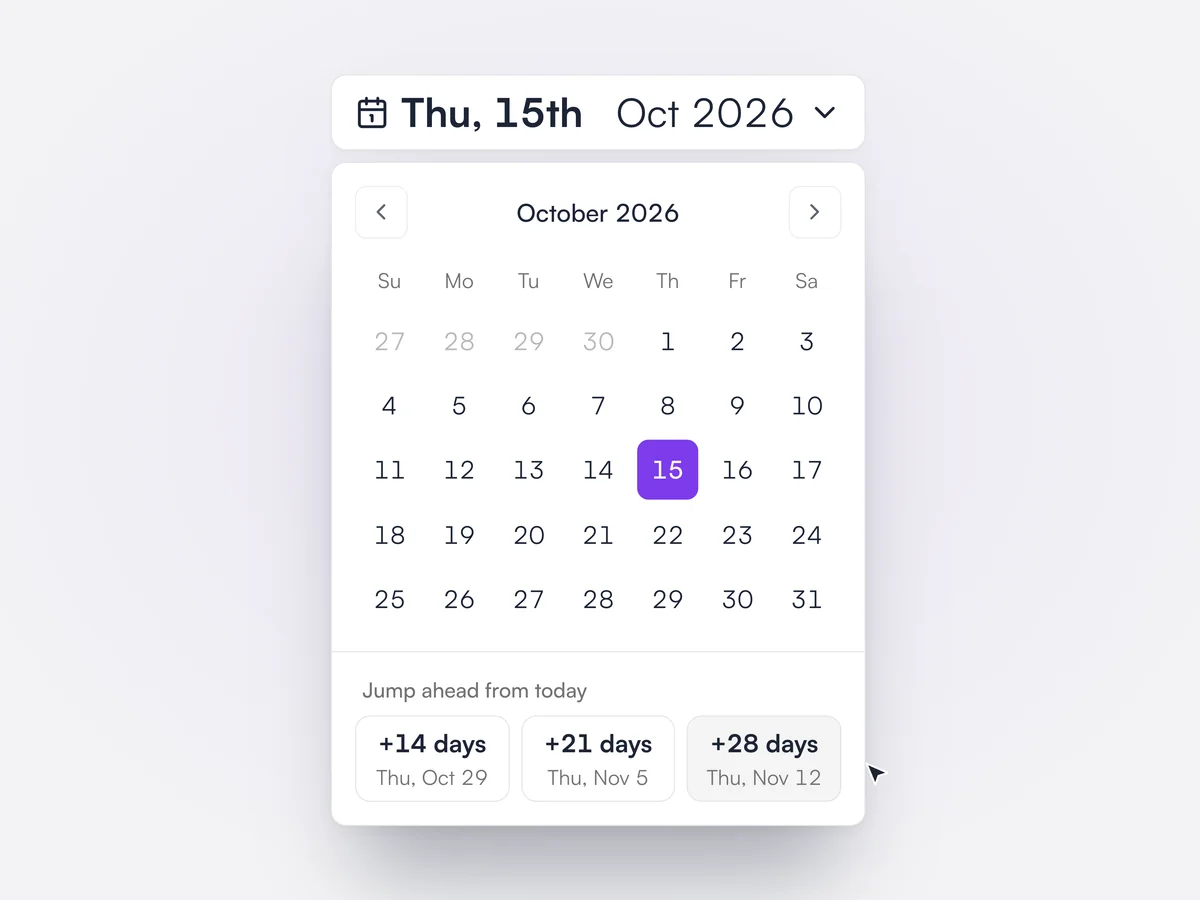
The calendar's date picker has shortcuts for 14, 21 and 28 days from today, each showing the date it lands on. They make it quick to find a slot for a two or four-week recheck while the client is still at the desk.

The calendar date picker open on Thursday, October 15, 2026, with Jump ahead from today buttons for +14, +21 and +28 days

Hide empty schedule columns

Hide team members and rooms with no availability that day, so the schedule shows only who is in.

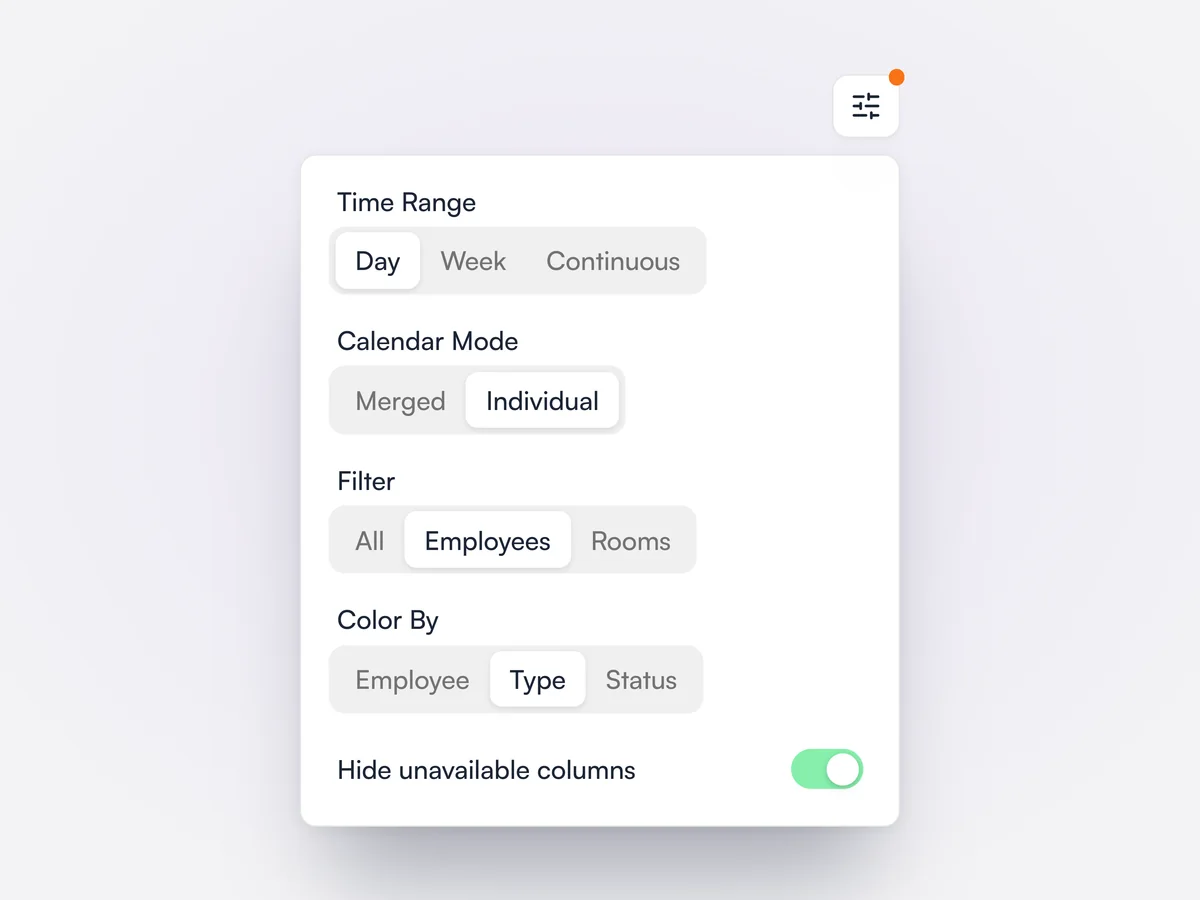
A switch in the calendar settings hides the columns of team members and rooms that are not available on the days shown, based on the staff schedule. It can be saved as part of a calendar view.

The calendar settings panel with Time Range, Calendar Mode, Filter and Color By options, and Hide unavailable columns switched on

After-hours auto-reply

Clients who message when you are closed get your own reply straight away.

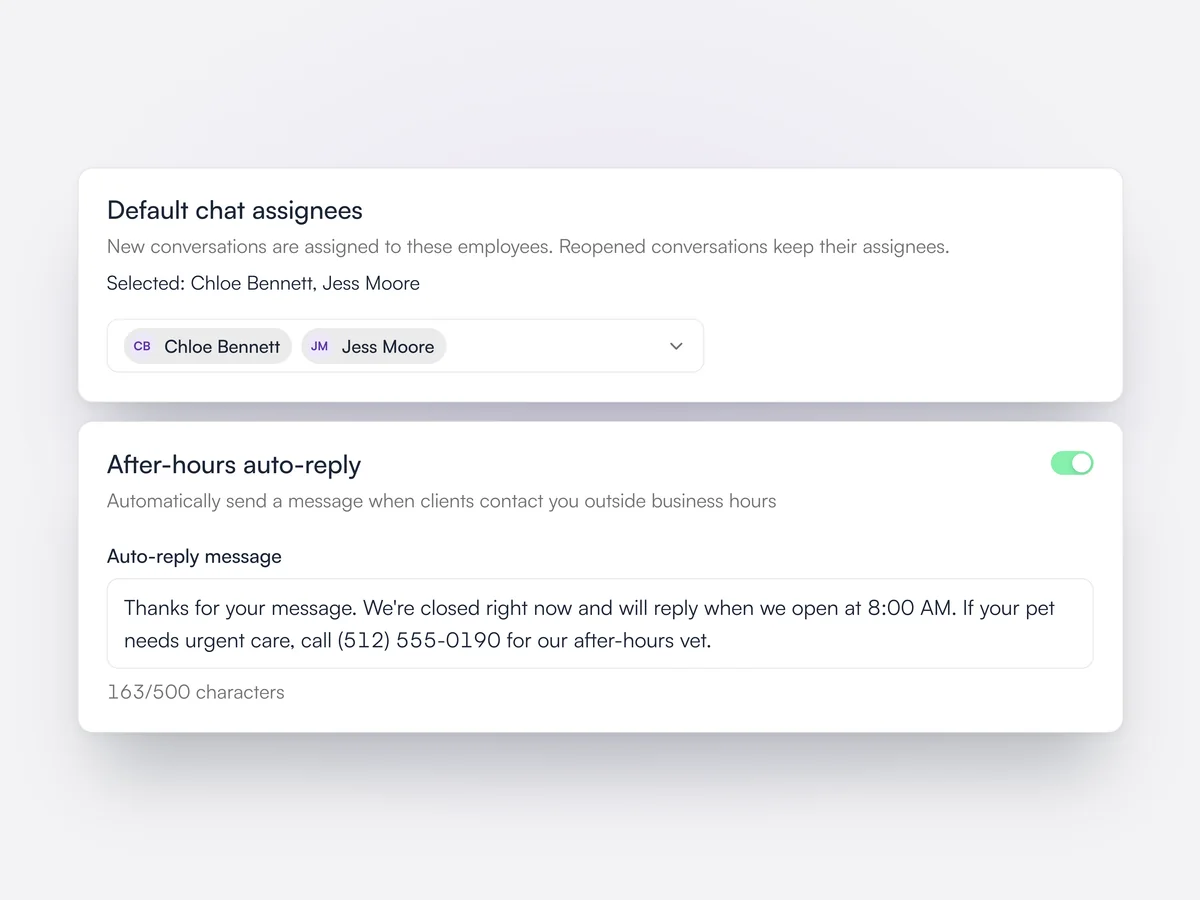
Practices write their own after-hours message, up to 500 characters, and Lupa sends it when a client gets in touch outside business hours. On the same settings page the practice picks default assignees, so every new client conversation lands with named people, such as the front desk team. Reopened conversations keep their assignees.

Client chat settings: Chloe Bennett and Jess Moore set as default chat assignees, and the after-hours auto-reply switched on with the practice's message

Team chat

Channels and direct messages for the practice team, across every location, inside Lupa.

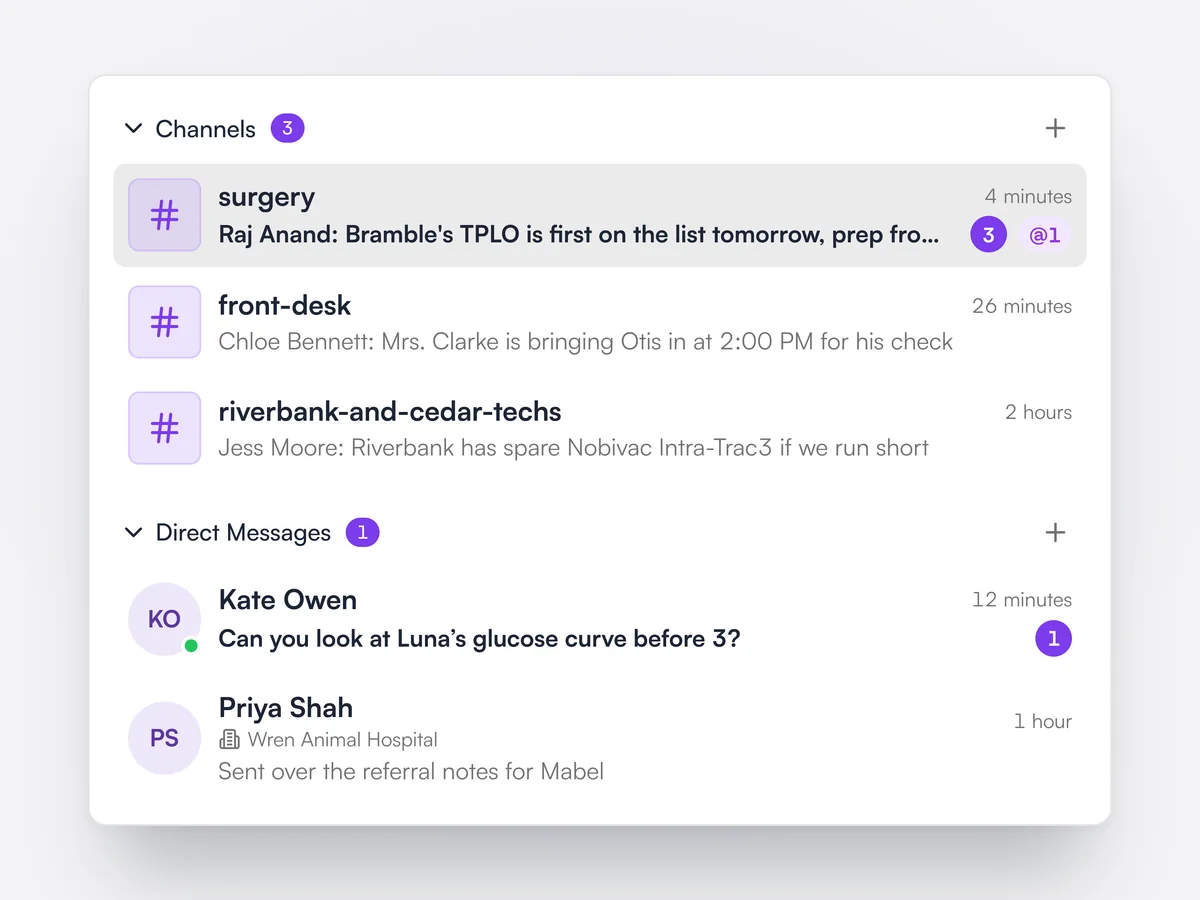
Staff create named channels, such as surgery or front desk, and send direct or group messages to colleagues, including people at other locations in the group. Messages arrive in real time with unread counts and @mentions, and important messages can be pinned. Channels can be renamed, have members added or removed, and be archived without losing any messages.

The team chat list: surgery, front desk and vet techs channels with unread counts and a mention, and direct messages with Dr. Kate Owen, online, and a colleague at Wren Animal Hospital

Appointment confirmations and reminders

A confirmation when booked, two reminders before and a follow-up after, by email, text or WhatsApp.

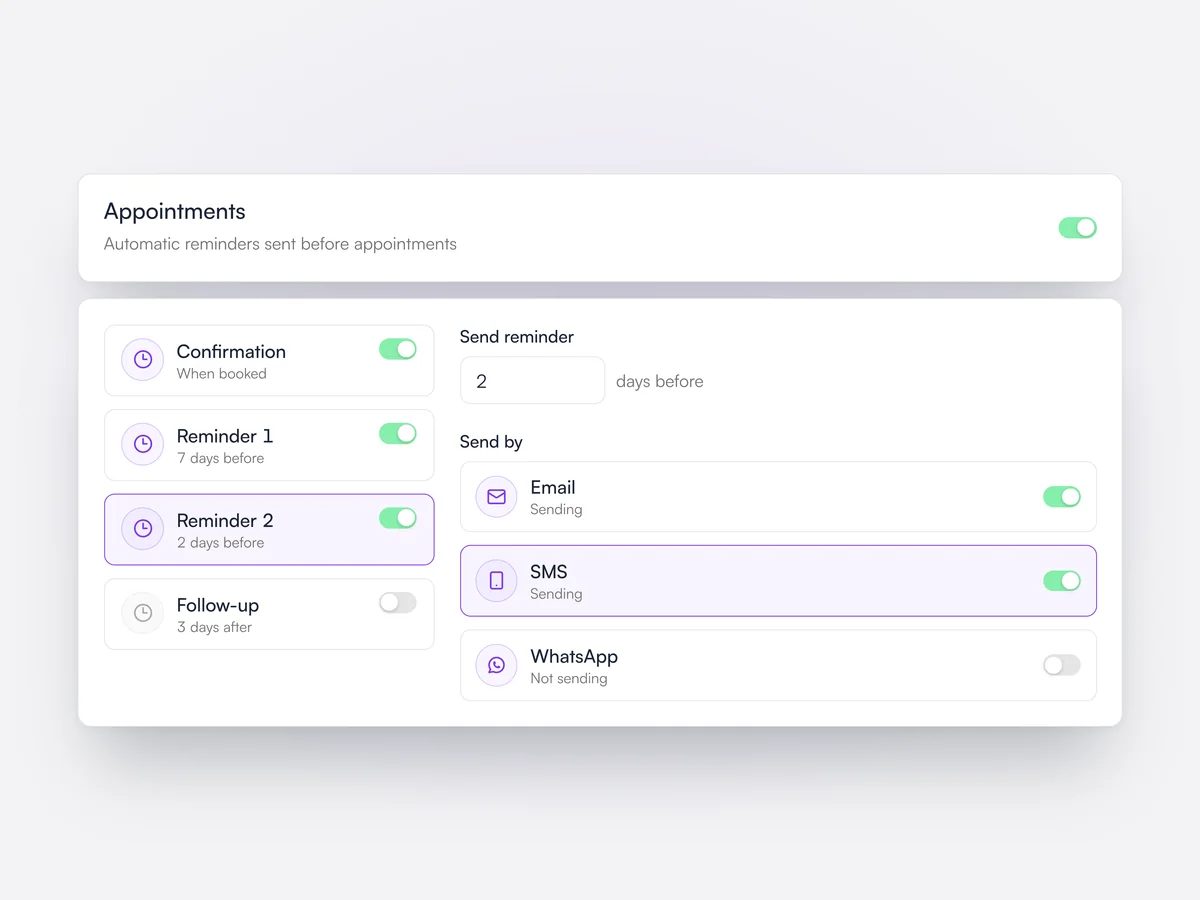
Each practice sets its default appointment messages: a confirmation when the appointment is booked, two reminders a chosen number of days before, and a follow-up a set number of days after. Each one can be switched on or off and sent by email, text or WhatsApp, with its own wording. If an appointment has pre-appointment instructions, a button to view them is added to the confirmation email.

Default Reminders settings: confirmation, reminder 1 seven days before, reminder 2 two days before by email and text, and the follow-up switched off

Communication history

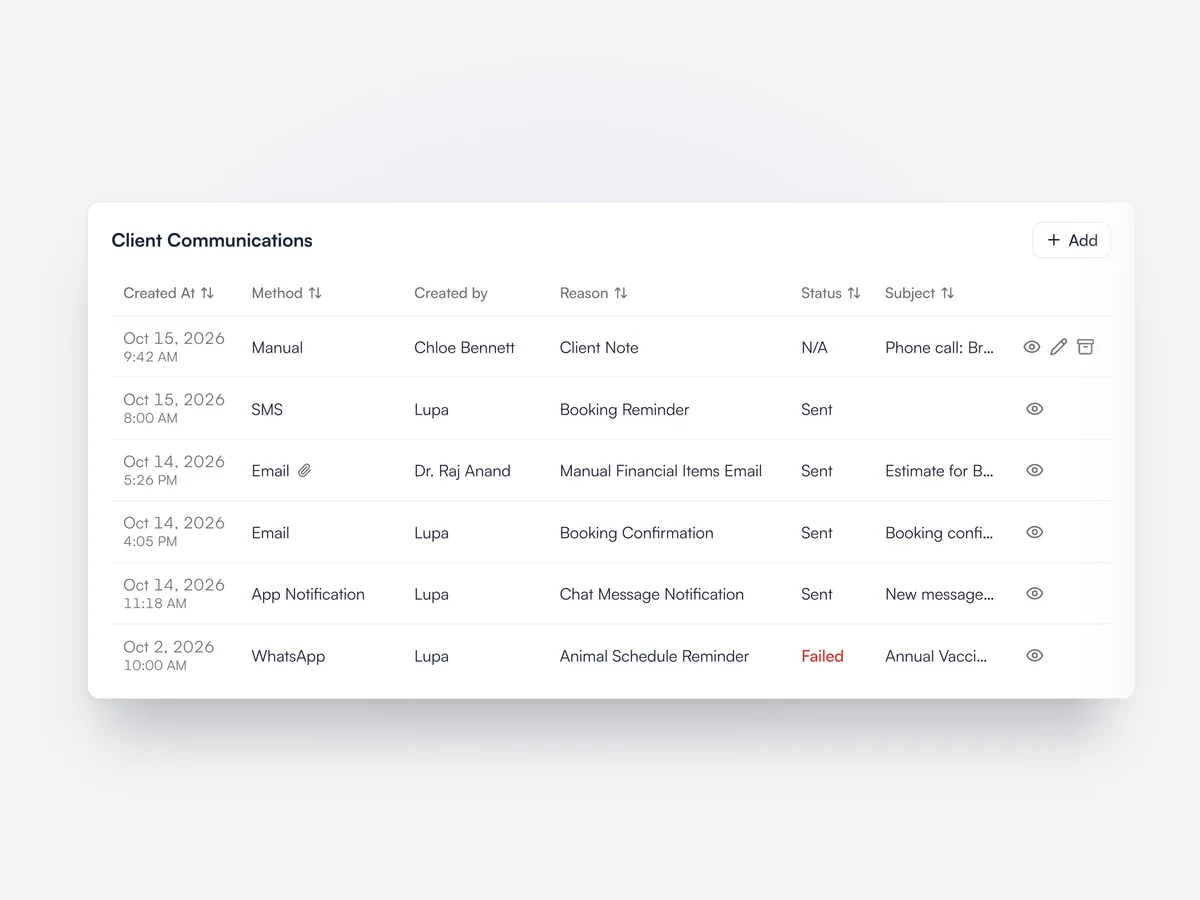
Every email, text, WhatsApp, app notification and AI call to a client, with whether it was delivered.

The client page lists everything sent to that client, with the date, channel, who sent it, the reason and the delivery status, so a failed reminder is easy to spot. Each entry opens to show the full message and any attachments, such as an invoice PDF. A practice-wide version lists communications across all clients, with filters for channel, reason, status and date.

Sarah Mitchell's Client Communications: a note of a phone call, a text booking reminder, emails with an estimate attached, and a WhatsApp vaccination reminder marked Failed

Send from Outlook or Gmail

Connect practice and staff mailboxes so emails from Lupa come from real, reply-able inboxes.

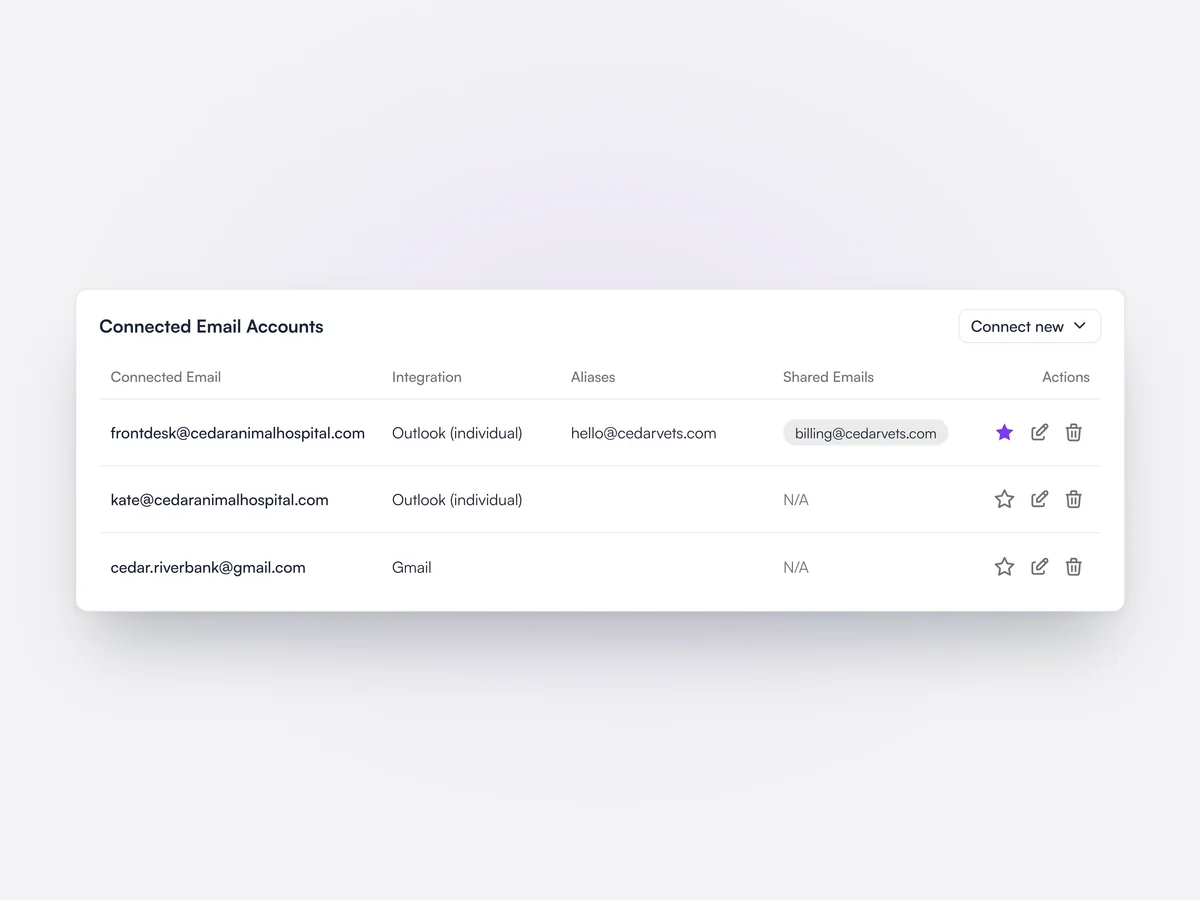
Practices connect Microsoft Outlook or Gmail accounts, and emails written in Lupa are sent through them. Outlook aliases and shared mailboxes can be used as senders, and one address can be set as the practice's default sender. Larger groups can use Microsoft 365 application authentication, managed in company settings.

Connected Email Accounts: the front desk Outlook mailbox set as default sender with an alias and a shared accounts mailbox, a vet's Outlook account and a Gmail account

Merge duplicate records

Merge two records for the same animal or client, choosing which details to keep.

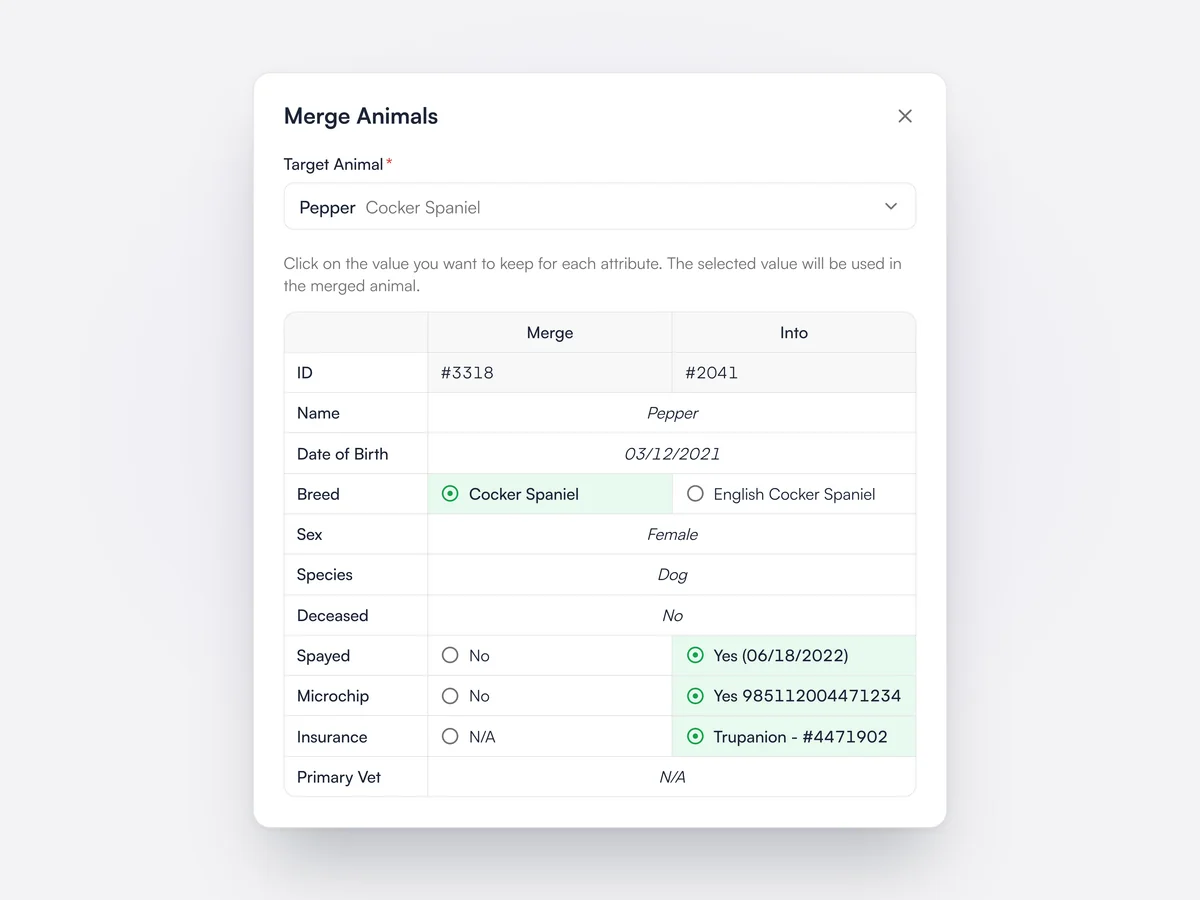
When an animal has been registered twice, staff pick the record to merge it into and see both side by side. For each detail that differs, such as breed, neutered status, microchip or insurance, they click the value to keep. The duplicate is archived and all of its records move across with the full medical history. Duplicate clients can be merged in the same way.

Merging a duplicate record for Pepper the Cocker Spaniel: the two records side by side, with the neutered date, microchip and Petplan insurance kept from the target record

Transfer to a new owner

Move an animal to a new owner and keep its full history with it.

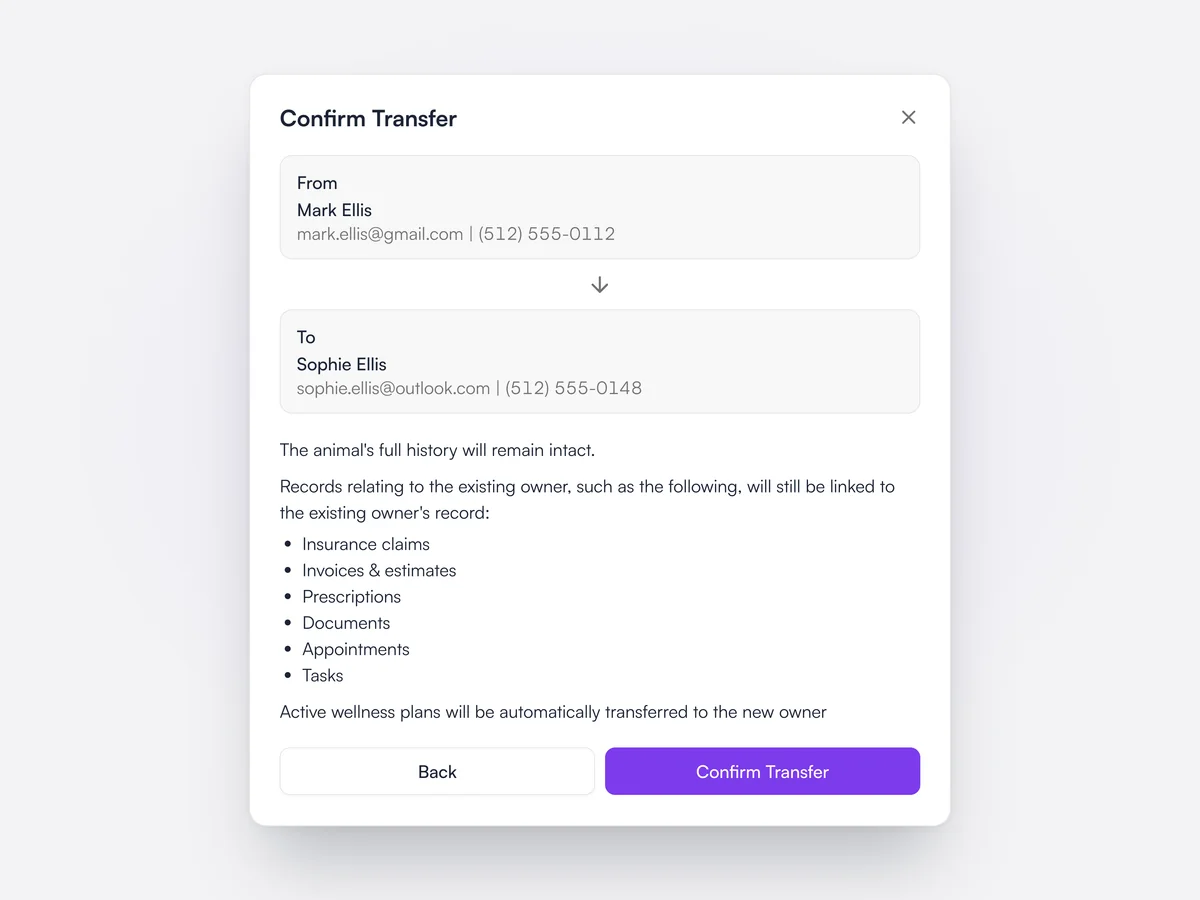
An animal can be transferred to another client from its record. Its medical history goes with it, while invoices, estimates, insurance claims, prescriptions, documents, appointments and tasks stay linked to the previous owner. Active wellness plan subscriptions move to the new owner automatically, and Lupa warns when a Vetsure plan has to be handled with the provider.

Confirming the transfer of an animal from Mark Ellis to Sophie Ellis, with the list of records that stay with the previous owner

Marking a pet as deceased

One step cancels upcoming appointments and stops reminders, without messaging the owner.

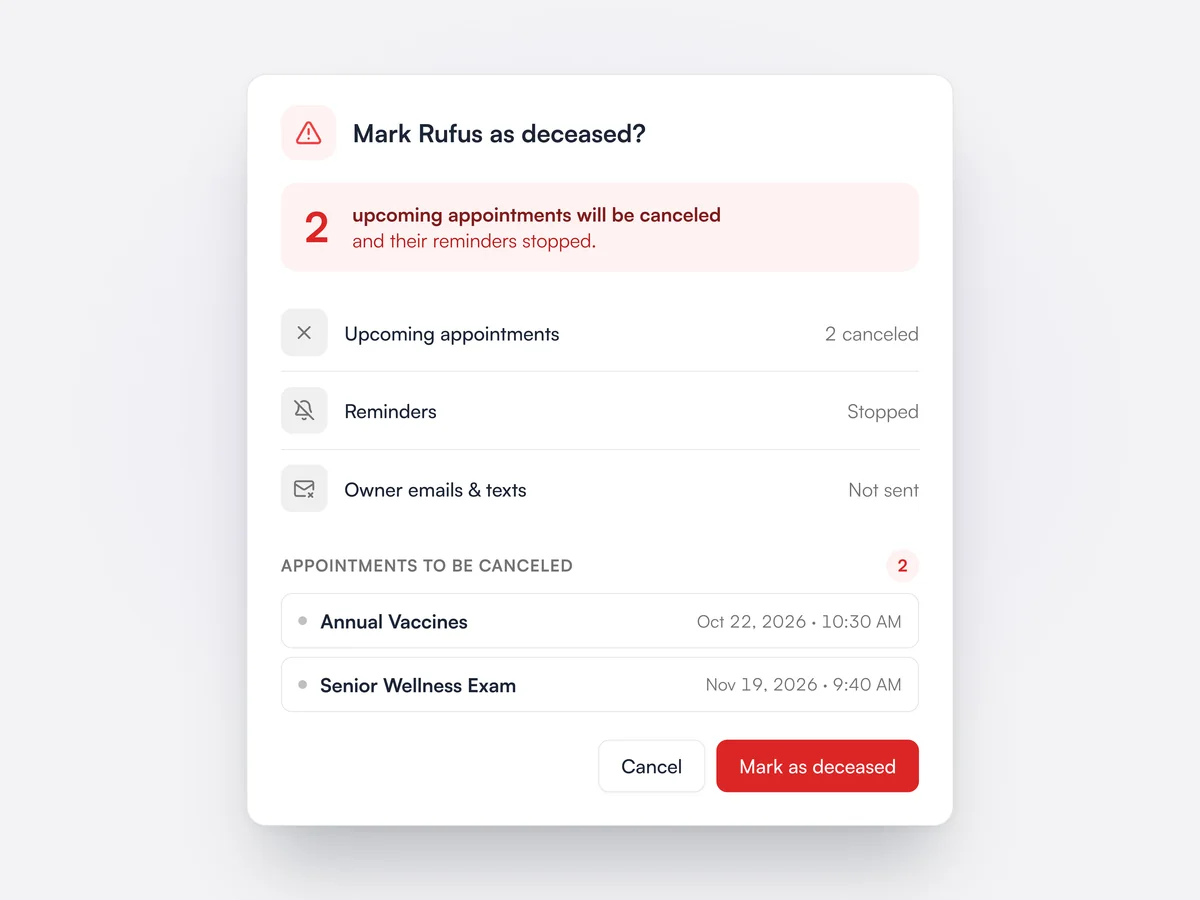
Before a pet is marked as deceased, Lupa shows how many upcoming appointments will be canceled and lists them. Confirming cancels those appointments and stops the pet's reminders. No cancellation emails or texts are sent to the owner.

Marking Rufus as deceased: two upcoming appointments to be canceled, reminders stopped and no emails or texts sent to the owner

Tags and alerts

Color-coded tags such as Nervous or Diabetic on animals, clients, products and invoices.

Practices create their own tags with a name, color and description, and choose whether each applies to animals, clients, products, services or invoices. A tag can be public or kept internal. Tags can be applied in bulk, merged into one another, and in a group promoted from one location to the whole company.

Creating an orange Nervous tag for animals, with a live preview of the badge and the public tag switch

Referring practices

Keep each referring practice as an account, with the clients and animals it has sent you.

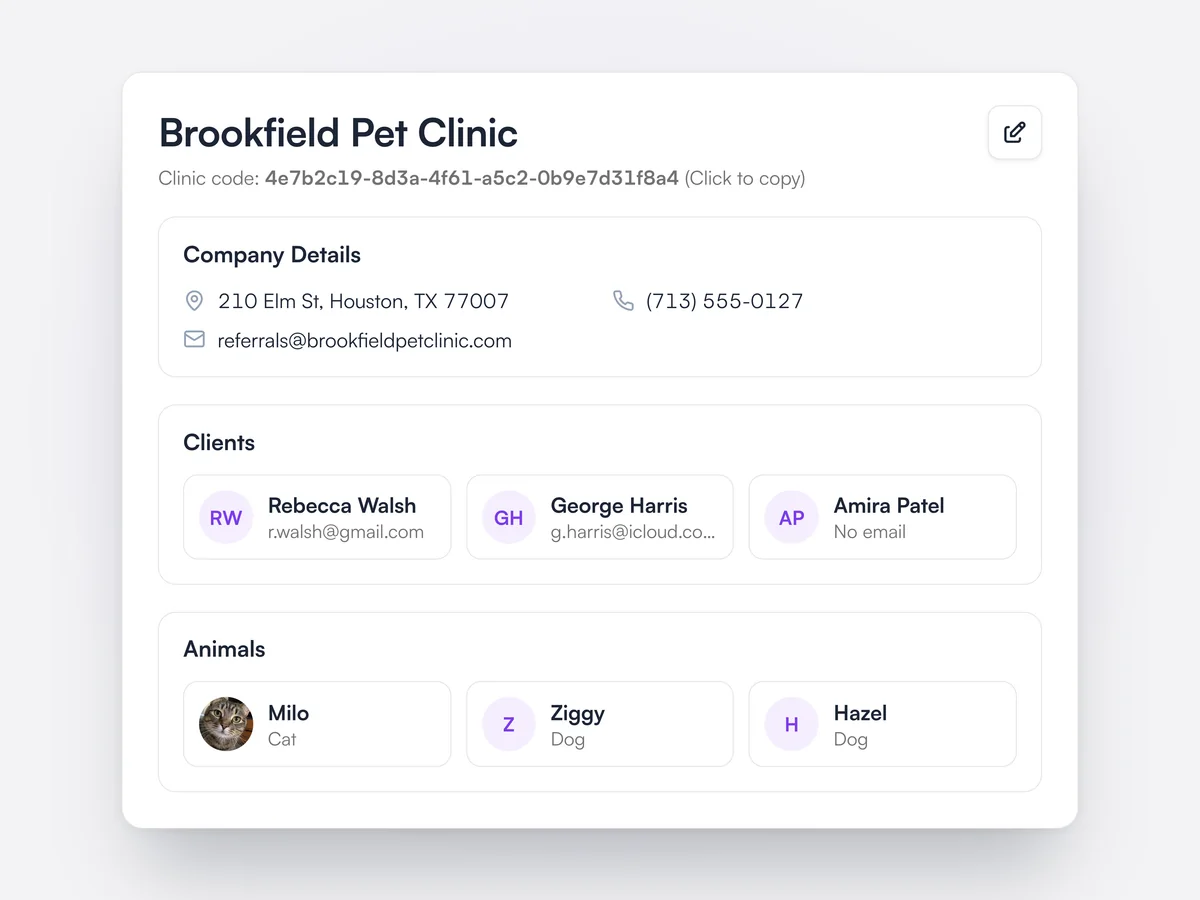
With professional referrals turned on, referring vets sign up on your referral page and register their practice. Each practice has its own page with its contact and billing details, the clients and animals it has referred, its appointments and an account balance. Clients can be linked to the practice that referred them.

The page for Brookfield Pet Clinic, a referring practice, with its clinic code, contact details and the clients and animals it has referred

How clients found you

Record where each new client heard about the practice and report on it.

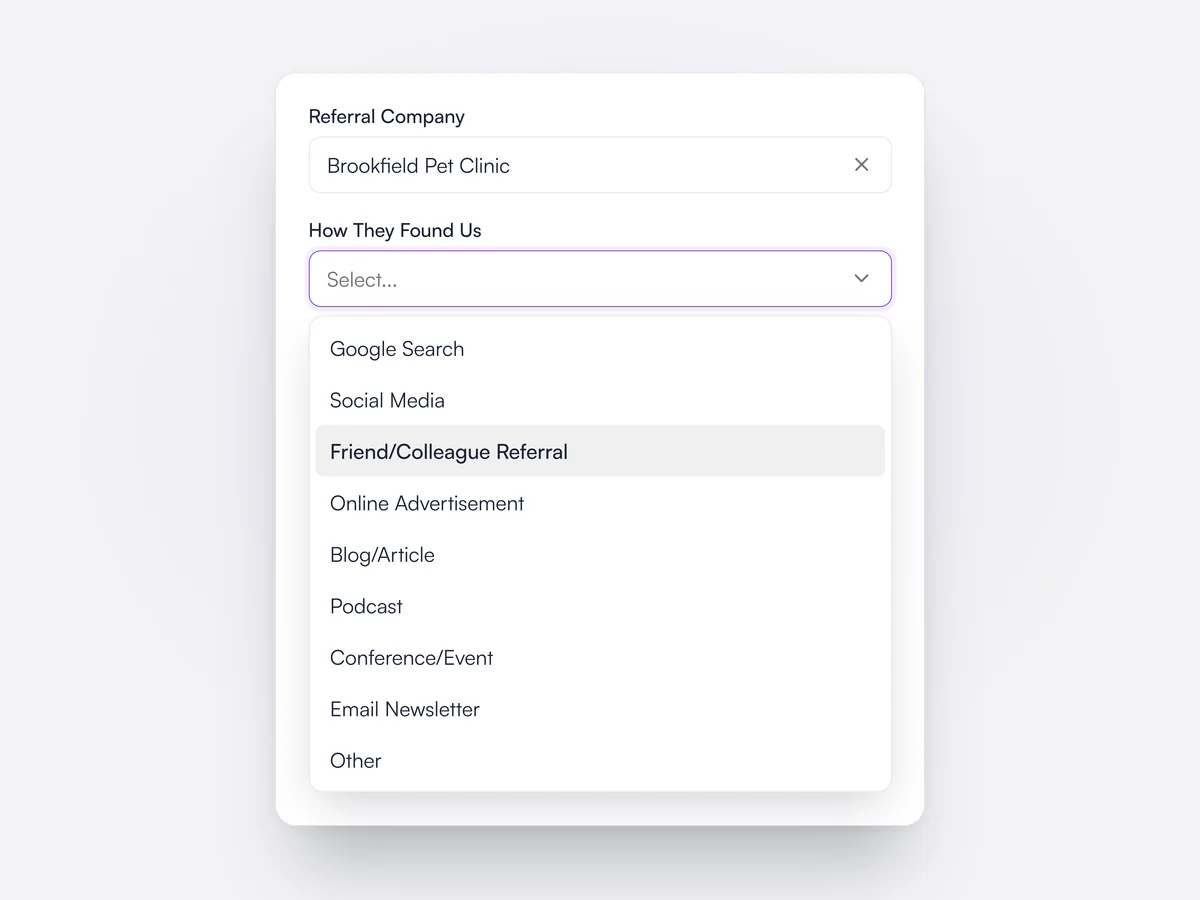
Each client record has a How They Found Us field with options such as Google Search, Social Media and Friend/Colleague Referral, or free text. Online registration always asks the same question. The answer appears on the client's details and as the Referral Source column in client analytics.

A client form with the referral company set to Brookfield Pet Clinic and the How They Found Us list open

Exams, notes and diagnostics
on one record.

What the vet needs in the exam room, with the notes written for them.

Lupa Notes

Record the exam and Lupa writes the medical notes in your own template, ready to check when you finish.

Learn moreShow less

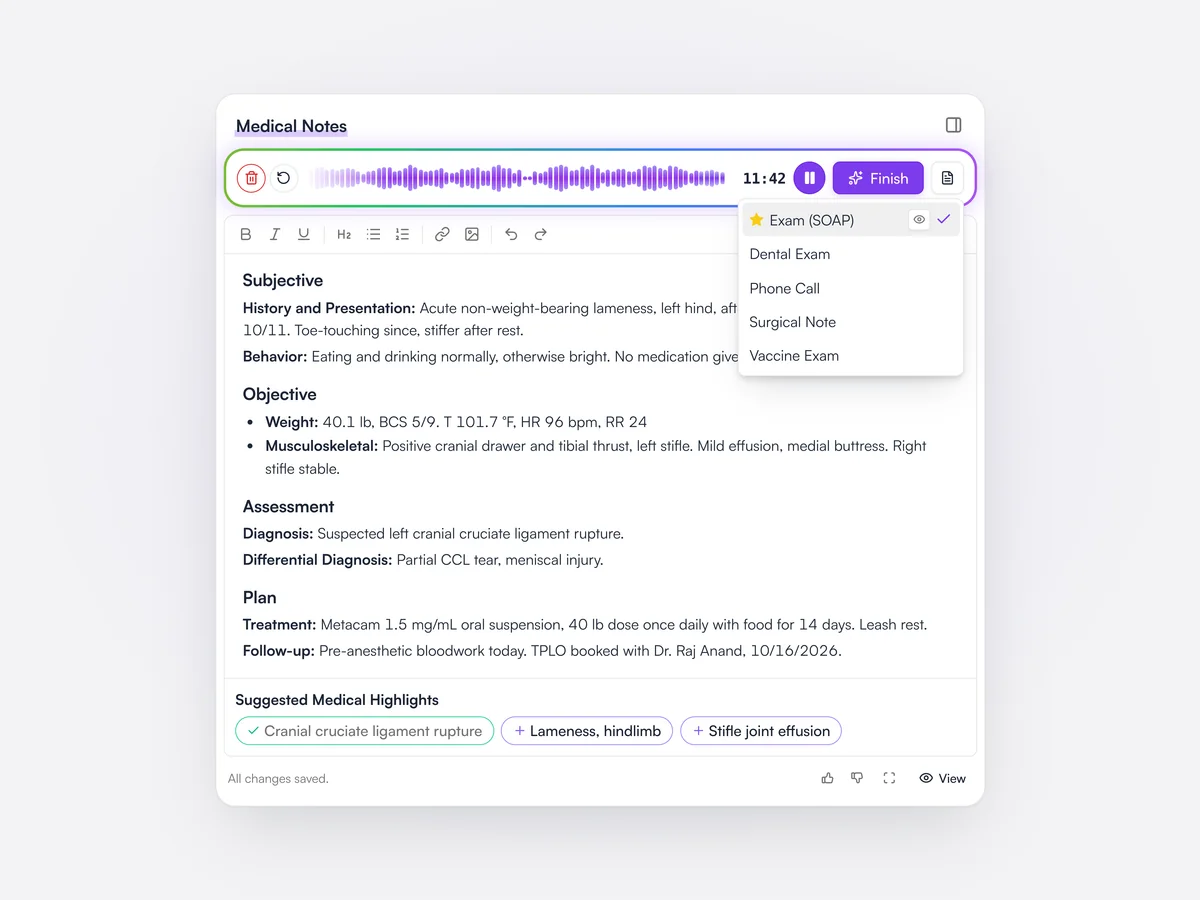
Lupa Notes records the exam and turns it into structured medical notes, such as SOAP, using the practice’s own templates. It recognizes drug and product names, and can build a template from notes your vets already write. The vet checks and edits the notes before they are saved.

More on Lupa Notes
Lupa Notes recording an exam with the Exam (SOAP) template chosen, above SOAP notes for Bramble’s suspected cruciate rupture and suggested medical highlights

Prescriptions

Write the dose once. Lupa works out the quantity, dispenses from the right batch and prints the label.

Learn moreShow less

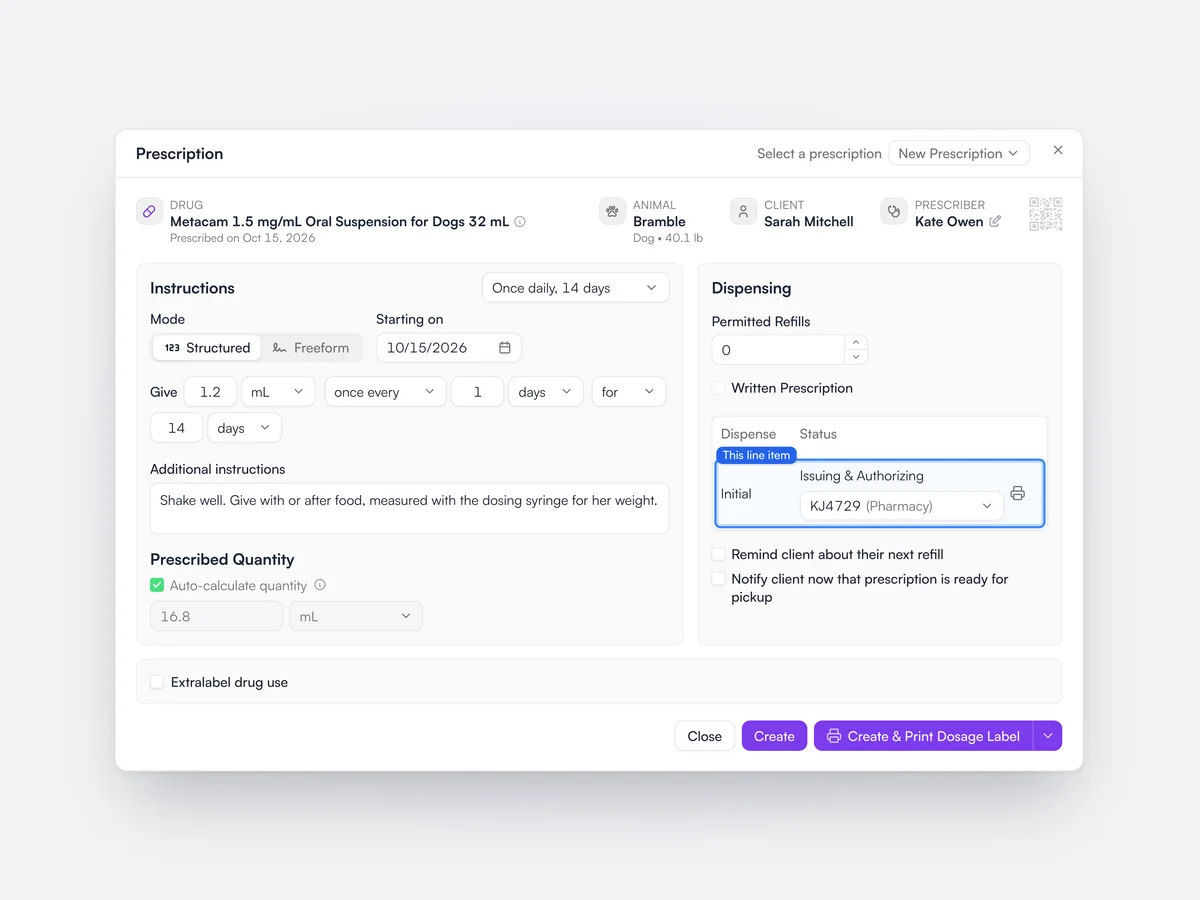
Prescriptions record the drug, dose, frequency and duration, and Lupa can work out the quantity from the dose. Medicines are dispensed from a chosen inventory batch, and dosage labels print straight to a label printer, all of an invoice’s labels in one job. Prescriptions can also be written without dispensing, with refills.

A prescription for Bramble: Metacam 1.5 mg/mL, 1.2 mL once a day for 14 days, with 16.8 mL worked out automatically and dispensed from lot KJ4729

Lab results

Order from your labs, in Lupa. Results come back to the record next to the pet’s earlier results.

Learn moreShow less

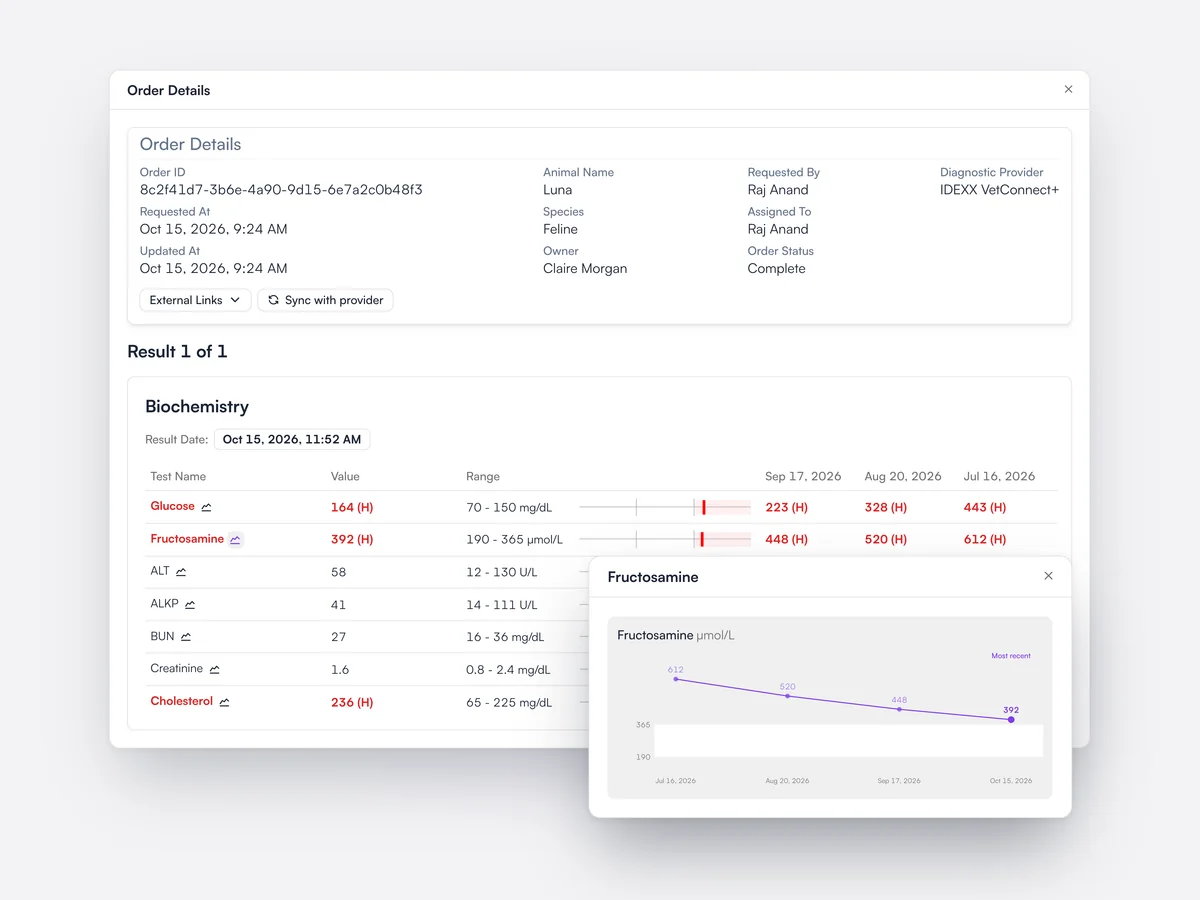
Lupa connects to IDEXX VetConnect Plus, Zoetis Vetscan and other labs for ordering and results, and practices manage their own lab connections. Abnormal values are flagged against the reference range, each analyte shows the pet’s earlier results, and a chart shows the trend over time.

Luna’s IDEXX biochemistry with high glucose and fructosamine flagged, three earlier results beside each value, and a chart of fructosamine falling since July

AI diagnosis suggestions

Lupa suggests possible diagnoses from the notes, for the vet to accept or ignore.

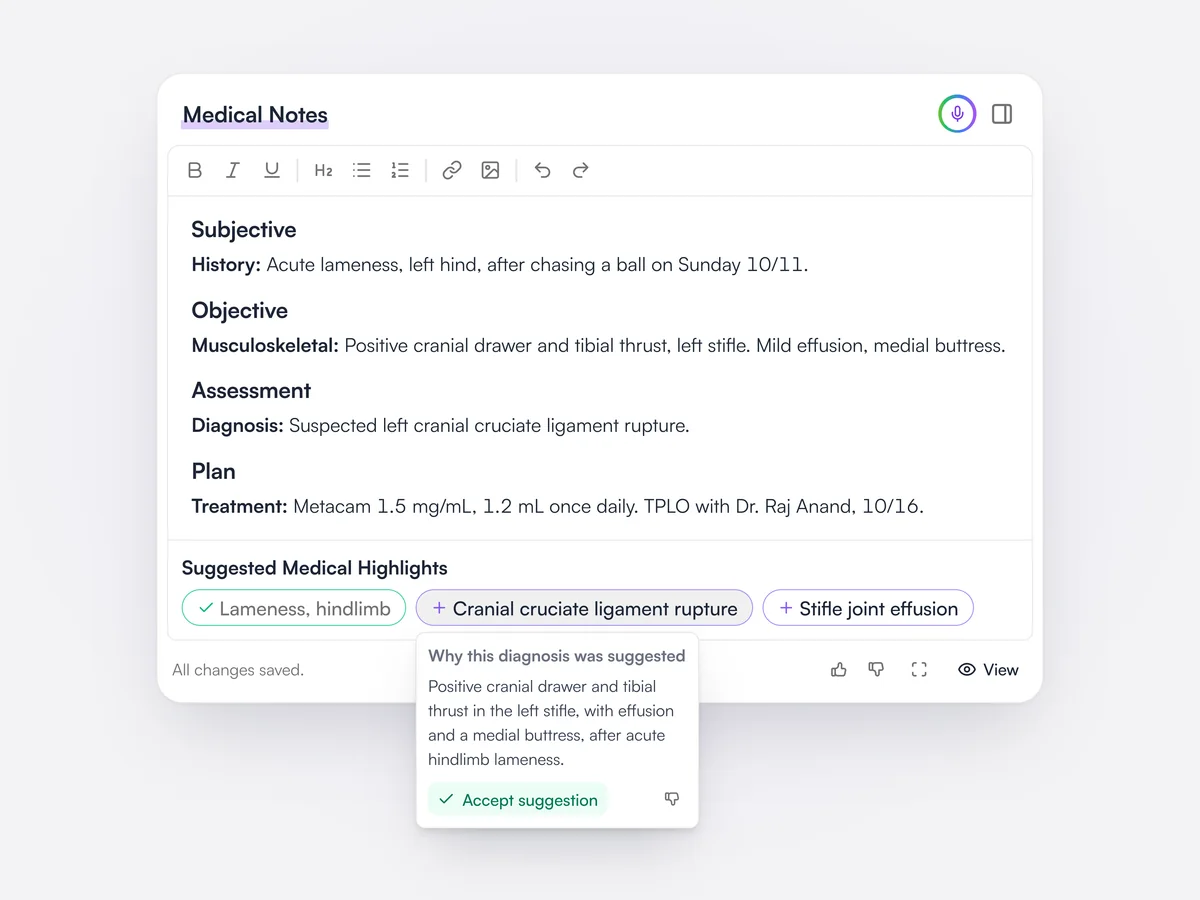
Under the notes editor, Lupa suggests diagnoses and medical highlights based on what has been written. Accepted suggestions are added to the pet’s medical highlights.

Suggested medical highlights under Bramble’s exam notes, with one accepted and the reasoning for a suggested cruciate rupture shown

Imaging

X-rays and other DICOM studies sit on the pet’s record, and you can share a study with a referral vet by link.

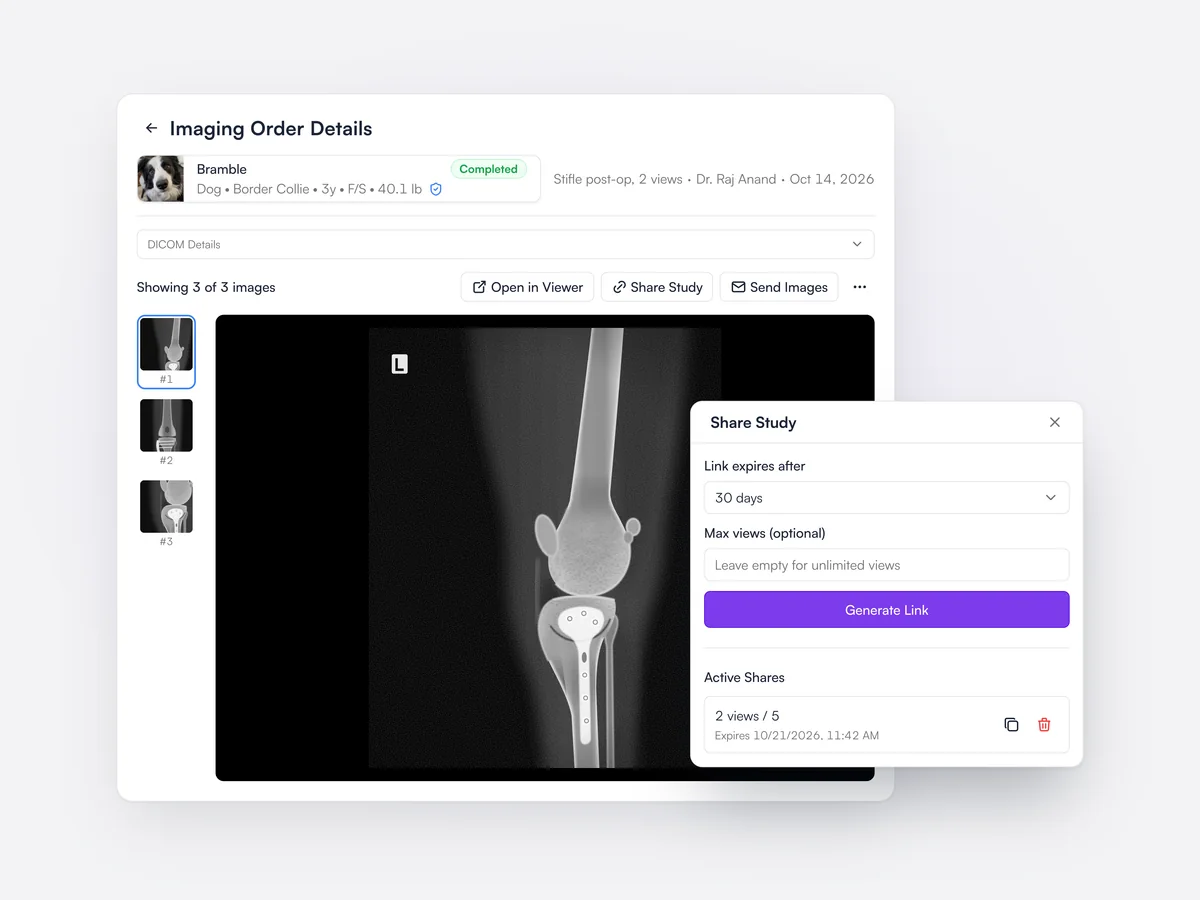
Lupa stores DICOM imaging studies from your modalities against the pet and the imaging order, with a viewer for each study. A study can be shared by a link that expires after 30 days, with an optional limit on views.

Bramble’s post-op stifle radiographs on the imaging order page, with the share study dialog creating a link that expires after 30 days

Dental charts

Record dental findings for dogs and cats on a tooth-by-tooth chart.

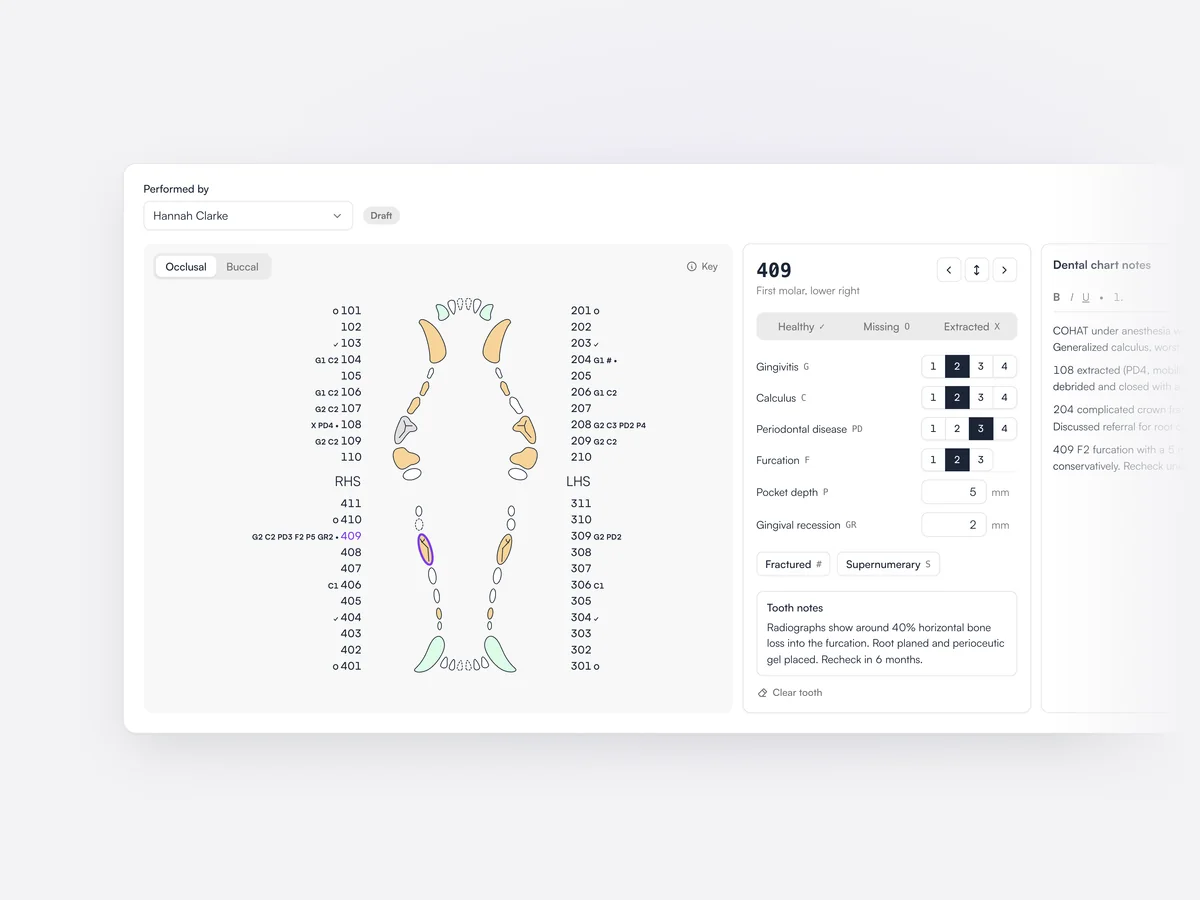
The dental chart records findings such as calculus, gingivitis, periodontal disease, pocket depths and extractions against each tooth. A new chart starts from the missing teeth on the last one, and charts are signed off when complete.

A dog’s occlusal dental chart with findings marked against each tooth, and tooth 409 open with gingivitis, calculus, periodontal disease, furcation, a 5 mm pocket and notes

Controlled drug prescriptions

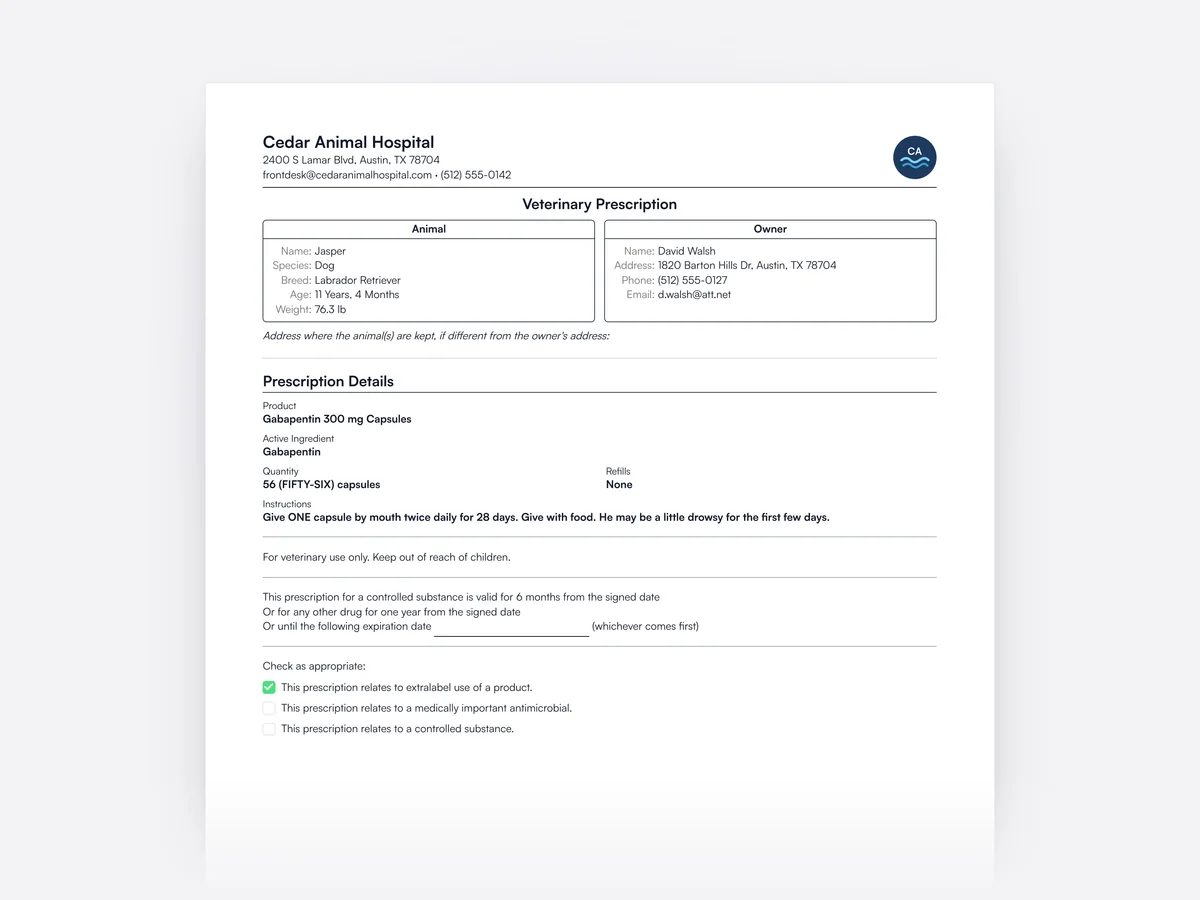
Written prescriptions for Schedule 2 and 3 drugs, with quantities in figures and words.

Lupa prints written prescriptions for controlled drugs in the format the regulations ask for, with the quantity in figures and in words. Controlled drugs are marked on the product and can be ordered online from NVS.

A written prescription for a Schedule 3 controlled drug, gabapentin capsules, with the quantity in figures and words

Automatic next-due dates

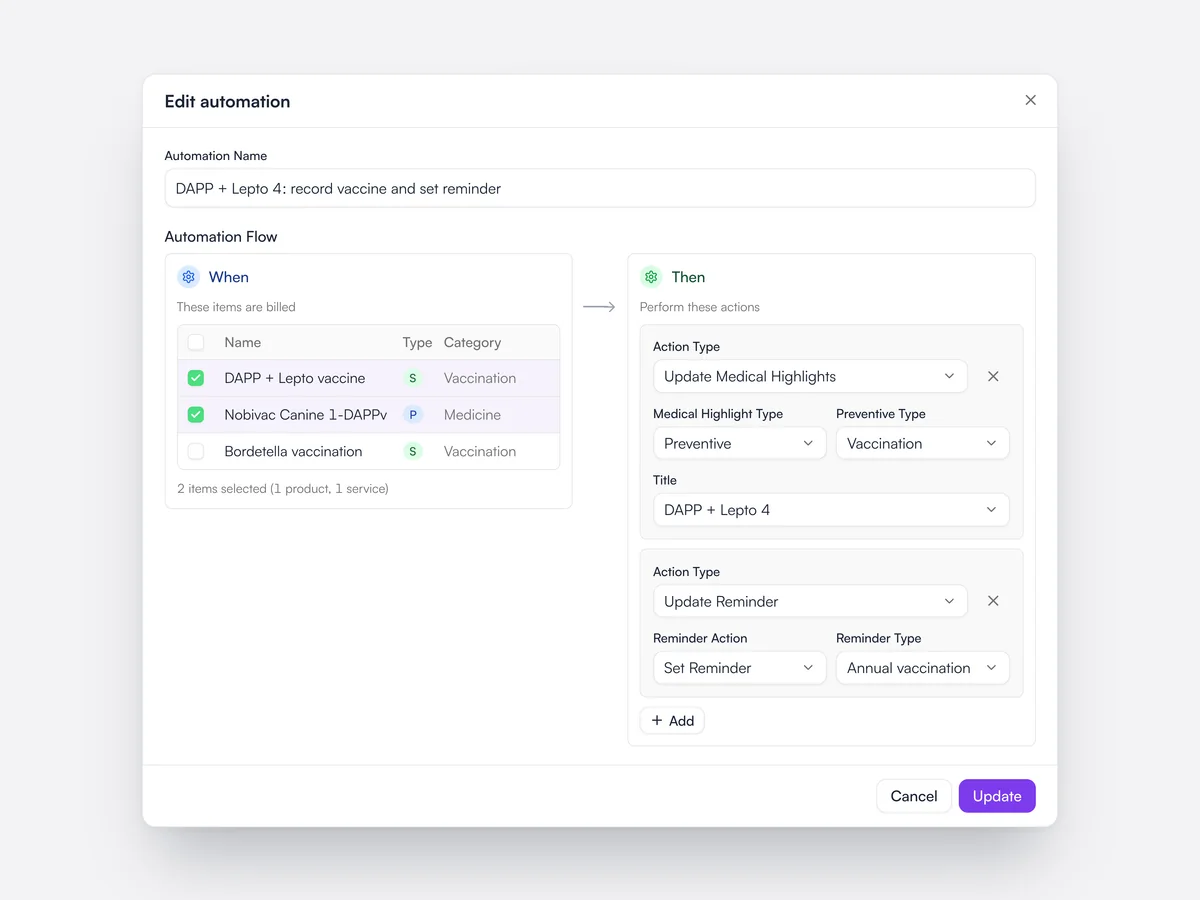
Billing a vaccine or treatment records it and sets when the next one is due.

Automations link products and services to what should happen when they are billed. Billing a vaccine, for example, adds it to the pet’s preventive care, sets the next due date and schedules the reminder.

An automation that, when the DAPP + Lepto 4 vaccination is billed, adds a preventive vaccination medical highlight and sets the annual vaccination reminder

Pet history export

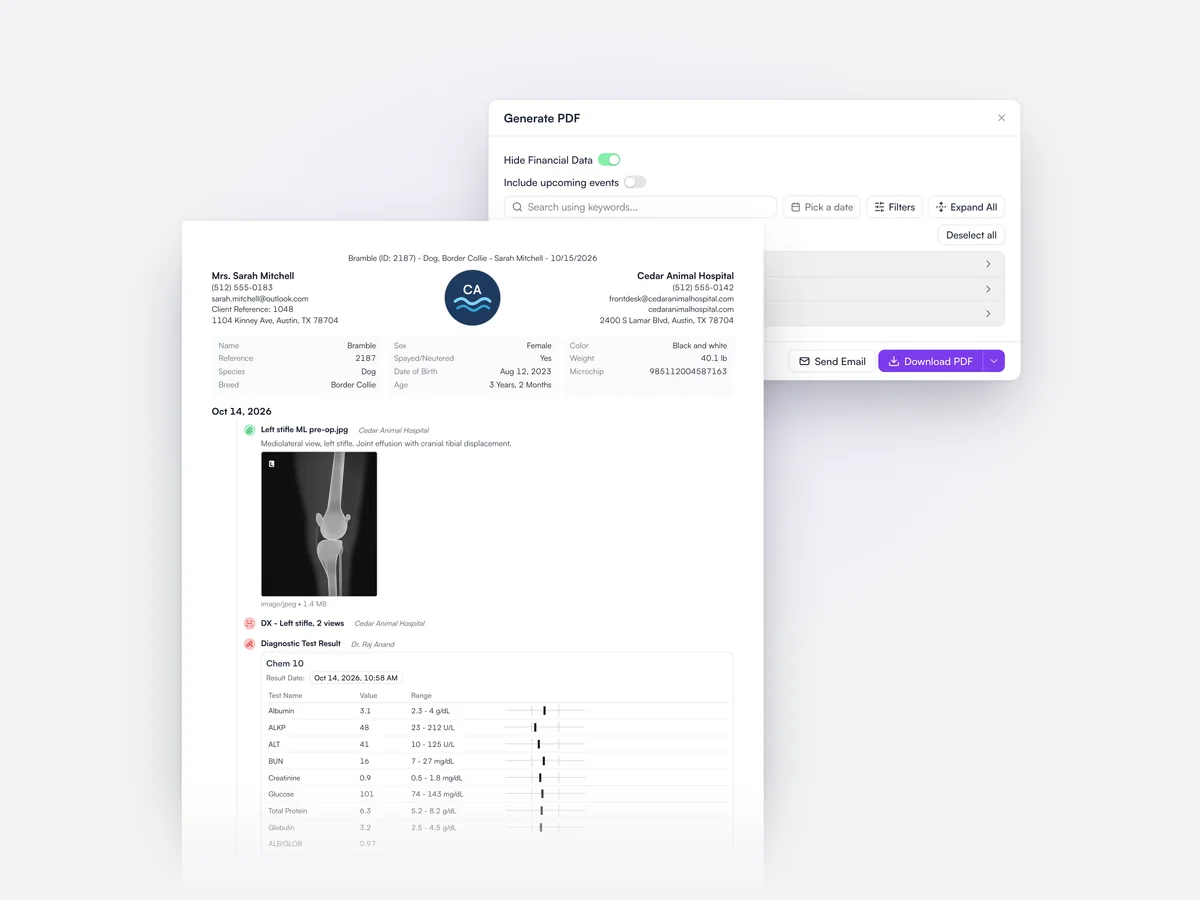
Export the full history as a PDF, lab reports and images included, for referrals or insurers.

The pet’s history exports as a single PDF that can be filtered by date, with lab reports and images included, so it stands on its own for a referral practice, an insurer or the client.

Exporting Bramble’s history as a PDF, with financial data hidden, and the first page showing a radiograph and a biochemistry table

Microchip registration

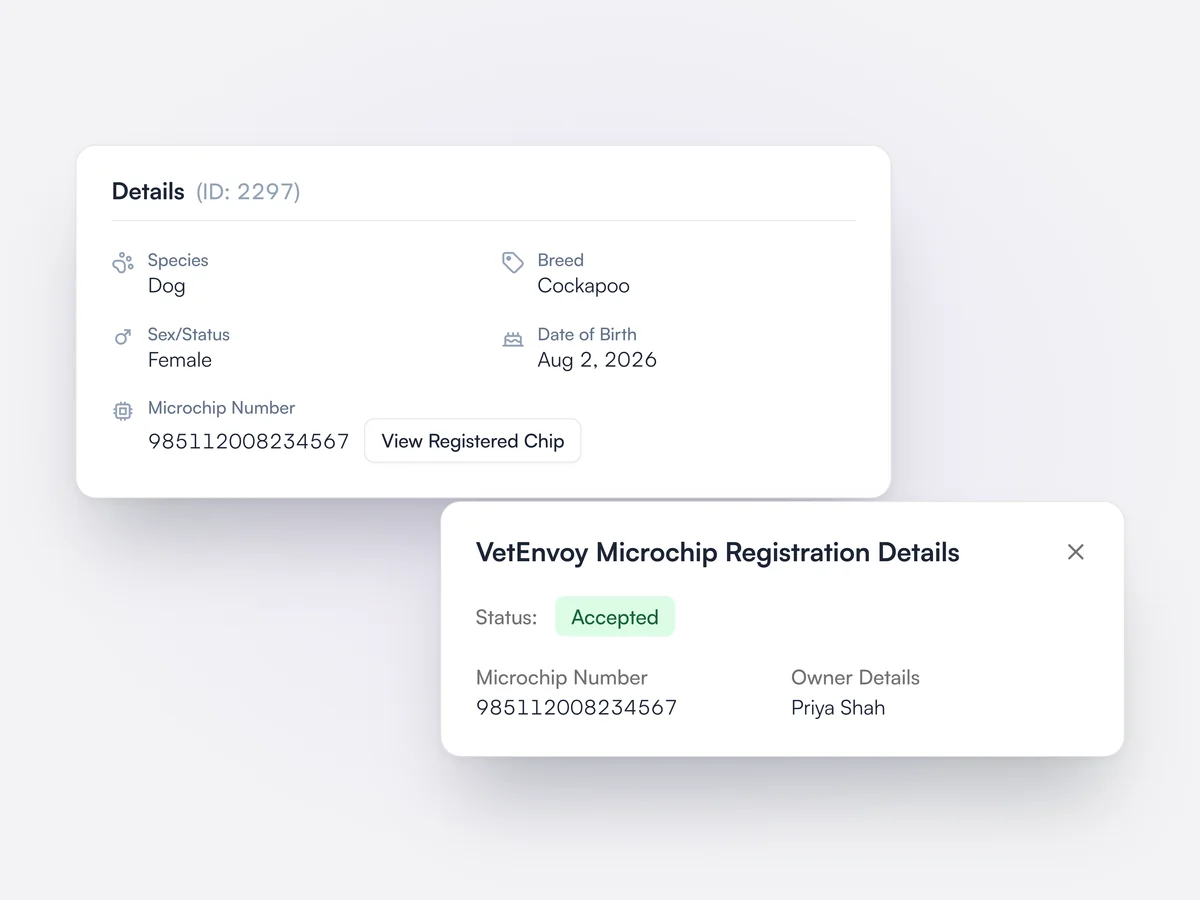
Register a microchip through VetEnvoy without leaving the pet’s record.

Microchips implanted at the practice can be registered through the VetEnvoy connection from the pet’s record.

Nala's microchip number with its registration button, and the VetEnvoy registration showing the status Accepted

Equine and farm records

Horse and large-animal details, including sex options and where the animal is kept.

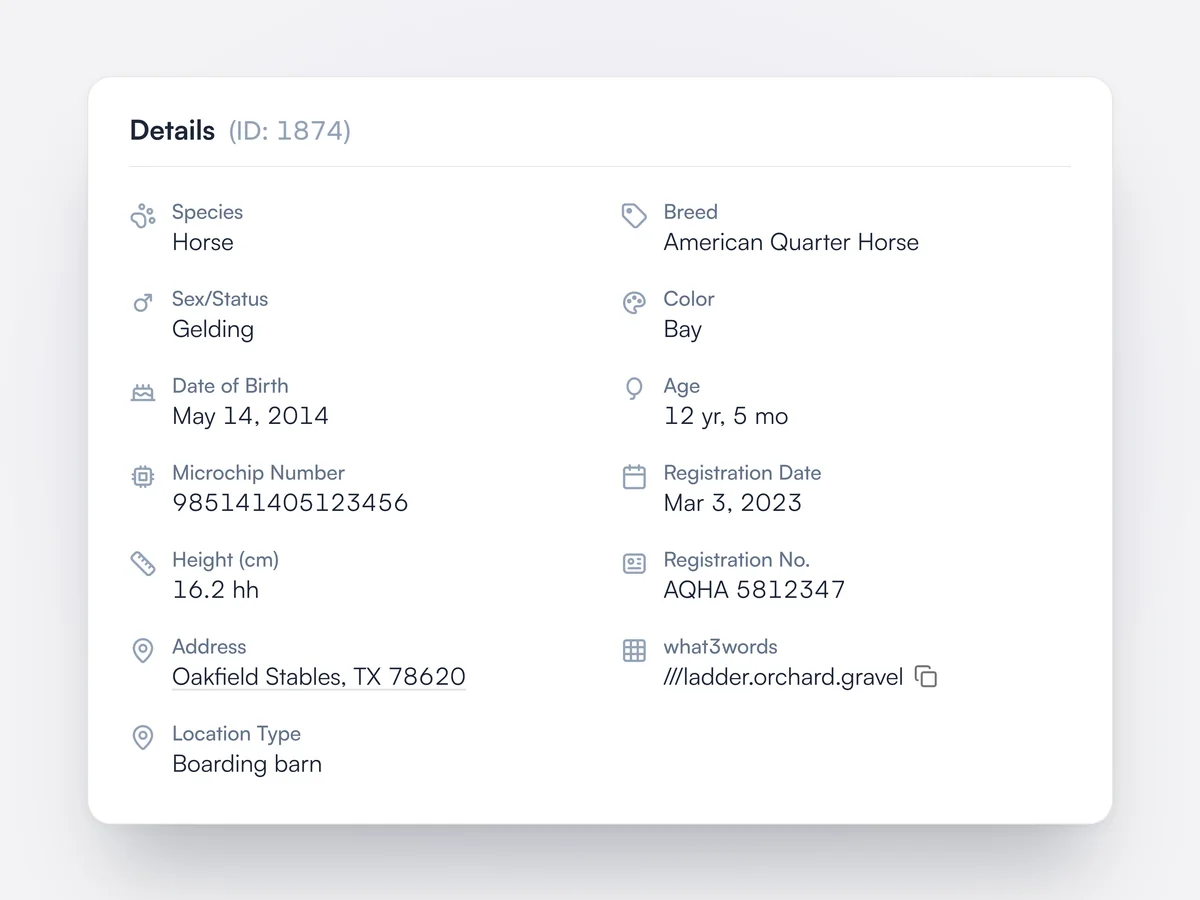
Animal records cover horses and farm animals as well as pets, with options such as mare, stallion and gelding, the animal’s location, what3words addresses and a map.

Lupa for equine
Details for Duke, an Irish Sport Horse gelding: height in hands, UELN, livery yard address with what3words, location type and food producing status

Prescription refills

Set permitted refills and an end date, track each refill, and remind the client when the next is due.

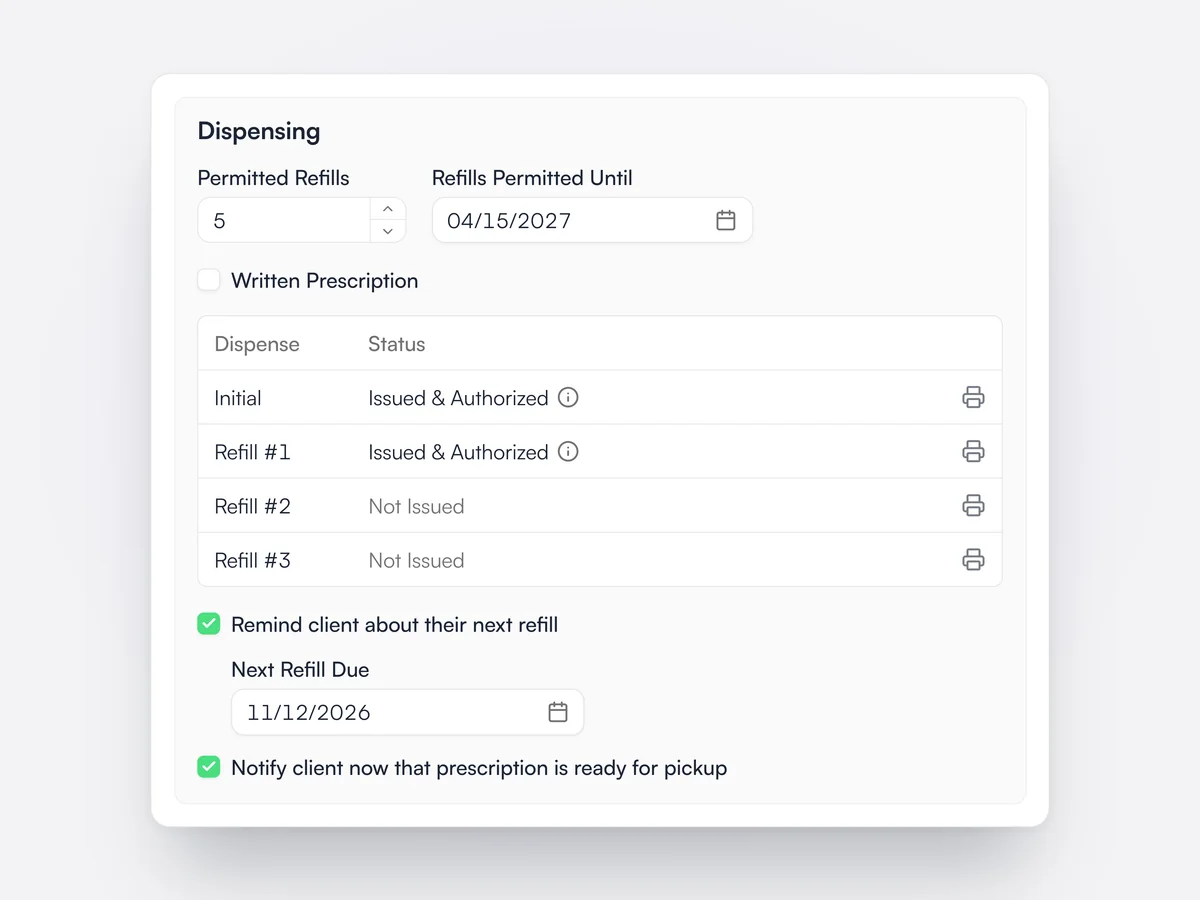
A prescription can allow a number of refills up to a set date, and each refill is listed as issued or not issued with its own dosage label. Lupa warns if more refills are added than the prescription allows. The vet can set a Next Refill Due date to remind the client about their next refill, and send a message that the prescription is ready for pickup.

The Dispensing section of Luna's prescription with 5 permitted refills until 04/15/2027, the initial dispense and refill 1 issued, a refill reminder due 11/12/2026, and the client notified that it is ready for pickup

Pre-defined dosages

Save standard doses on a product and pick one when prescribing.

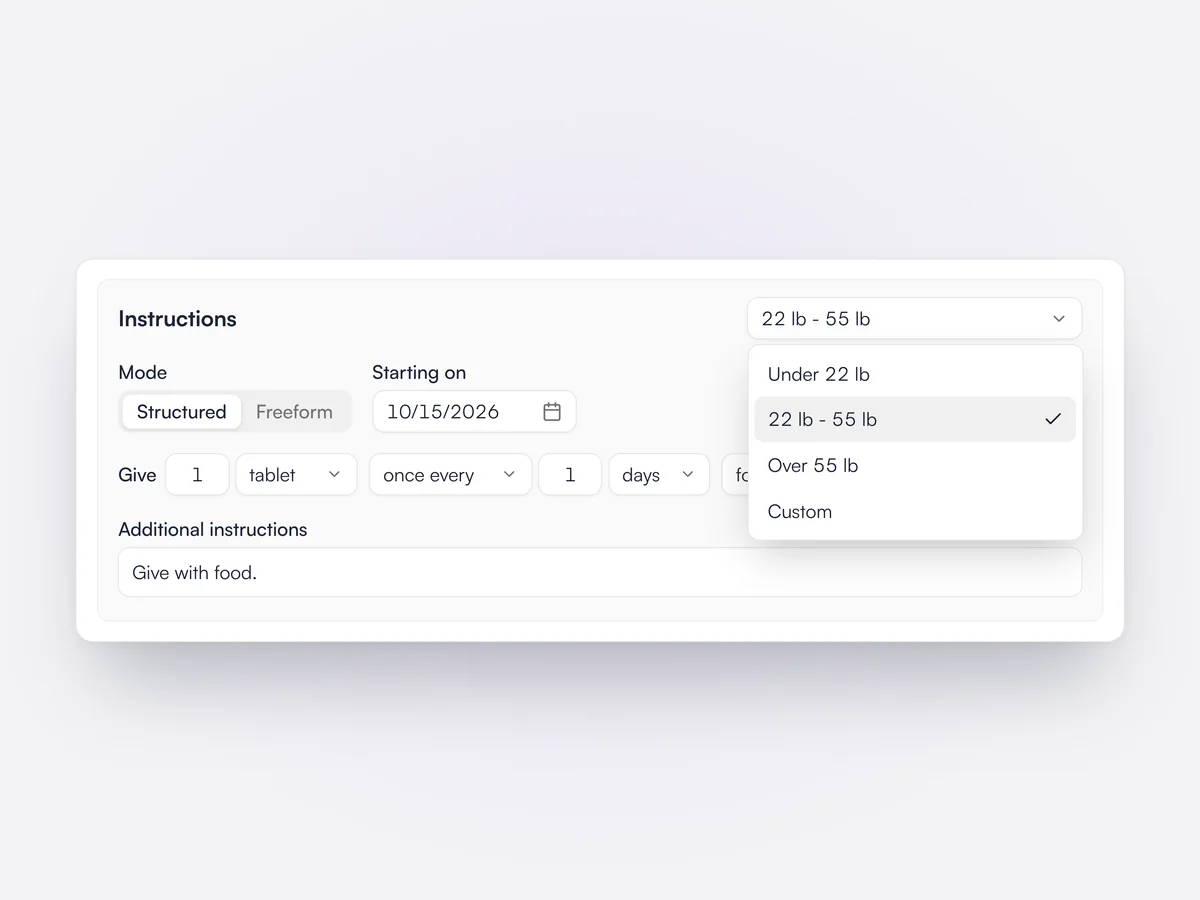
Each product can hold named dosages, for example by weight band, set up on the product form. When the product is prescribed, the dosages appear in a selector above the instructions and picking one fills in the structured dose and the quantity. Editing the dose by hand switches the selector to Custom.

The prescription Instructions section with the dosage selector open on the 22 lb - 55 lb dose, alongside Under 22 lb, Over 55 lb and Custom

Dosage label layout

Set the label size, margins, fonts and QR code, with a live preview of the label.

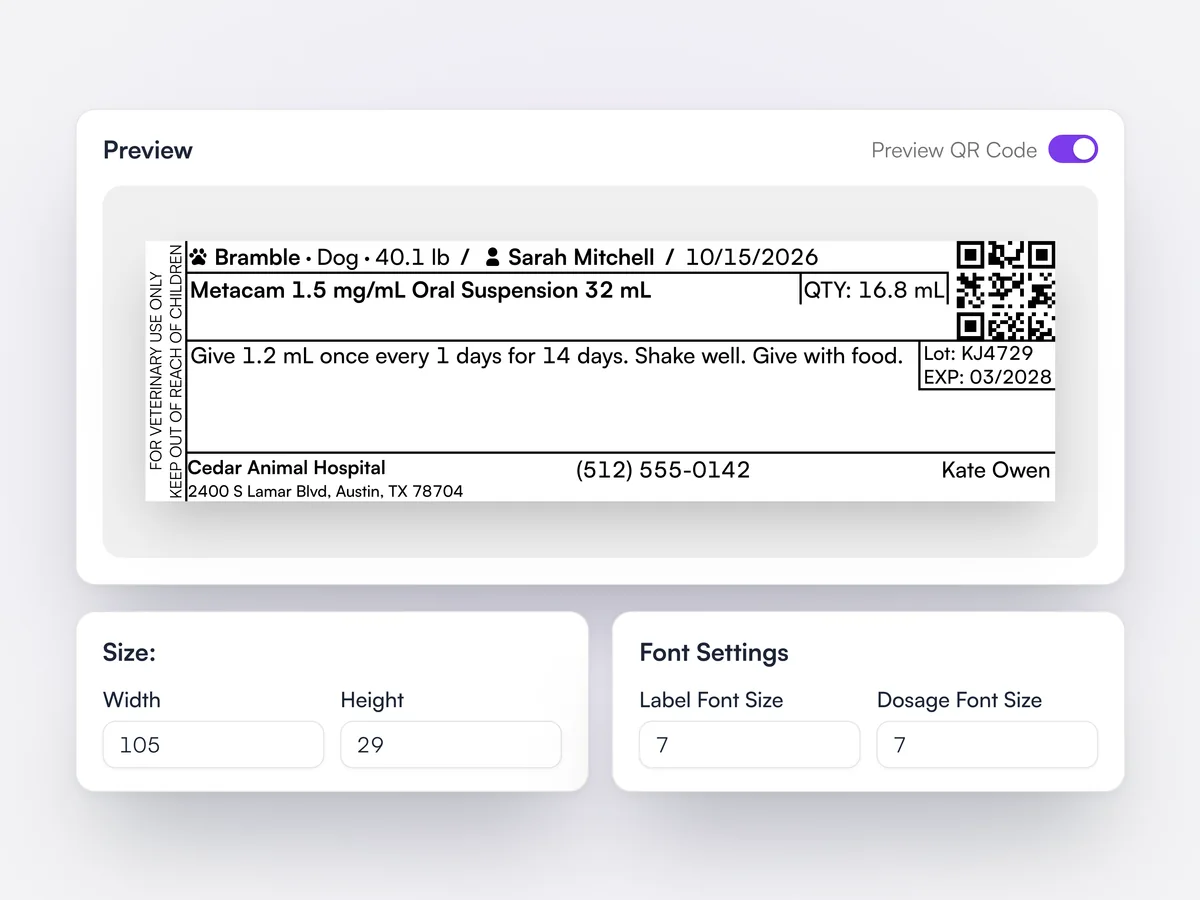
Printing settings set the dosage label's width and height in millimeters, its margins, the label and dosage font sizes and the QR code size. A live preview shows a label with the warning strip, patient, client, product, quantity, dosage, batch and expiration, and the practice and prescriber.

Printing settings with a live preview of a 105 by 29 mm dosage label for Bramble's Metacam, above the size and font settings

Advisory notes

A client copy of the medicines given, with instructions, extralabel-use reasons and the medical notes.

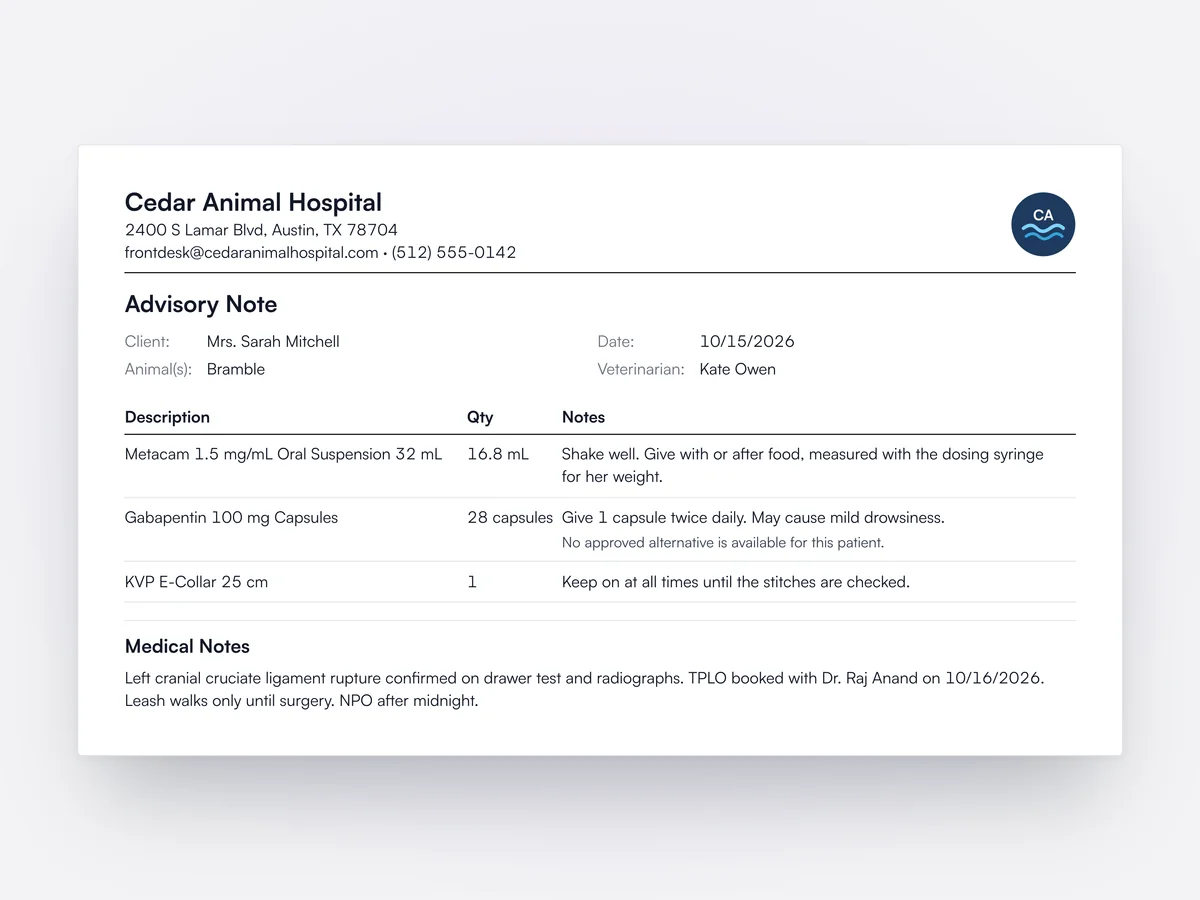
An advisory note can be printed or emailed from an invoice. It lists the products dispensed with each prescription's instructions, any extralabel-use reason and withdrawal times, the vet, and the exam's medical notes. The practice chooses its title, sections, detail fields and table columns in Document Layouts, and payment terms can use their own layout.

An advisory note for Bramble listing Metacam, gabapentin with its extralabel-use reason and an E-collar with instructions, and the exam's medical notes

Neutered and deceased from billing

Billing a spay, neuter or euthanasia can update the animal's record automatically.
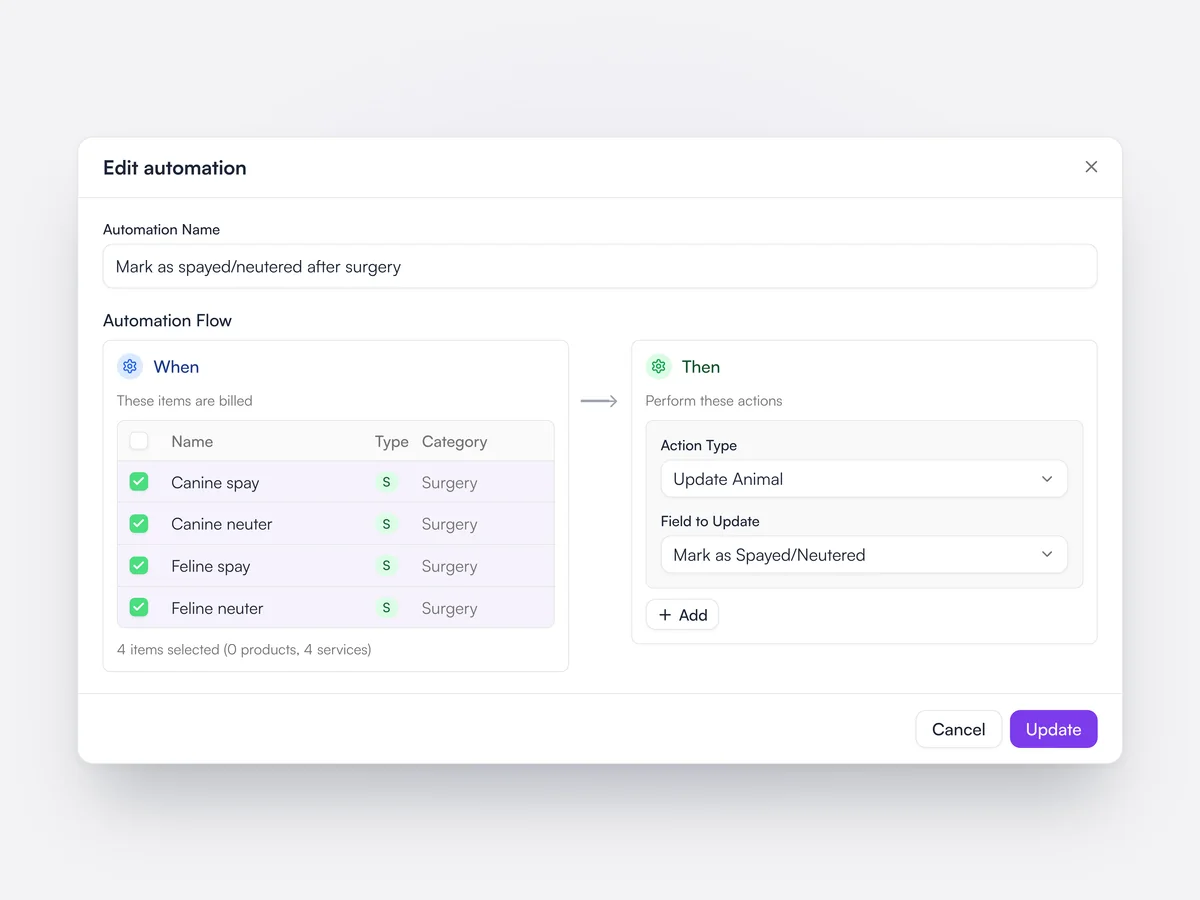
Automations can update the animal when chosen products or services are billed: mark it as neutered, or mark it as deceased. Marking an animal as deceased also cancels its upcoming appointments and reminders, without notifying the owner.

An automation that marks the animal as spayed/neutered when a canine spay, canine neuter, feline spay or feline neuter is billed

Every admission, its plan
and what’s overdue.

Whiteboard and treatment sheets in the same record as the exam.

Whiteboard

Each inpatient’s tasks, colored red when overdue and amber when due soon.

Learn moreShow less

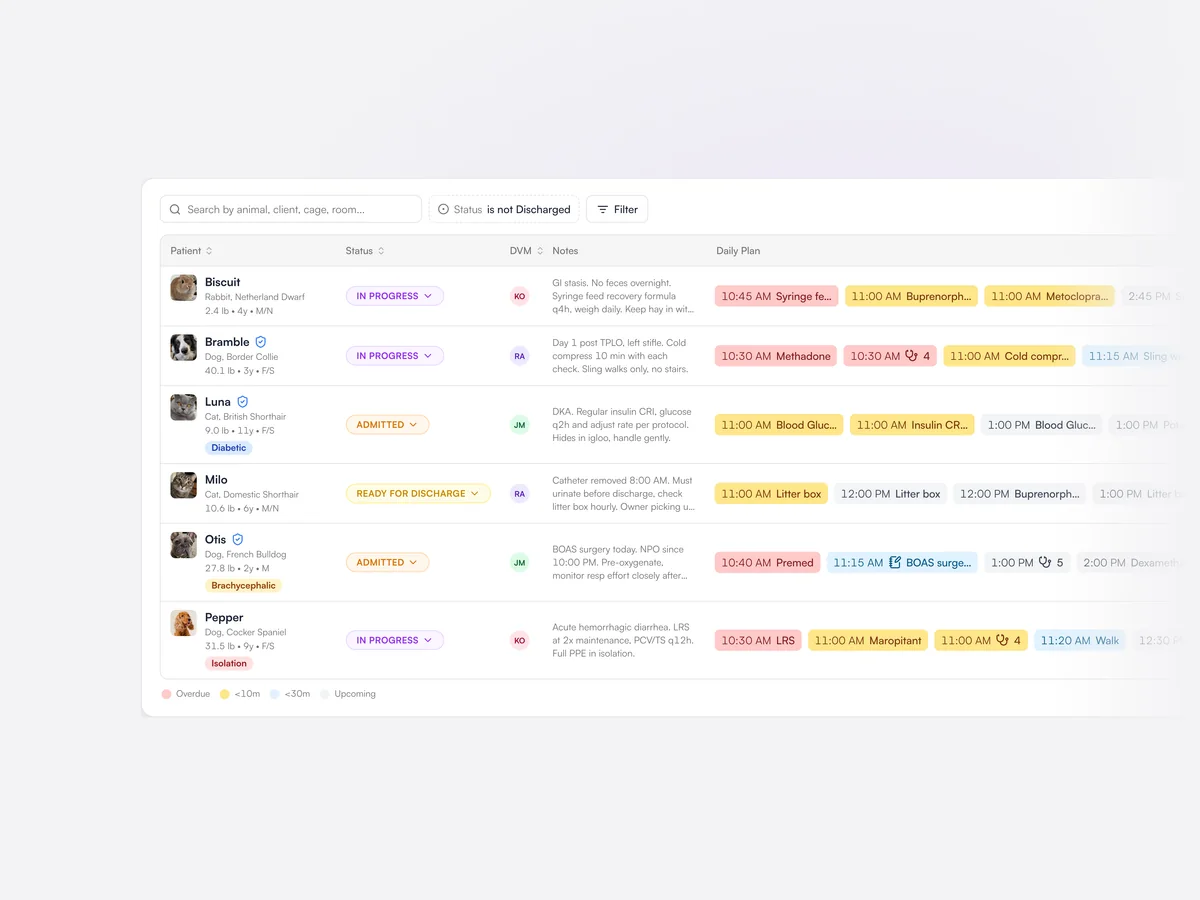
The whiteboard lists every admitted patient with their status, vet, notes and the day’s plan. Tasks turn amber when due soon and red when overdue, so the team can see at a glance what needs doing.

More on inpatient care
Lupa whiteboard: six inpatients with their status, vet and the day’s plan, with overdue tasks in red and tasks due within 10 minutes in amber

Treatment sheet

The day’s readings, medications, fluids and procedures on one grid.

Learn moreShow less

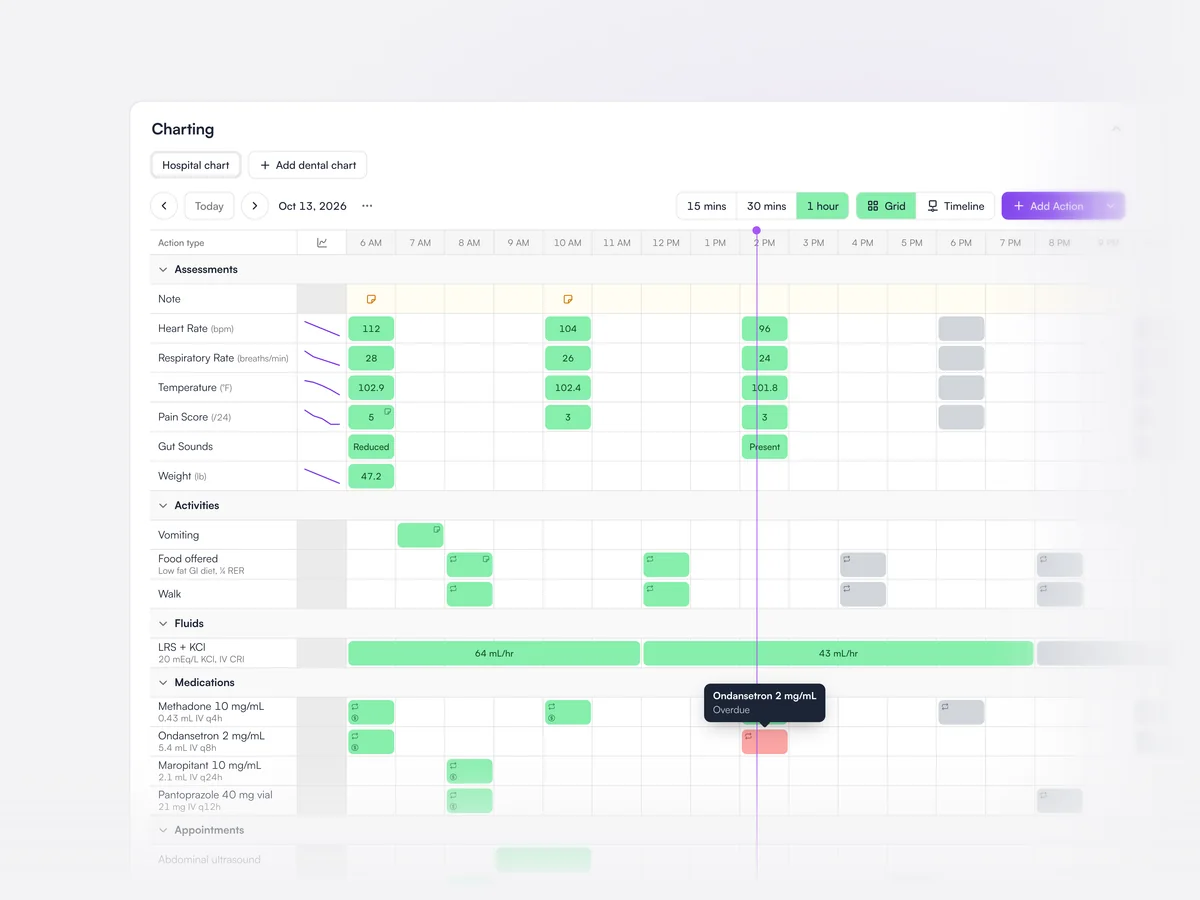
The treatment sheet shows each inpatient’s observations, medications, fluids, activities and procedures hour by hour. Doses and readings are recorded straight onto the grid, and anything overdue is flagged.

The hospital chart for the day: heart rate, temperature and pain scores, food and walks, an LRS drip, medications with an overdue buprenorphine dose, and appointments

Protocols

Your standard plan for a stay type, added at admission.

Learn moreShow less

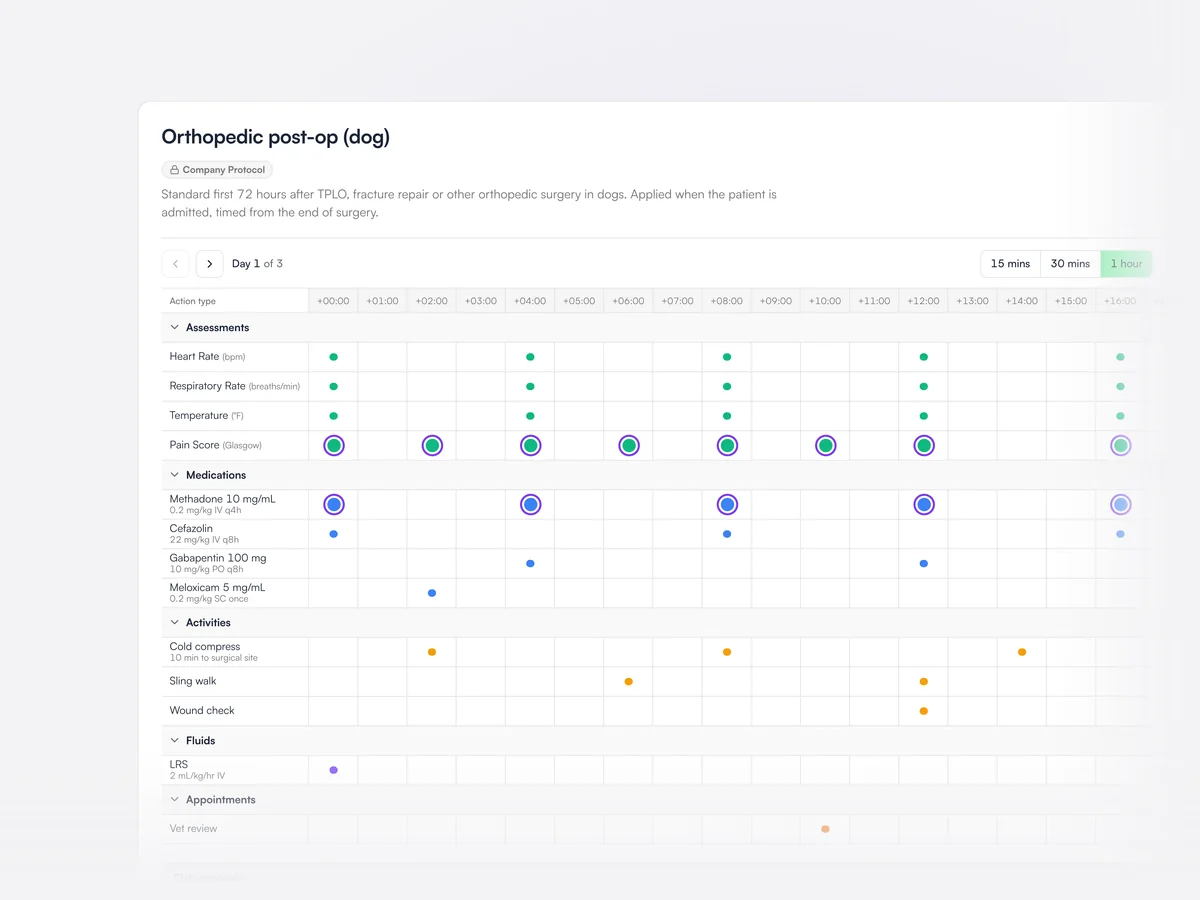
Protocols hold the practice’s standard care plan for a type of stay, such as orthopedic post-op, laid out hour by hour. Adding a protocol at admission fills in the patient’s plan, which the team can then adjust.

An orthopedic post-op protocol for dogs: assessments, medications, activities, fluids and a vet review laid out hour by hour over the first day

Fluid calculator

Works out the hourly fluid rate from the patient’s weight, deficit and losses.

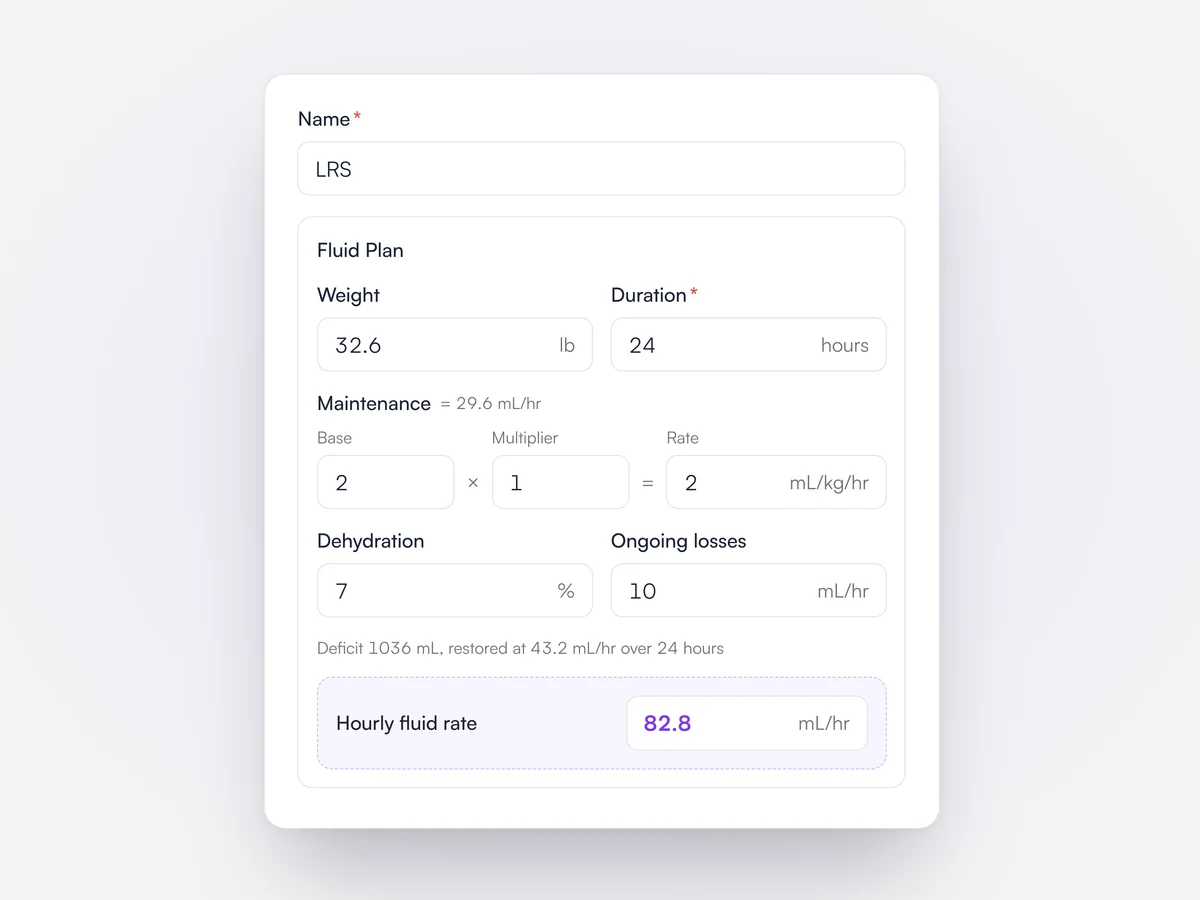
The fluid plan works out maintenance from the patient’s weight, adds the deficit from the dehydration percentage over the chosen duration and any ongoing losses, and gives the hourly rate.

A fluid plan for a 32.6 lb patient: maintenance, 7% dehydration and ongoing losses giving an hourly rate of 82.8 mL/hr

Trend charts

Readings chart as they are entered, so a change shows straight away.

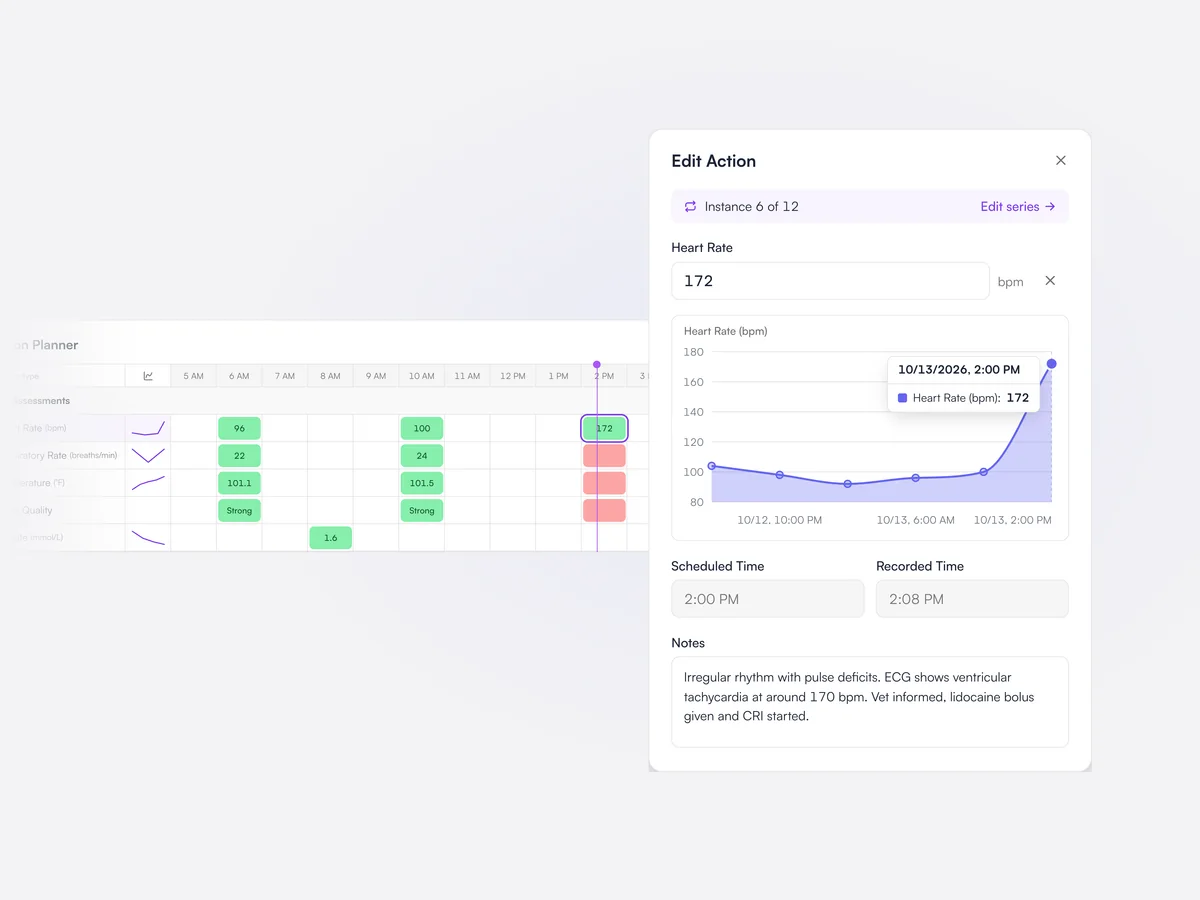
Each observation on the treatment sheet has a chart of its readings during the stay, updated as each new reading is entered.

A heart rate of 172 bpm entered on the treatment sheet, with the chart beside it jumping from around 100

Copy a care plan

Carry a whole day’s plan over to the next day in one click.

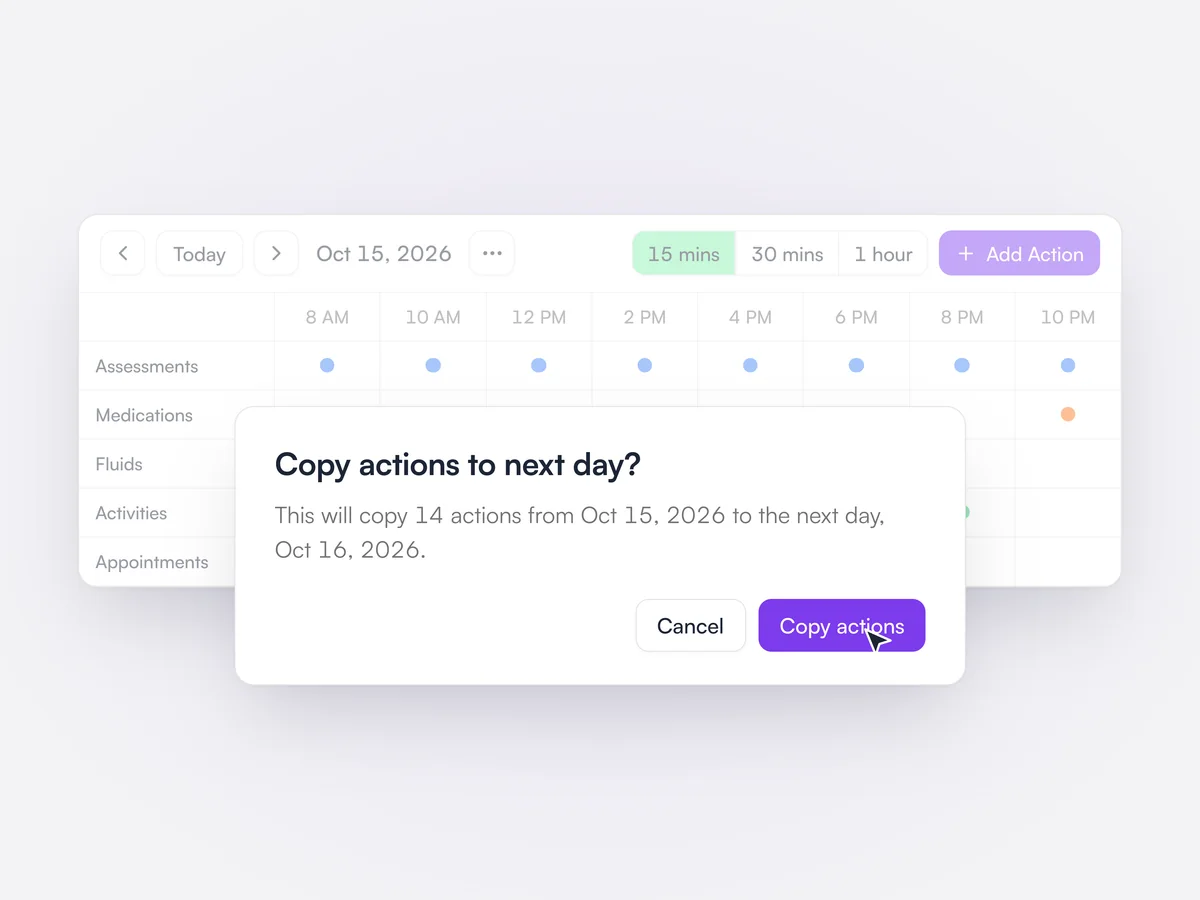
A day’s care plan for an inpatient can be copied to the next day, then adjusted.

The action planner for October 15 with the confirmation: copy 14 actions from Oct 15, 2026 to the next day, Oct 16, 2026

Charges as you go

Treatments given on the ward are charged to the admission as they happen.

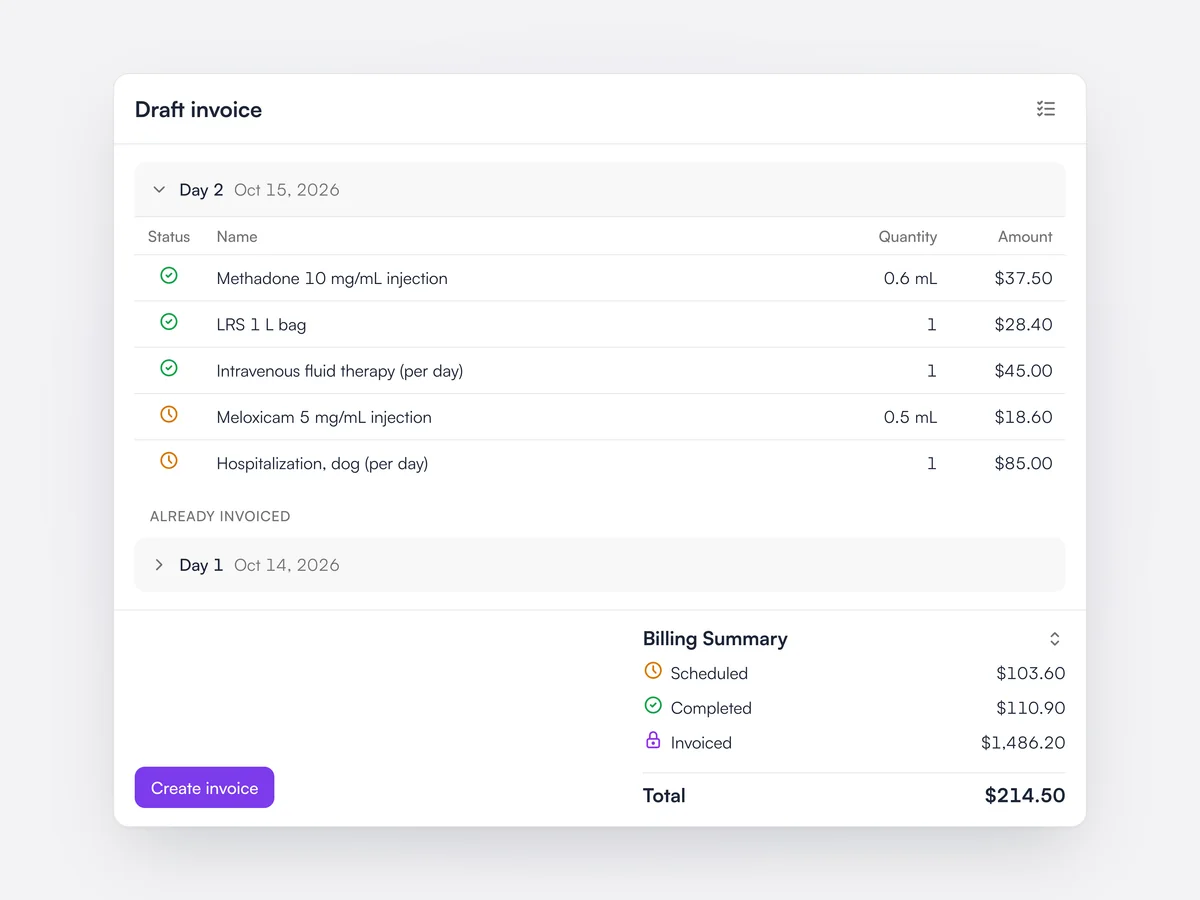
Completed treatments, medications and procedures are added to the admission’s invoice as they are recorded, so the bill is ready at discharge.

An admission's draft invoice for day 2: completed charges checked green, pending ones marked amber, day 1 already invoiced, and totals for Scheduled, Completed and Invoiced

Repeating treatments

Set a medication or check to repeat every few hours, for a set count or length of time.

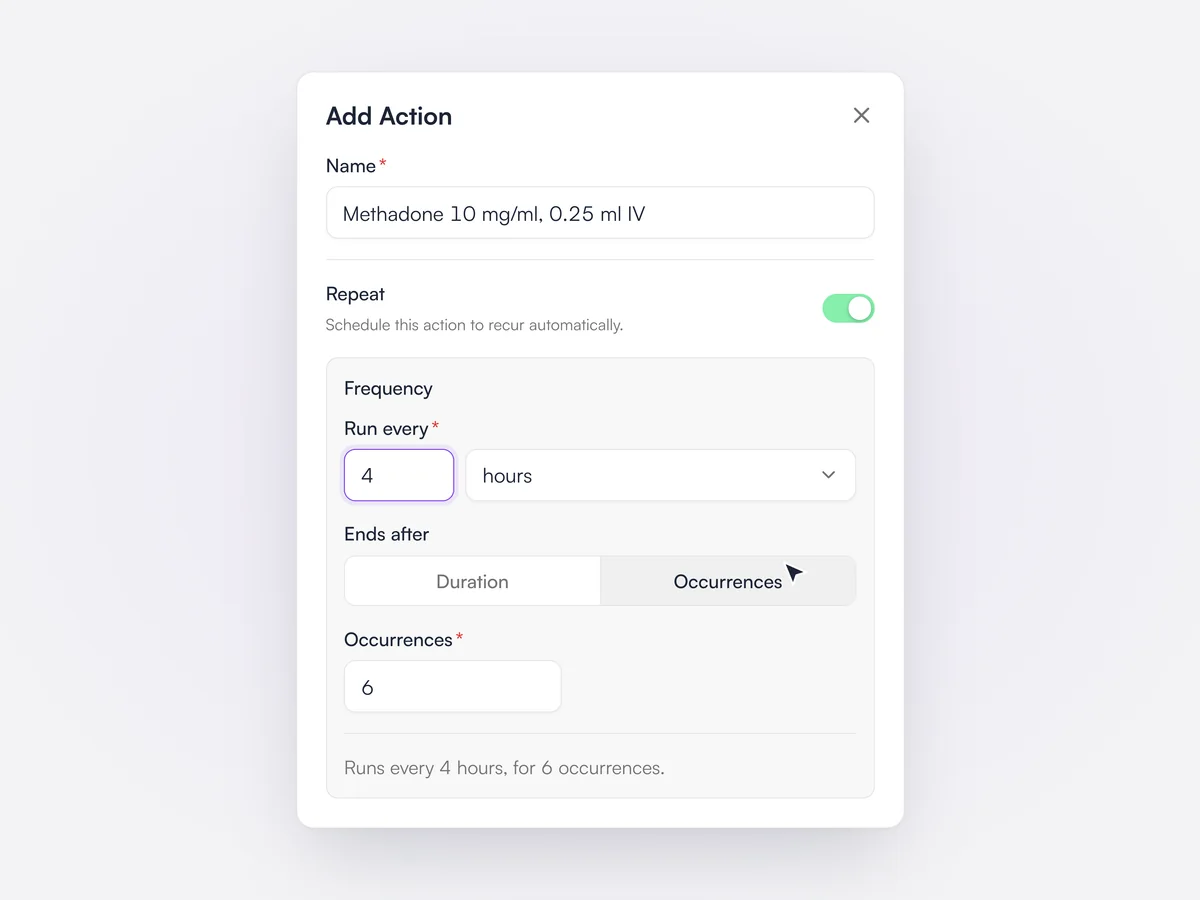
Any action on the planner can be set to repeat, every so many minutes, hours or days. The series ends after a number of occurrences or after a set duration, and a summary such as "Runs every 4 hours, for 6 occurrences" confirms it. A series can be edited from one point onwards or rebuilt in full, and completed doses are left as they are.

The Add Action sheet for methadone with Repeat switched on: run every 4 hours, ending after 6 occurrences

Timeline view

The day's actions in time order, colored by what is done, due or overdue.

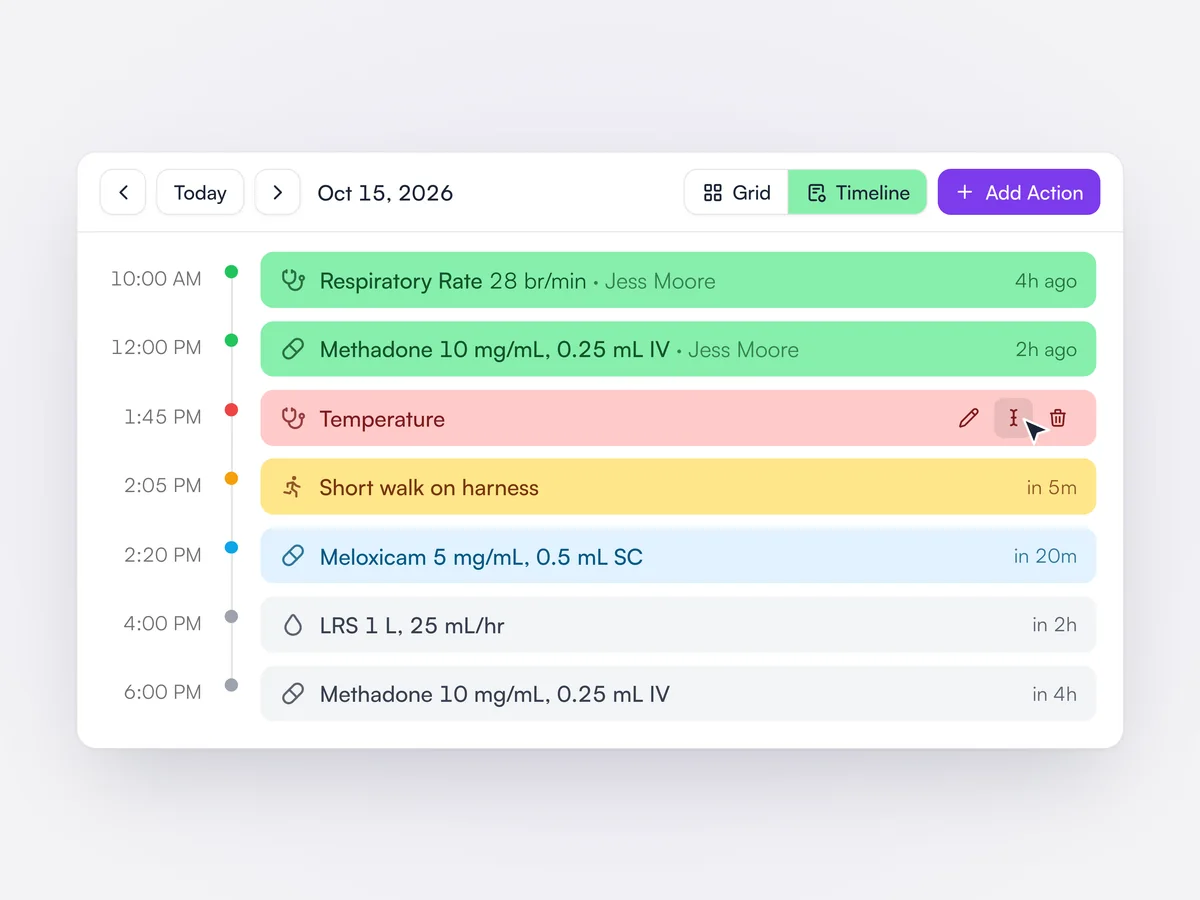
Alongside the grid, the action planner has a timeline view that lists each action by time. Completed actions show who did them and how long ago, overdue ones are red and show how late they are, and those due soon are amber or blue. Actions can be completed, recorded, edited or deleted from the row.

The action planner in timeline view at 2:00 PM: two completed actions in green, an overdue temperature in red, a walk due in 5 minutes in amber and later medications in gray

Notes across a stay

Every note from an admission in one timeline: clinical, internal, treatments and procedures.

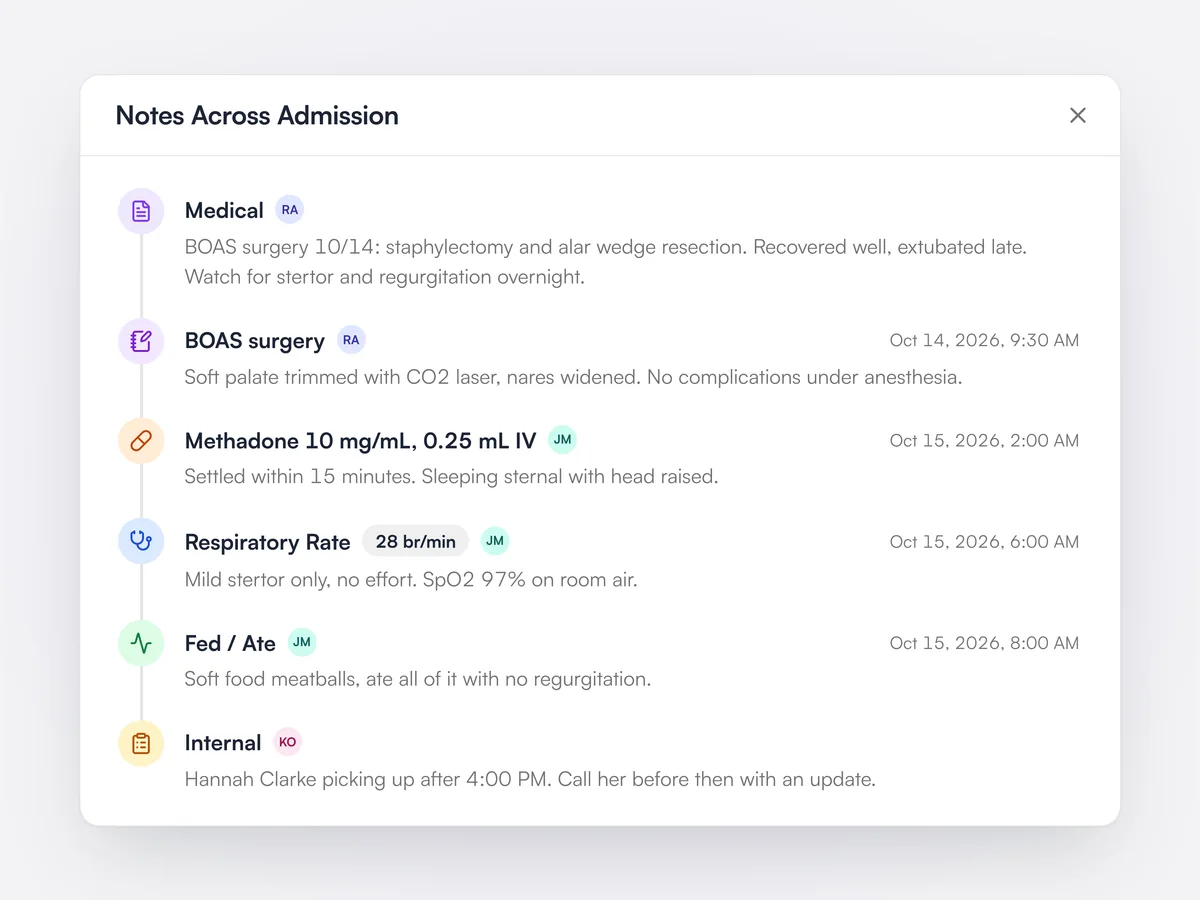
One dialog gathers the admission's clinical and internal notes, the notes left on each medication, observation, fluid and activity, and the notes from linked appointments such as surgery. Each entry shows its time, any recorded value and who wrote it, and notes can be edited from the list.

The Notes Across Admission dialog for a French Bulldog after BOAS surgery: medical notes, the surgery notes, a methadone dose, a respiratory rate of 28 brpm, a meal and an internal note

Admission status history

Track each stay from Confirmed to Discharged, with who changed it and when.

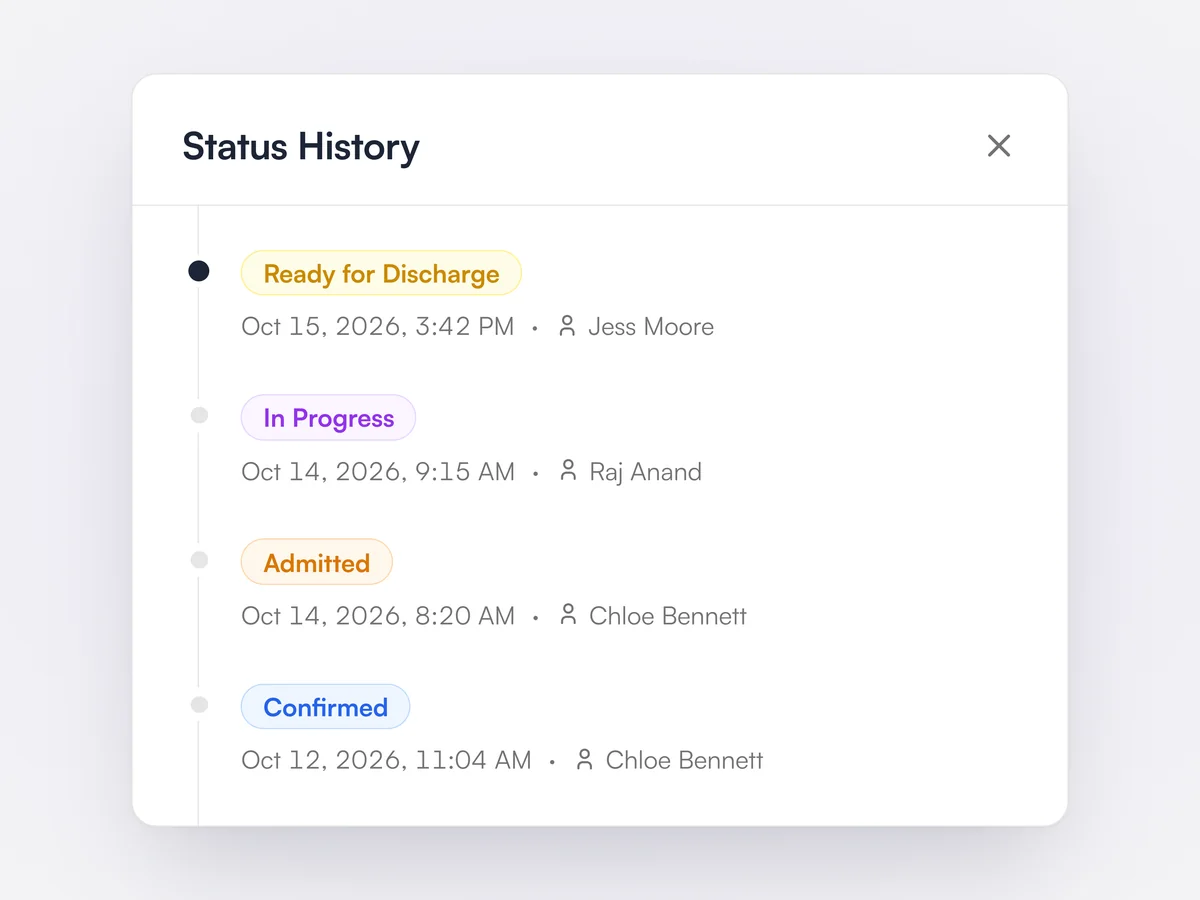
Each admission moves through Confirmed, Admitted, In Progress, Ready for Discharge, Discharged and Completed. The status, the clinician and the room each keep a history showing every change, when it happened and who made it. The admission header also shows which day of the stay it is.

Status History for an admission: Confirmed, Admitted, In Progress and Ready for Discharge, each with the time and the team member who changed it

Admit from an appointment

Turn an exam or surgery appointment into an admission without re-entering anything.

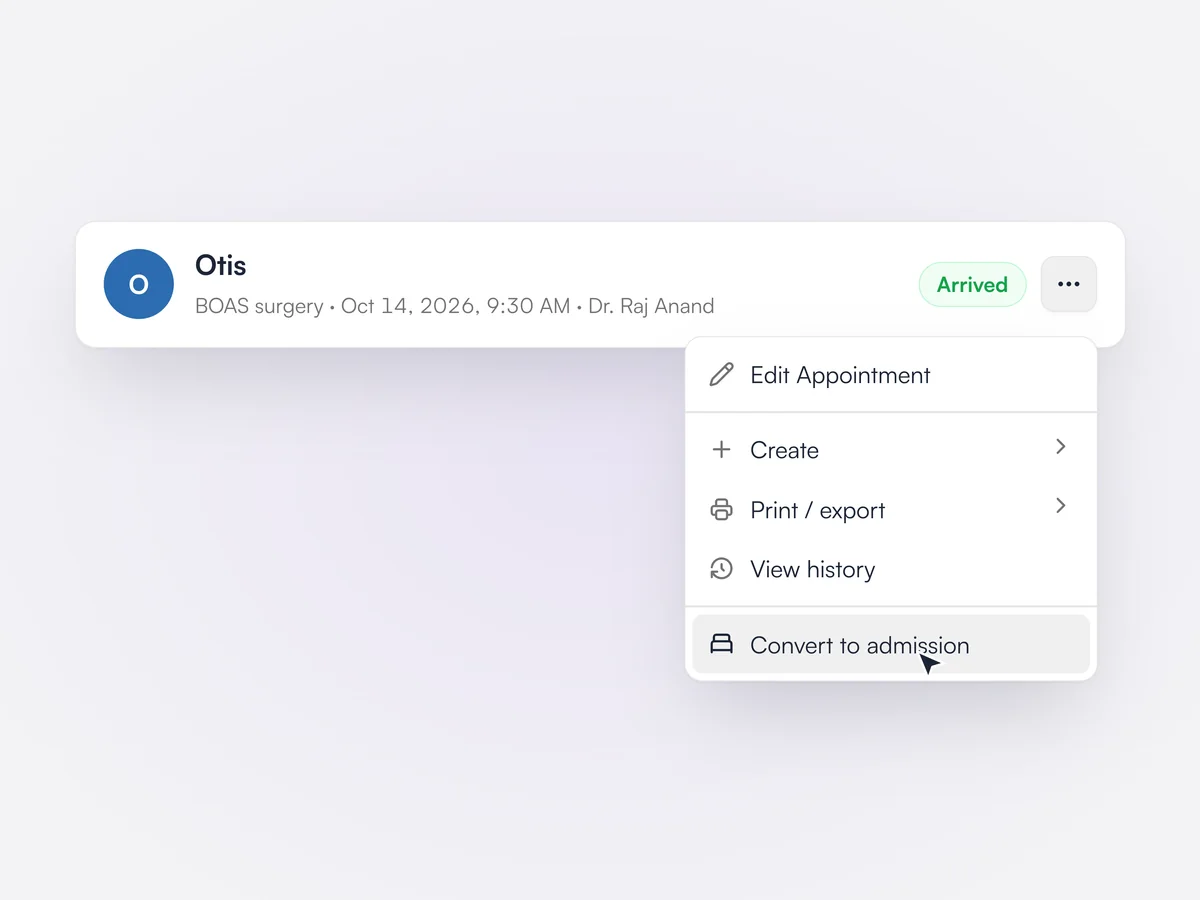
From an appointment's menu, Convert to admission opens a new admission for that pet with the start time filled in, and links the appointment to it. If the pet is already admitted, Lupa offers to link the appointment to the existing admission instead.

An appointment's More actions menu open, with Convert to admission highlighted below Edit Appointment, Create, Print / export and View history

Admission types

Pick a stay type and the length of stay and care plan come with it.

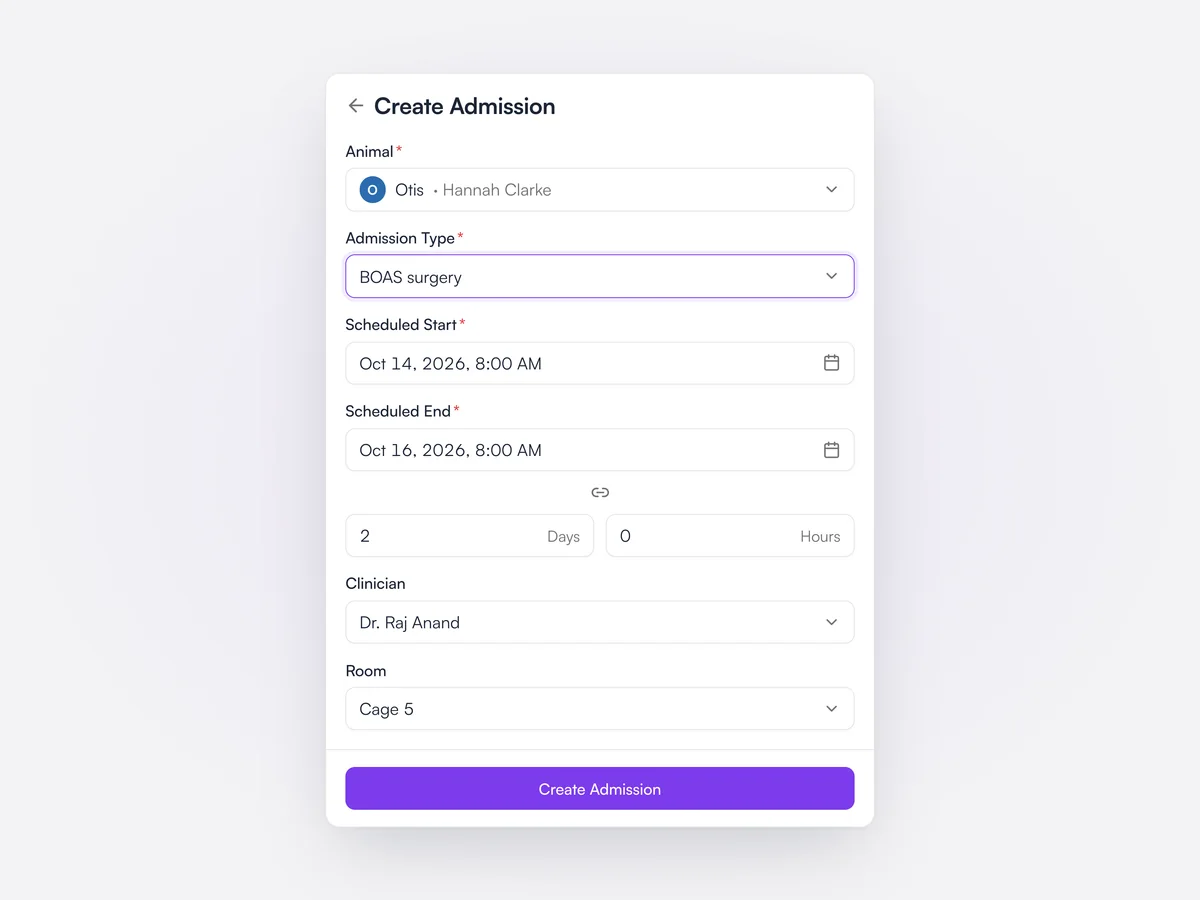
Practices set up admission types with a name, a duration in days and a protocol. Choosing a type when admitting sets the scheduled end date and shows a read-only preview of its care plan. If the protocol includes appointments, such as surgery, each one is reviewed and confirmed in turn after admitting.

The Create Admission form for Otis: admission type BOAS surgery, scheduled October 14 to 16, 2 days, Dr. Raj Anand, Cage 5

Invoices, payments and claims
without leaving Lupa.

Charges come from the exam. Payment happens at the desk, by terminal or by link.

Invoicing

The invoice builds during the exam. Lupa reads the notes, flags charges that are missing and applies plan allowances.

Learn moreShow less

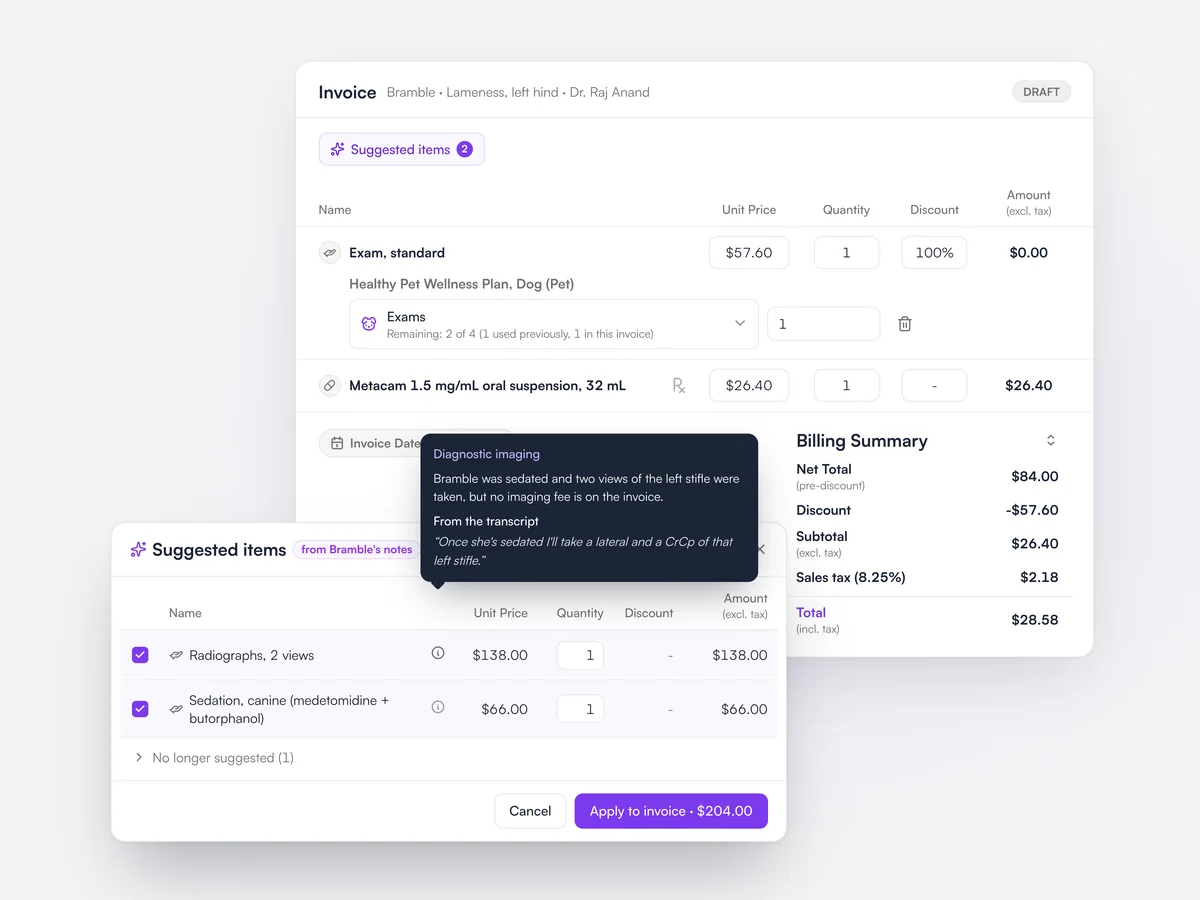
Items are added to the invoice as the exam happens, from prescriptions, procedures and bundles. Lupa compares the medical notes with the invoice and suggests charges that look missing, quoting the line they came from. Wellness plan allowances are applied to the right lines automatically.
Bramble’s draft invoice with the exam covered by her wellness plan, and two suggested items, radiographs and sedation, found in the exam notes with the quote they came from

Lupa Pay

Take card payments on the terminal or send a payment link, and every payment reconciles the right invoice automatically.
Learn moreShow less

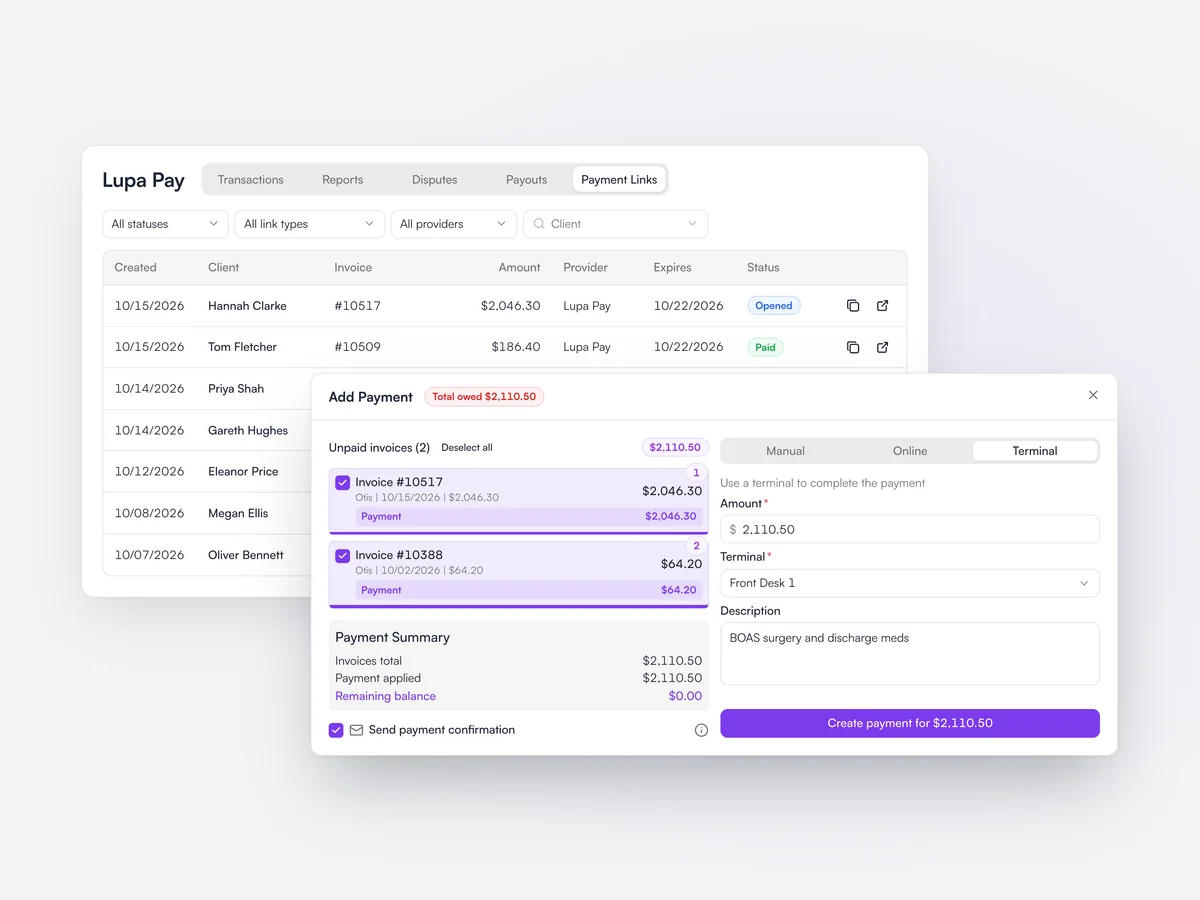
Lupa Pay is Lupa’s own payment service, for card terminals, payment links, online booking deposits and wellness plan payments. One payment link can cover several invoices, or none, and can be sent by email, WhatsApp or chat. Transactions, payouts and disputes are all in Lupa.

More on Lupa Pay
Taking a $2,110.50 payment for two of Hannah Clarke’s invoices on the Front Desk 1 terminal, over the Lupa Pay payment links list with their statuses

Insurance claims

Claims and pre-authorizations are built and sent in Lupa, filled in from the client, pet and invoice.

Learn moreShow less

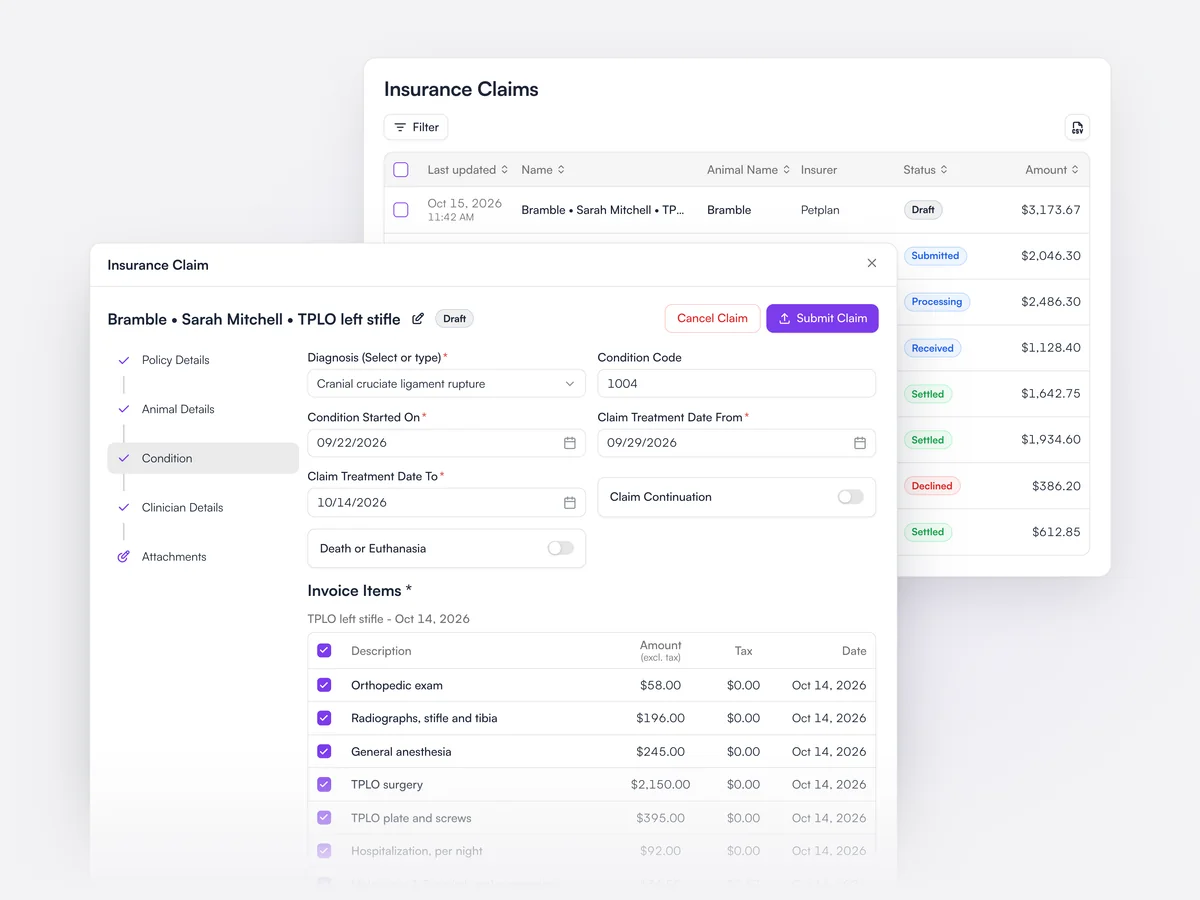
Claims are sent electronically through VetEnvoy and Vetsure. The claim fills in from the client, pet, condition and invoice, with the invoice’s items and tax pulled in, and its status is tracked from draft to settled.

A draft insurance claim for Bramble’s left stifle TPLO, with the condition filled in and the invoice items and tax pulled in, over the list of claims and their statuses

Wellness plans

Build monthly plans with their allowances. Lupa applies them at the invoice and tracks what each pet has used automatically.
Learn moreShow less

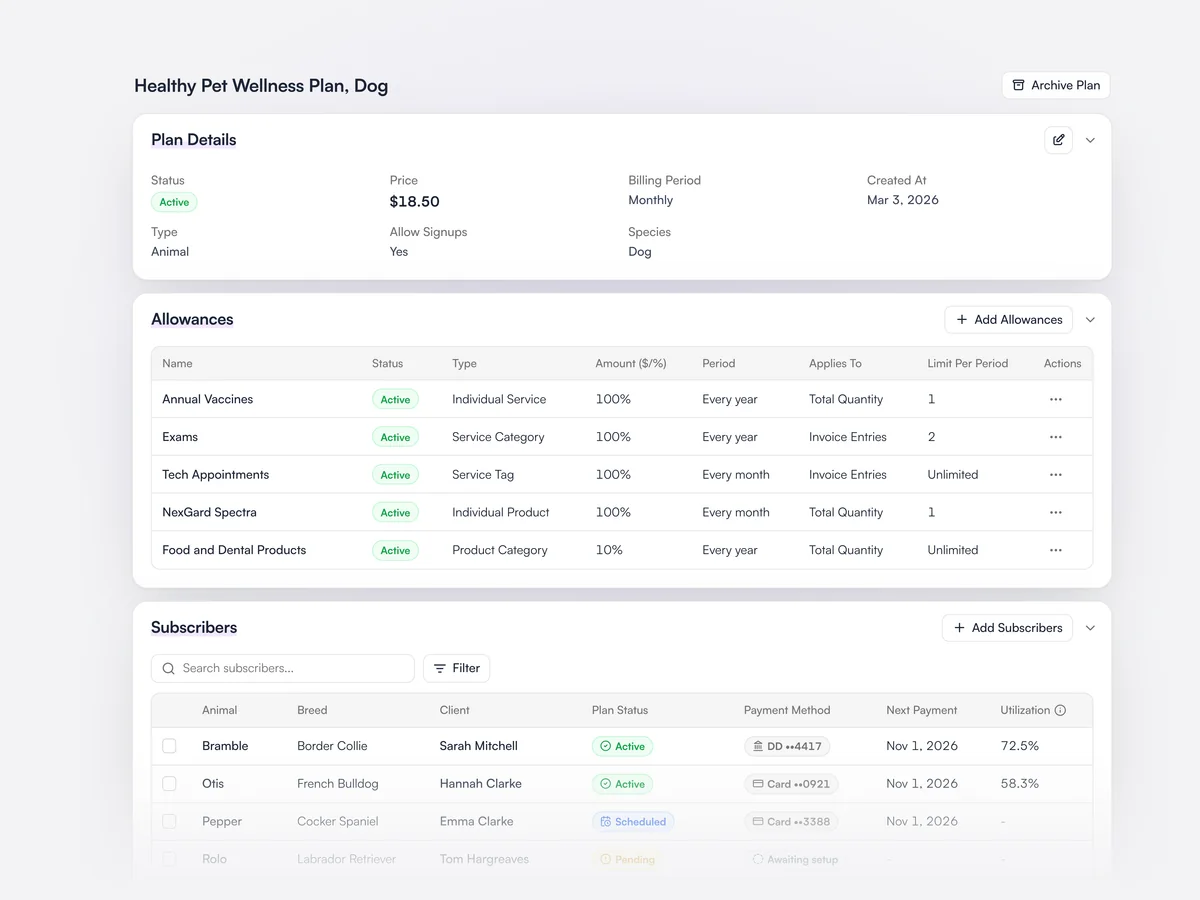
Plans are set up with a price, billing period and allowances for services, products or discounts, at practice or group level. Pets and clients are enrolled with scheduled or backdated starts, and each subscriber’s usage and payment status is tracked. Plans can also come in from Vetsure.

The Healthy Pet Plan for dogs at $18.50 a month: allowances for vaccines, exams, tech appointments, NexGard and a 10% product discount, and subscribers with their payment method and utilization

Debt and statements

See who owes what and for how long, and send reminders to every overdue client in one go.

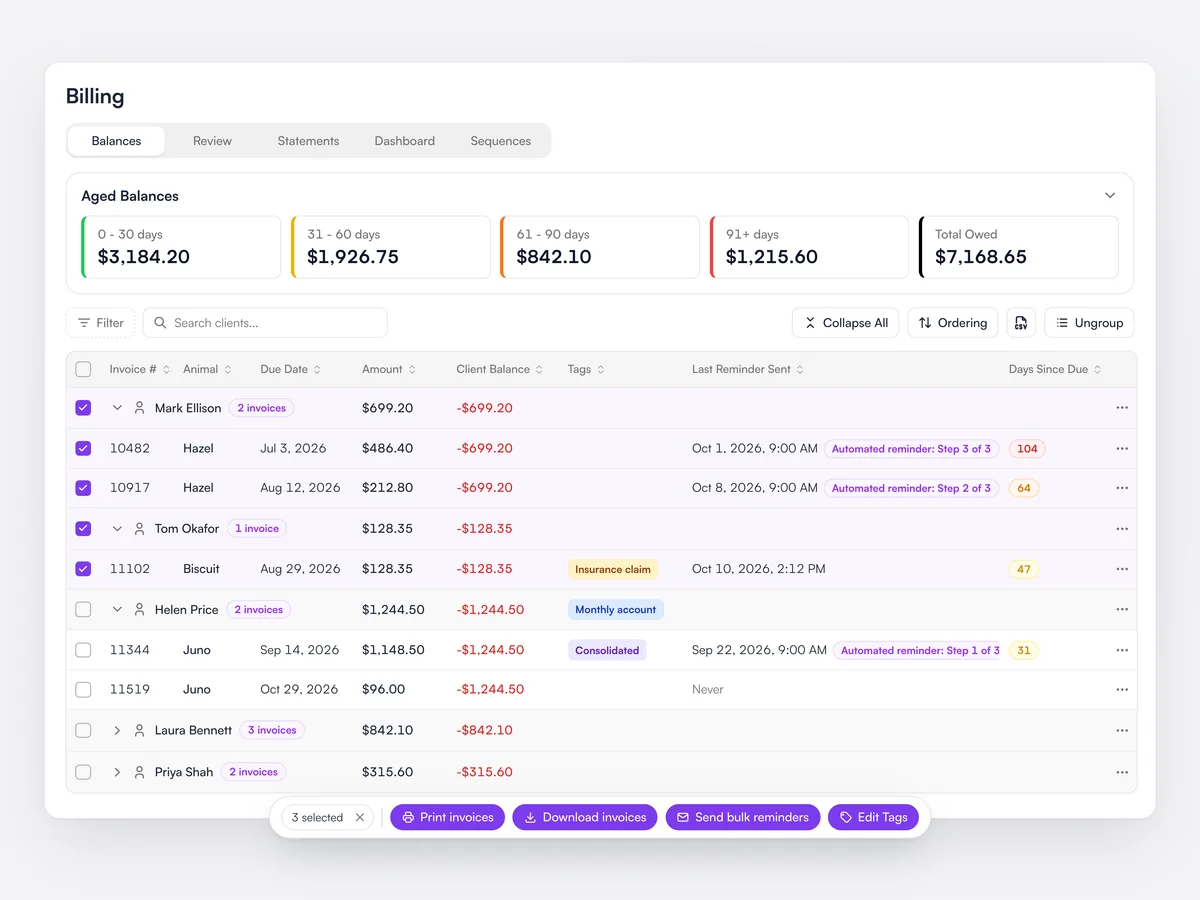
The debts view groups outstanding invoices by client and ages them from 0 to over 90 days. Reminders go out to every selected client in one go, and statements can be sent to any client.

Aged debts by client, from 0 to 30 days to over 91 days, with each overdue invoice’s last automated reminder and three invoices selected to send bulk reminders

Payment terms and late fees

Set account types with their own terms, late fees and early payment credits.

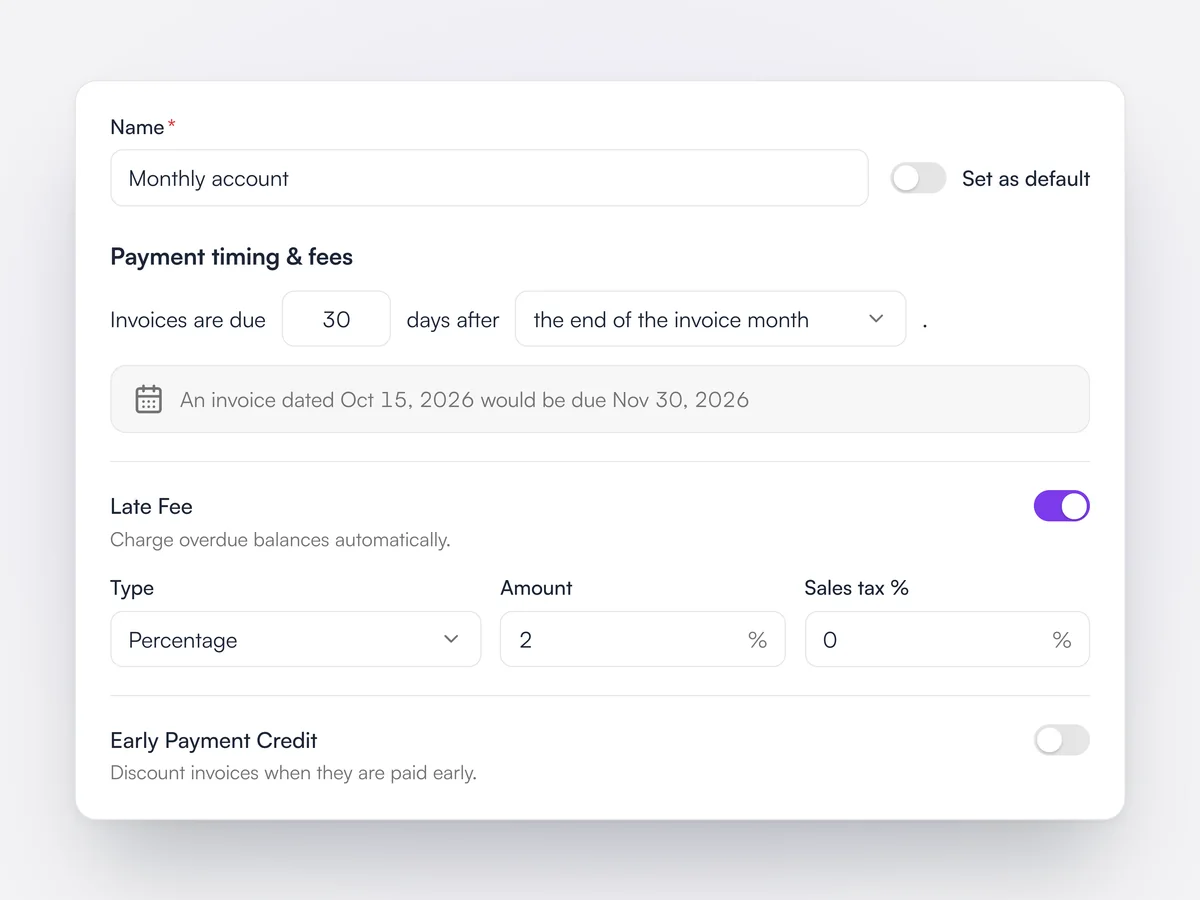
Account types set the payment terms for a client, with late fees and early payment credits where you use them. Each account type can have its own invoice layout.

A monthly account type with invoices due 30 days after the end of the invoice month, a 2% late fee and early payment credit switched off

Invoice and statement layouts

Choose which columns and sections appear on invoices and statements.

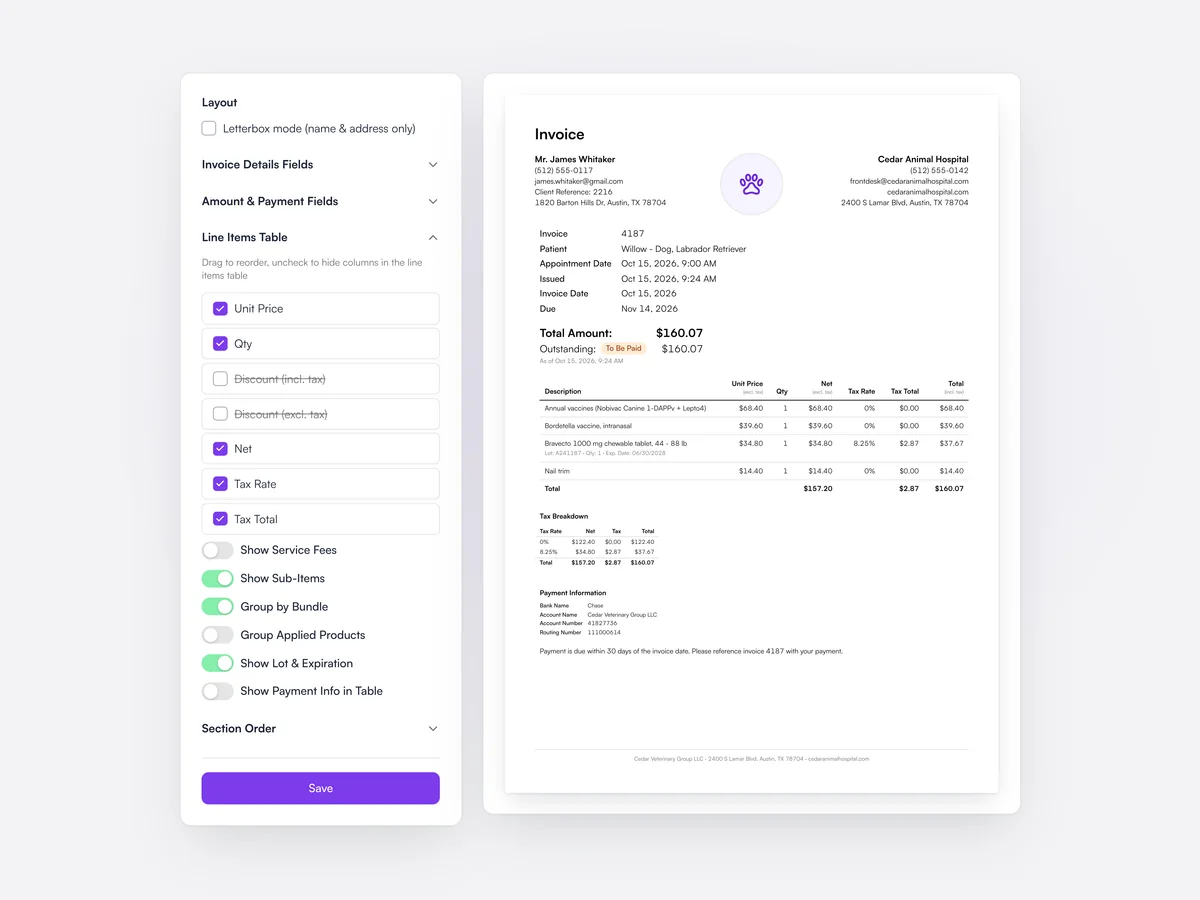
The layout editor chooses which columns appear on invoice PDFs, in what order, and which sections to include, with a live preview.

Choosing which columns appear on invoice PDFs, with a live preview of the invoice

Tax-inclusive or exclusive pricing

Price with or without sales tax, with decimal tax rates where you need them.

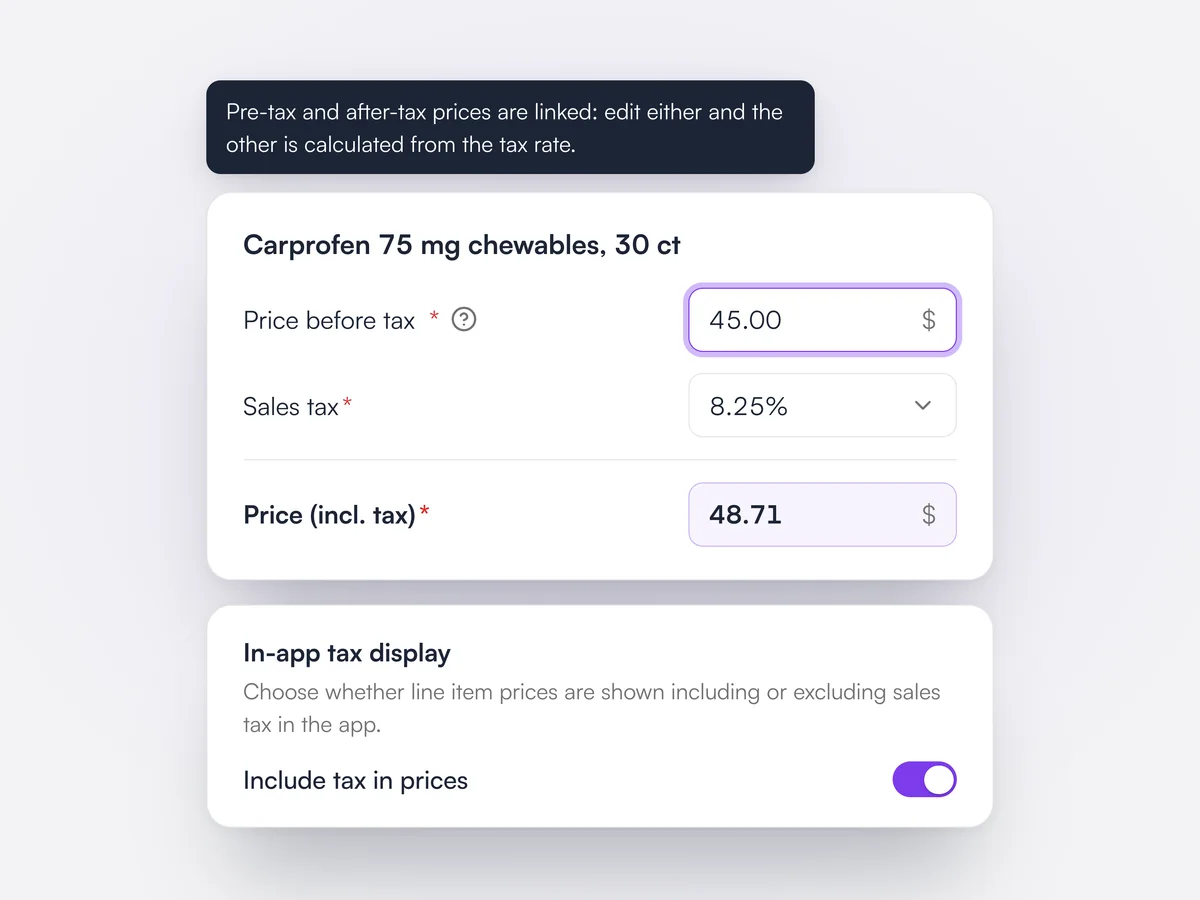
Prices can be set with or without sales tax, and tax rates can include decimals where your local rate needs them.

Carprofen 75 mg chewables priced at $45.00 before tax and $48.71 including 8.25% sales tax, the two prices linked, with Include tax in prices switched on

Credit notes and vouchers

Issue credit notes, refunds and vouchers against any invoice.

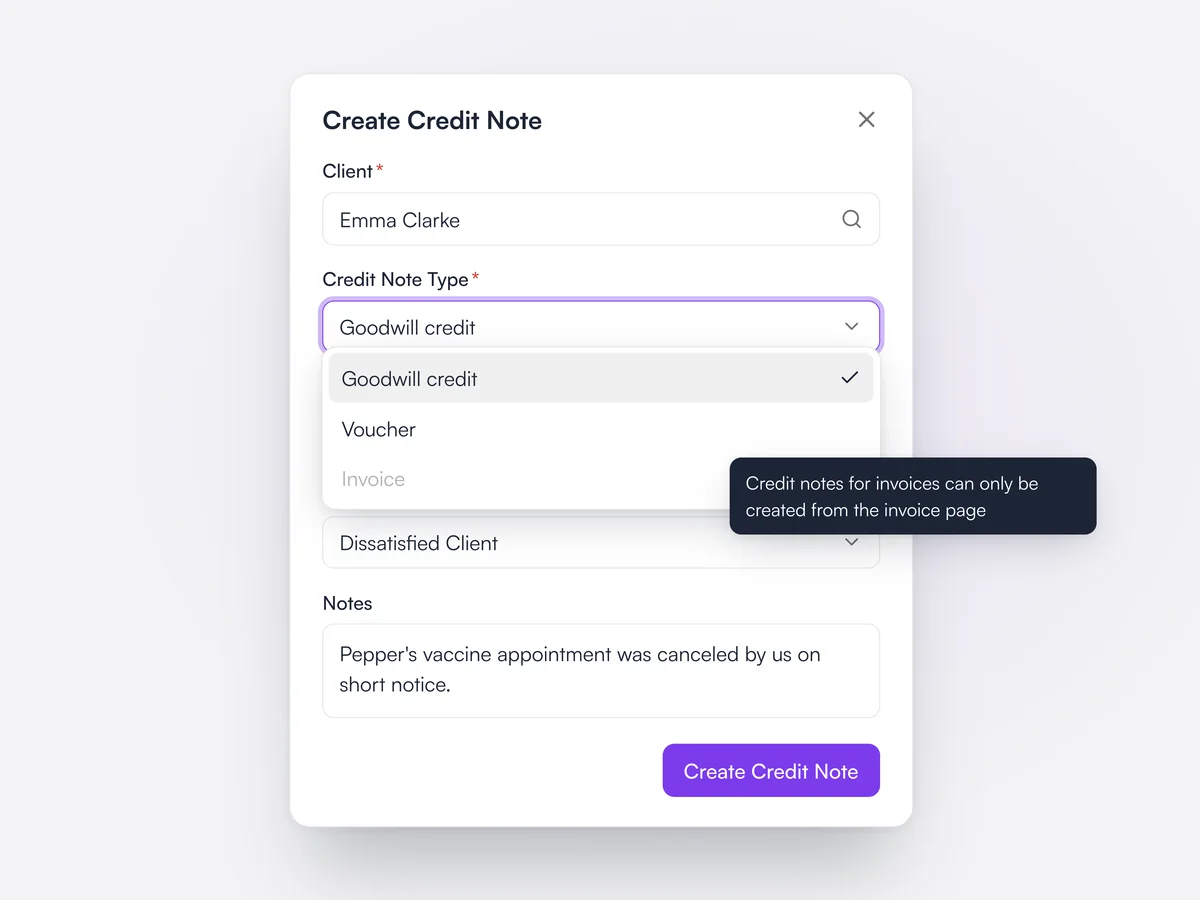
Credit notes, refunds and vouchers are raised against invoices, with the tax handled for each type.

Creating a goodwill credit note for Emma Clarke, with the type menu showing Goodwill credit and Voucher

Smart bundles

Group services and products, and swap a discontinued product in every bundle at once.

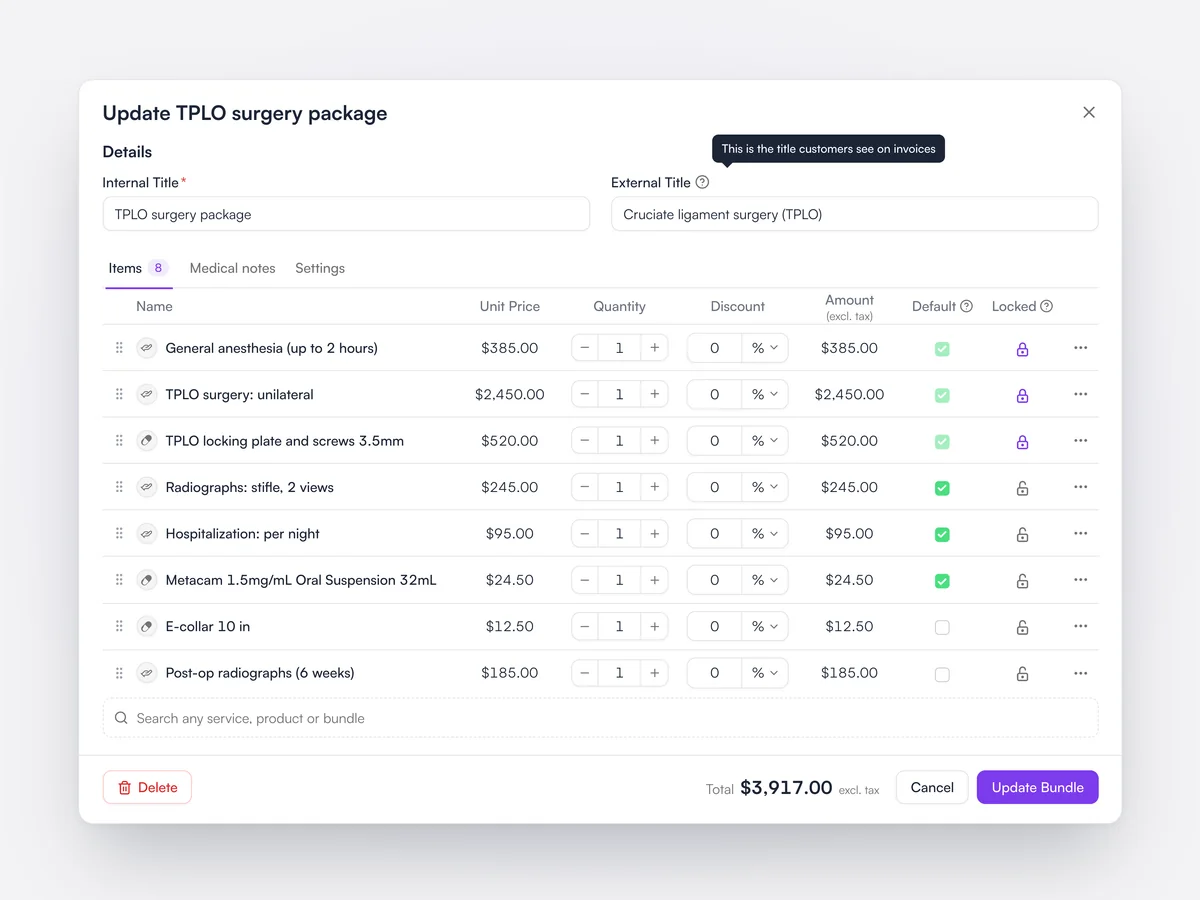
Bundles group the services and products for a procedure or course, with items that can be locked, checked by default and given client-facing names. A discontinued product can be replaced across every bundle at once.

A TPLO surgery package with locked and pre-checked items and the name clients see on the invoice

Financial lock date

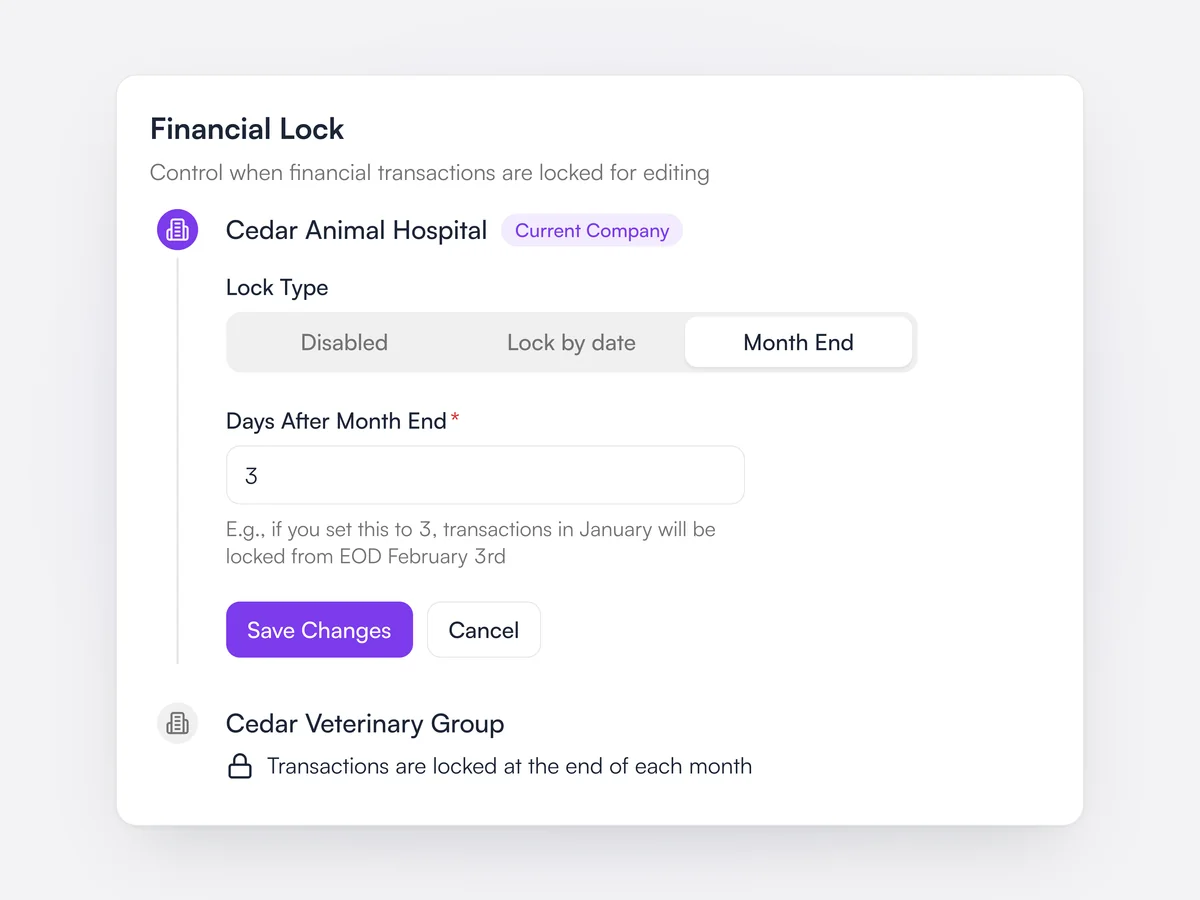
Lock past periods so payments and invoices can’t be changed after you close the month.

Setting a lock date blocks payments, refunds, deposits and write-offs in the closed period.

Financial lock set to lock each month three days after month end

Financial audit trail

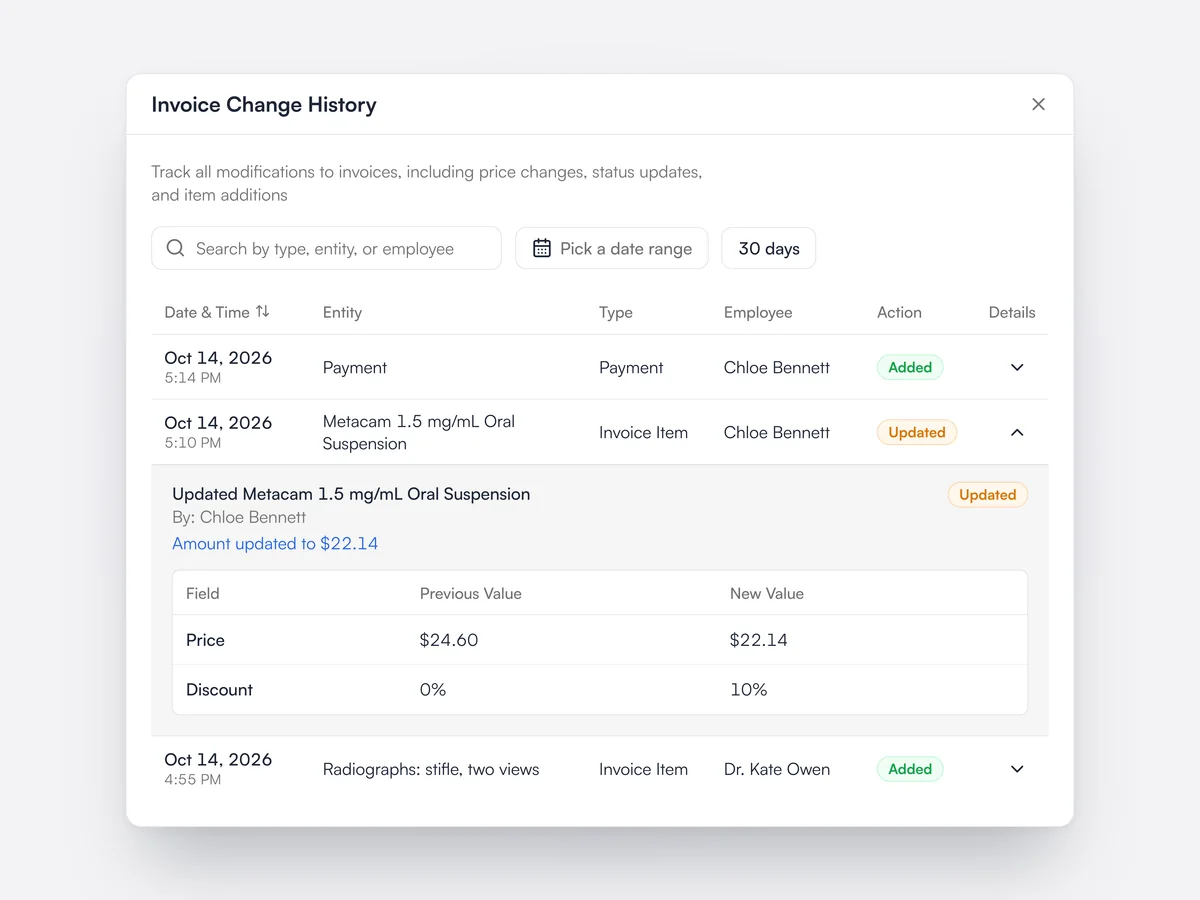
Every change to invoices, payments and other financial records is tracked.

Lupa keeps a record of every change to client transactions, including payments and invoices.

Invoice change history showing who discounted a line, with the previous and new price

End-of-day reports

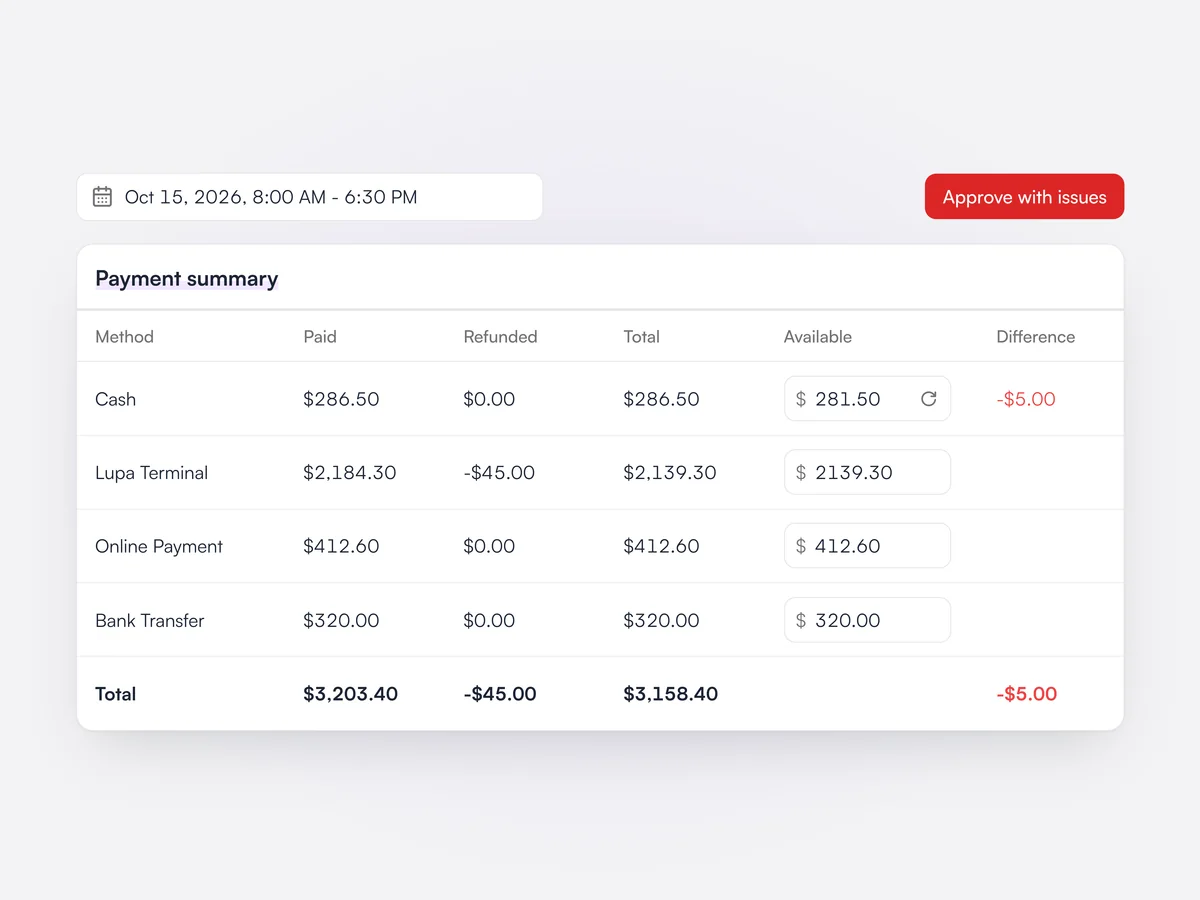
Close out the day’s payments by payment method and export the end-of-day report as a PDF.

End-of-day reports total the day’s payments by method so the register can be counted and closed, and can be exported as a PDF.

An end-of-day report by payment method with cash $5.00 short, ready to approve with issues

Xero export

Export completed invoices to Xero.

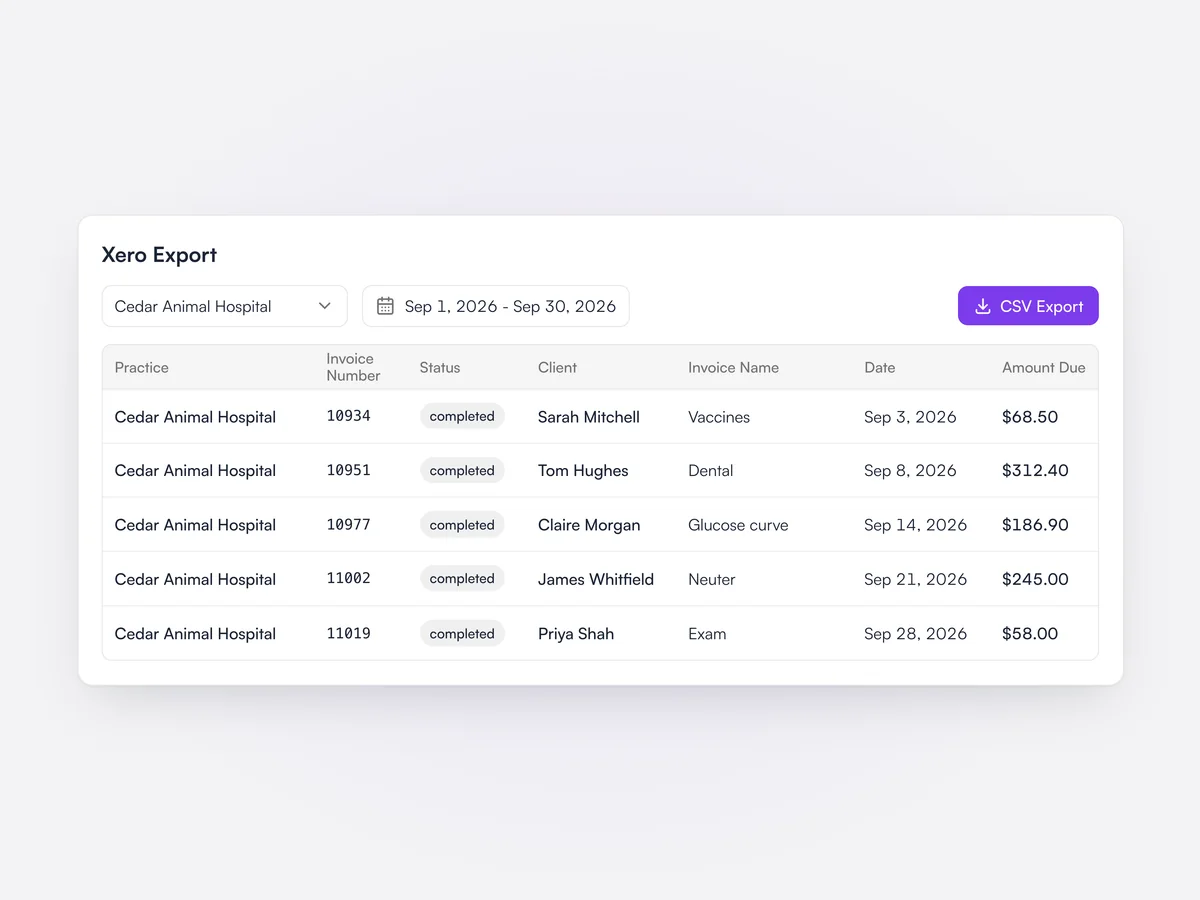
Completed invoices export as a file ready to import into Xero, for the practice’s accounts.

September's completed invoices for one practice, ready to export as a Xero CSV

Write-offs

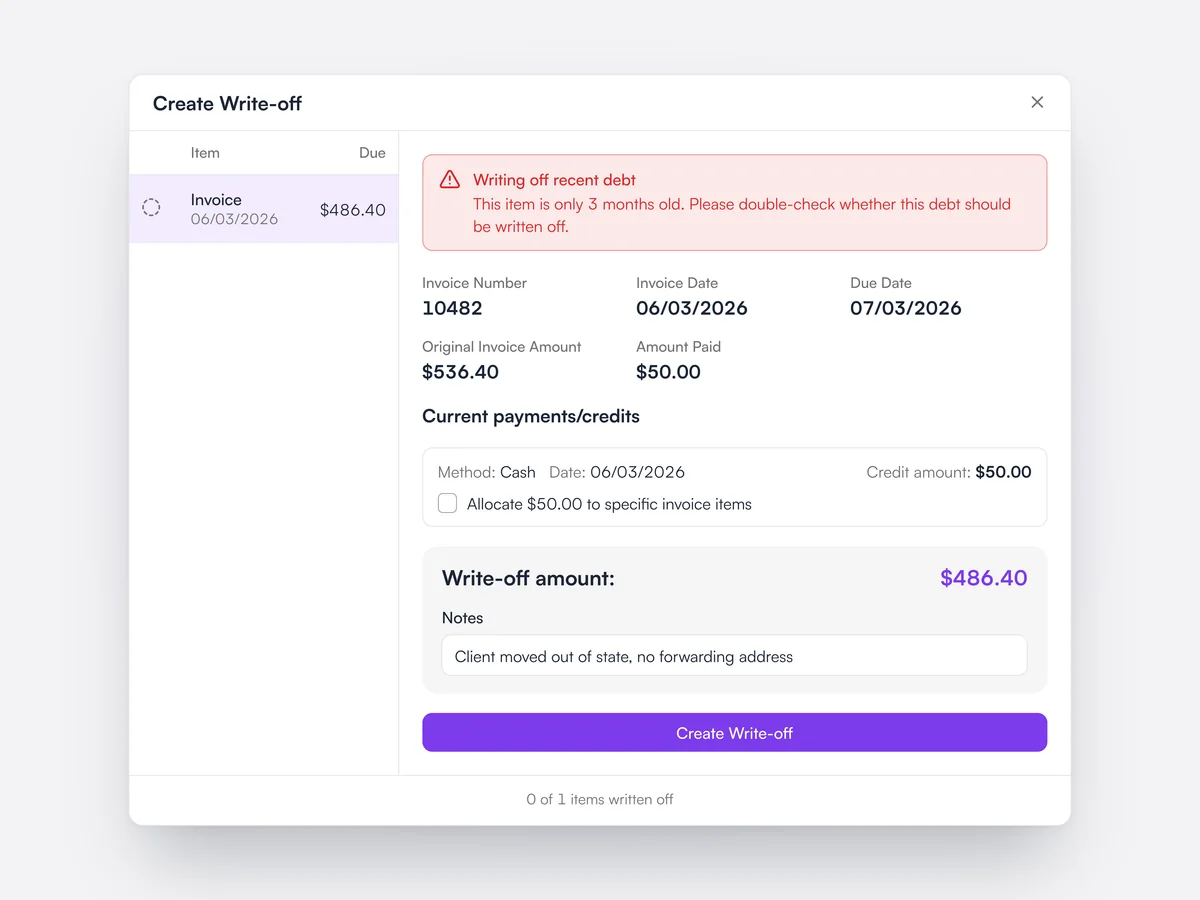
Write off debt you won't recover, with a warning when the debt is less than six months old.

Unpaid invoices can be written off from the debts list or the client's transactions, one item at a time with notes. The form shows what was invoiced, what has been paid and any payments still to allocate. Lupa warns before writing off debt under six months old, and creating write-offs needs its own permission.

Writing off a $486.40 invoice, with a warning that the debt is only three months old

Client credit

Hold deposits, overpayments and credit notes on account and apply them to any unpaid invoice.

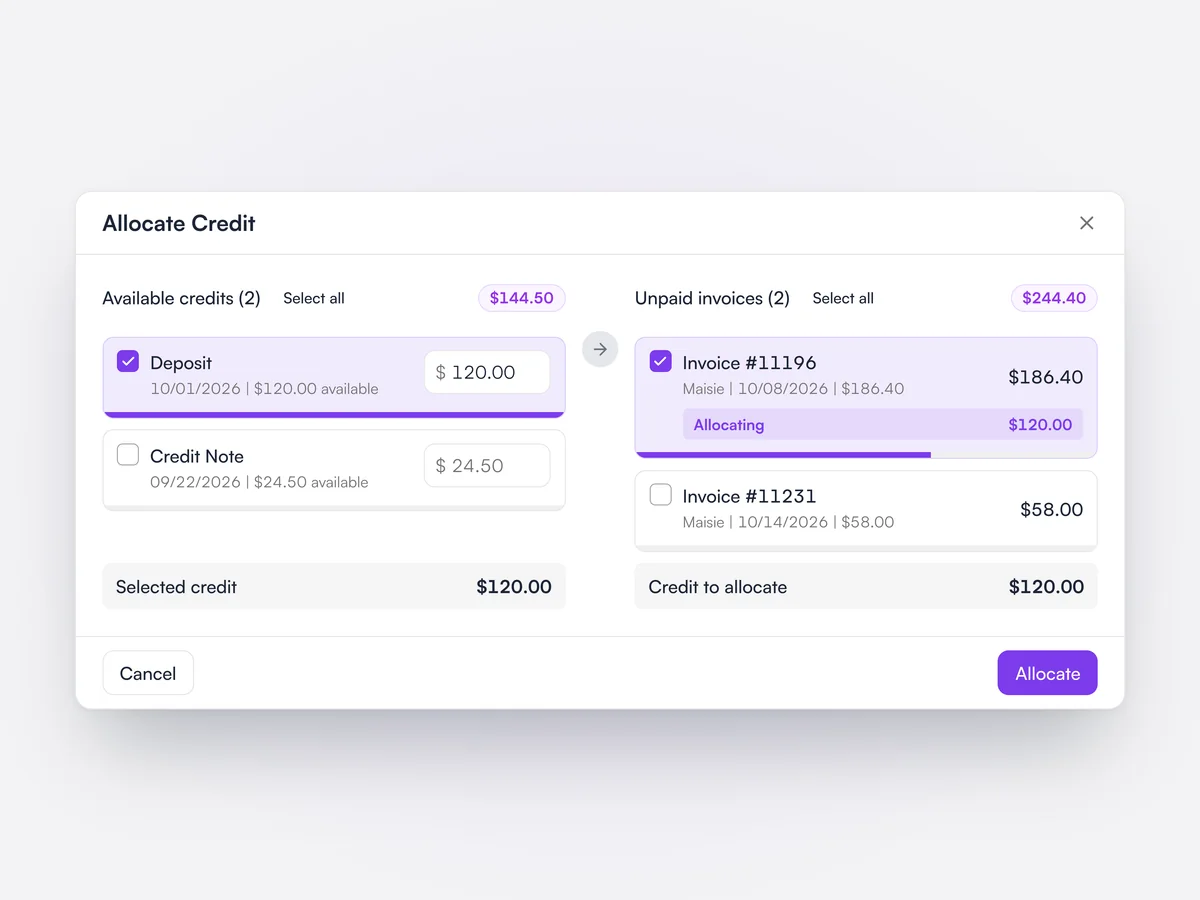
Deposits, unused payments and credit notes sit on the client's account as credit. Allocate Credit lets you pick which credits to use, how much of each, and which unpaid invoices they pay. When taking a payment, Lupa reminds you if the client already has credit to apply.

Allocating a $120 deposit to one of a client's two unpaid invoices

What a client owes

See a client's balance at a glance, and what makes it up, from the appointment.

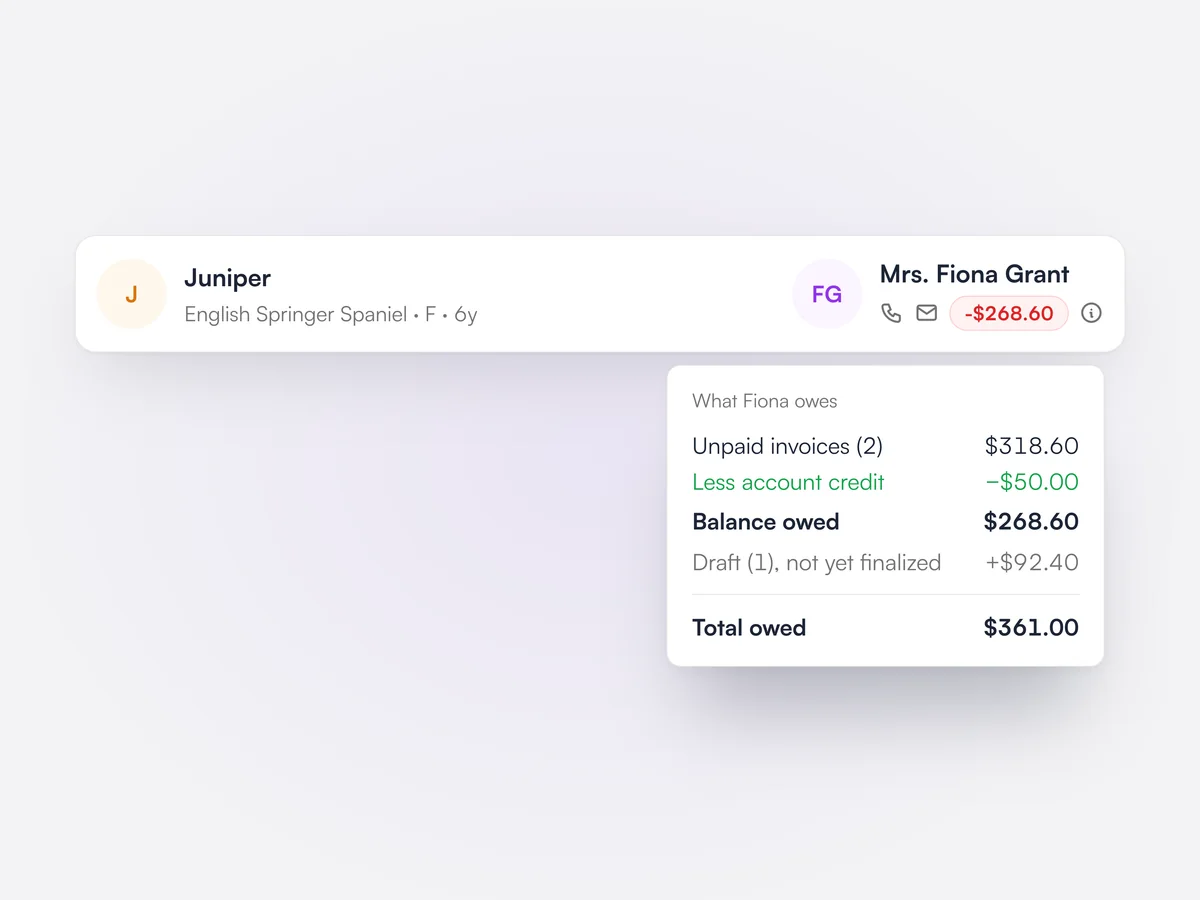
The client card shows their balance in red, green or blue for owing, in credit or settled. On an appointment, a breakdown lists unpaid invoices, account credit, the balance owed, draft invoices not yet finalized and the total owed.

A client's balance breakdown: unpaid invoices, account credit, a draft and the $361 total owed

Billing hold

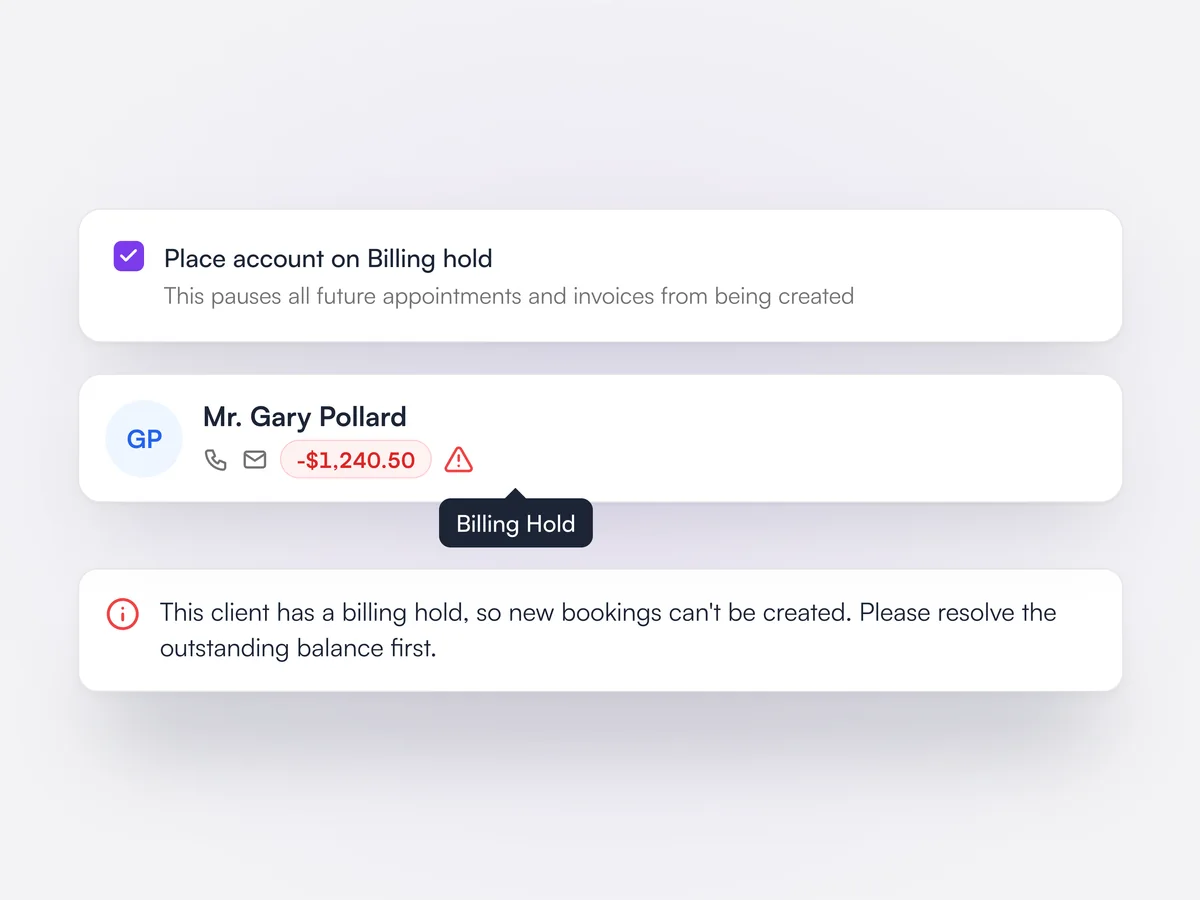
Put an account on hold so no new appointments or invoices can be created for it.

Staff with the Client Billing Hold permission can place an account on billing hold from the client form. The client is then flagged with a warning icon, and new bookings and invoices are blocked until the hold is lifted.

An account placed on billing hold, the warning on the client card and the message shown when booking

Supervisor and clinicians

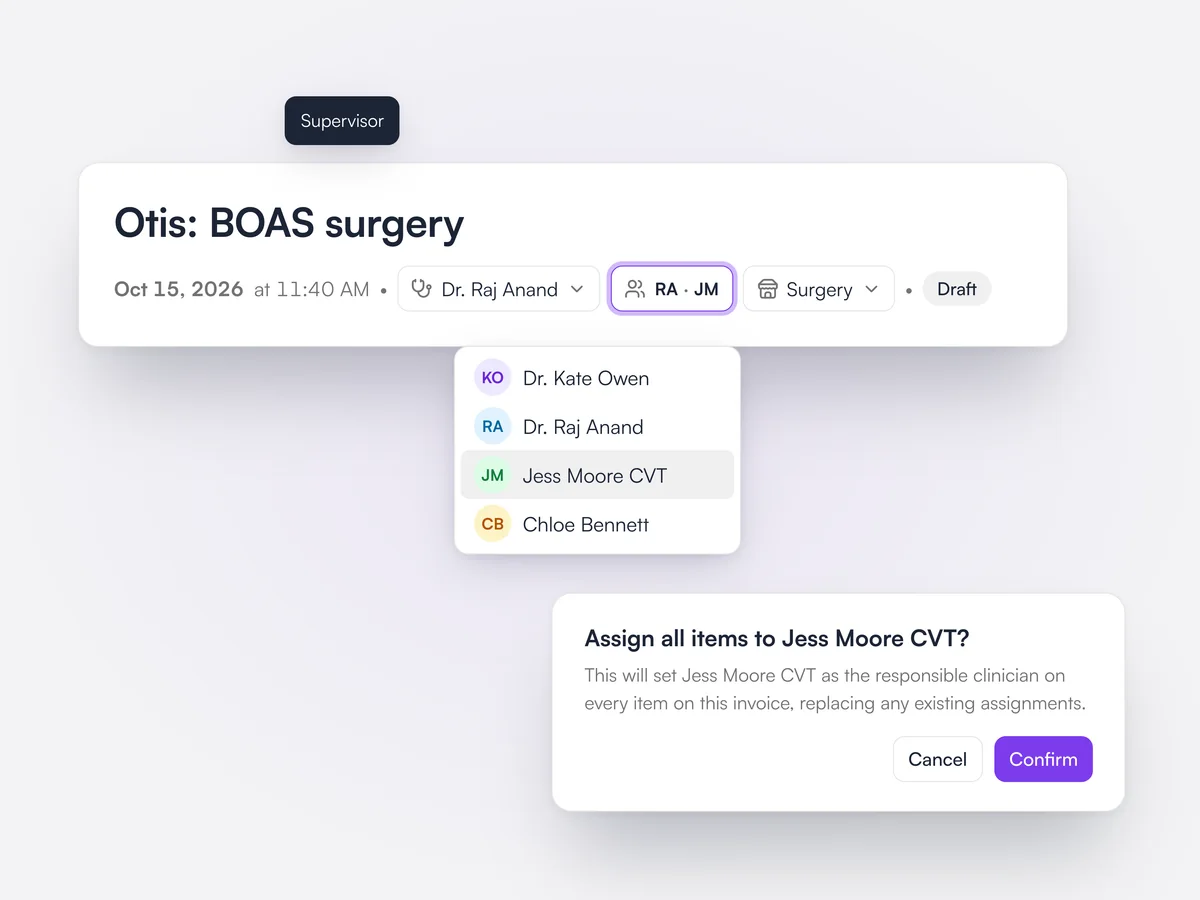
Each invoice shows its supervising vet and the clinicians on its lines, and you can reassign them all at once.

The invoice header shows the supervisor and the initials of every clinician assigned to its lines. Choosing a team member from the clinicians menu sets them as the responsible clinician on every item, after a confirmation. Changing clinicians needs its own staff permission.

Otis's BOAS surgery invoice header with Dr. Raj Anand as supervisor, clinicians RA and JM, and a prompt to assign every item to Jess Moore, CVT

Credit for each line

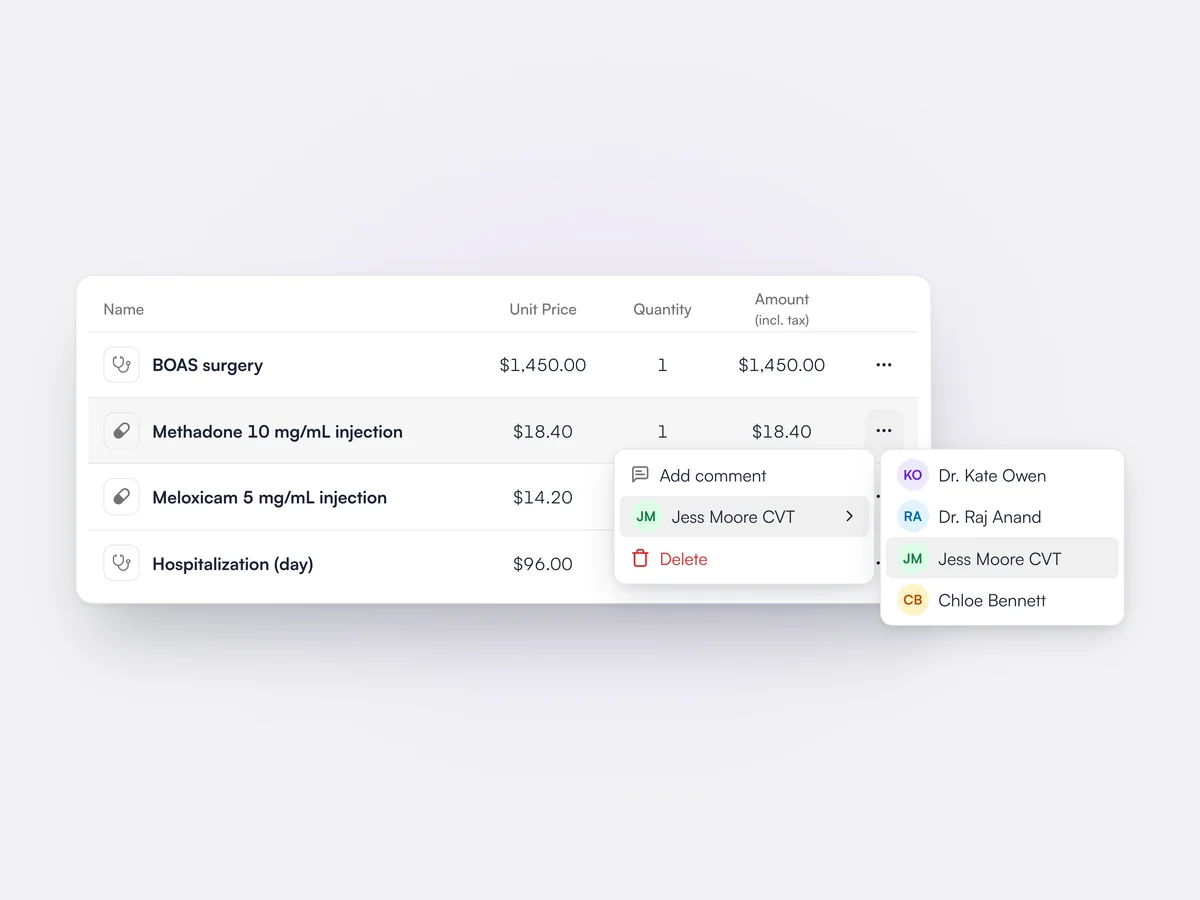
Assign each invoice line to the team member who did the work or sold it, for staff revenue reports.

Every service and product on an invoice can be assigned to a team member from the line's menu. Revenue reports attribute line revenue to that person, which feeds revenue per employee and the staff leaderboard in Analytics.

Invoice lines for Otis's surgery with the methadone line's menu open and Jess Moore, CVT chosen as the team member for that line

Departments

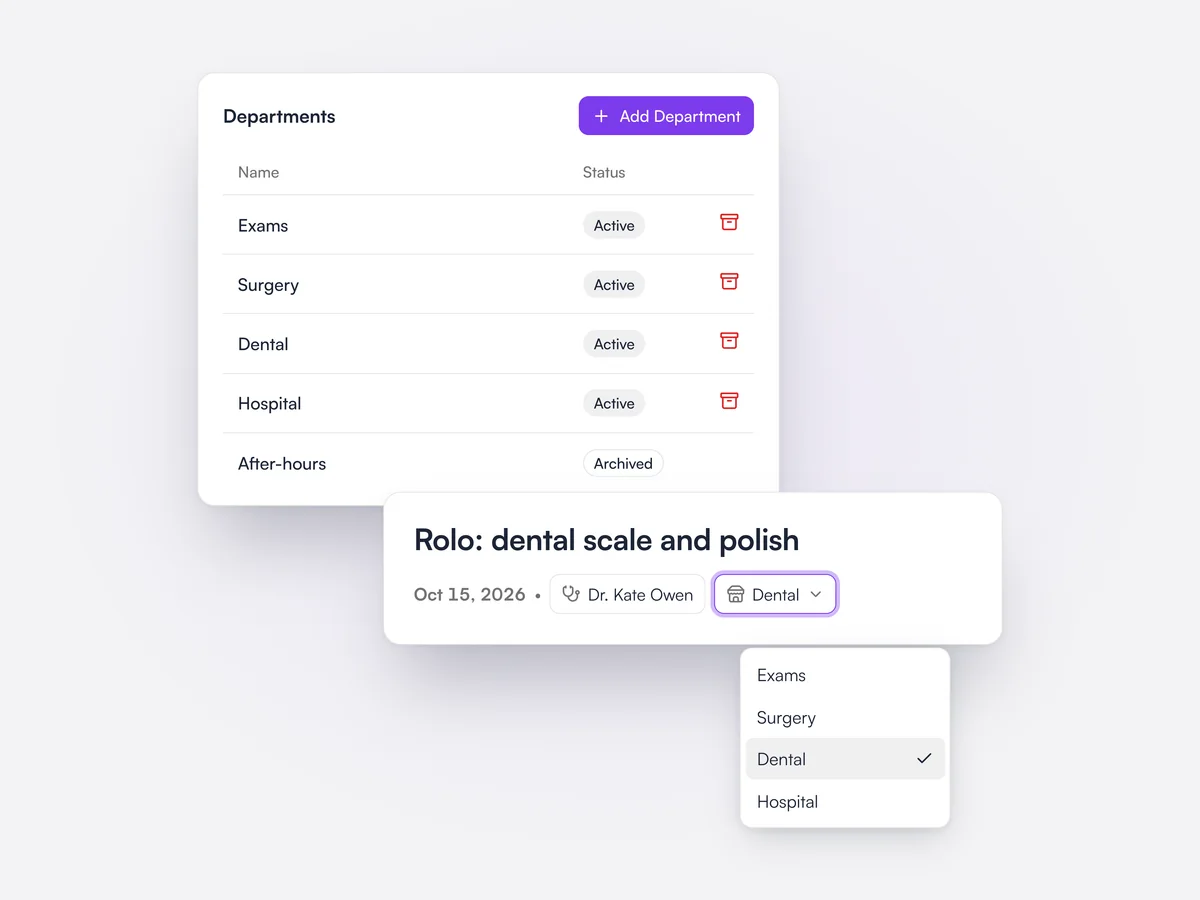
Tag invoices with a department, such as Surgery or Dental, and report on revenue by department.

Practices set up their own departments in settings and archive ones they no longer use. Each invoice can be given a department from its header. The invoice lines report includes the department so revenue can be split by it.

Department settings listing Exams, Surgery, Dental and Hospital, and an invoice for Rolo's dental with Dental chosen as its department

Wellness plan activity log

Every collection, failed payment, message and pause on a plan, in one timeline.

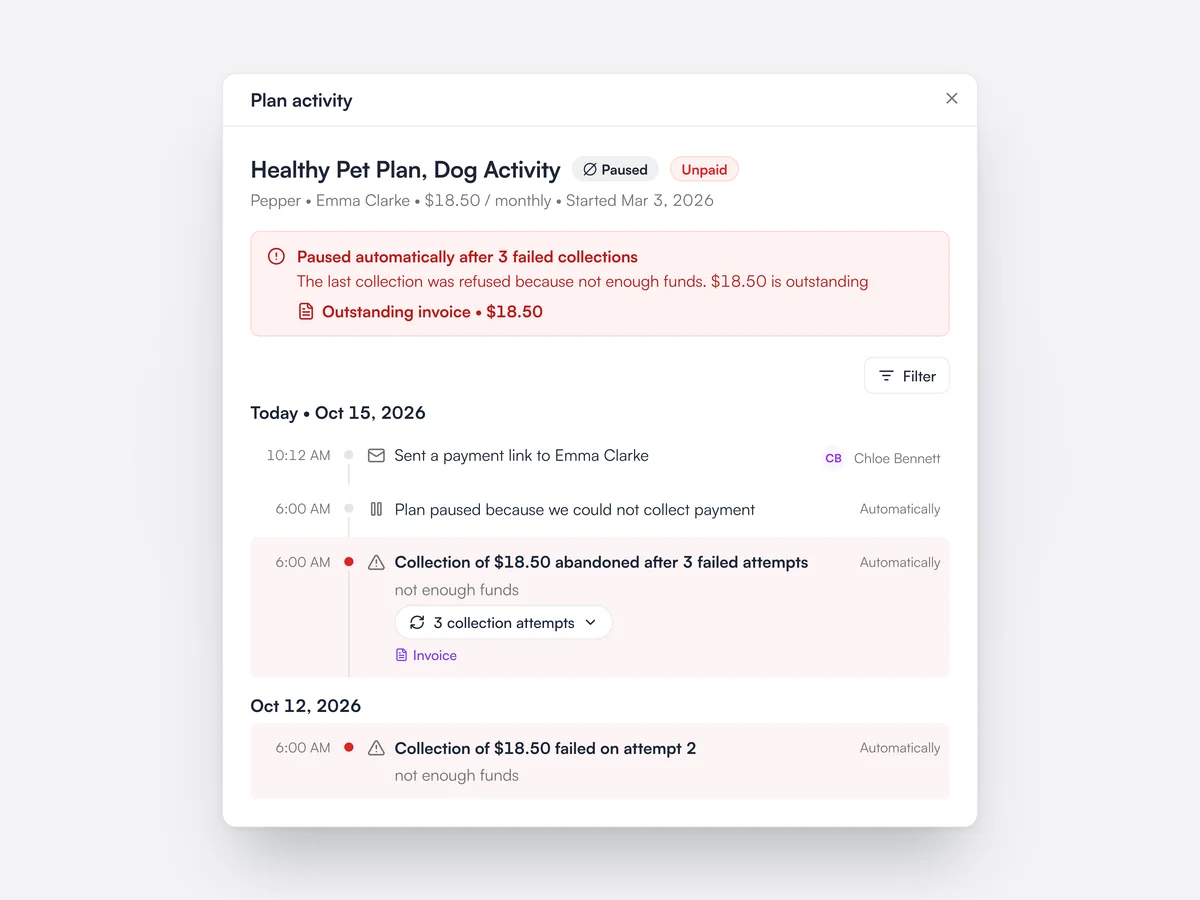
Each wellness plan subscription has an activity log grouped by day: payments collected, failed collection attempts with the bank's reason, Direct Debit submissions and returns, card changes, messages and payment links sent to the client, refunds and write-offs, and who paused the plan and why. A banner at the top explains any money owed or an active pause, with a link to the outstanding invoice. The log can be filtered by type.

The activity log for Pepper's Healthy Pet Plan: paused automatically after three failed collections, with $18.50 outstanding, the failed attempts, the pause and a payment link sent by Chloe Bennett

Pause or end a plan

Pause a plan and resume it later, or end it now or at the end of the paid period.

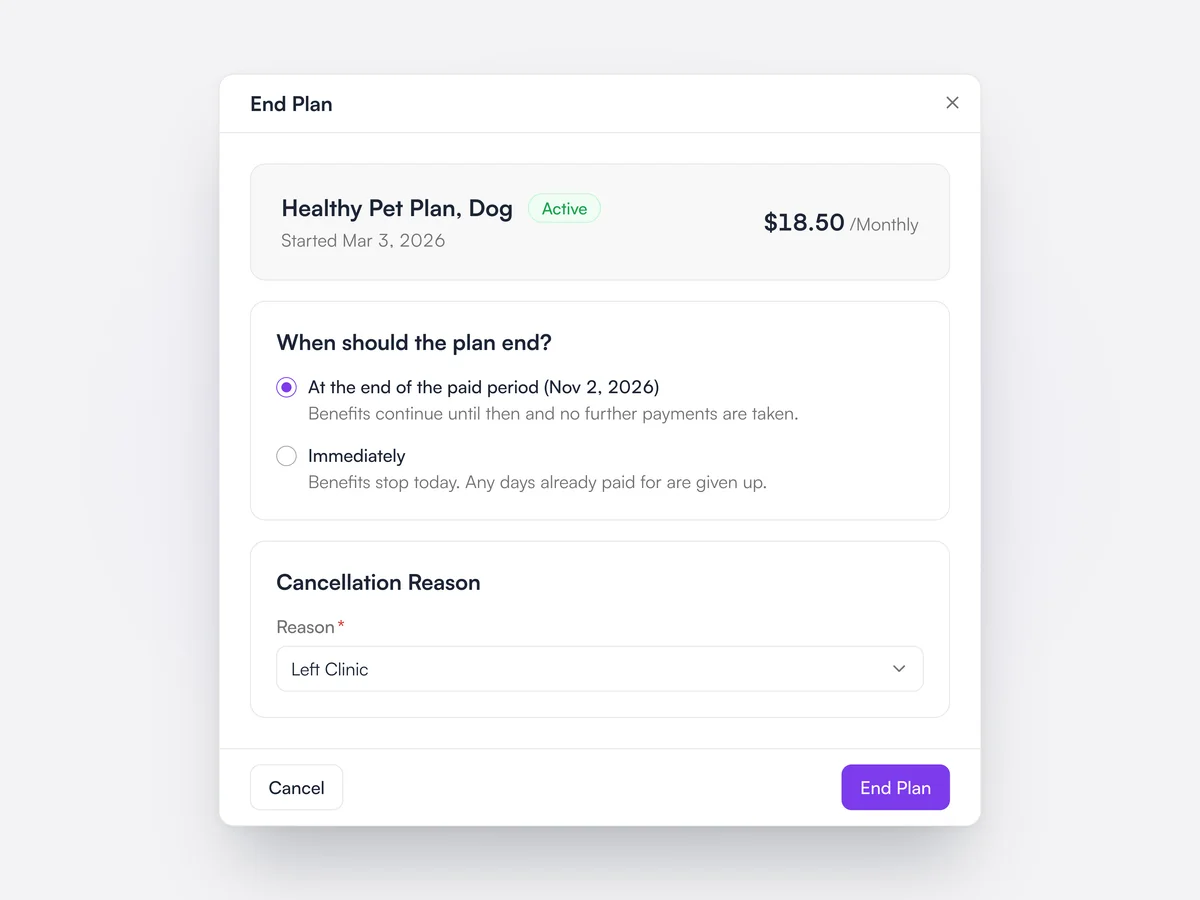
Pausing a plan stops billing and freezes its allowances until it is resumed, and resuming gives back the paid-for days that were left. Lupa also pauses a plan on its own after repeated failed collections, and every pause records who paused it. Ending a plan can take effect immediately or at the end of the period already paid for, with a cancellation reason recorded.

Ending a Healthy Pet Plan, Dog at the end of the paid period on November 2, 2026, with the cancellation reason Left Clinic

Bulk plan changes

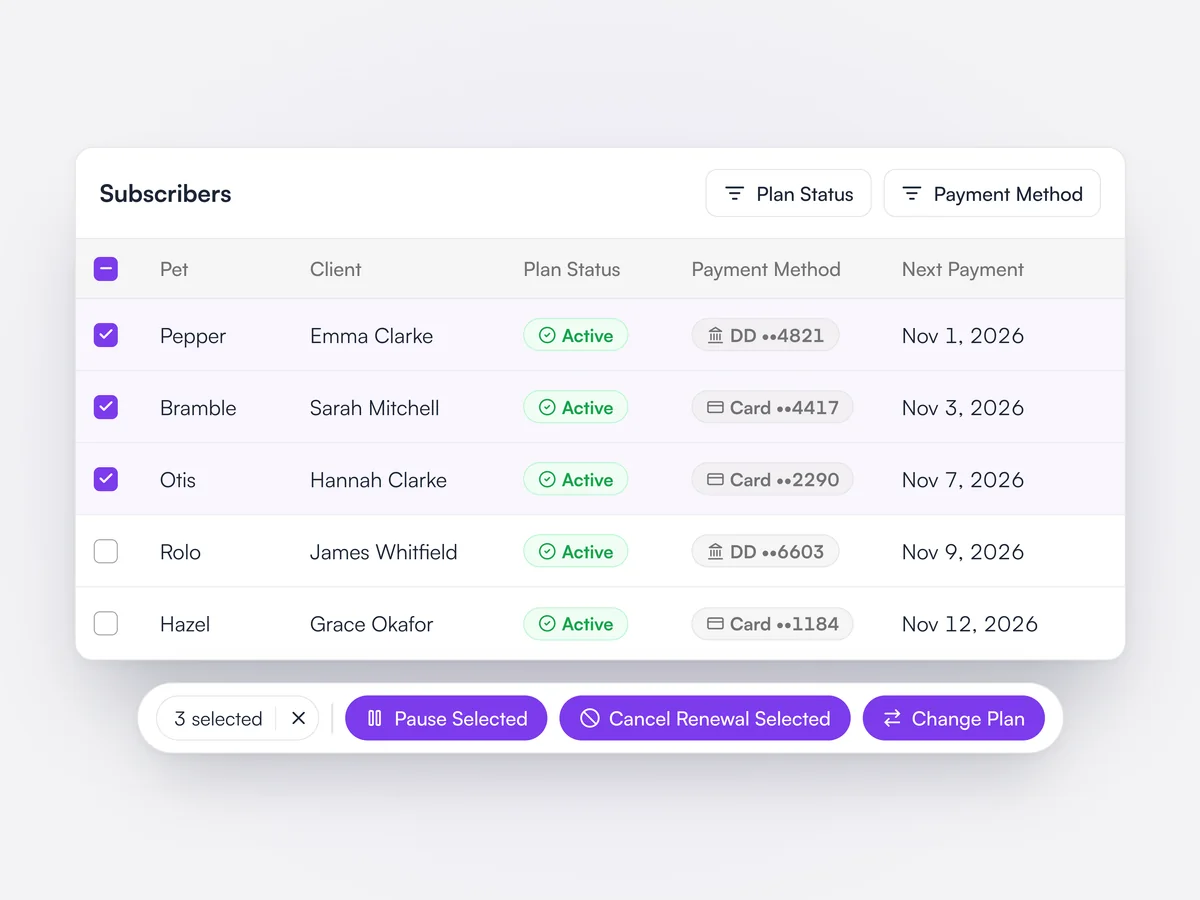
Select subscribers to pause, resume, stop renewal, change plan or request payment details in one go.

On a plan's subscriber list, staff can select several subscriptions and pause or resume them, cancel their renewal, cancel pending sign-ups, move them to another plan, or send them a request for recurring payment details. Rows an action does not apply to are skipped and listed before anything changes.

Three active subscribers selected on a wellness plan, with Pause Selected, Cancel Renewal Selected and Change Plan in the action bar

Plan payment set-up by QR code

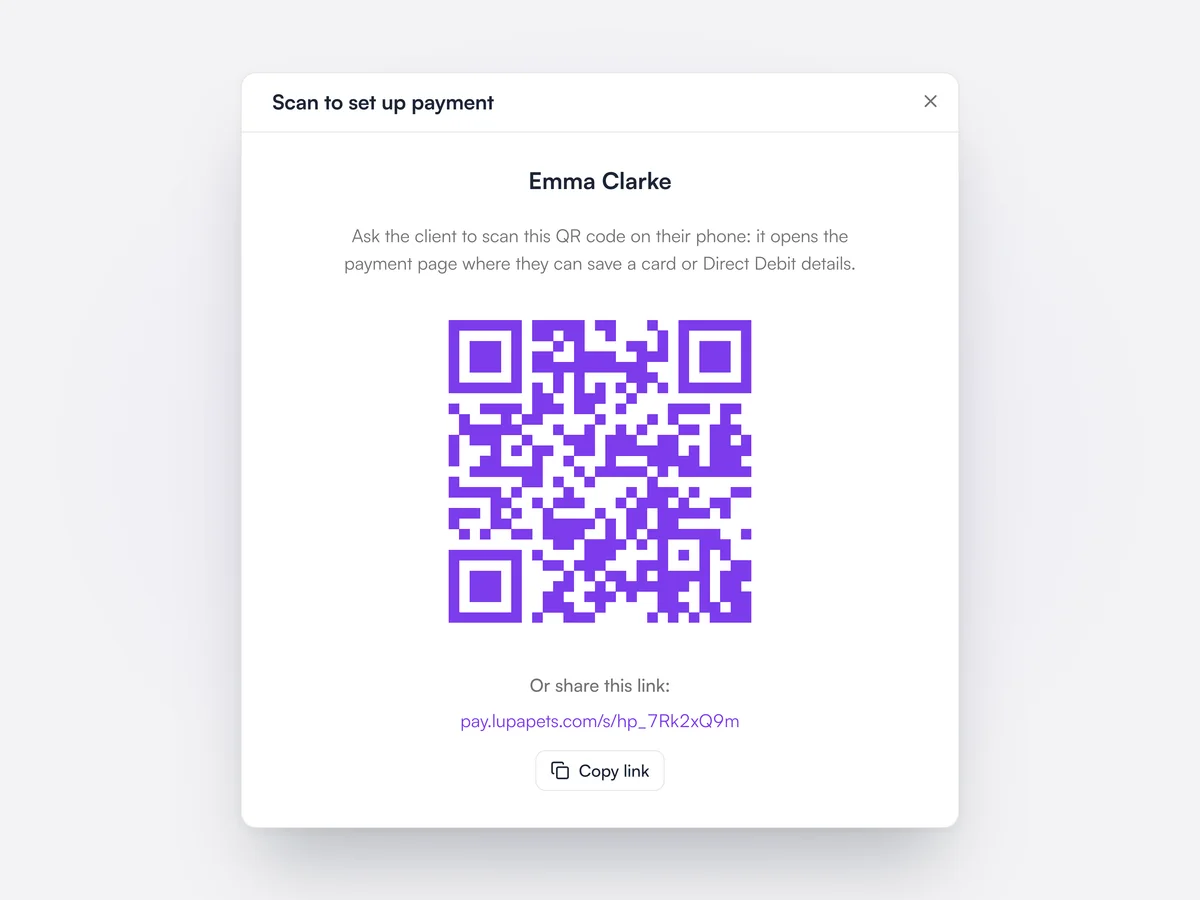
Clients scan a QR code at the desk, or get a link, to add their card or Direct Debit.

When a plan needs payment details, staff can show the client a QR code that opens the payment page on their phone, or send the link by email and text. The client saves a card or Direct Debit details there and the plan starts collecting automatically. Invites can also go to many subscribers at once.
A QR code for Emma Clarke to scan and save a card or Direct Debit details for her wellness plan, with a link to copy

Saved cards

See each client's saved cards, which plans they pay for, and when they expire.

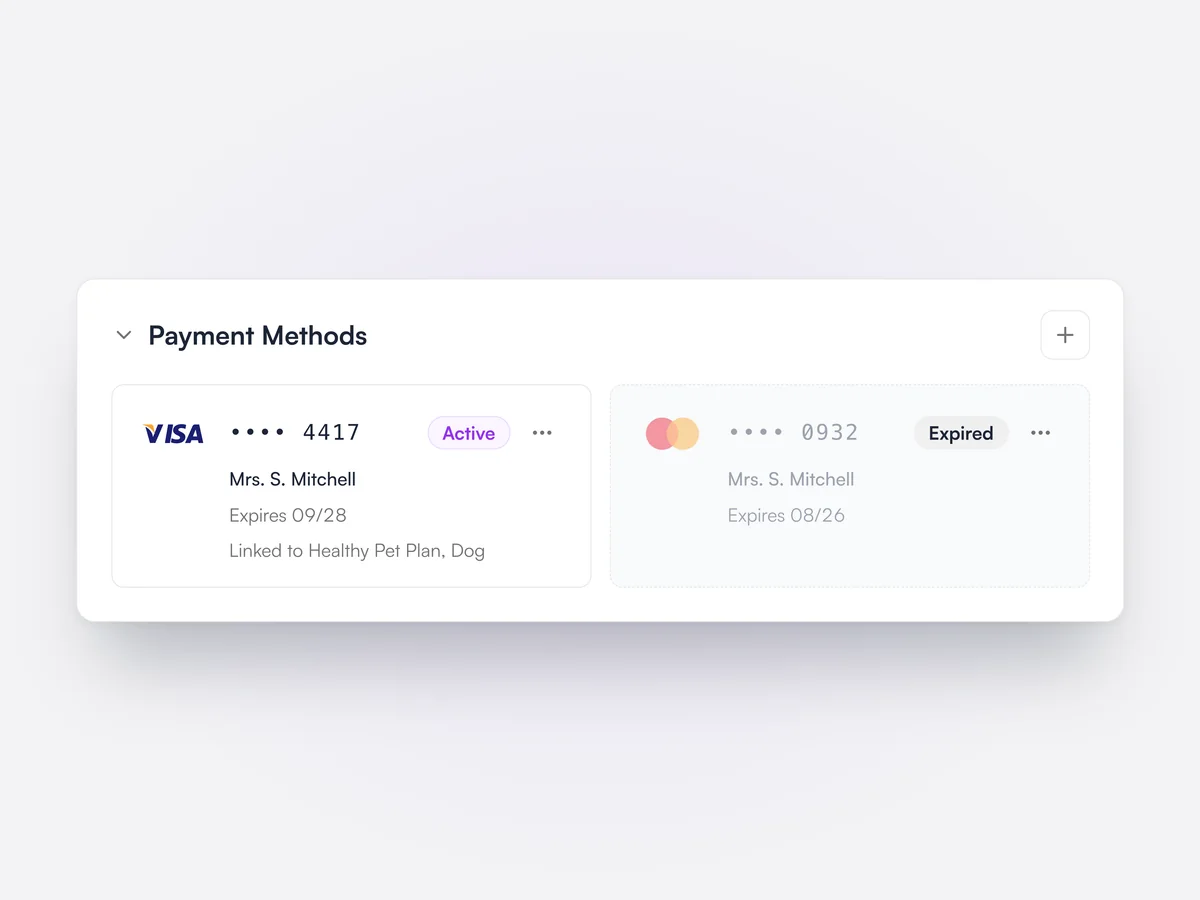
The client page lists the cards a client has saved through Lupa Pay, with the last four digits, holder name, expiration date and the wellness plans each card is linked to. Expired cards are marked. Staff can send the client a link to add a new card, and removing a card warns which plans' collections it will pause.

Sarah Mitchell's saved payment methods: an active Visa ending 4417 linked to her Healthy Pet Plan, and an expired Mastercard

Vetsure sign-up queue

New Vetsure plan sign-ups that Lupa can't match are queued for staff to connect to the right animal.

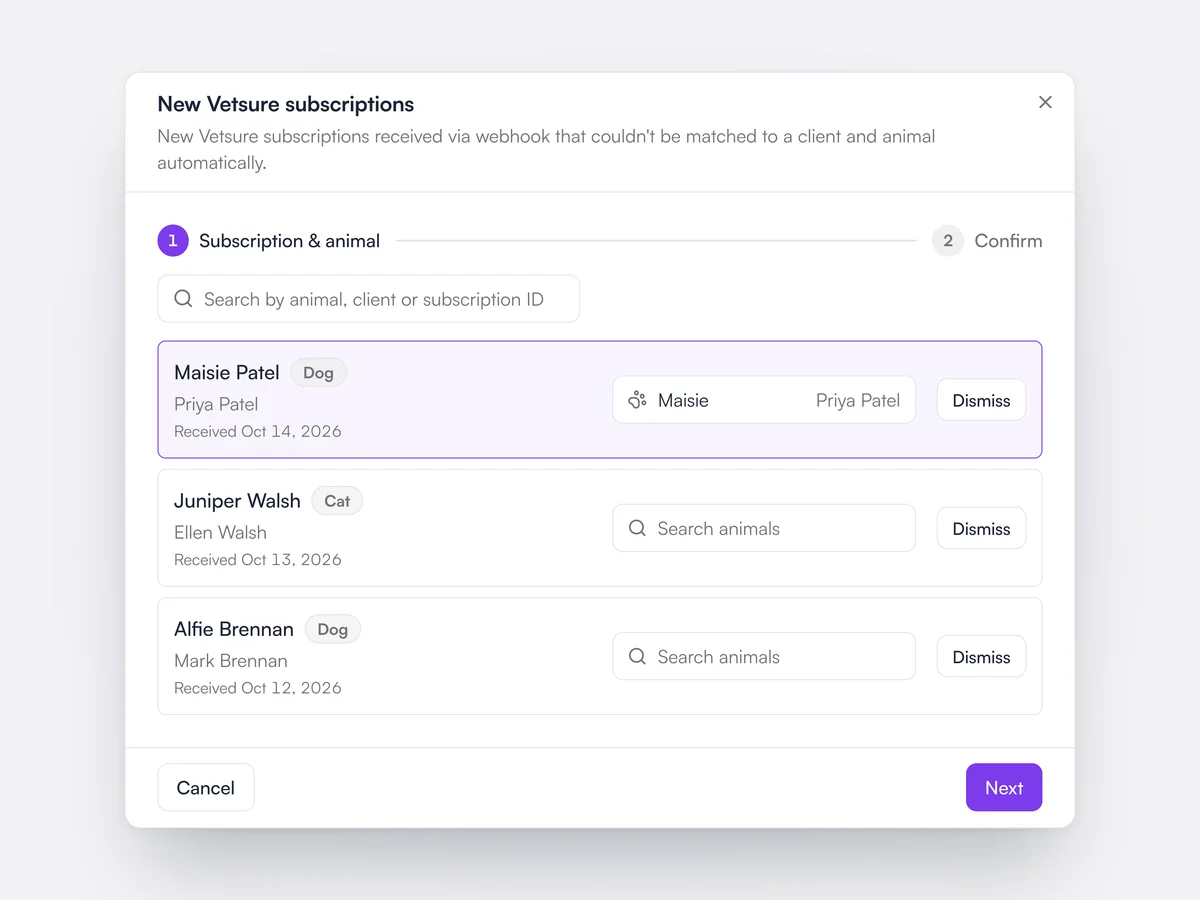
When a client signs up to a Vetsure wellness plan, the subscription arrives in Lupa automatically. If Lupa cannot match it to a client and animal, it waits in a review queue where staff pick the animal on each entry, confirm the matching plan and choose whether Lupa collects payment. Entries can also be dismissed.
The New Vetsure subscriptions queue with three unmatched sign-ups, and Maisie picked as the animal for the first

Inventory, staff and reporting,
for one location or a whole group.

The admin side of the practice, in the same system as the clinical side.

Inventory

Inventory by batch, expiration and location. Low inventory is flagged and Lupa suggests what to reorder.

Learn moreShow less

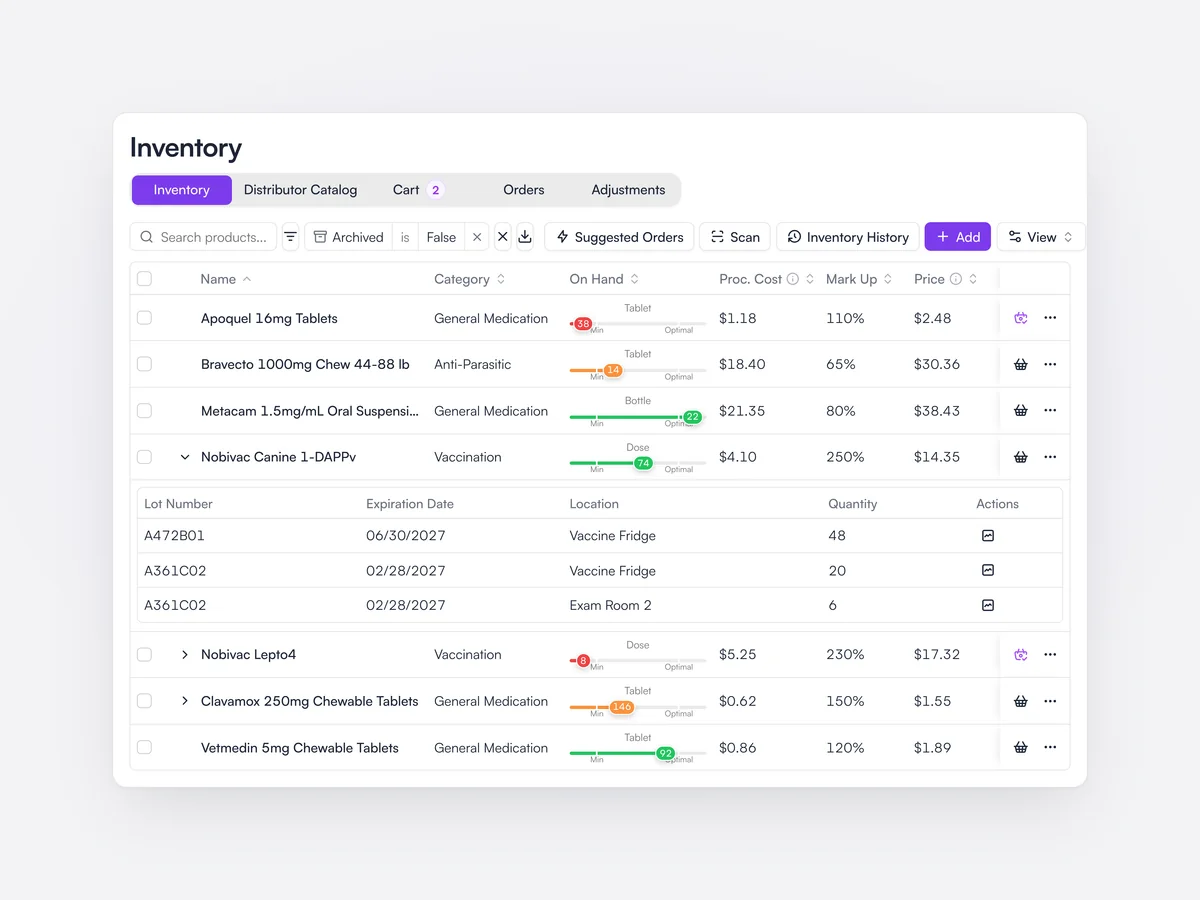
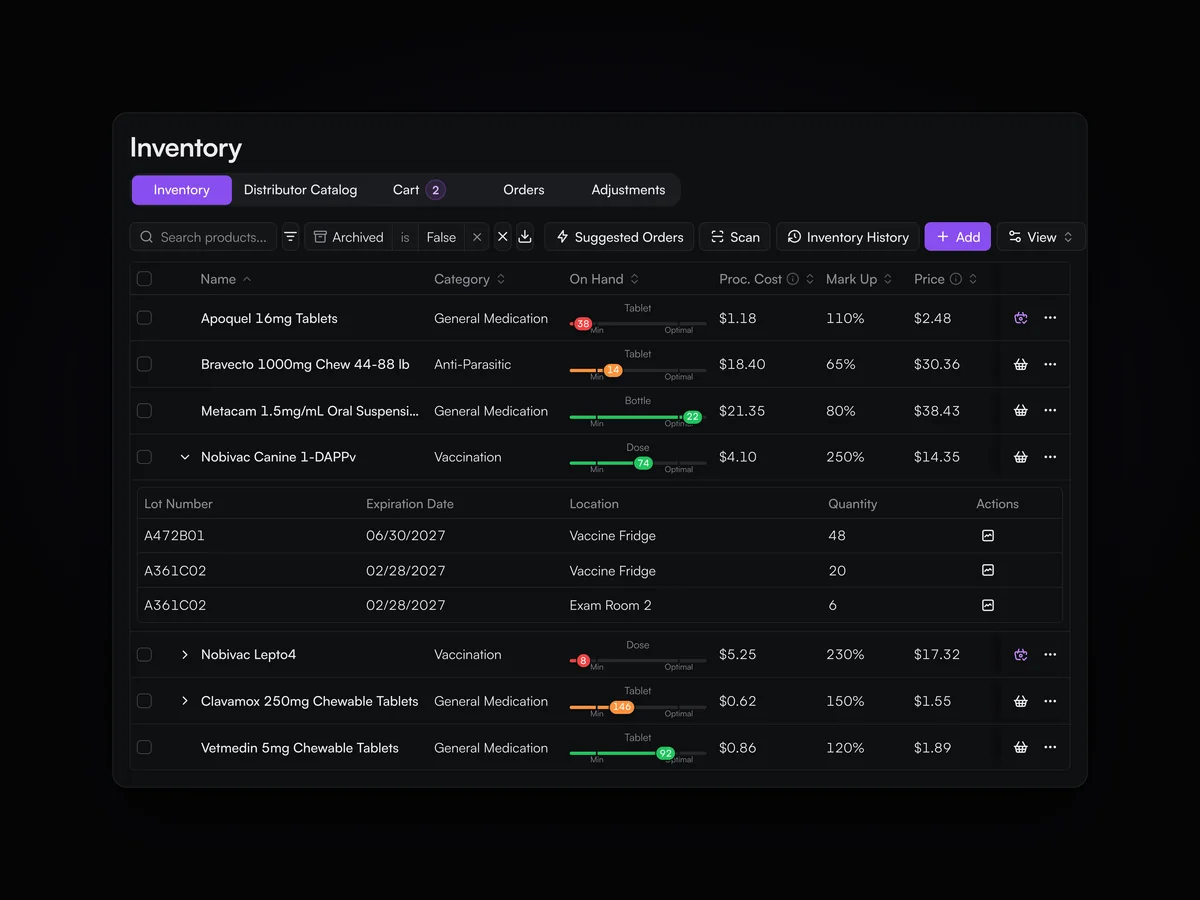
Each product’s inventory is held by batch, expiration date and location, against minimum and optimal levels. Low inventory is flagged, suggested orders are built from those levels, and every change to an inventory level asks for a reason.

The inventory list: each product’s level against its minimum and optimal, two low vaccines and Apoquel flagged in red, and Nobivac Canine 1-DAPPv opened to its lots in the vaccine fridge and an exam room

Staff Scheduling

Plan shifts, PTO and sick days across the week. Use the AI Assistant or MCP to make changes without the headache.

Learn moreShow less

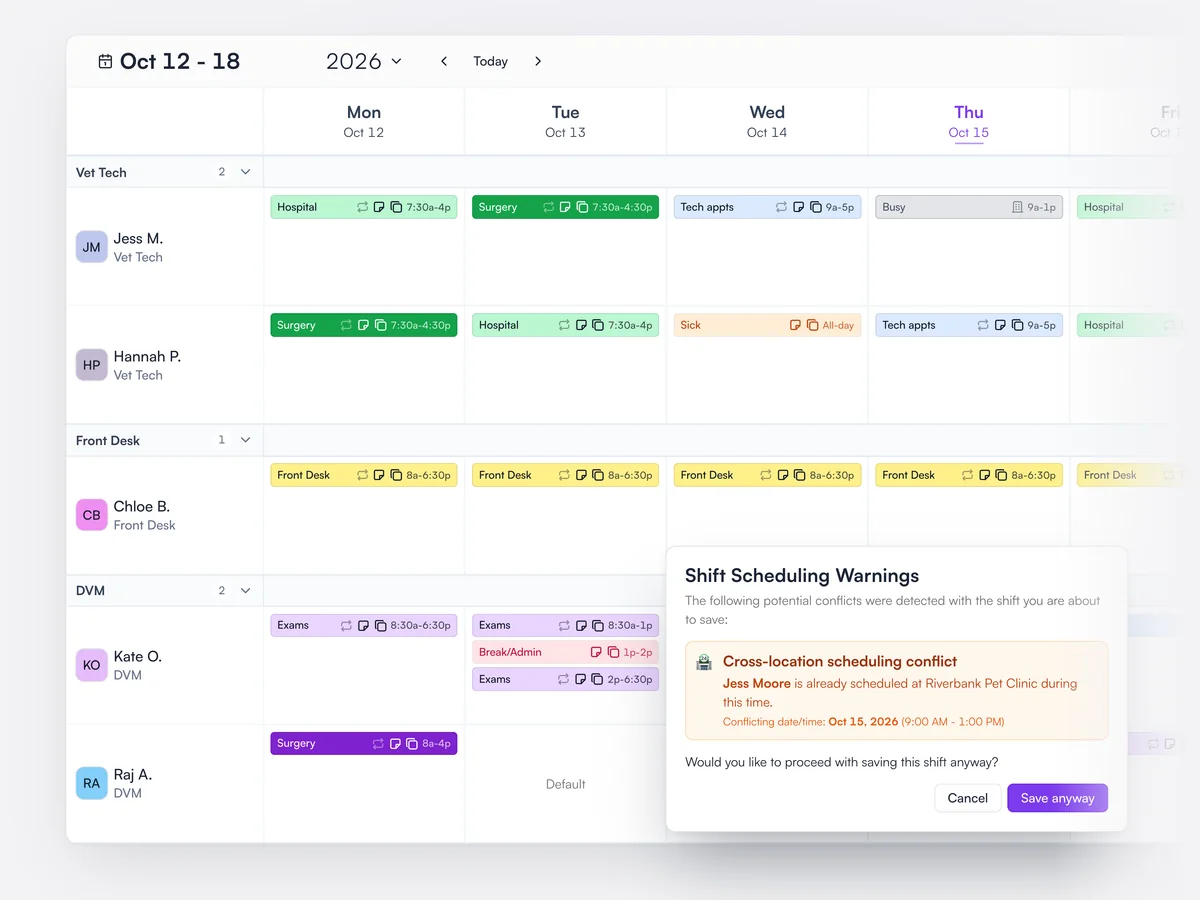
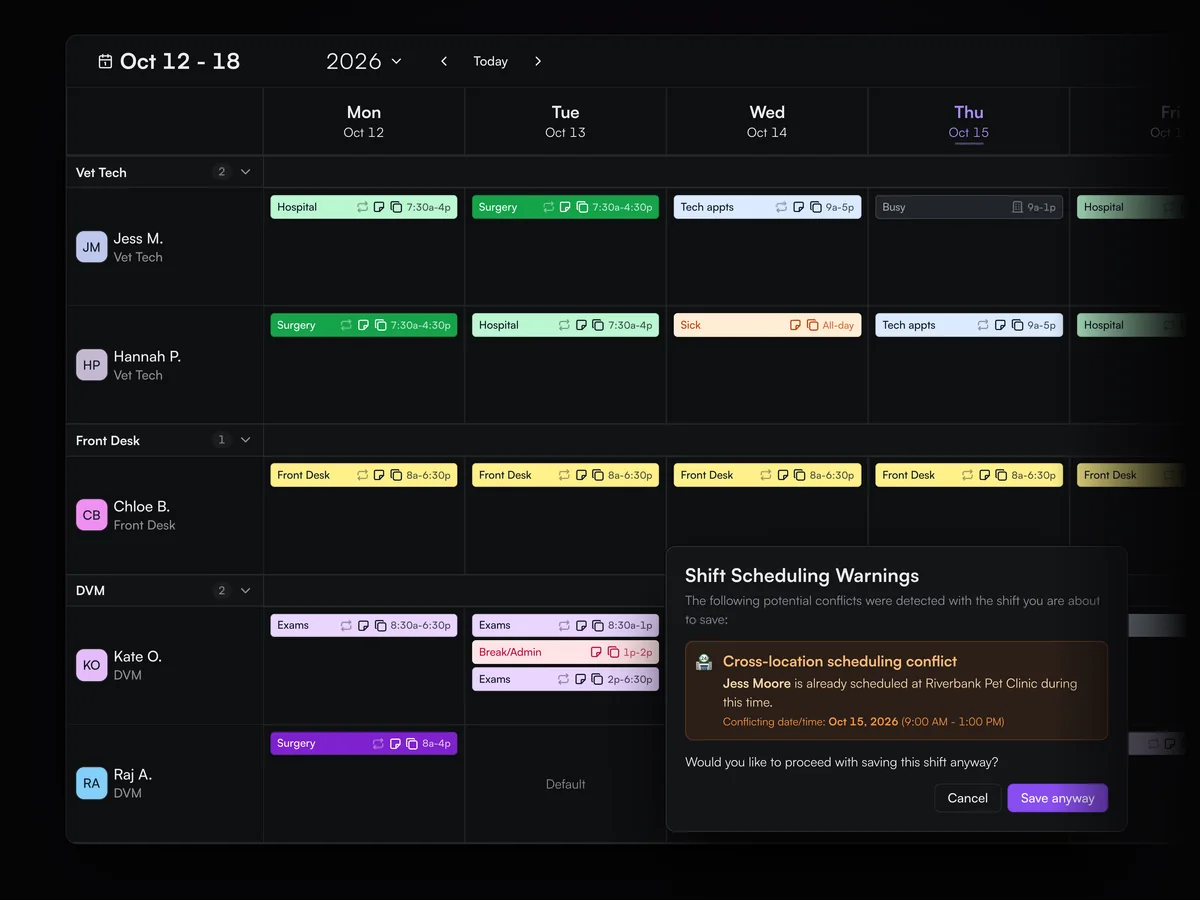
The staff schedule shows the week’s shifts for every team member by role, with PTO, sick days and admin time. Recurring shifts are set once, and Lupa warns before booking someone who is already working at another location.

The week’s staff schedule for vet techs, front desk and DVMs at Cedar Animal Hospital, with hospital, surgery and exam shifts, sick days, and a warning that Jess Moore is already working at Riverbank Pet Clinic that morning

Analytics

See how your practice is performing. For groups, benchmark locations against each other.

Learn moreShow less

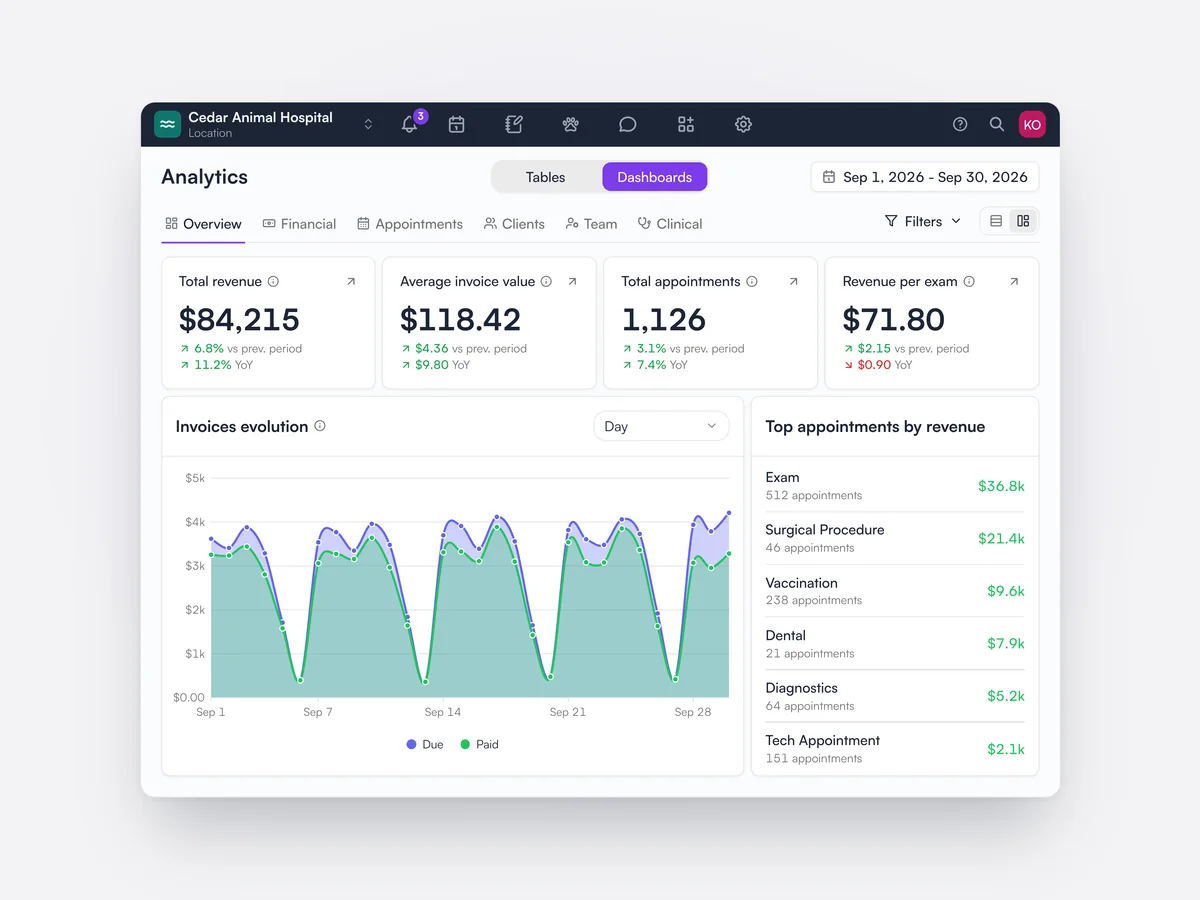
Dashboards cover revenue, appointments, clients, team and clinical work, with every figure open to the records behind it. Custom tables can be built from invoices, payments, inventory and clients, and finance reports can be run as of any date.

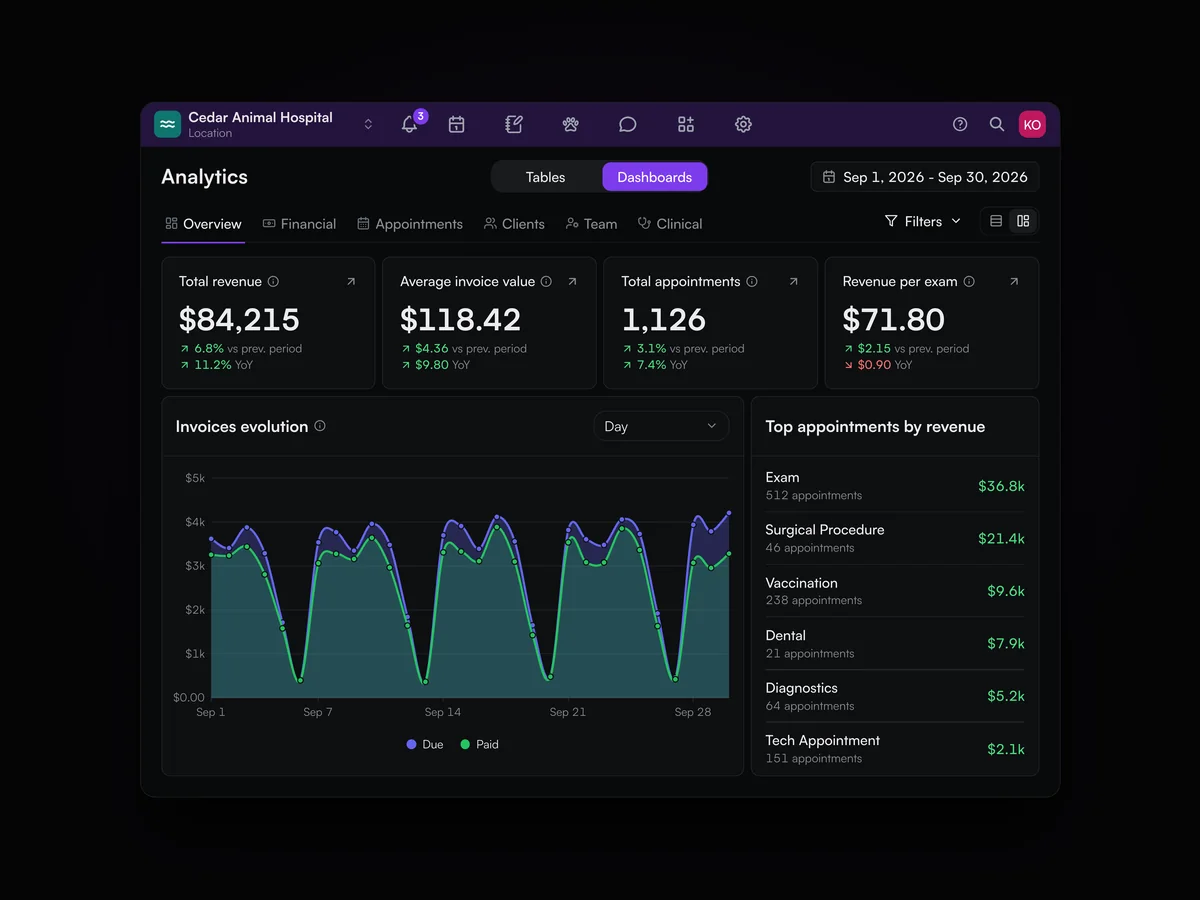
The analytics overview for September 2026: total revenue, average invoice value, appointments and revenue per exam, a daily invoices chart and top appointment types by revenue

Staff app

The day’s appointments and records on your phone. Medical notes save without signal and sync when you’re back online.

Learn moreShow less

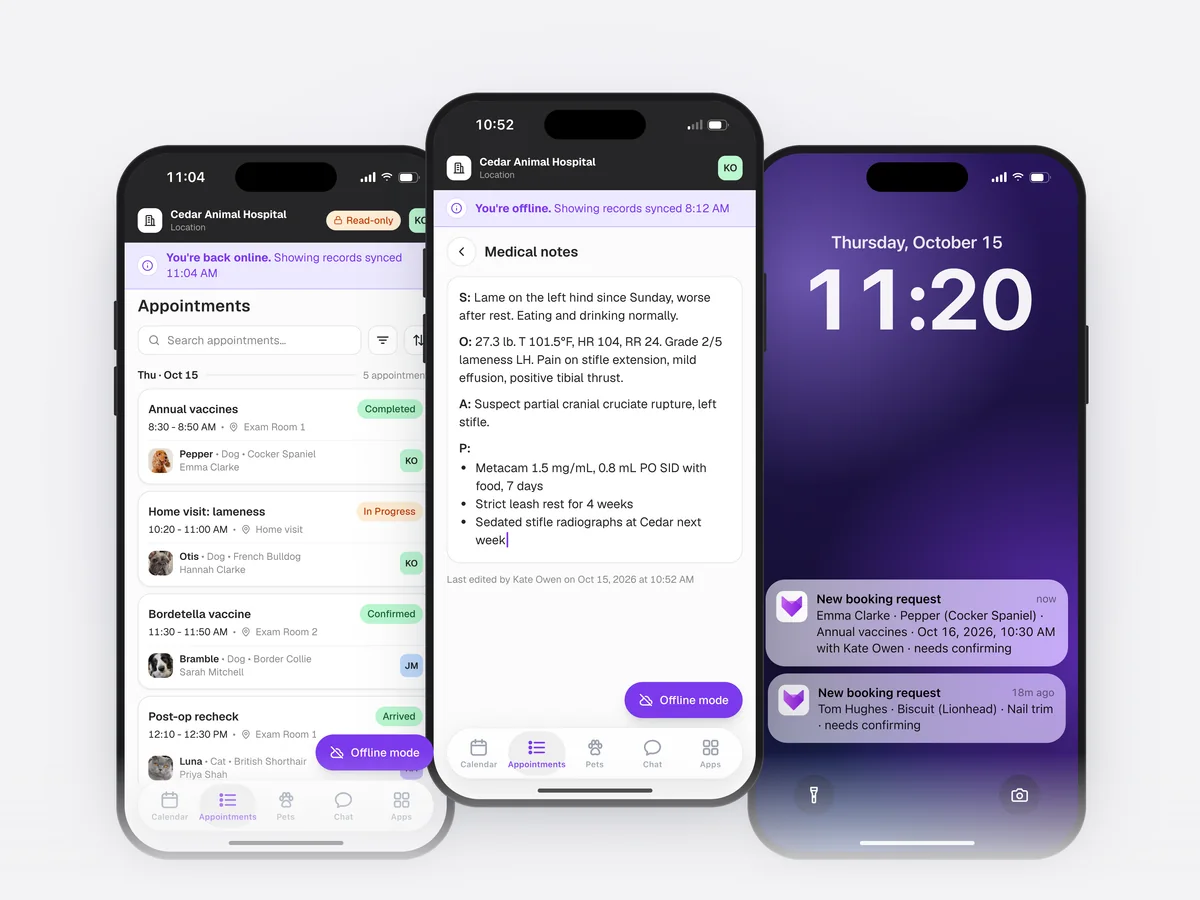
Lupa runs on iPhone, iPad and Android for the practice team, with notifications for new online booking requests. When there is no signal, the day’s appointments stay readable and medical notes can still be written, then sync when the device is back online.

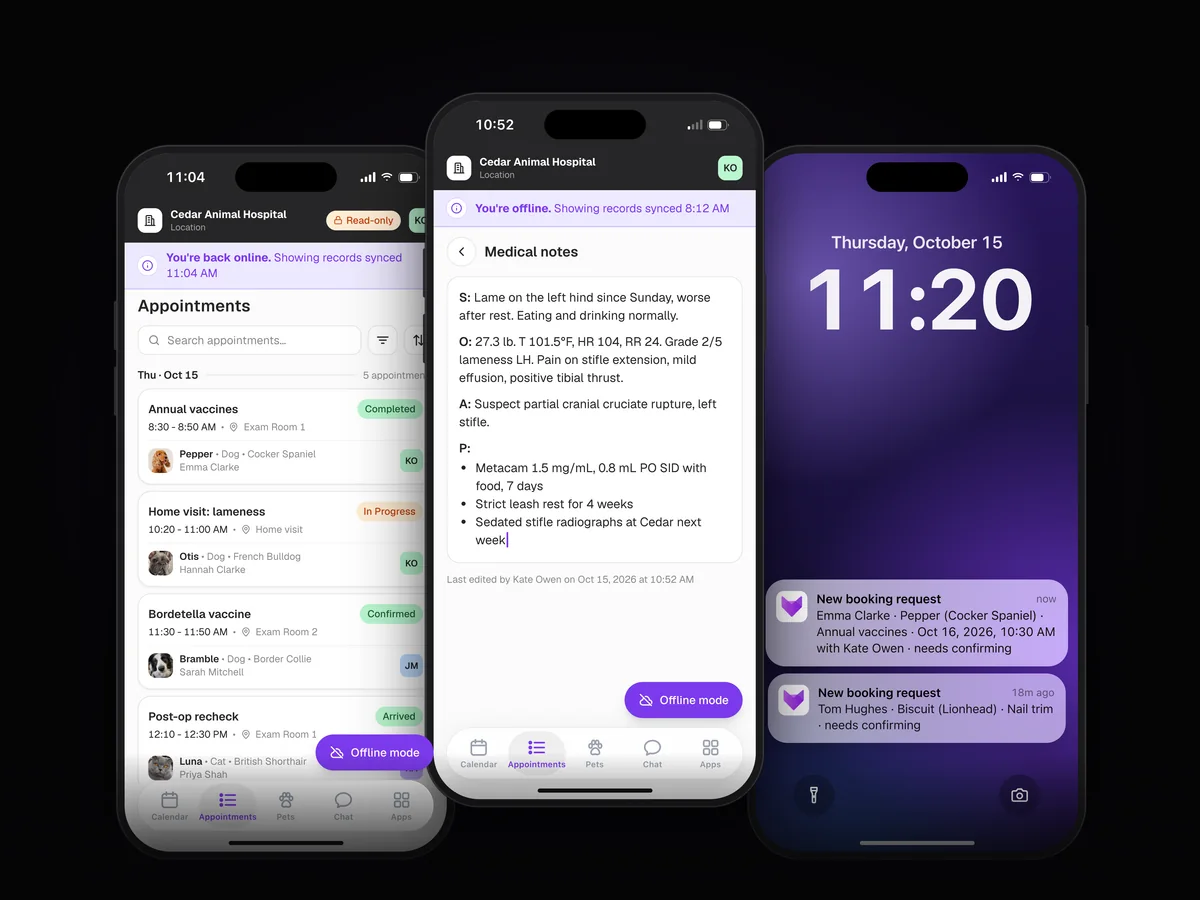
Lupa OS on three phones: the day’s appointments, a SOAP note written offline for Otis, and lock-screen notifications for new online booking requests

Wholesale ordering

Order from your distributor in Lupa, then receive each delivery with its batch numbers and expiration dates.

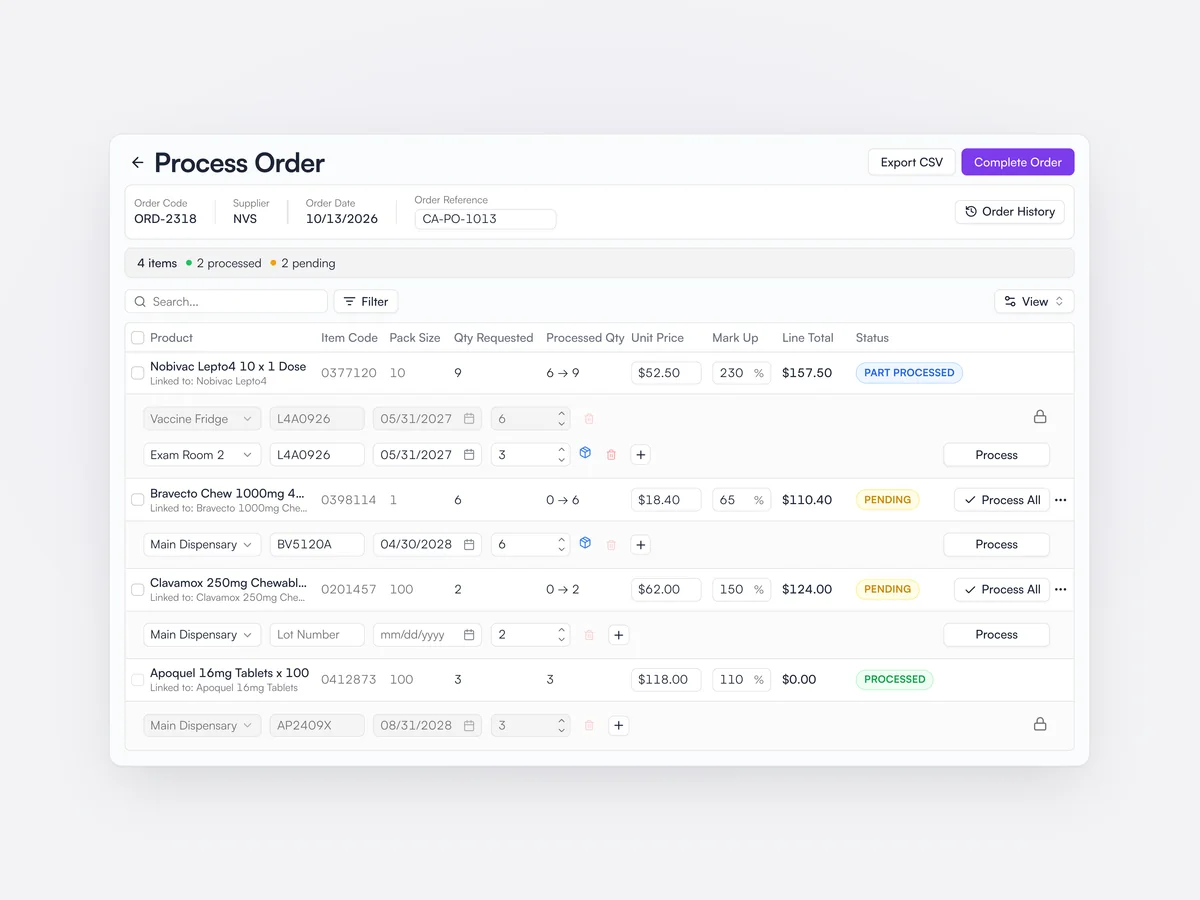
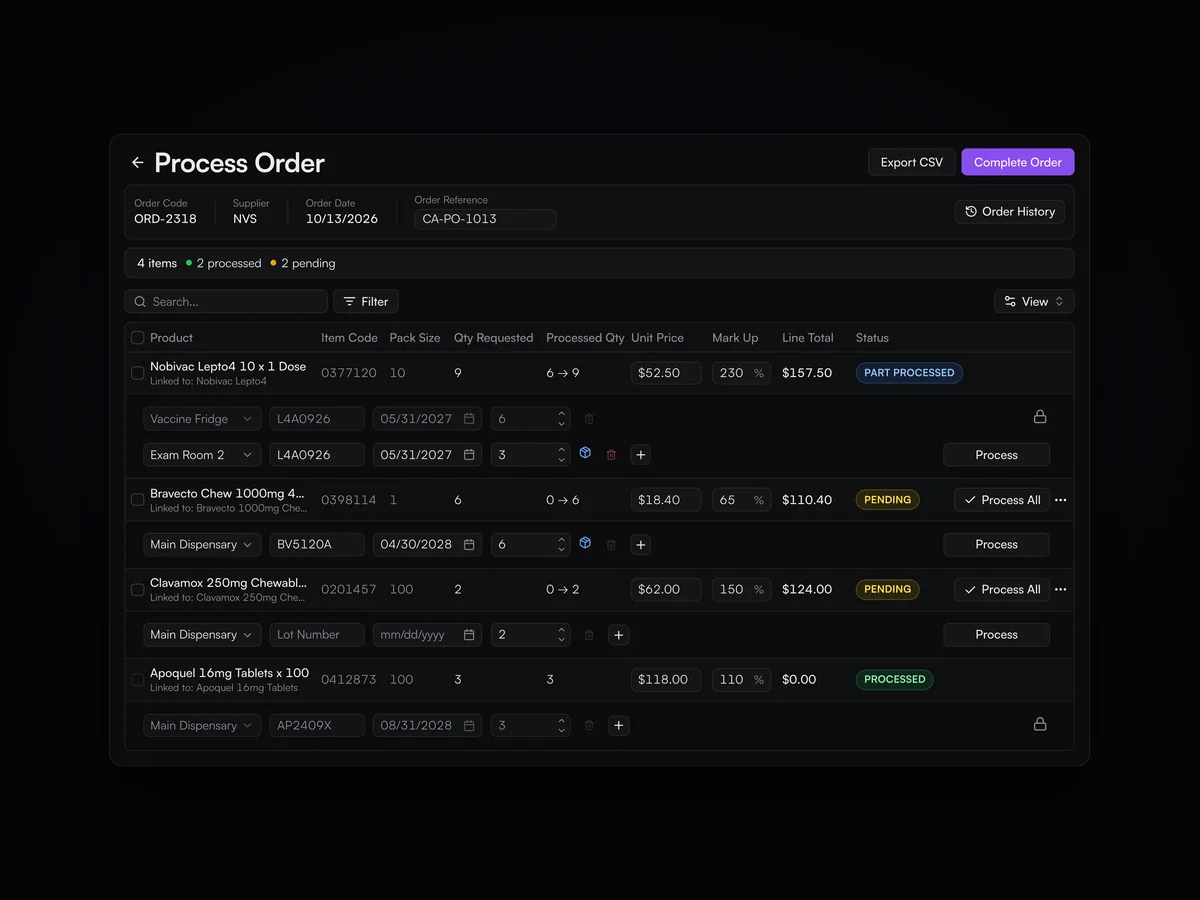
Purchase orders go to distributors such as NVS and Covetrus from Lupa, built from suggested reorder quantities. Deliveries are received line by line, with batch numbers, expiration dates and locations, and cost prices are updated.

Processing an NVS order: four lines with their pack sizes, quantities and prices, each received into a location with batch number and expiration date, two processed and two pending

Inventory counts and transfers

Count inventory by location and move it between rooms or between locations.

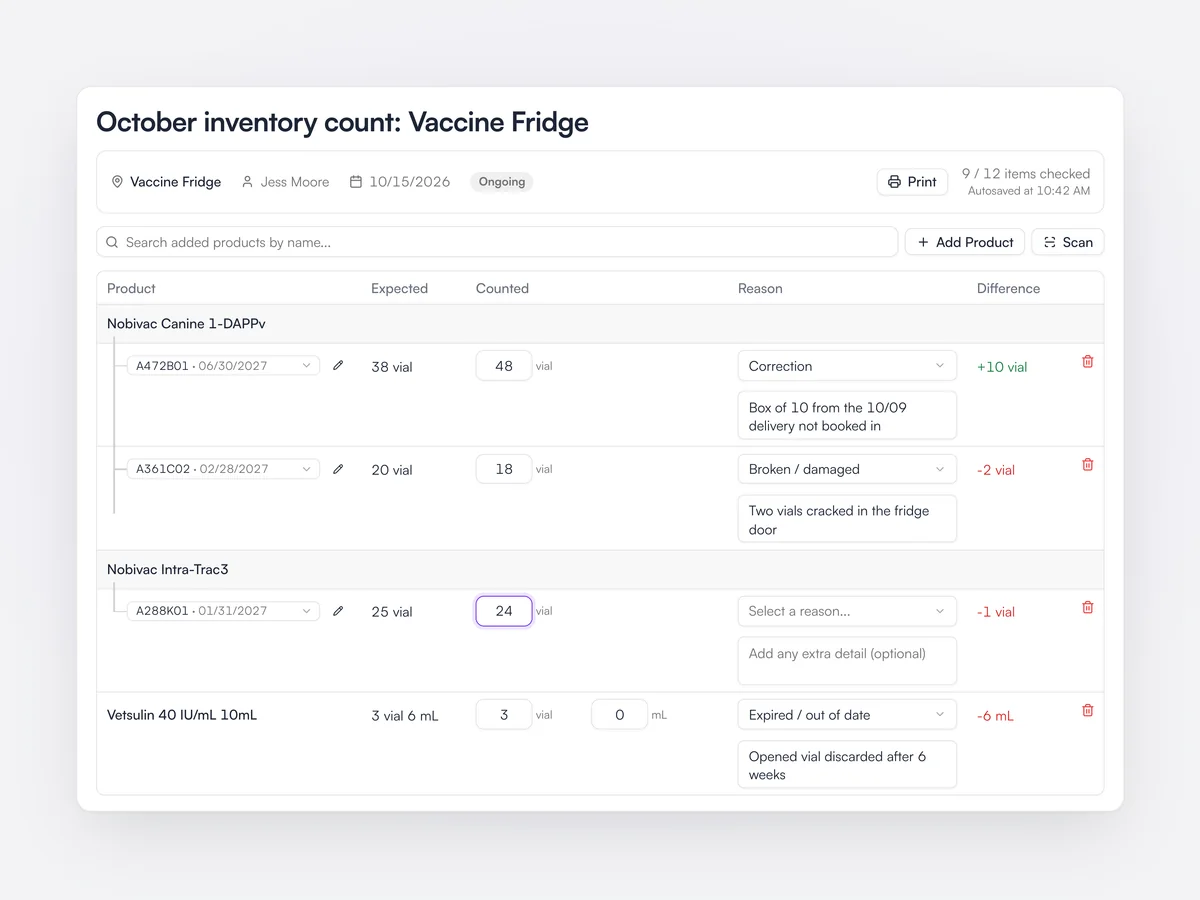
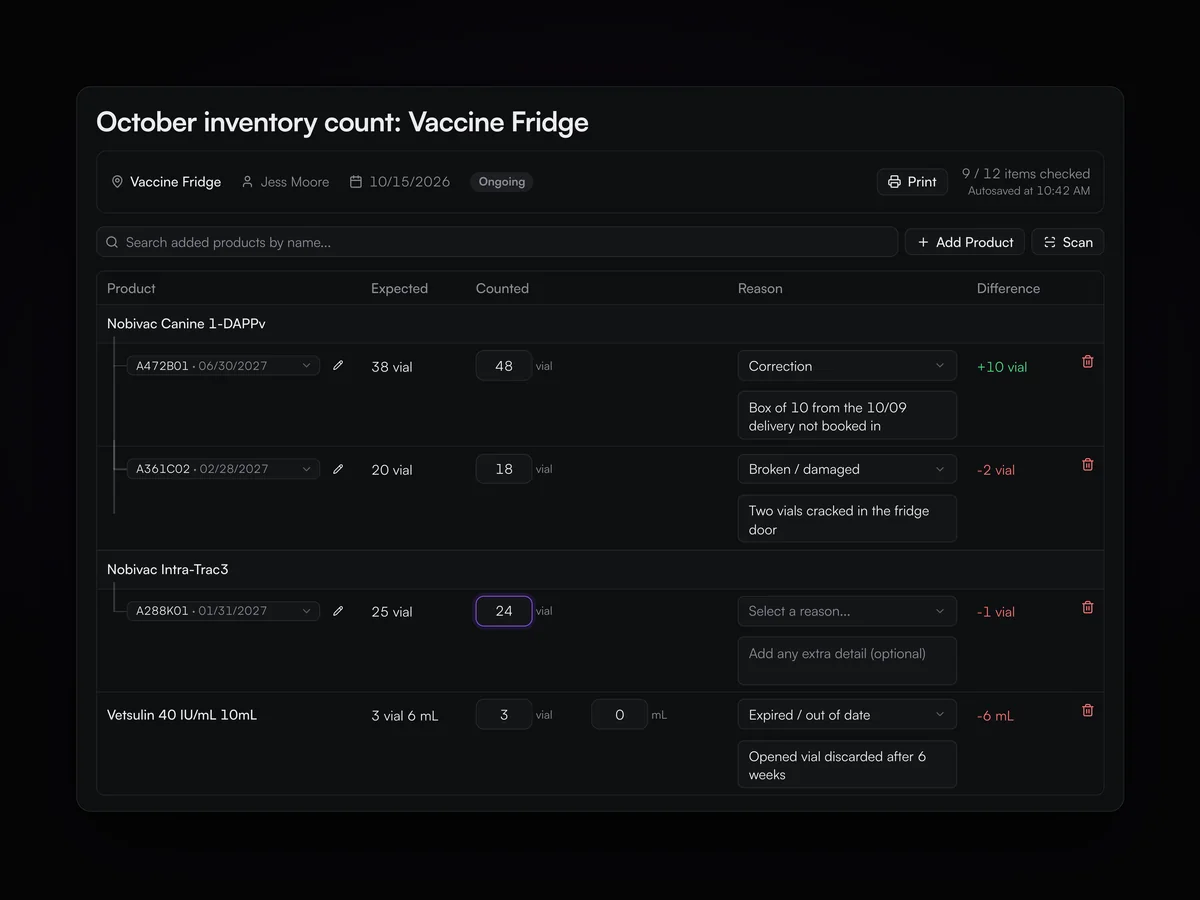
Inventory counts cover each location and show the difference from what Lupa expected. Inventory can be transferred between locations and between practices in a group.

A inventory count of the vaccine fridge with expected and counted quantities by batch, differences, and a reason for each change

Tasks

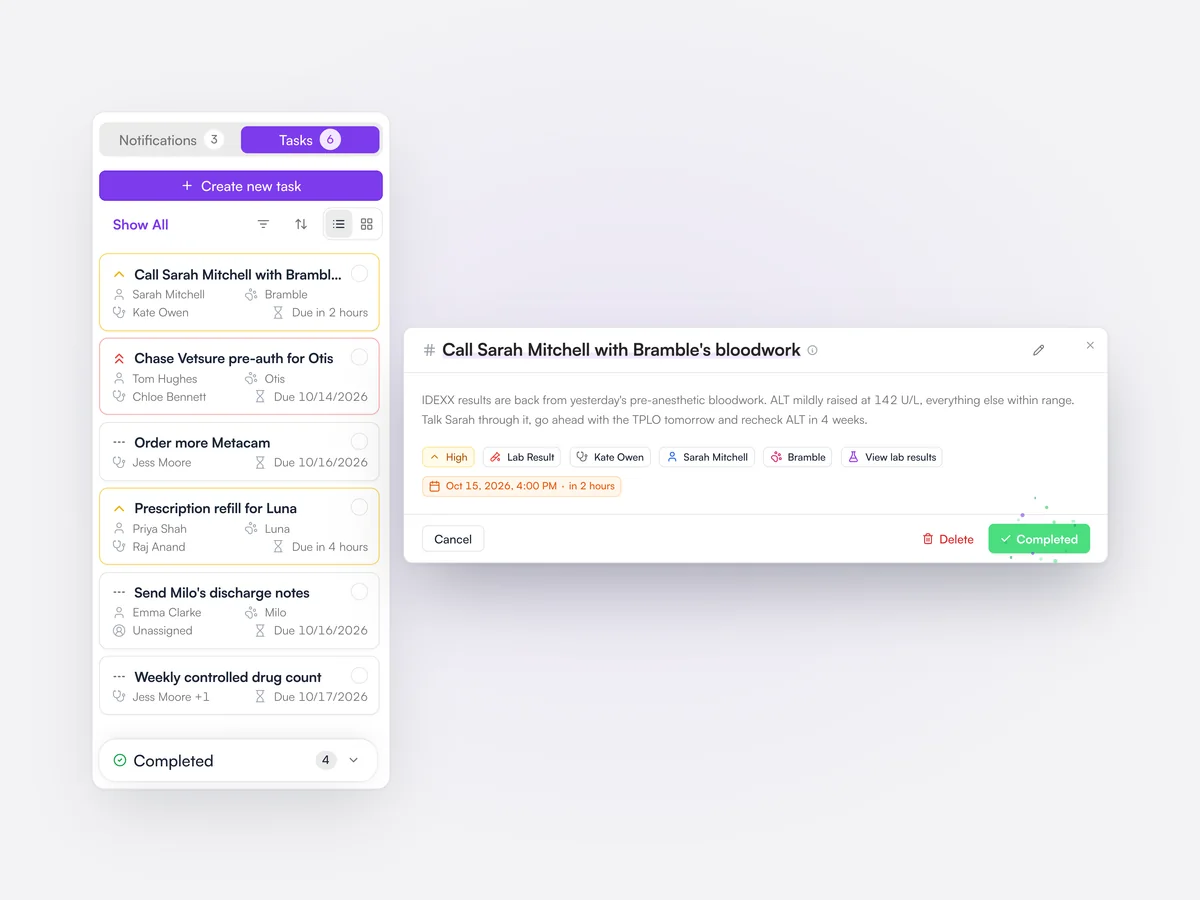
Tasks linked to the client and pet, with a due time and an owner, so nothing gets left on a Post-it.

Tasks carry a priority, a category, a due time and one or more owners, and link to the client, pet or record they are about. The task list can be filtered by creator, practice, priority and category.
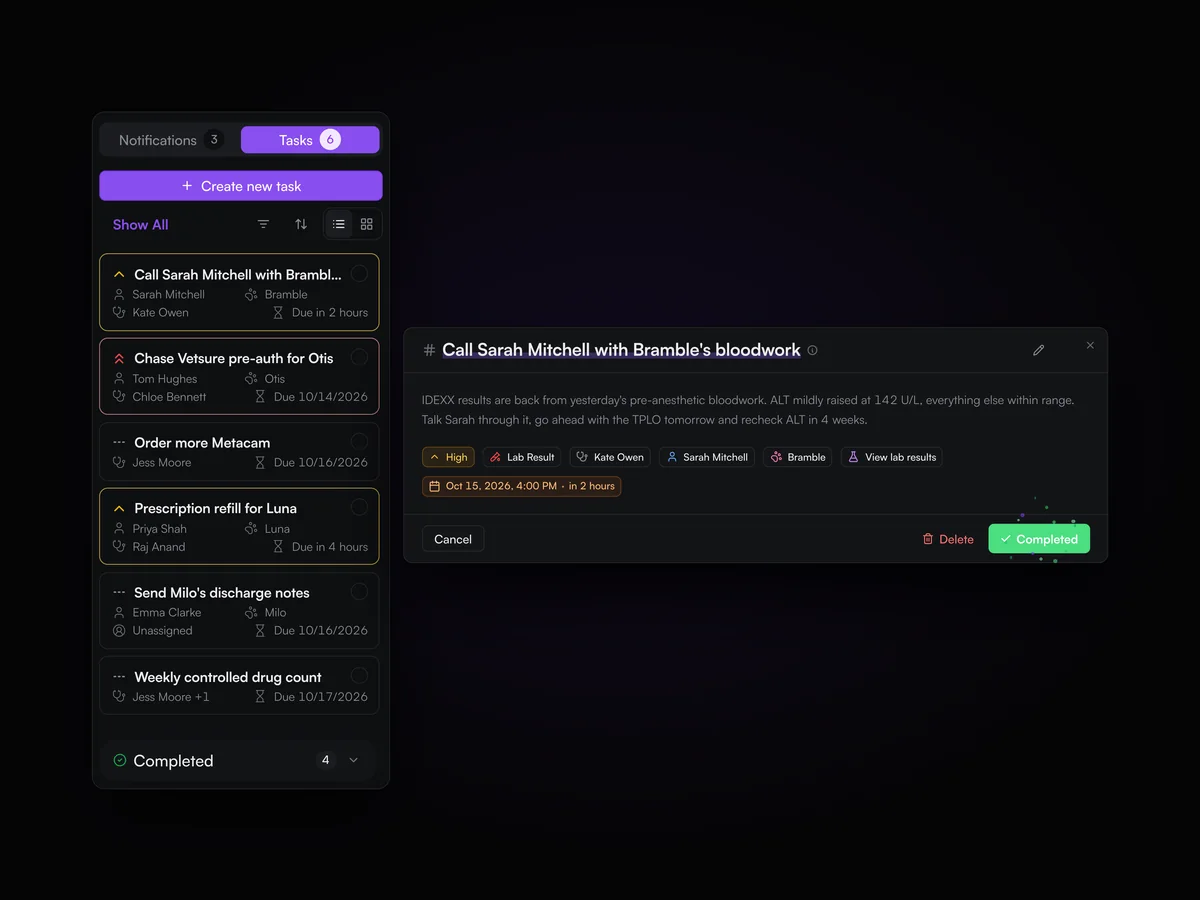
The team’s task list with due and overdue tasks, and a task to call Sarah Mitchell about Bramble’s bloodwork results open and being marked complete

Multi-location

Run a group from one company login, with reports that put every practice side by side.
Groups manage every practice from one company level, with reports that compare locations and settings that apply across the group. Staff can work across locations, and inventory can move between them.

Lupa for groups
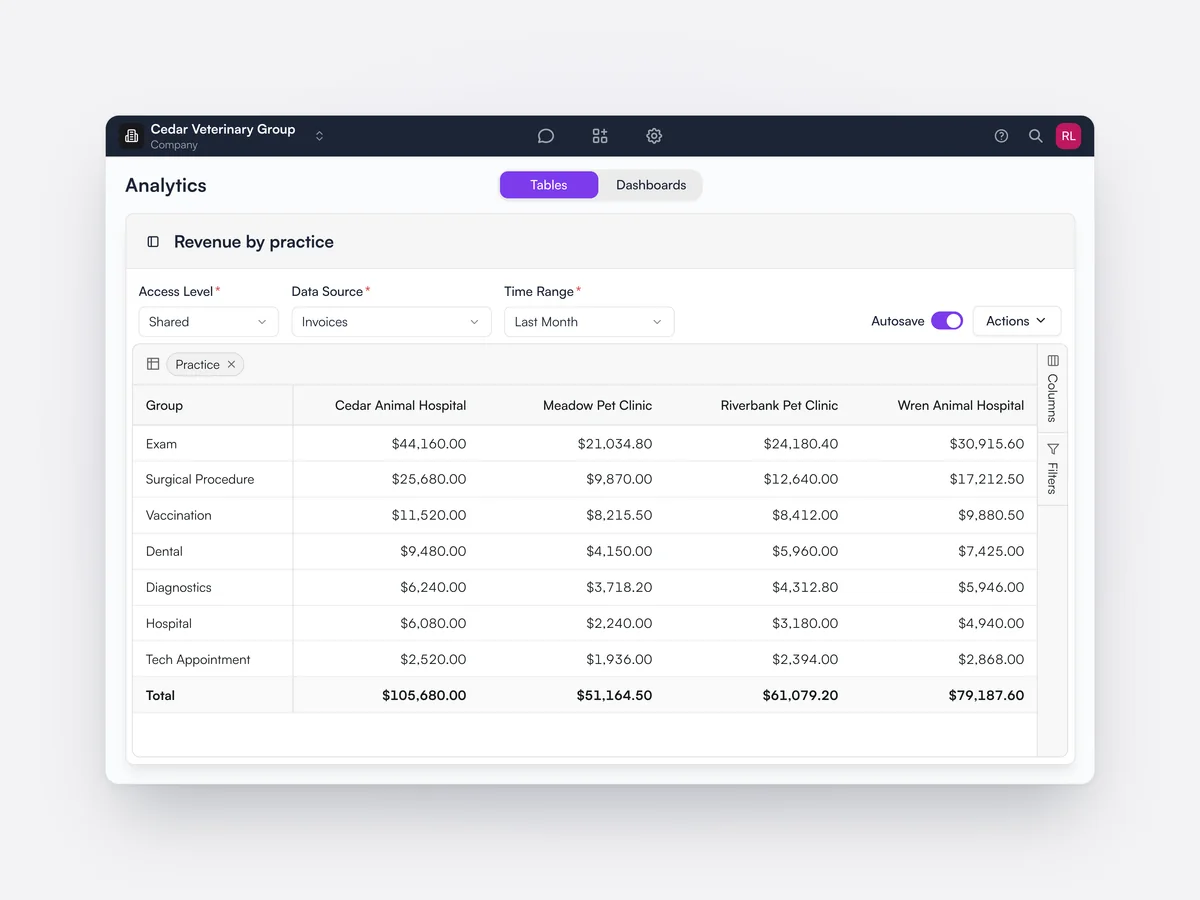
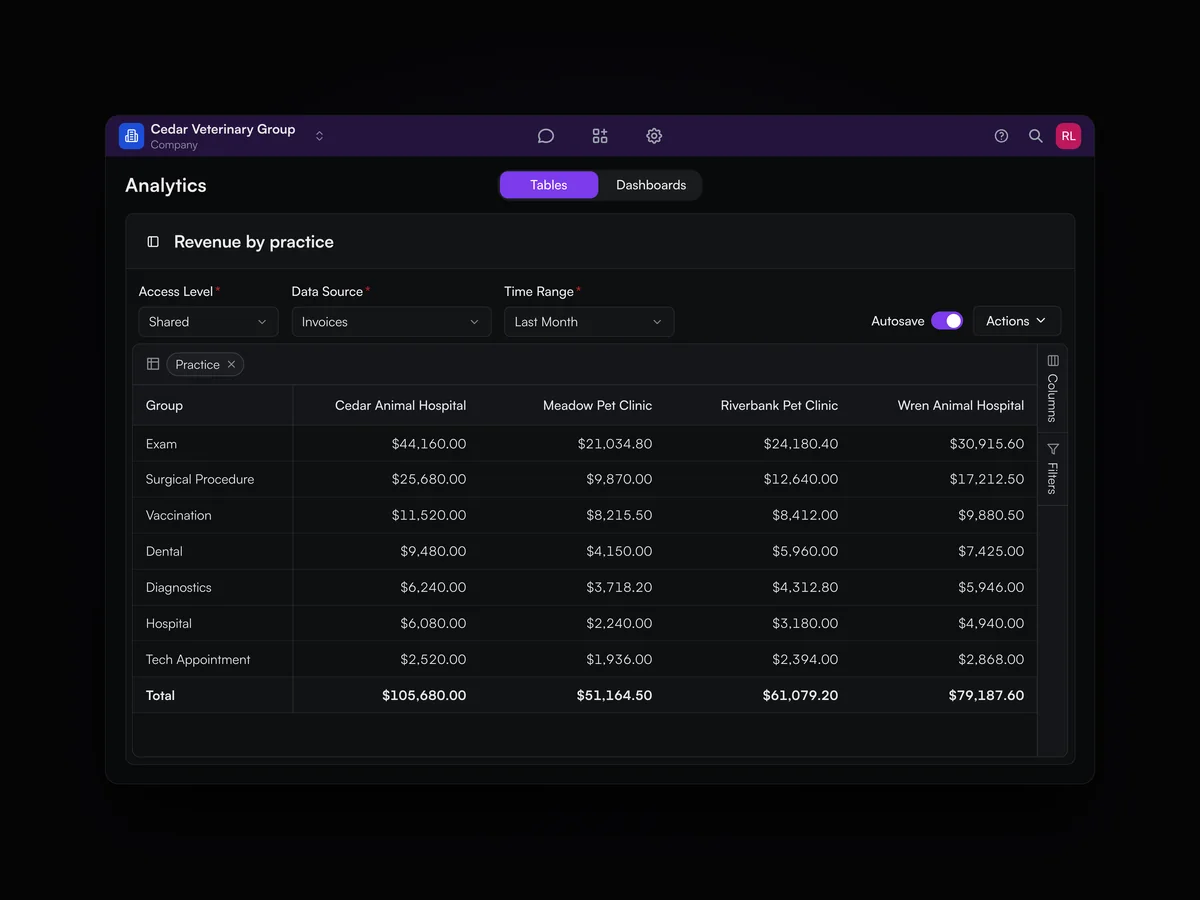
Company-level analytics for the four Cedar Veterinary Group hospitals, with revenue by appointment category for each hospital in its own column

Staff permissions

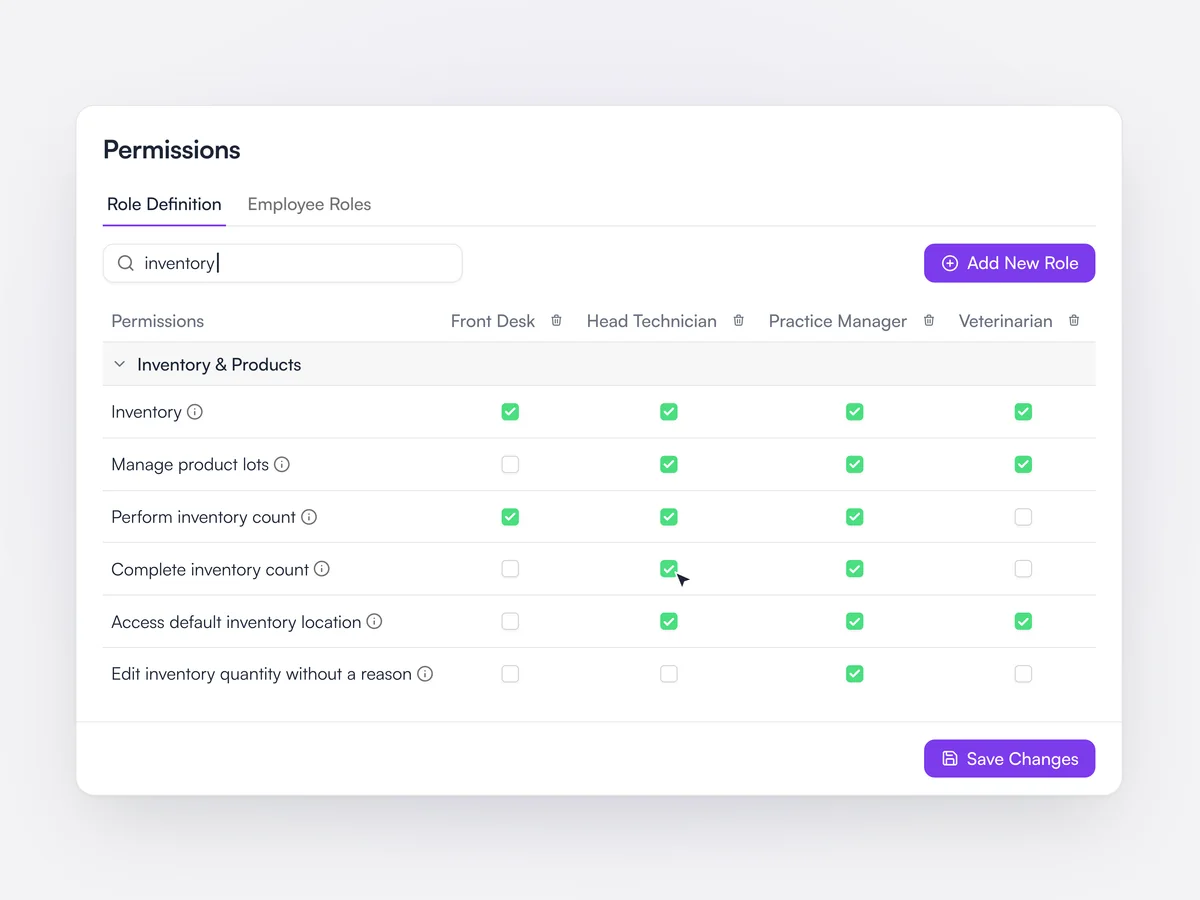
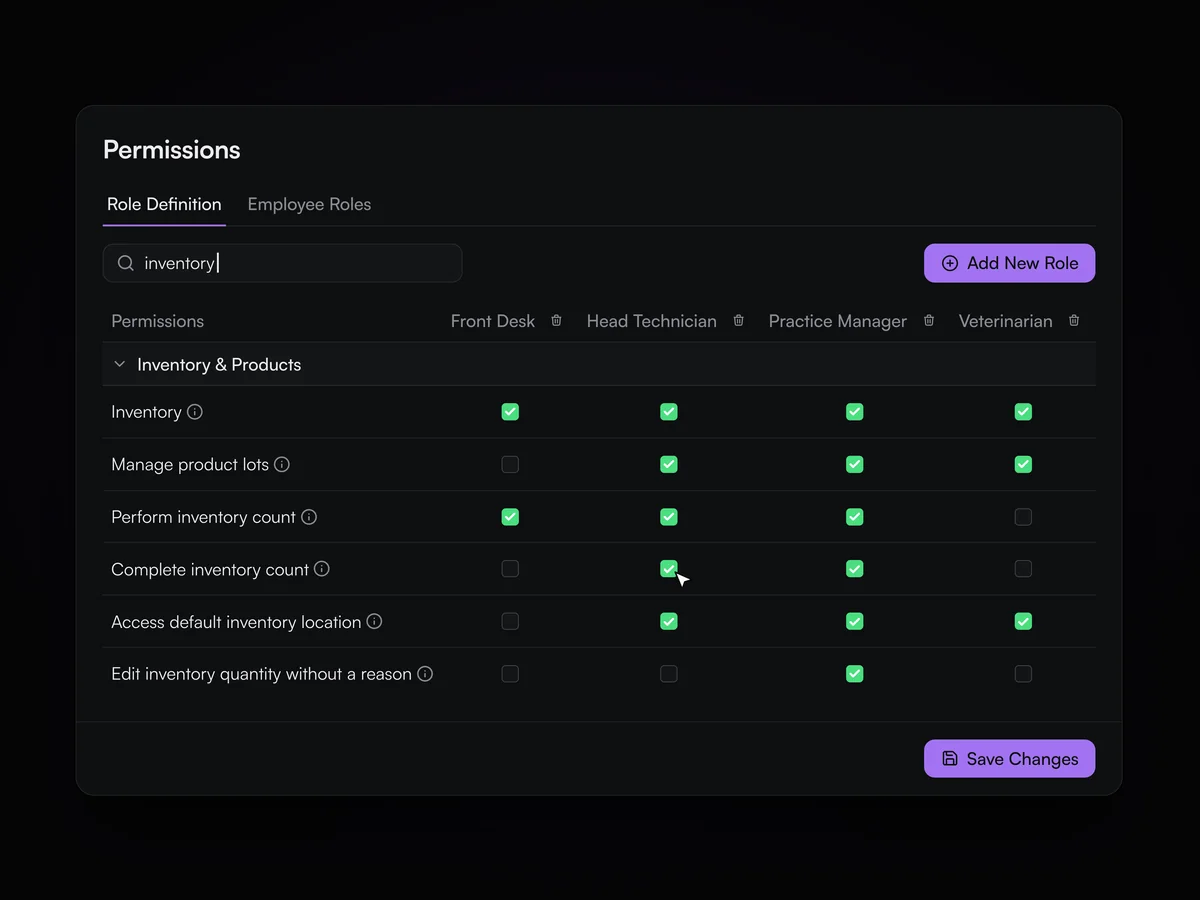
Decide who can see cost prices, complete invoices, run inventory counts and more.

Roles set what each team member can see and do, such as seeing cost prices and mark-ups, completing invoices or completing inventory counts. Archiving a team member asks who should take their future appointments.

Role permissions for inventory: which of head technician, practice manager, front desk and veterinarian can perform and complete inventory counts

Switching your data

We move your data from your current system, so you start with your full history.
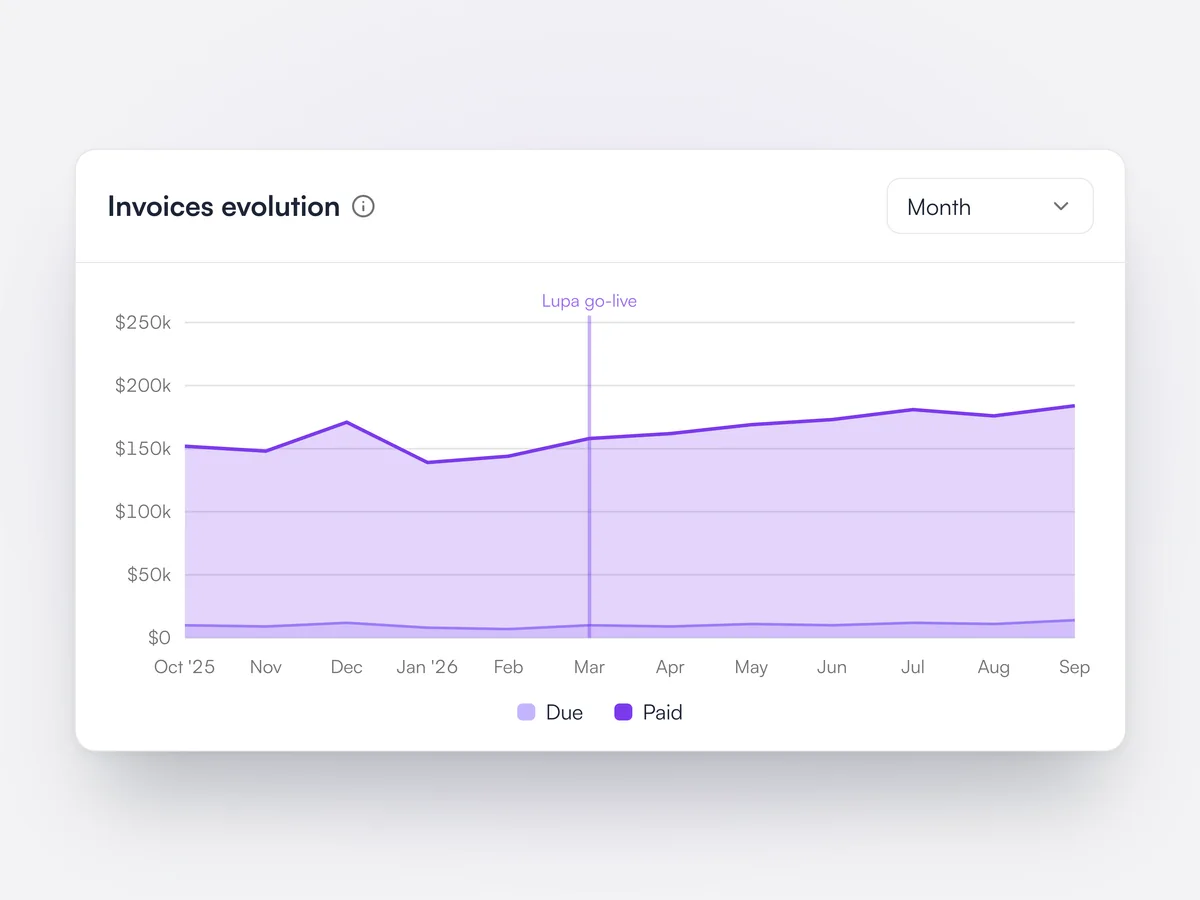
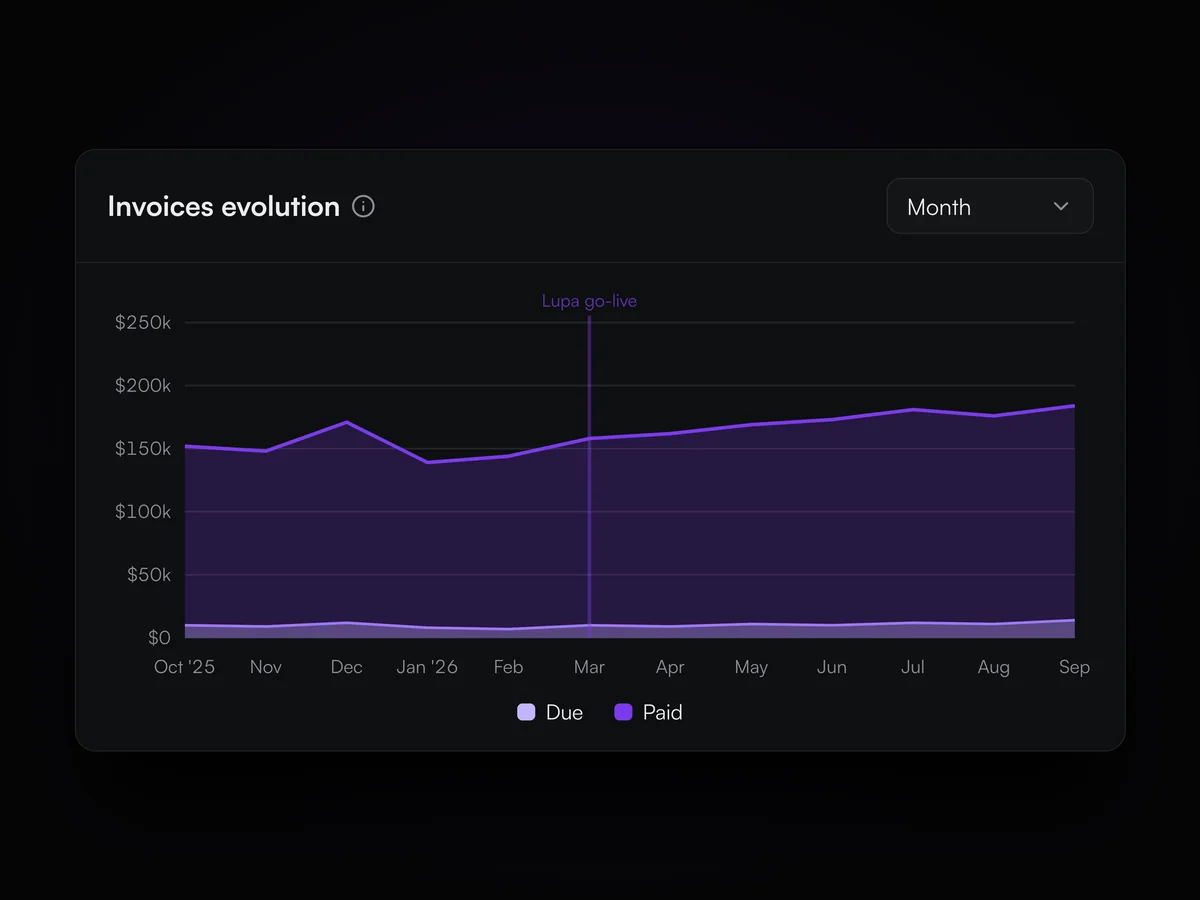
The Lupa team moves clients, pets, medical history, appointments, invoices and inventory from the practice’s current system as part of switching.
How switching works
Twelve months of invoices on the analytics dashboard, with the history from before the Lupa go-live date in March carried over from the previous system

Display size

Set Lupa from 80% to 110% size to suit your screen.

Each user can set the display size from 80% to 110%.

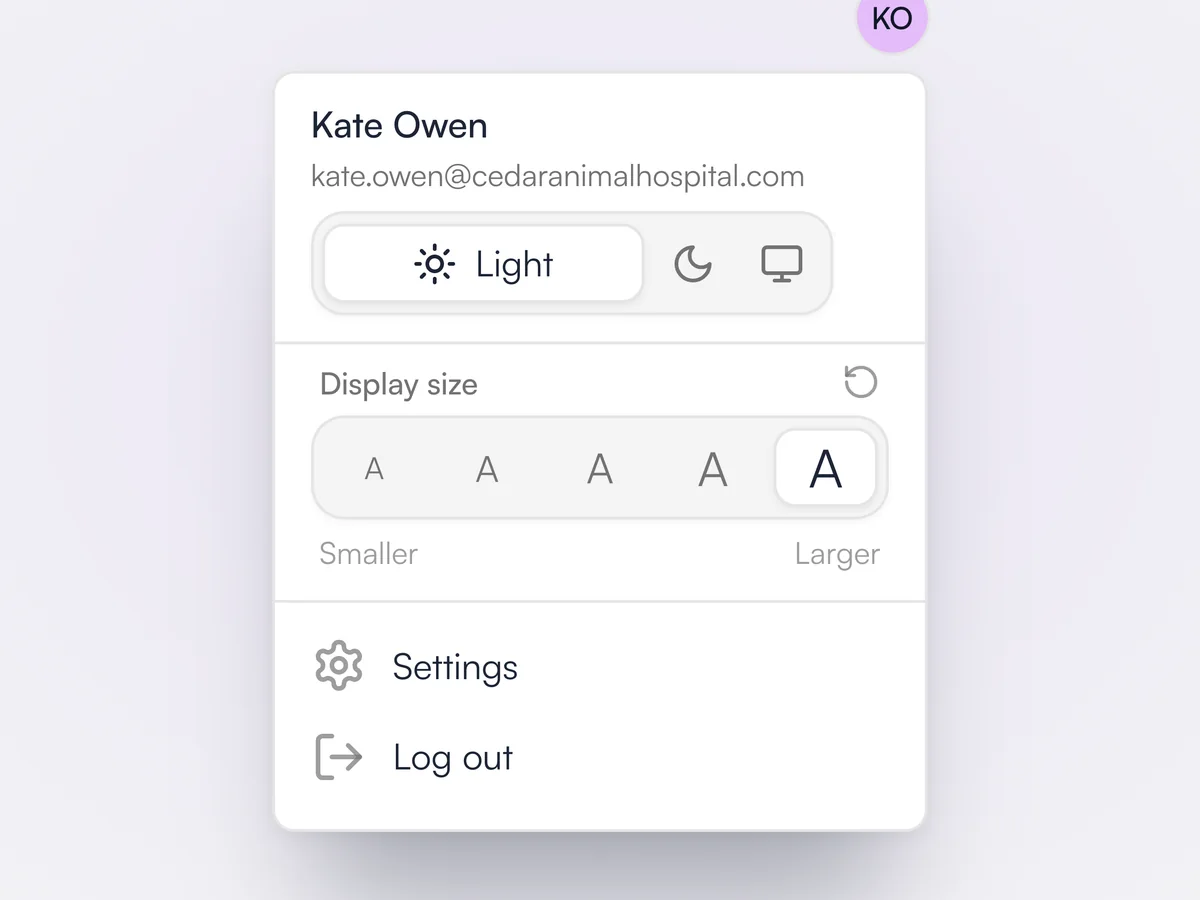
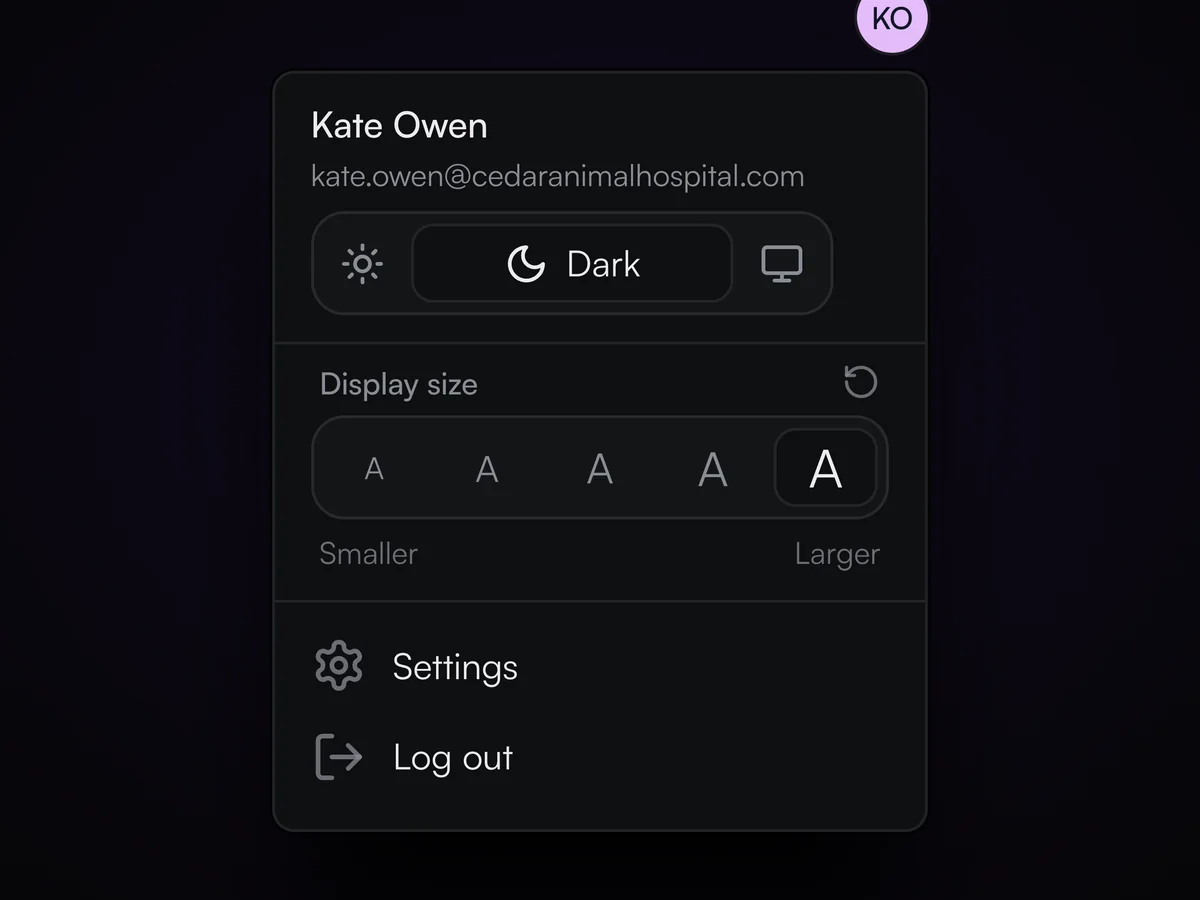
The account menu with the light and dark theme switch and the display size set to its largest step

Reasons for inventory changes

Record why inventory changed: write-offs, expired inventory, breakages and internal use.

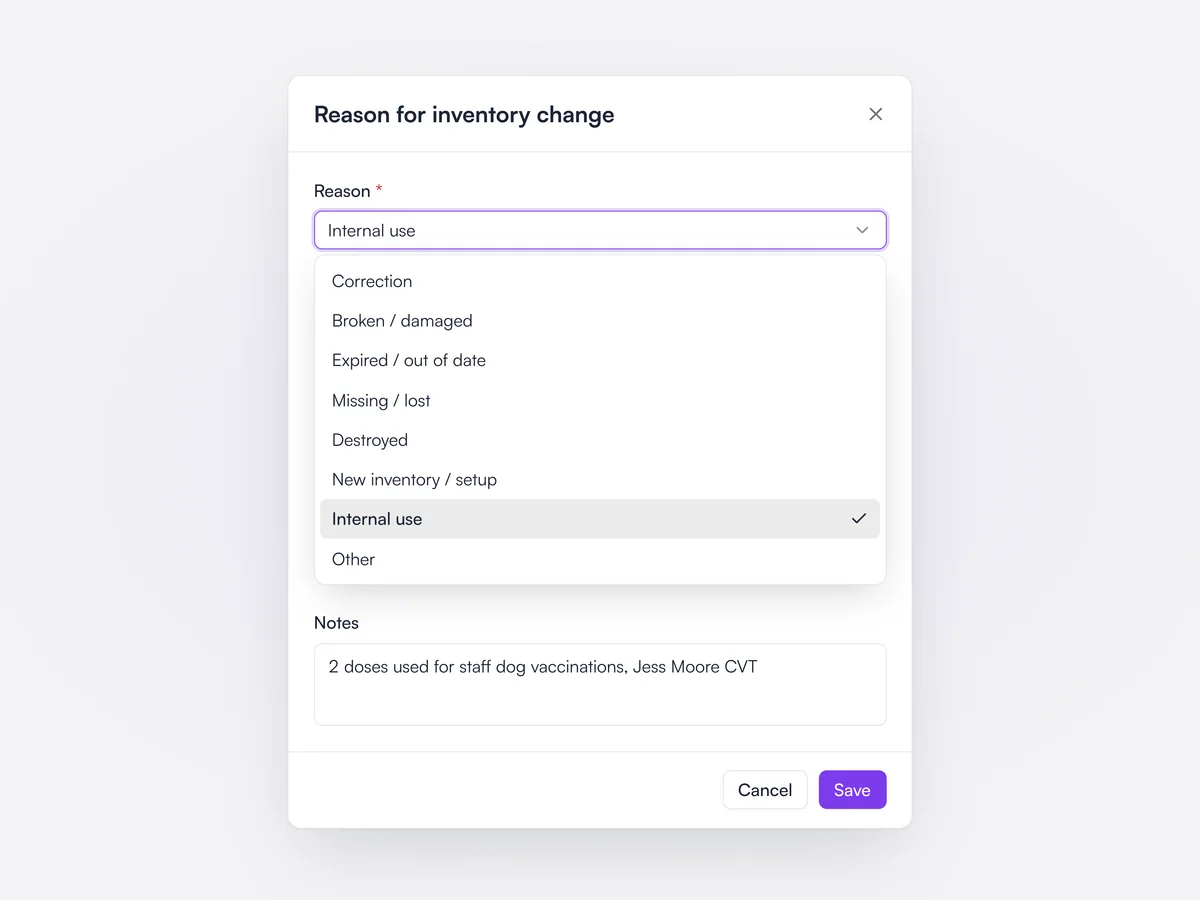
When someone edits an inventory quantity, Lupa asks for a reason: correction, broken or damaged, expired, missing or lost, destroyed, new inventory, internal use or other, with optional notes. The reason is required unless the role has permission to change inventory without one. Inventory counts ask for a reason on every count that differs from the expected quantity, and reasons show in inventory history.

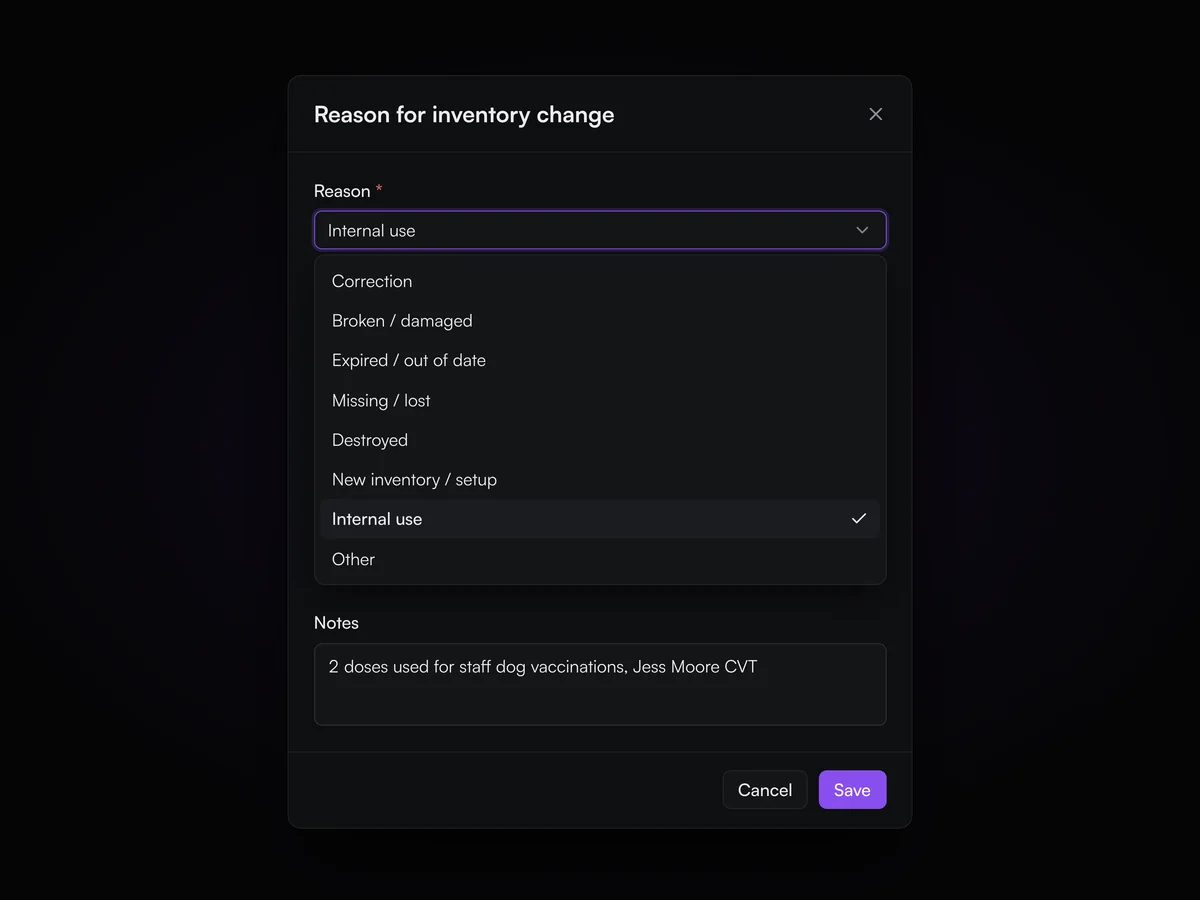
Reason for inventory change dialog with the reason list open and Internal use selected, and a note about doses used for staff dog vaccinations.

Inventory history

See every inventory movement for a product, who made it, why and what it was for.

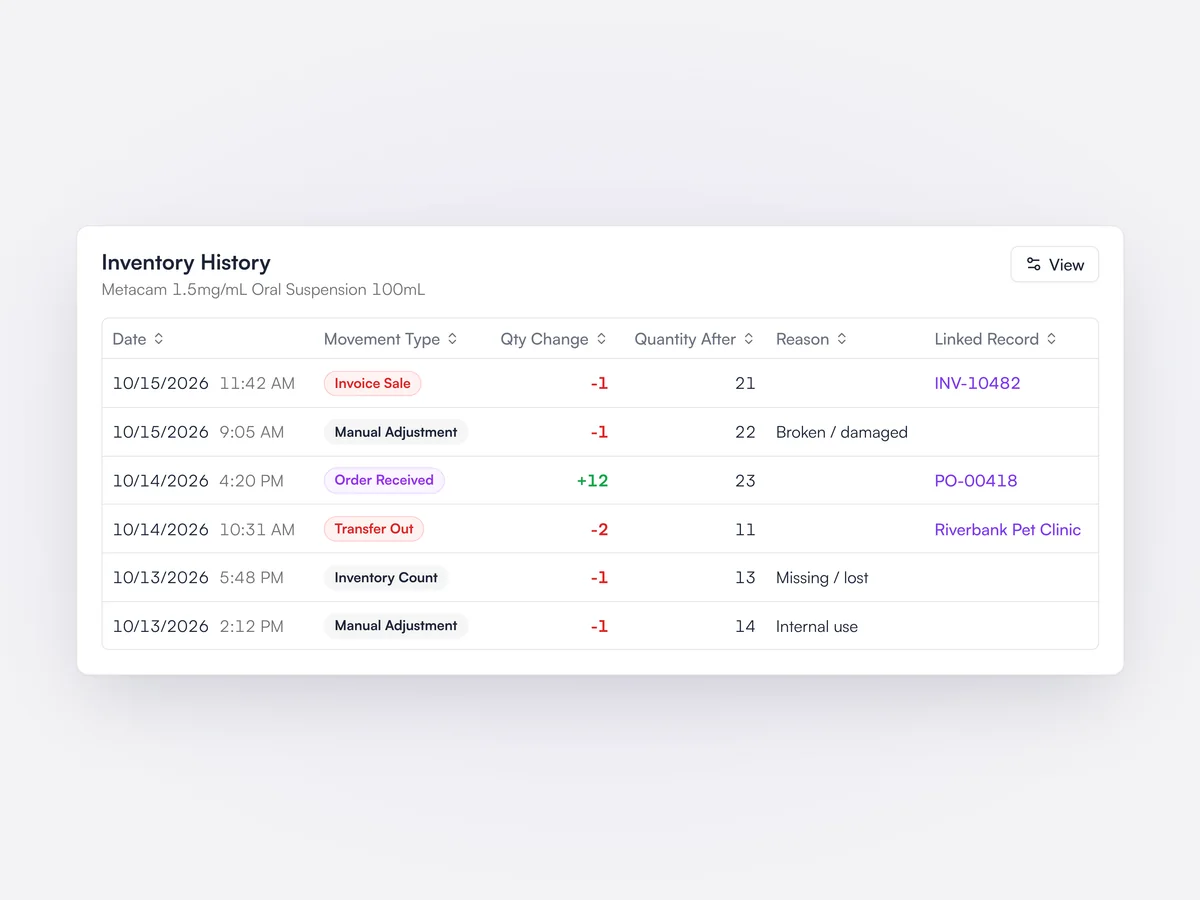
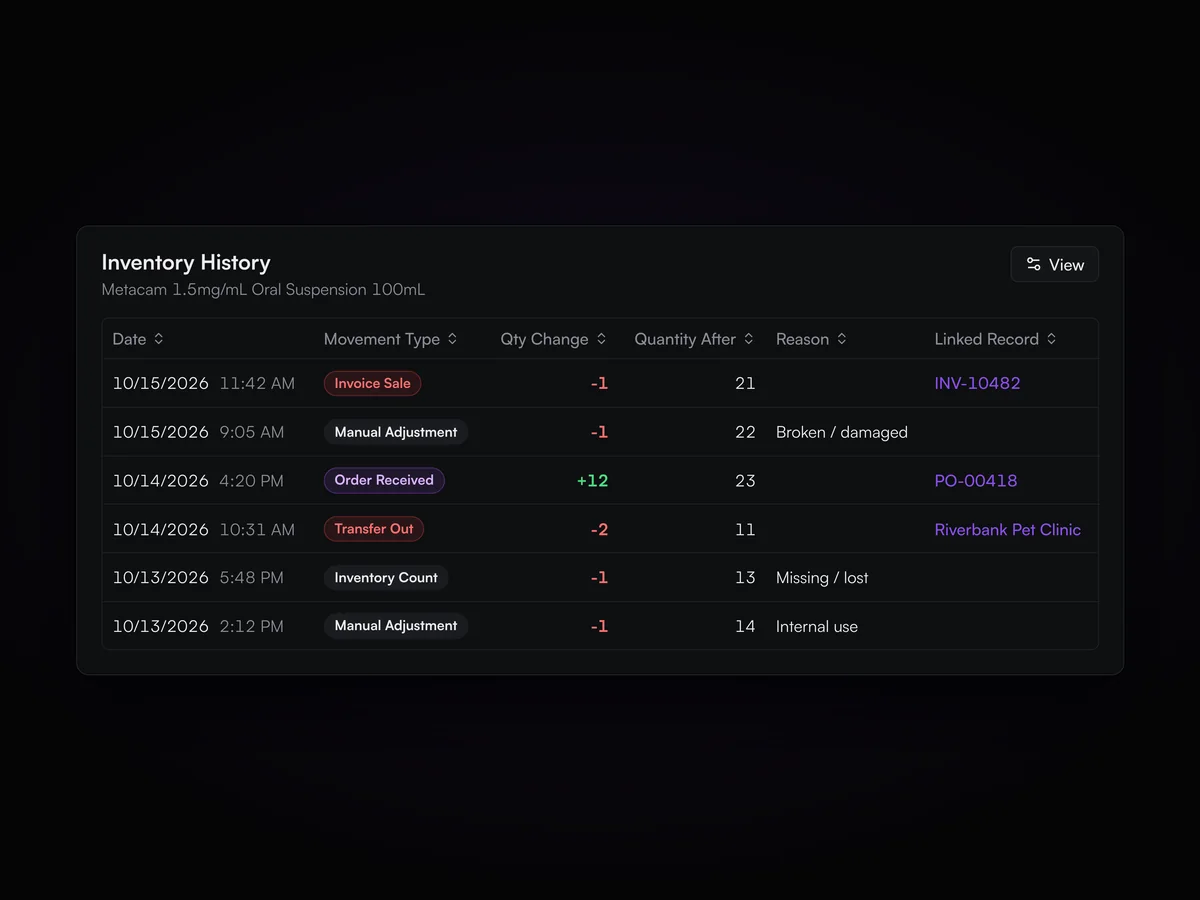
Every change to inventory is logged as a movement: invoice sales and reversals, orders received, inventory counts, transfers in and out, manual adjustments and expired or archived batches. Each row shows the quantity change, inventory after the change, location, batch, reason, employee and the linked invoice, order or transfer. It can be filtered and extended with client and animal details.

Inventory History table for Metacam 1.5mg/mL Oral Suspension listing an invoice sale, manual adjustments, an order received, a transfer to Riverbank Pet Clinic and an inventory count, with quantity changes, inventory after each change and reasons.

Inventory valuation

Value your inventory at cost and at sell price on any past date.

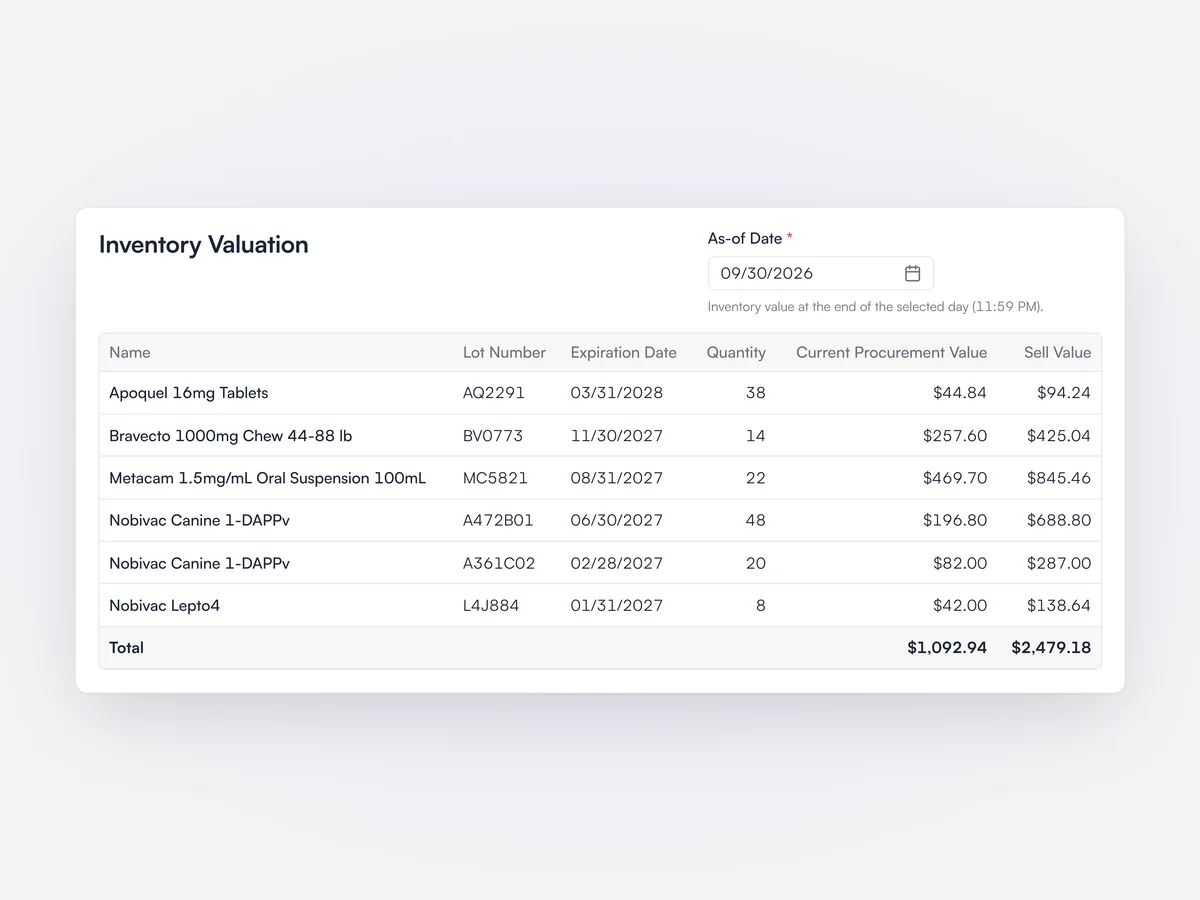
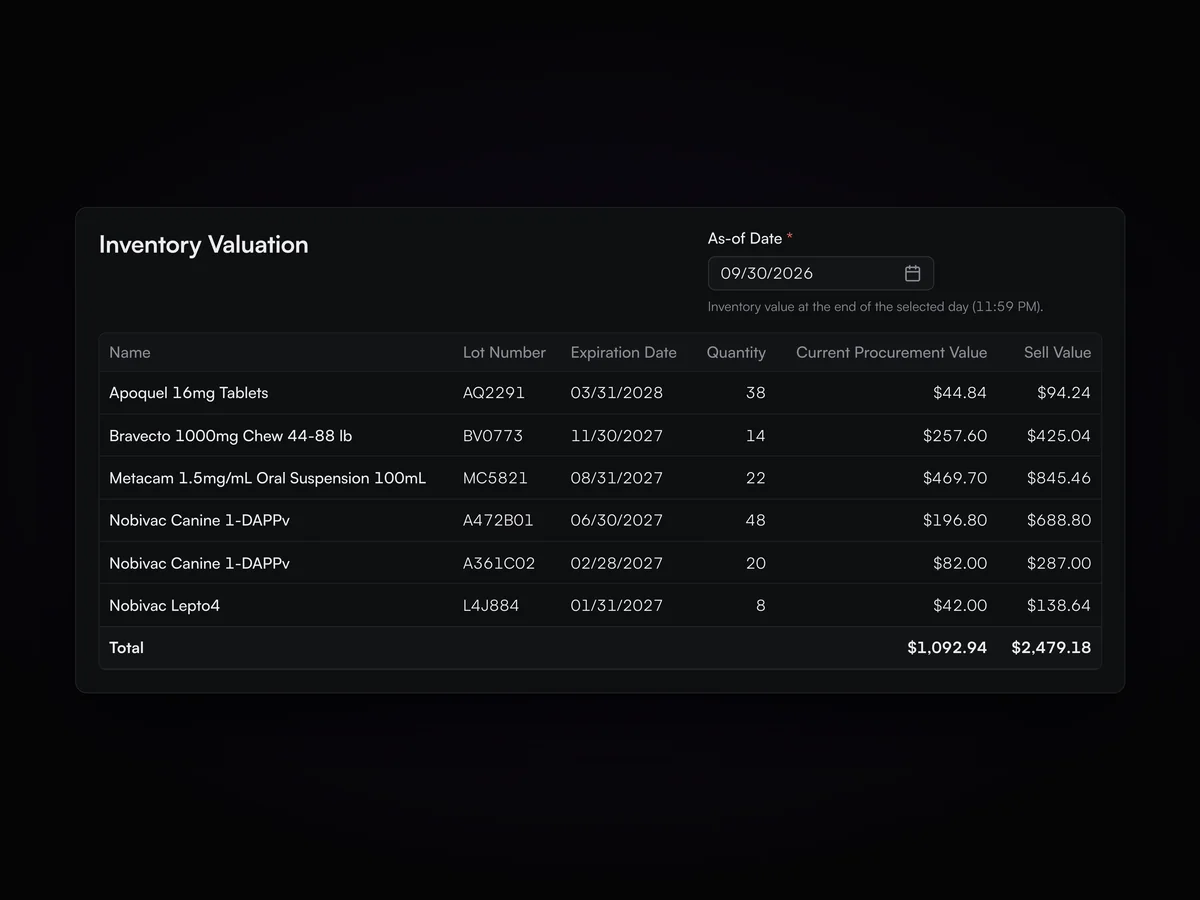
The Inventory Valuation report lists inventory by product, location, batch and expiration date, with quantity, current procurement cost and value, and sell price and value. Pick an as-of date to see the value at the end of that day, for example at month or year end. It can be run for one store or across the company.

Inventory Valuation report as of 09/30/2026 with lot, expiration, quantity, procurement value and sell value for each product, and totals.

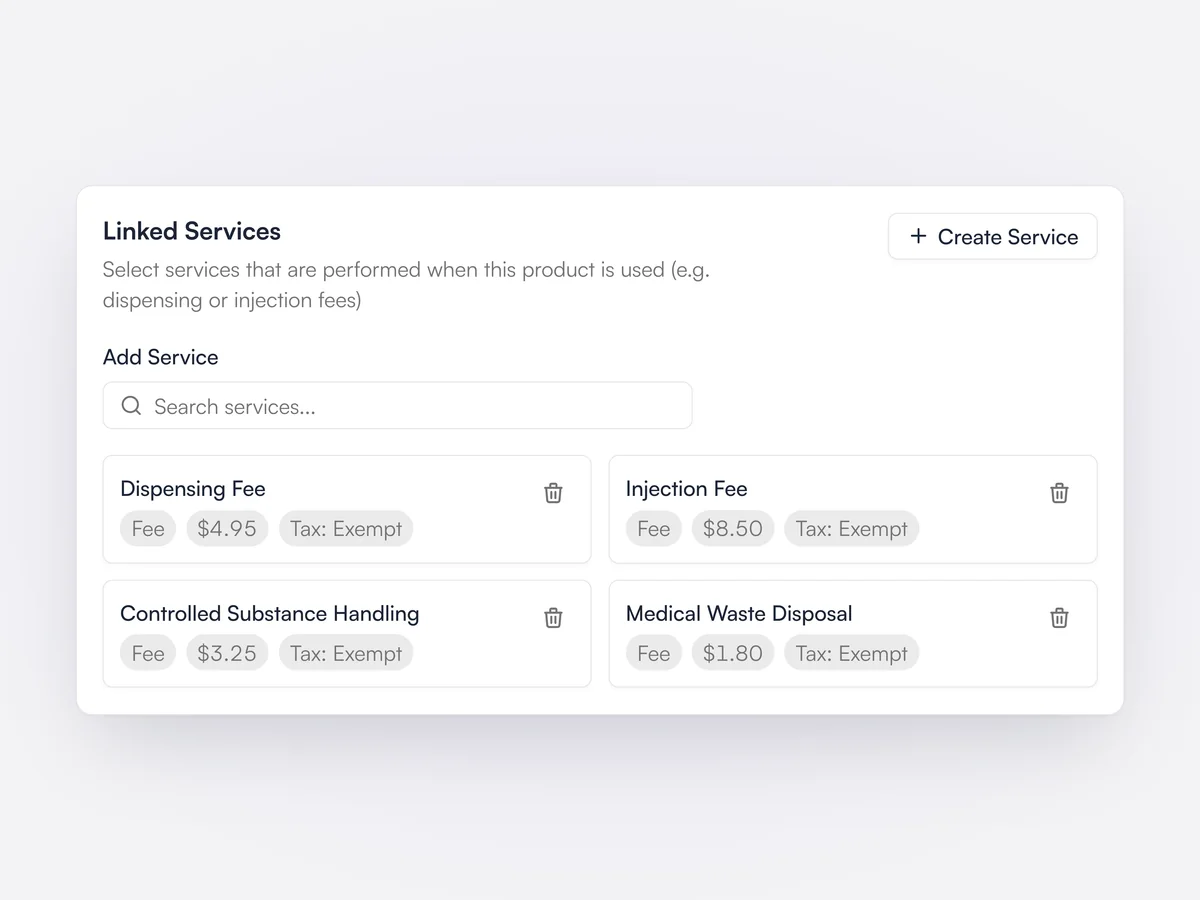
Linked fees on products

Dispensing and injection fees are added automatically when the product is billed.

Services such as a dispensing fee or injection fee can be linked to a product or to one of its selling variations. When the product is added to an invoice, its linked services are added with it, so fees are not missed. Wellness plans can choose whether their allowances also discount linked services.

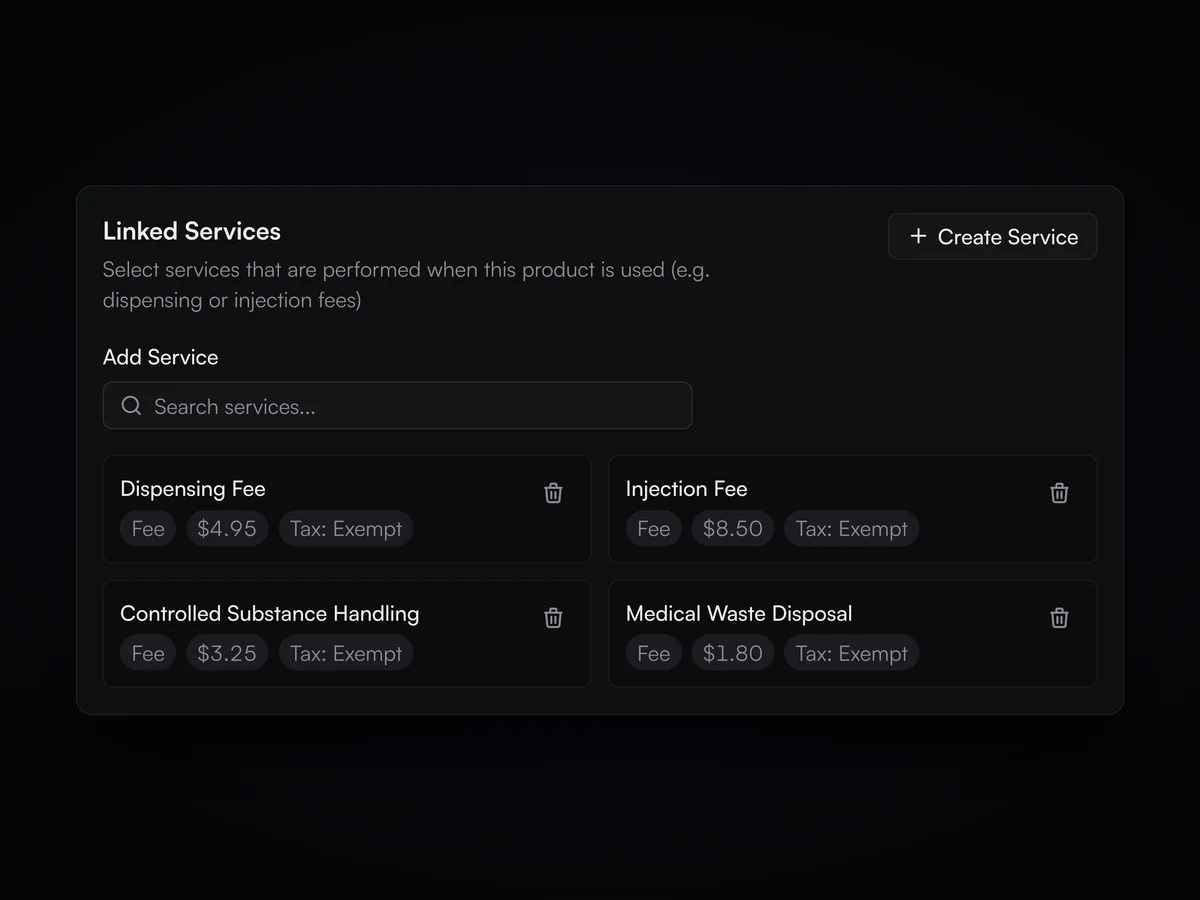
Linked Services card on a product with Dispensing Fee, Injection Fee, Controlled Substance Handling and Medical Waste Disposal, each showing price and tax.

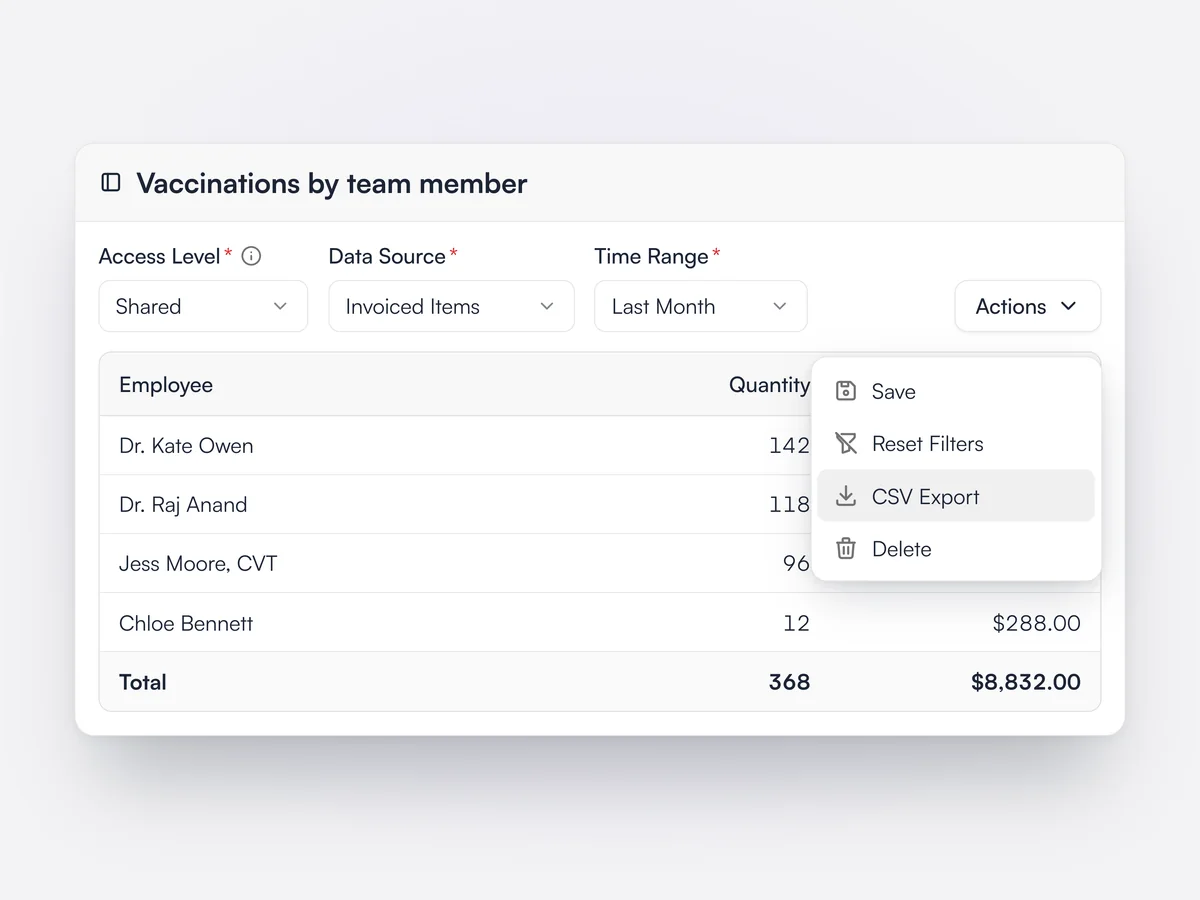
Saved and shared reports

Save a report table as private or shared with the team, and export it to CSV.

Report tables built on invoices, invoiced items, payments, inventory, clients and pets can be saved with their filters and columns. Each report is private to its author or shared with everyone at the practice, and reports made at company level are shared with every location in the group. Any report can be exported to a CSV file.

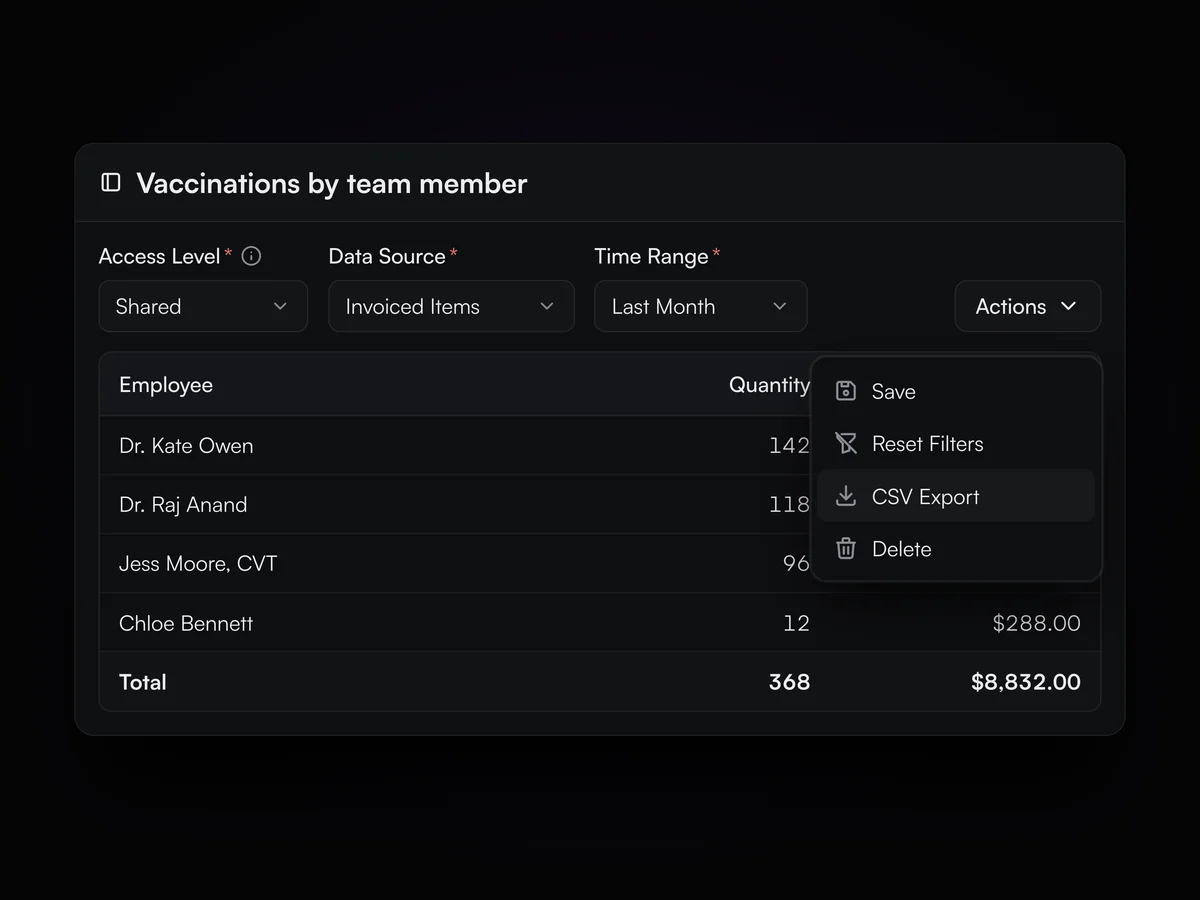
A saved report of vaccinations by team member, shared with the practice, with the Actions menu open on CSV Export

DVM utilization

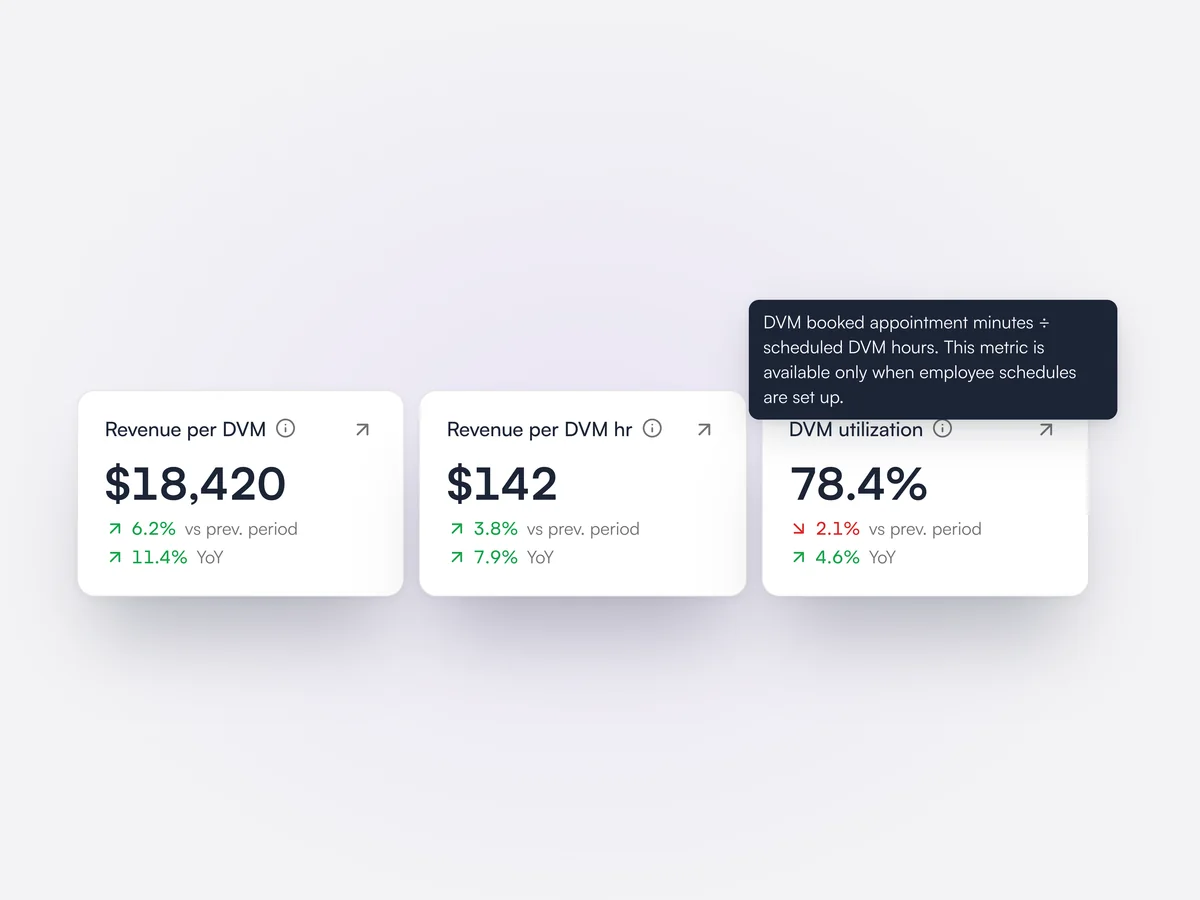
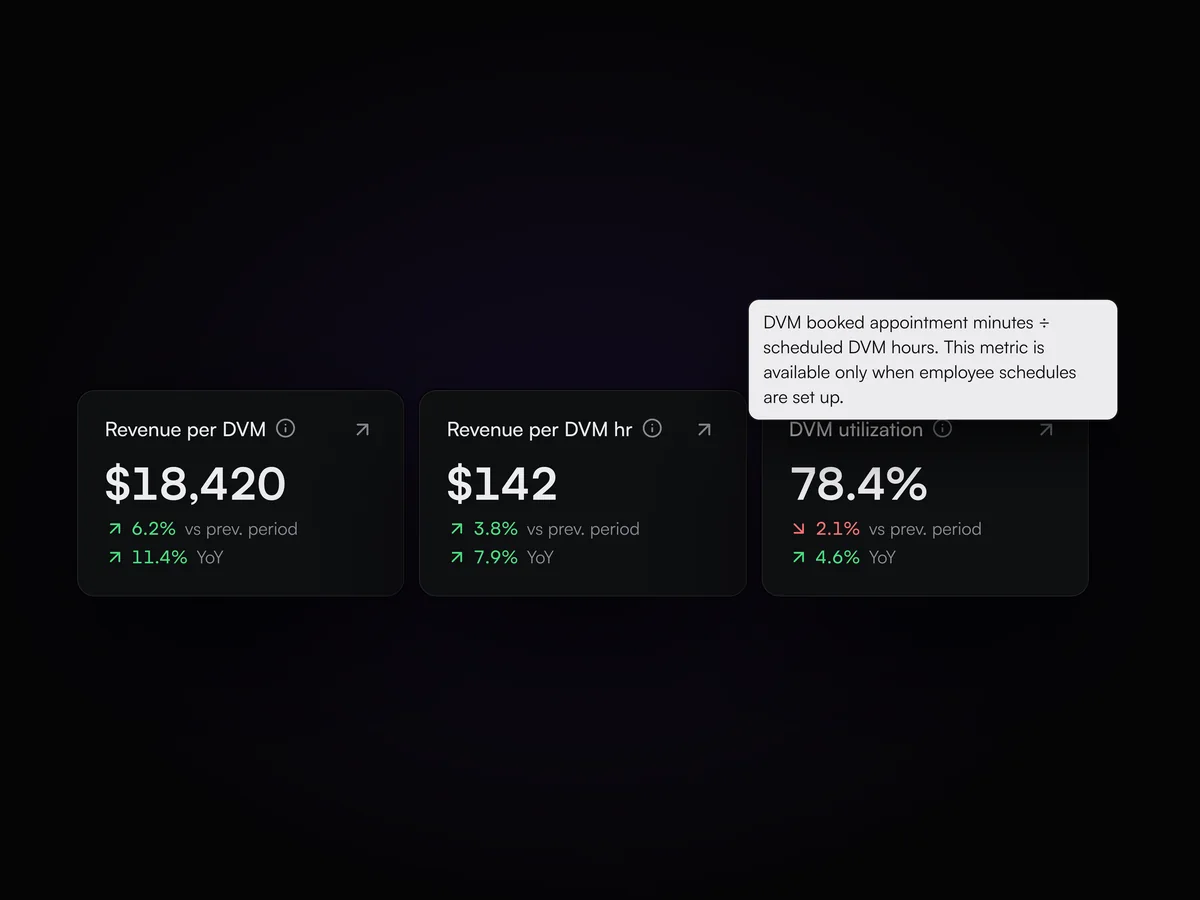
See revenue per DVM, revenue per DVM hour and how much of each DVM's schedule is booked.

The Team tab of the analytics dashboard shows revenue per DVM, revenue per DVM hour and DVM utilization, which is booked appointment minutes against scheduled DVM hours from the staff schedule. Each figure is compared with the previous period and the same period last year, and opens to the records behind it. A staff leaderboard sits underneath.

Analytics cards for revenue per DVM, revenue per DVM hour and DVM utilization at 78.4%, each compared with the previous period and last year

Vaccination and parasite compliance

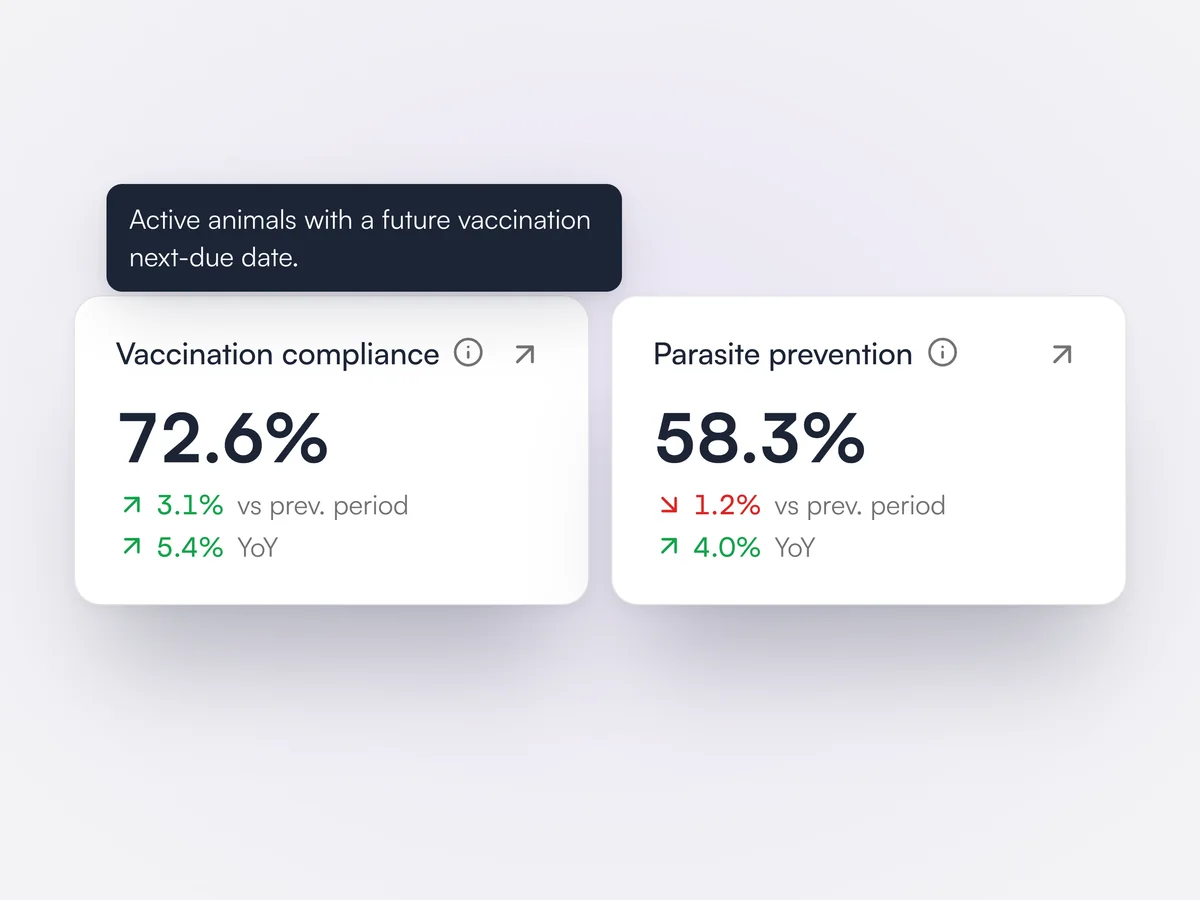
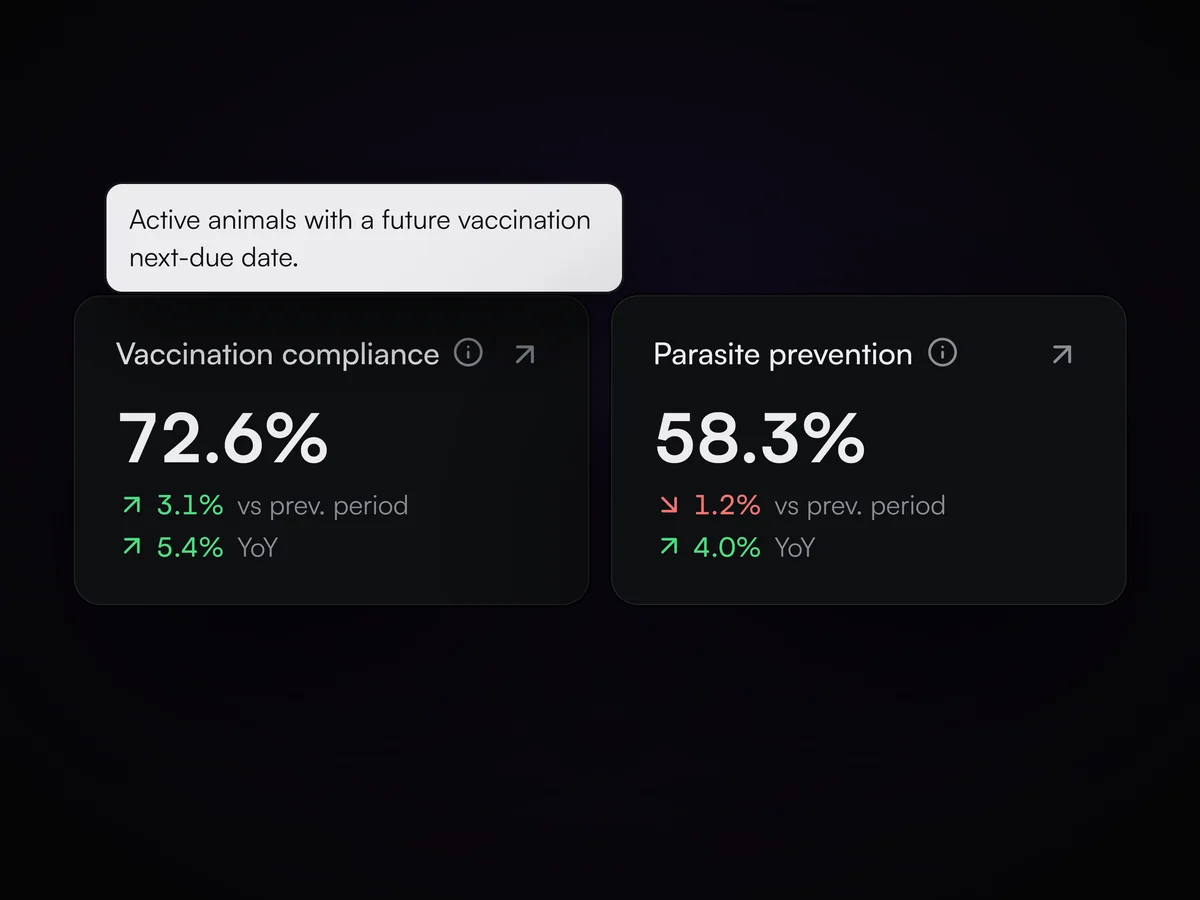
Track the share of active patients who are in date for vaccines and parasite prevention.

The Clinical tab of the analytics dashboard shows vaccination compliance, the share of active animals with a future vaccination due date, and parasite prevention compliance, the share whose preventive schedule is not overdue. Both are compared with the previous period and the same period last year.

Analytics cards for vaccination compliance at 72.6% and parasite prevention compliance at 58.3%, with the definition of vaccination compliance shown

Busiest times heatmap

A heatmap of when appointments start, by hour and day of the week.

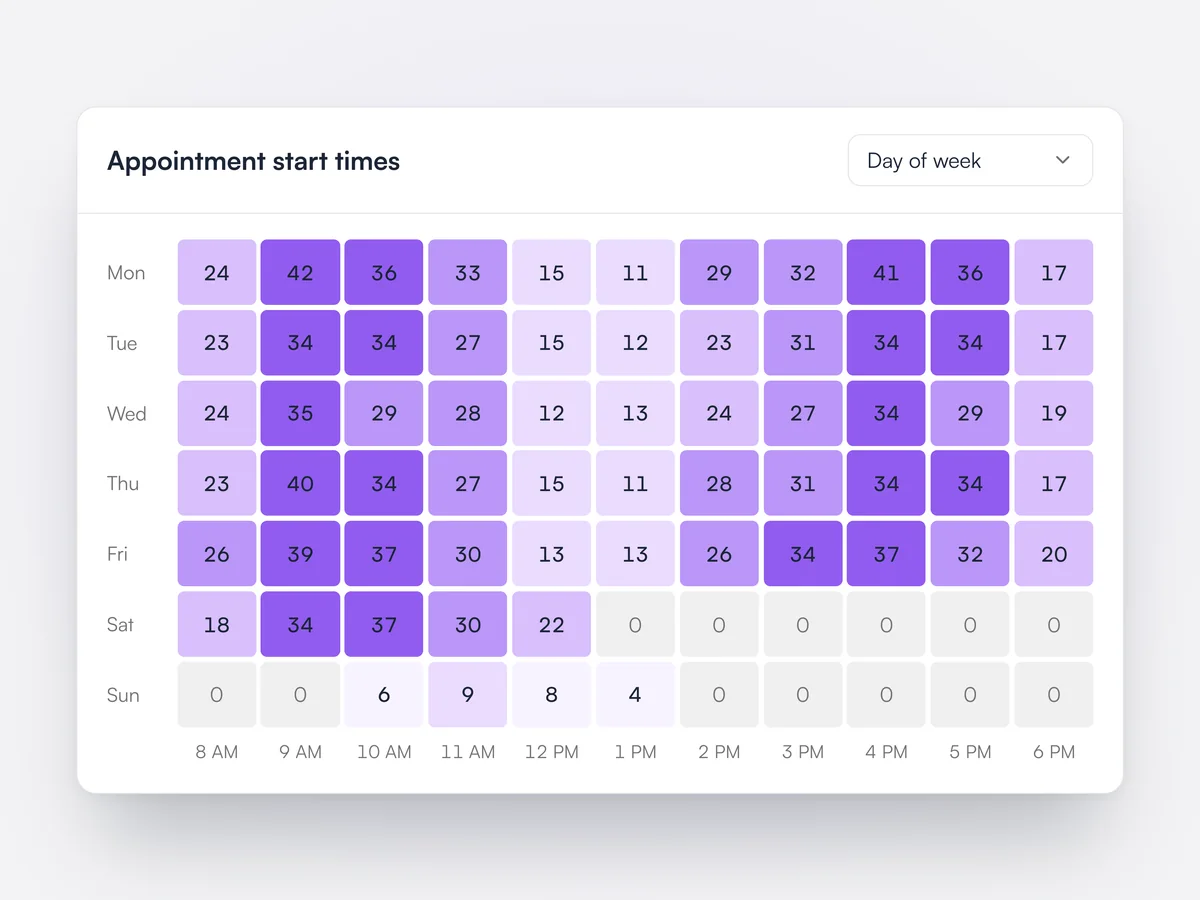
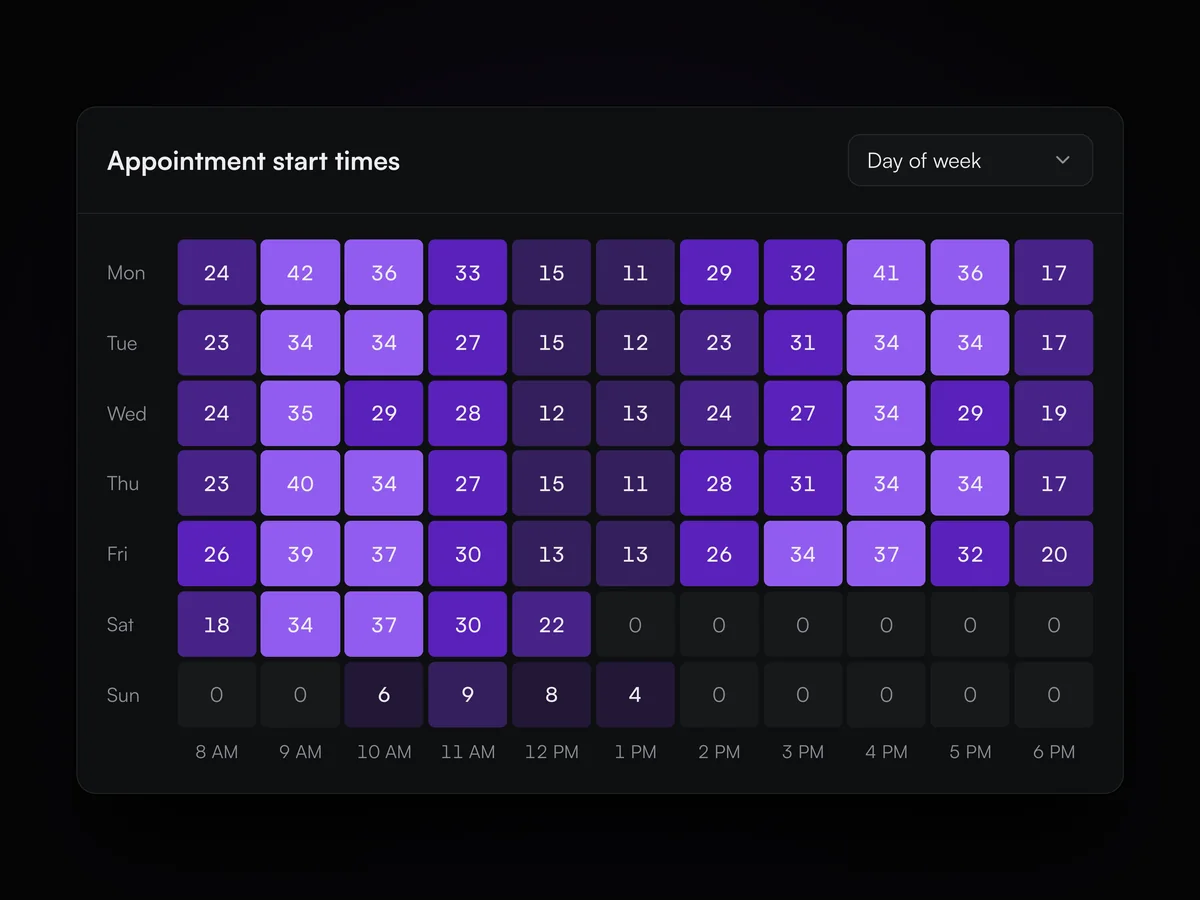
The analytics dashboard shows appointment start times as a heatmap across the practice's business hours. Rows can be set to day of the week, date of the month or month, which helps plan staff schedules and exam slots around the busiest hours.

A heatmap of appointment start times by day of the week and hour, busiest at 9 and 10 in the morning and 4 in the afternoon

Auto logout

Log staff out after a set time without activity, with a warning first.

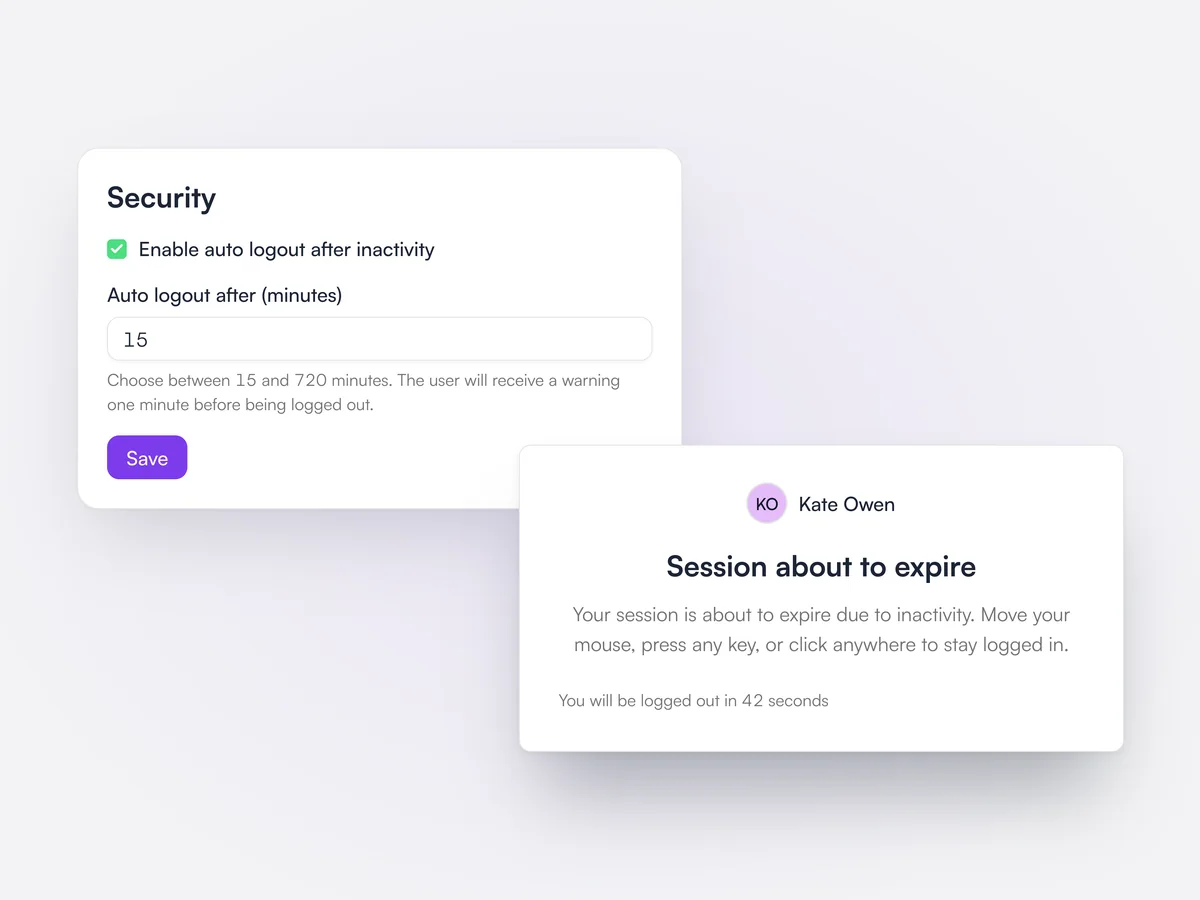
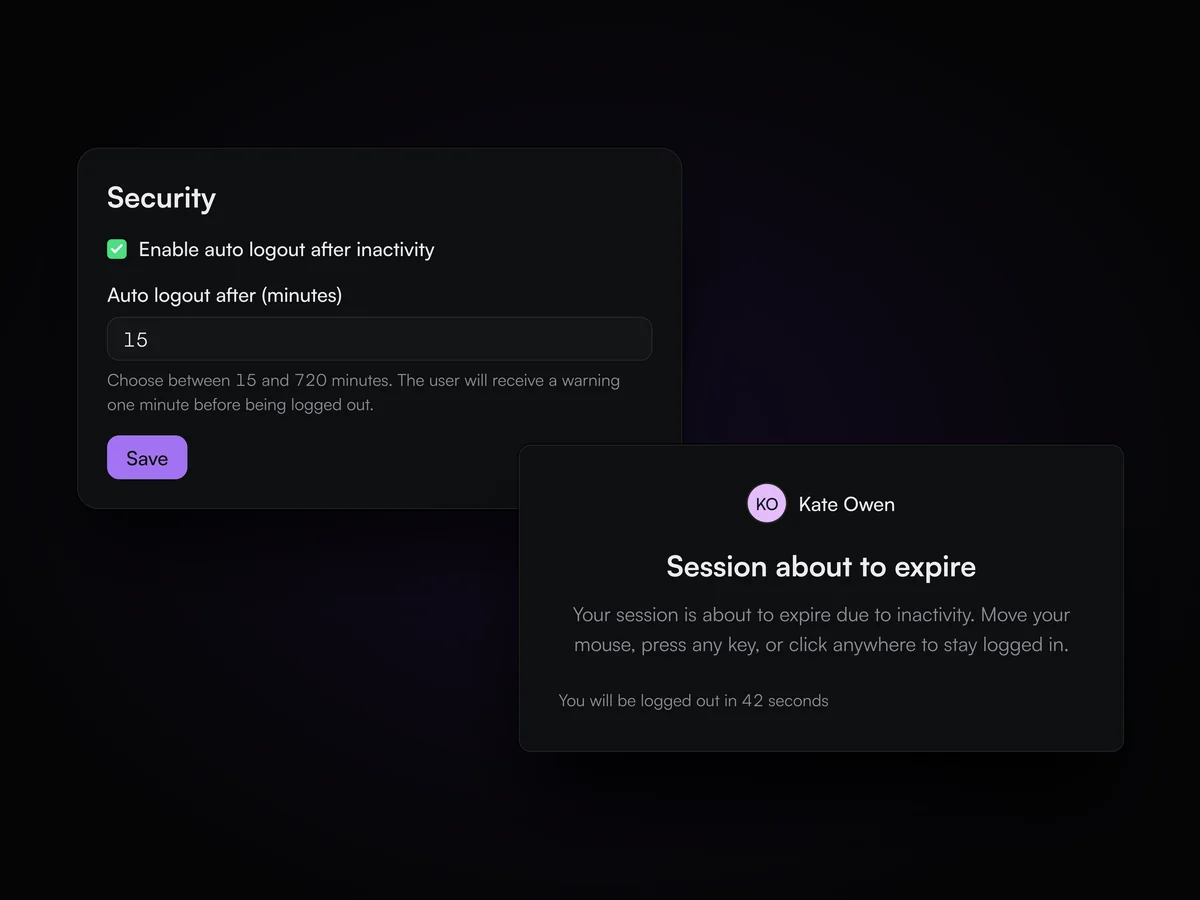
Practice managers can turn on auto logout and choose how many minutes of inactivity are allowed. A minute before the time runs out, the user sees a countdown and can stay signed in by moving the mouse or pressing a key.

Security settings with auto logout after 15 minutes of inactivity, and the Session about to expire warning counting down for Kate Owen

Public API

Create API keys to connect your own tools to Lupa, read only or read and write.

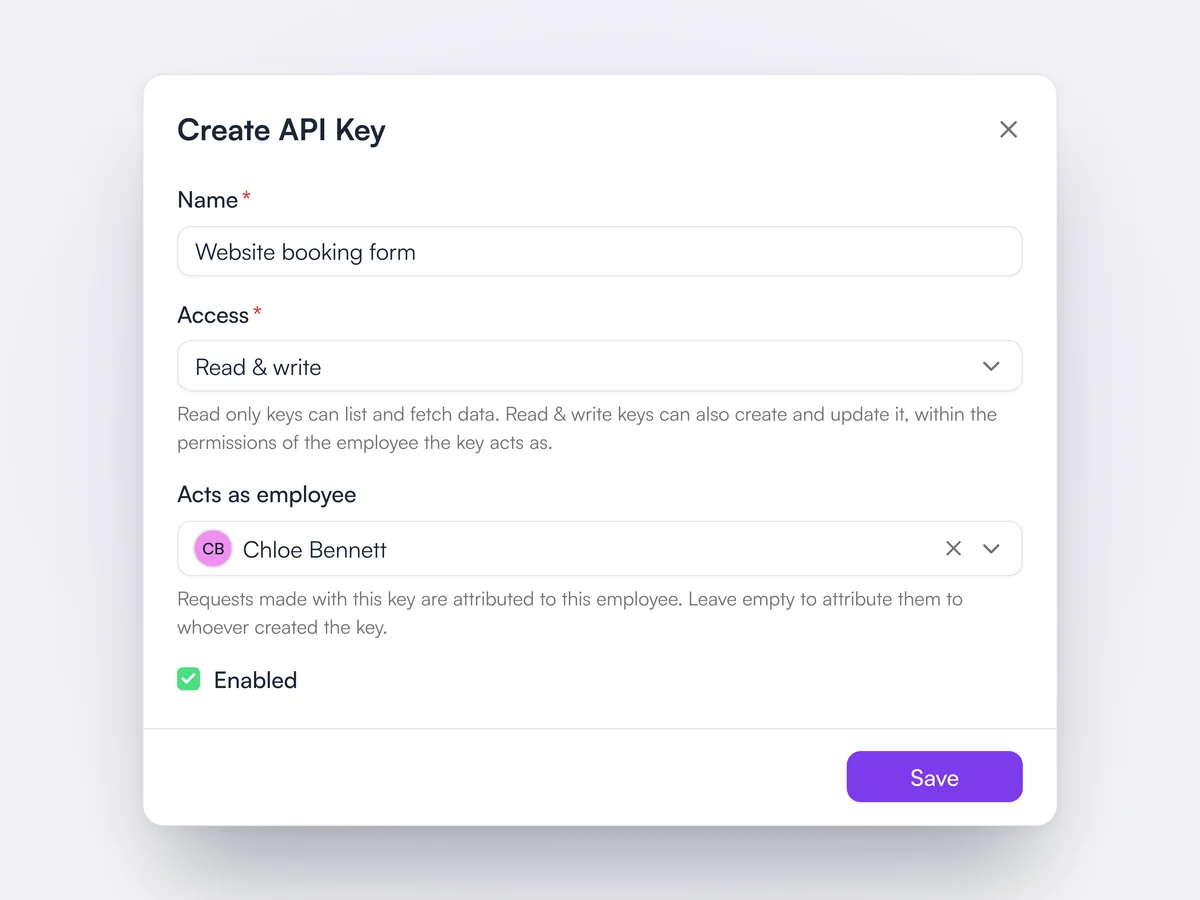
API keys are created in company settings, each read only or read and write. A key can act as a named team member, so requests carry that person's permissions and are attributed to them. Each key shows who it acts as and when it was last used, and can be disabled. Documentation is at developers.lupapets.com.

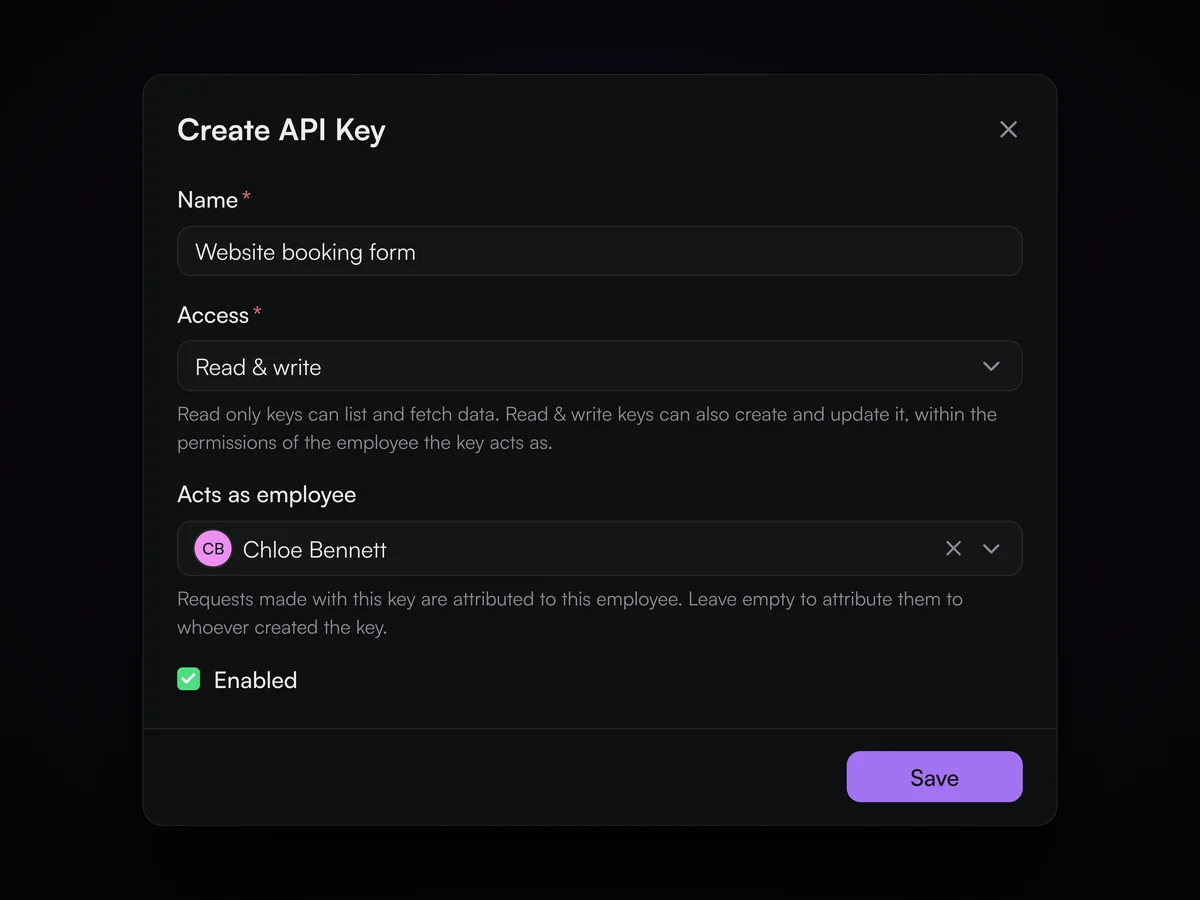
The Create API Key dialog: a read and write key for a website booking form that acts as Chloe Bennett

Staff qualifications

Set which appointment types each team member can do, and get a warning before booking anyone else.

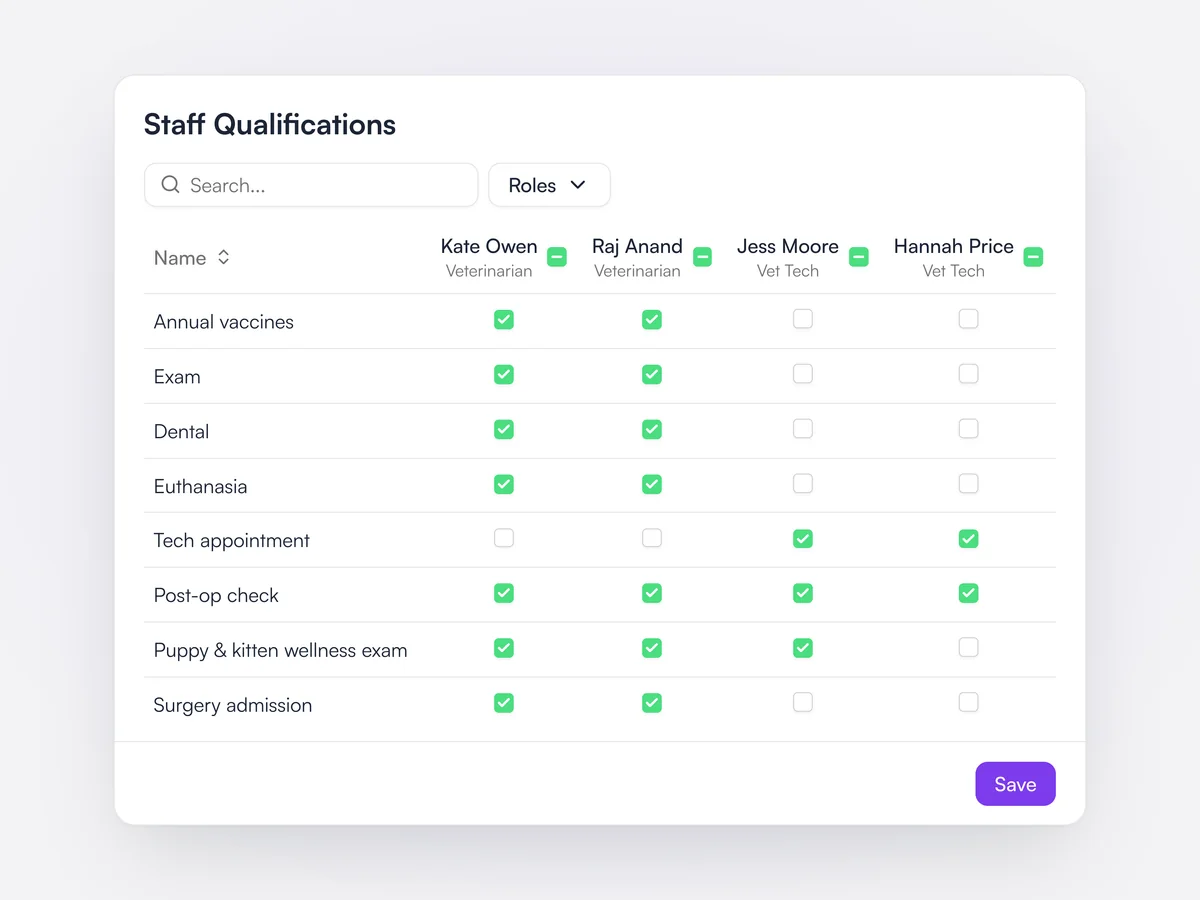
A grid of appointment types against team members sets who is qualified for what, filterable by role. When someone is booked into an appointment type they are not checked for, Lupa raises a qualification warning, and the staff picker marks them as not qualified. Online booking only offers qualified team members.

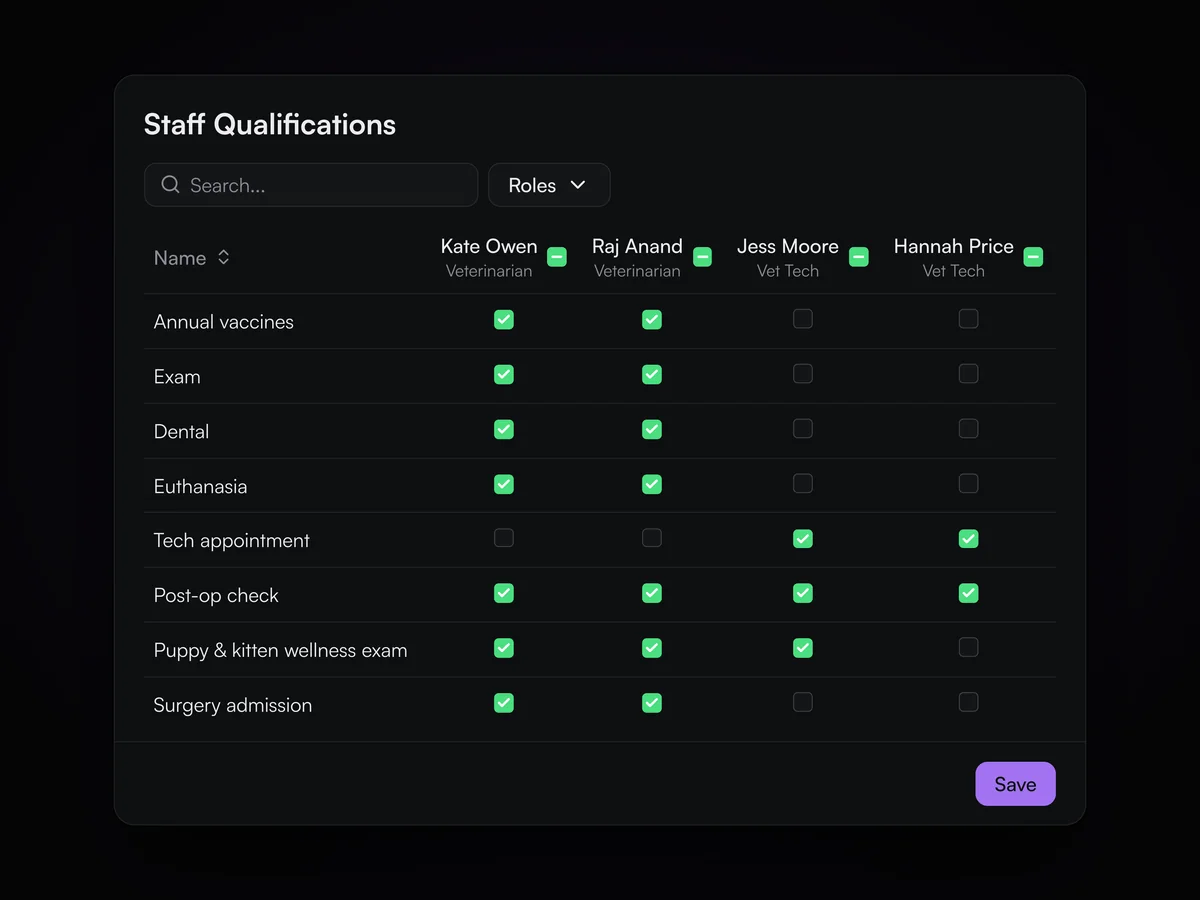
Staff qualifications grid: which appointment types Kate Owen, Raj Anand, Jess Moore and Hannah Price can each be booked for

Room scheduling

Give exam rooms and surgery suites their own schedule, with a warning when a room is double booked.

The staff schedule switches between staff and rooms. Rooms get recurring shifts like staff do, such as a surgery block in the surgery suite or tech appointments in Exam Room 2. Lupa warns when a room already has a shift at that time or a team member is already scheduled in another room.

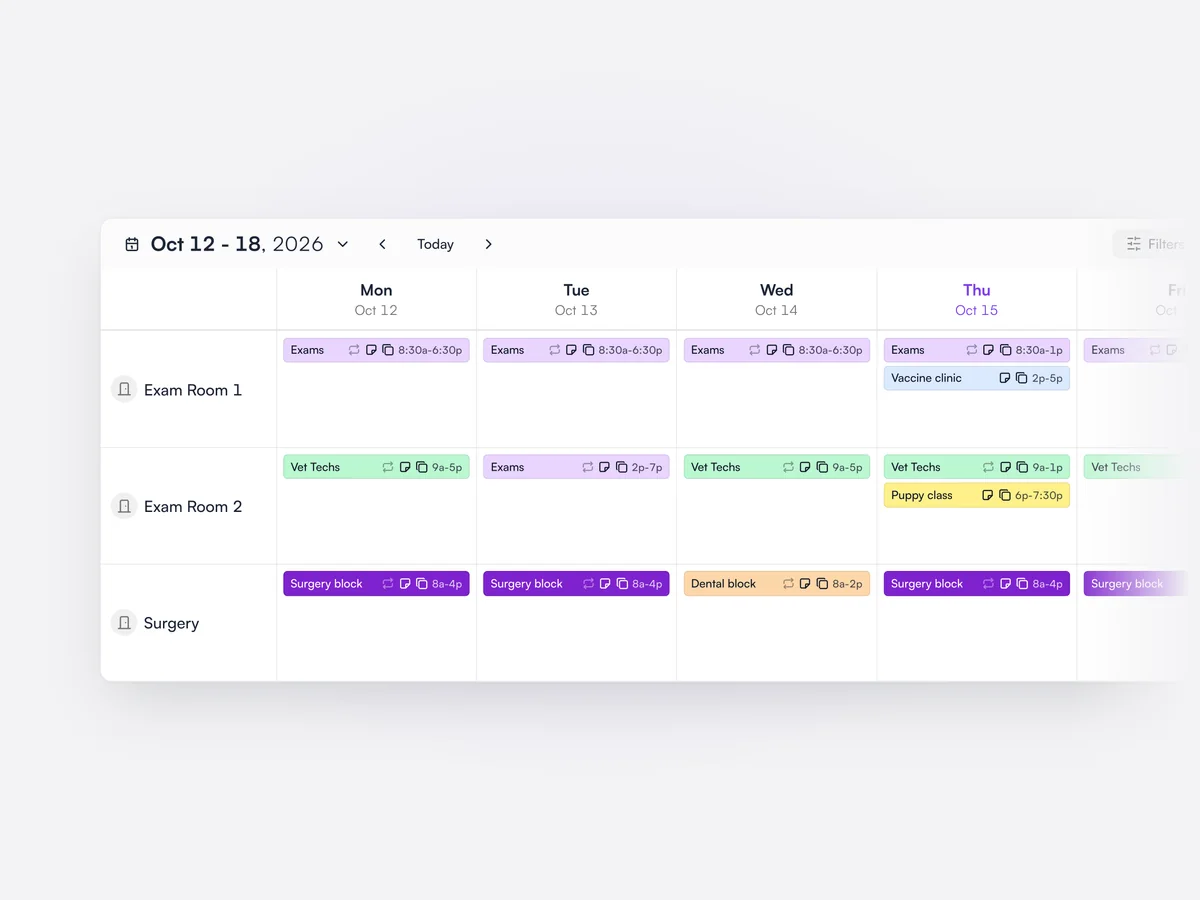
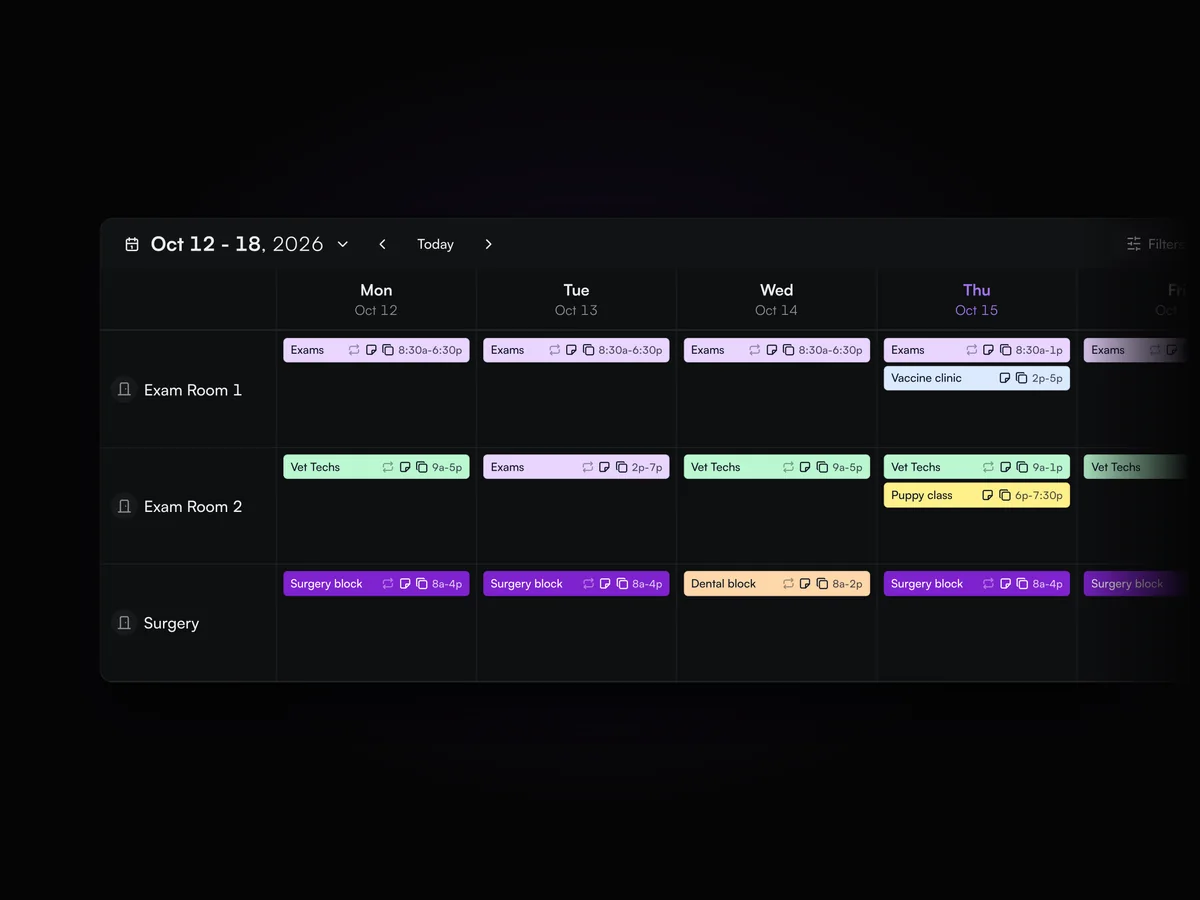
The staff schedule in rooms view for the week of October 12: exams, tech appointments, surgery blocks and a dental block across Exam Room 1, Exam Room 2 and Surgery

Business hours and holidays

Set business hours by day, including split hours, and add holiday closures.

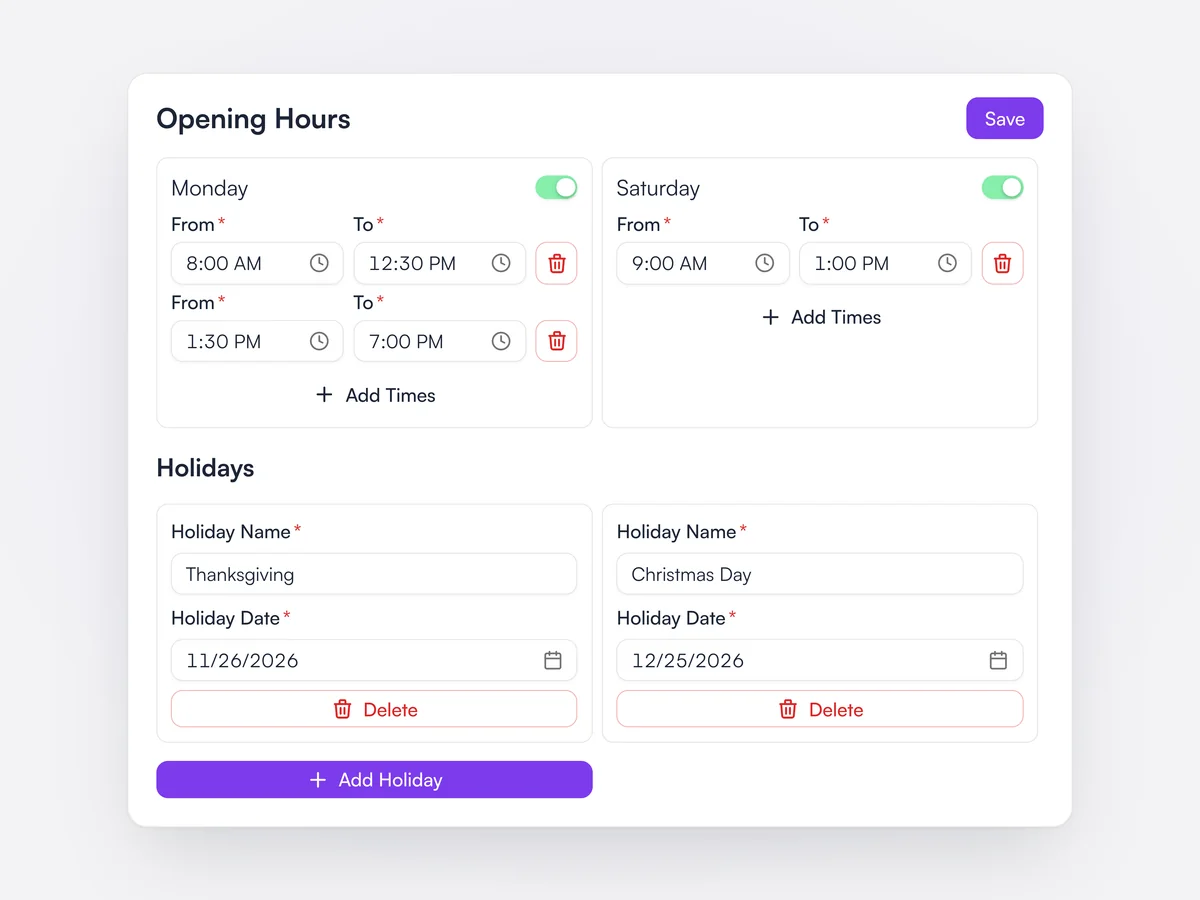
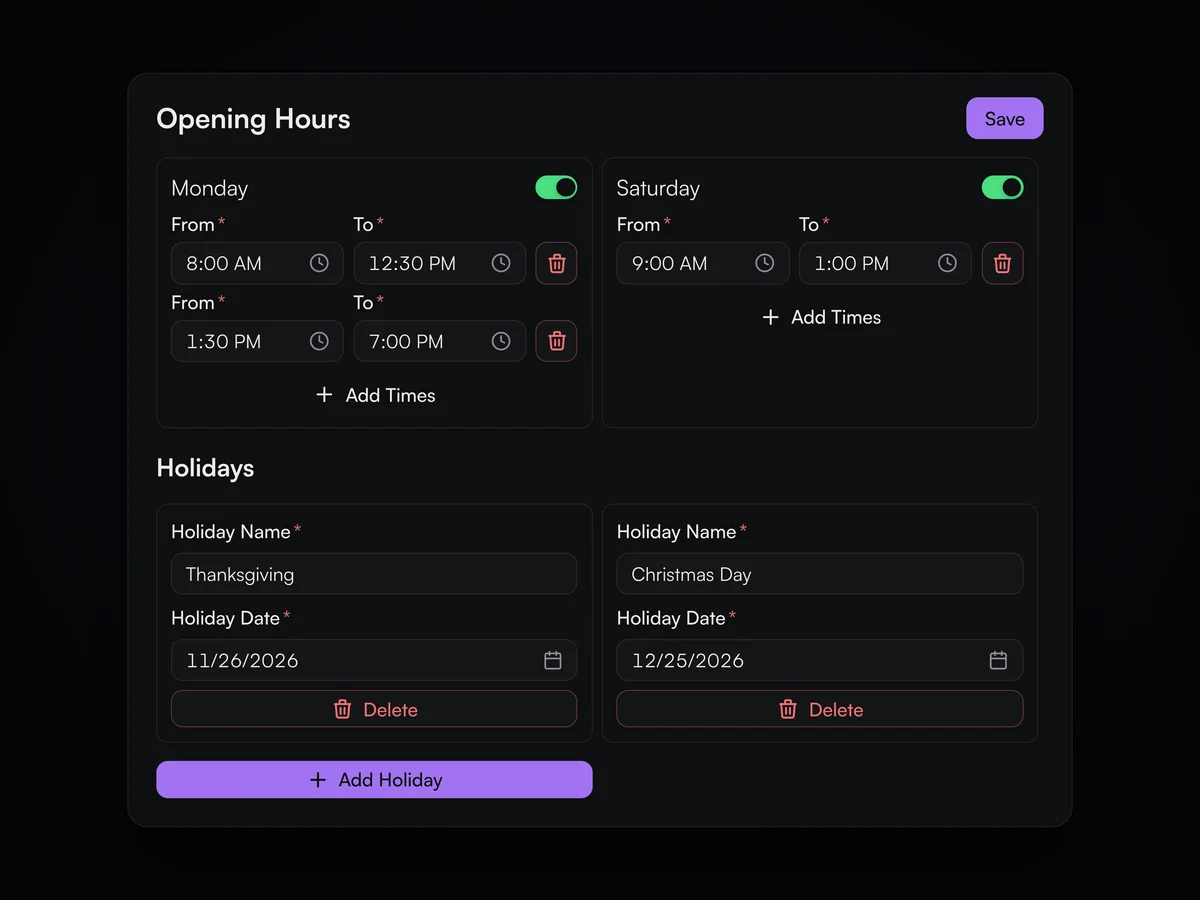
Each day can have several opening periods, for example around a lunch closure, or be switched off. Named holidays close the practice on that date. Online booking slots, the staff schedule's business-hours fallback and the AI receptionist all follow these hours.

Business hours with Monday split around lunch and Saturday mornings, and Thanksgiving and Christmas Day added as holidays

AI that works across the
whole practice.

Jerry, AI phone calls and your own AI tools, working from the same records as your team.

Jerry, your AI Assistant

Jerry can draft follow up emails, submit insurance claims, build reports, and much more.

Learn moreShow less

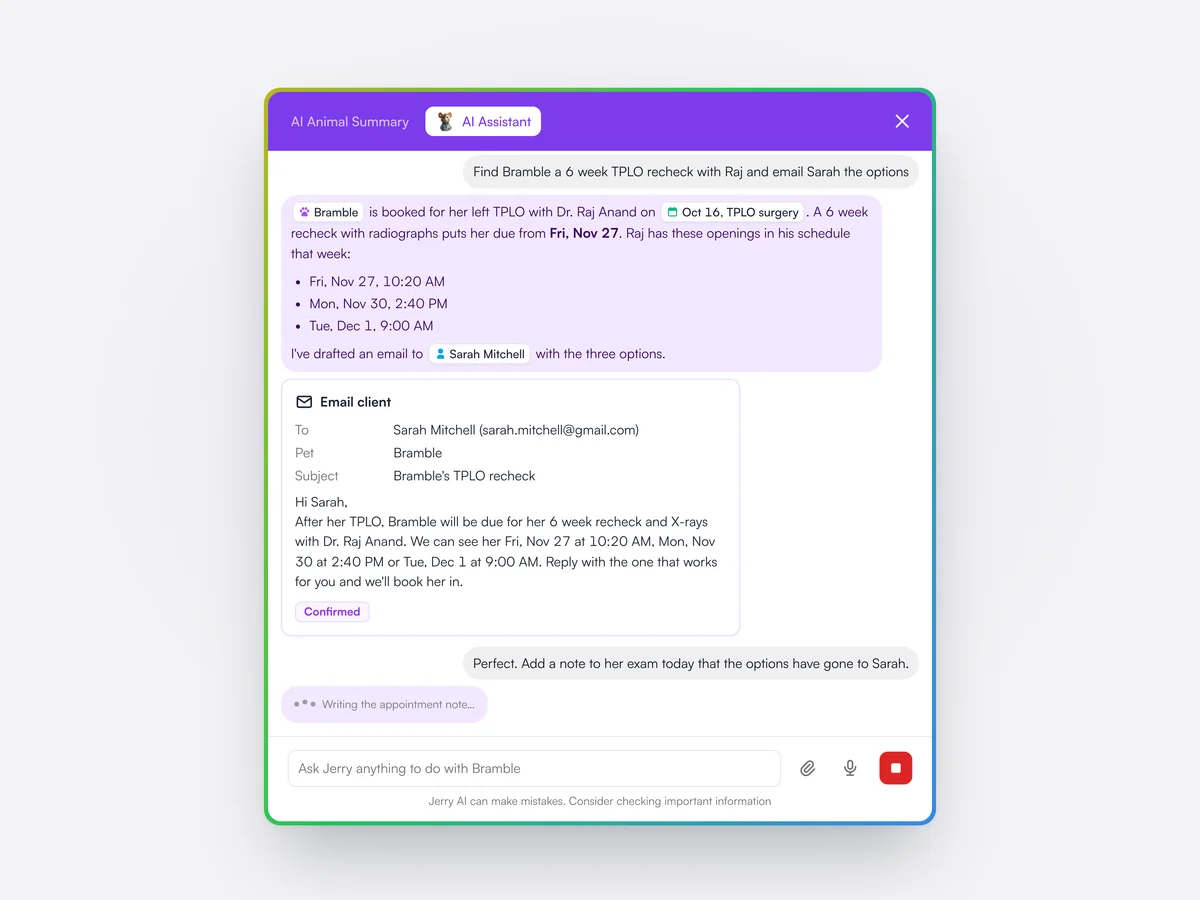
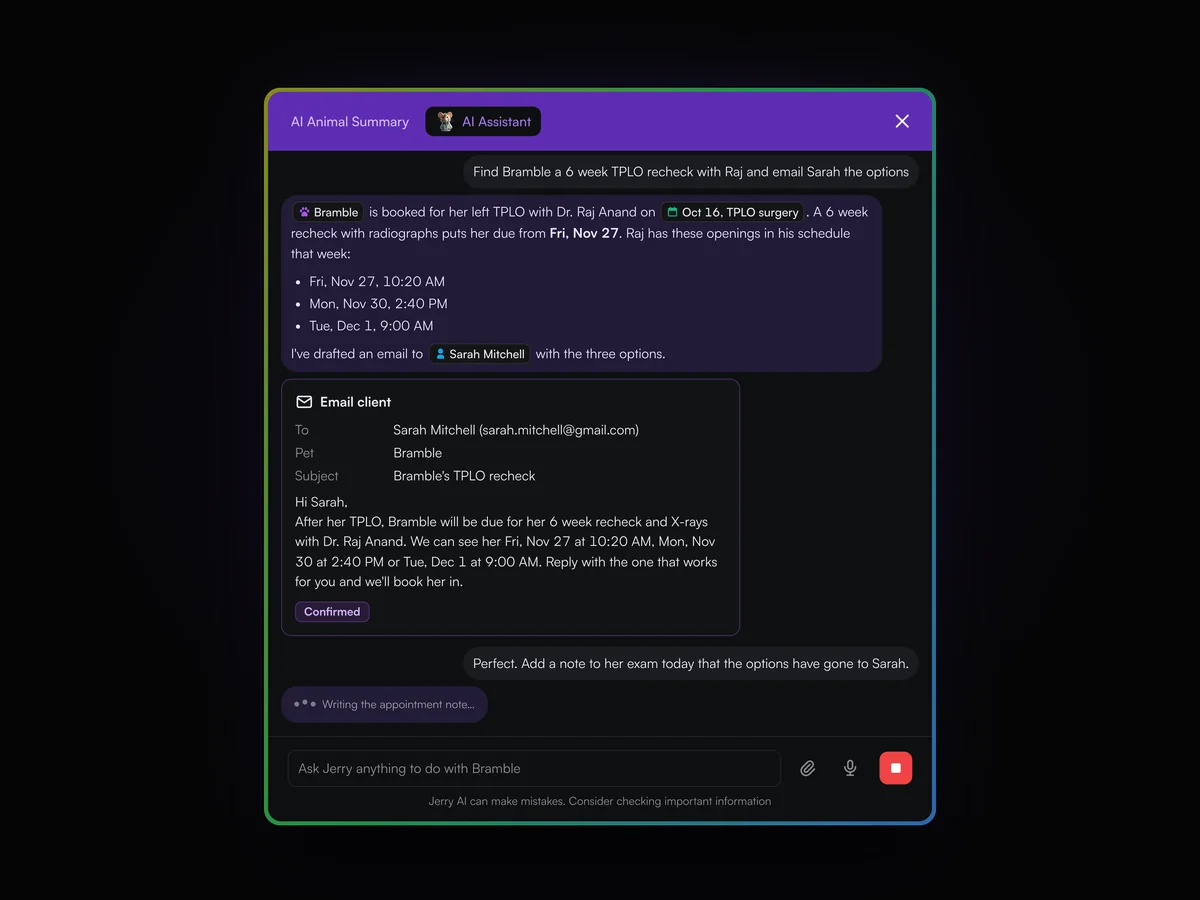
Jerry answers questions about any pet, client, the schedule, staff shifts or balances, and drafts actions for a team member to confirm before anything is sent. It can be asked by voice, and read PDFs and photos it is given.

More on Lupa AI
Jerry finding three gaps in Dr. Raj Anand’s schedule for Bramble’s TPLO recheck, a confirmed email to Sarah Mitchell with the options, and Jerry writing a note to the exam

AI phone calls

Lupa phones clients who are due in, books the appointment on the call and saves the transcript and summary.

Learn moreShow less

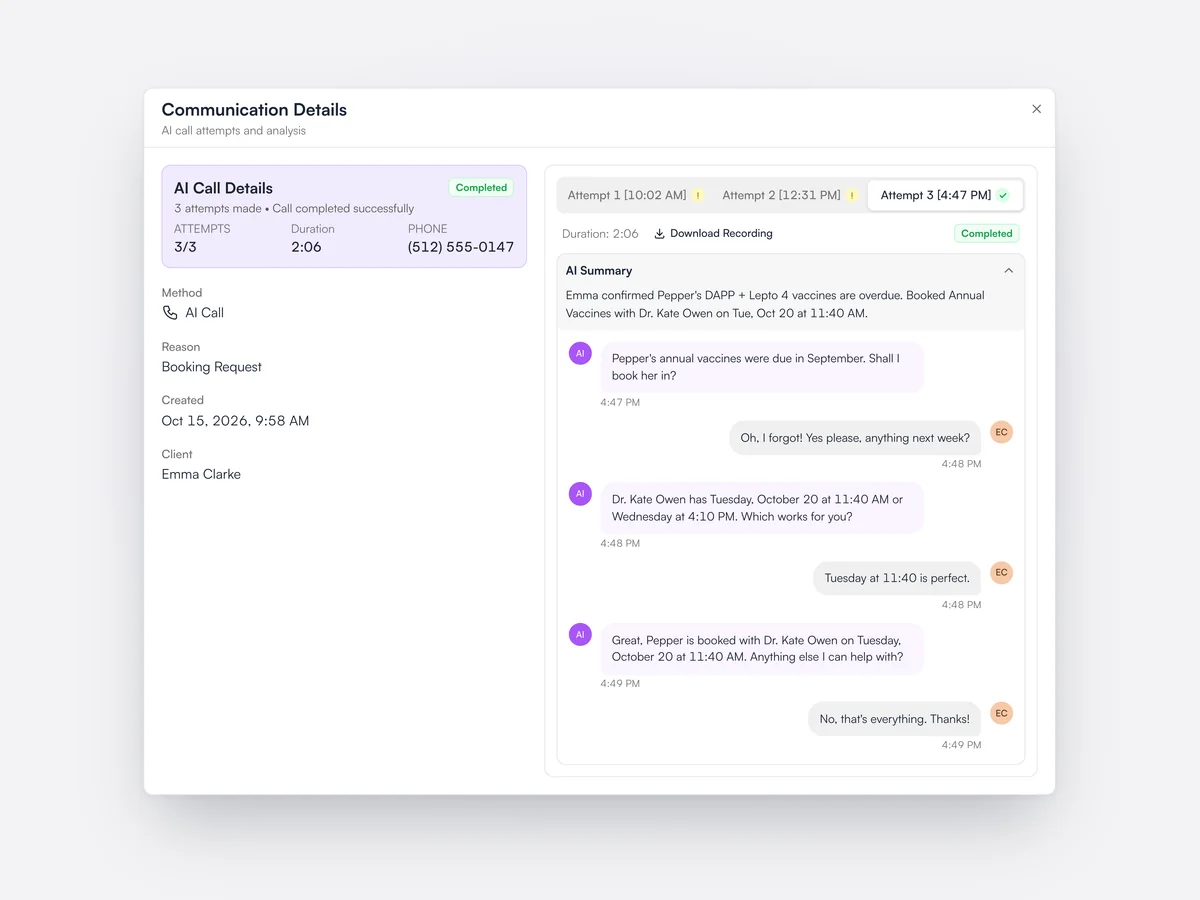
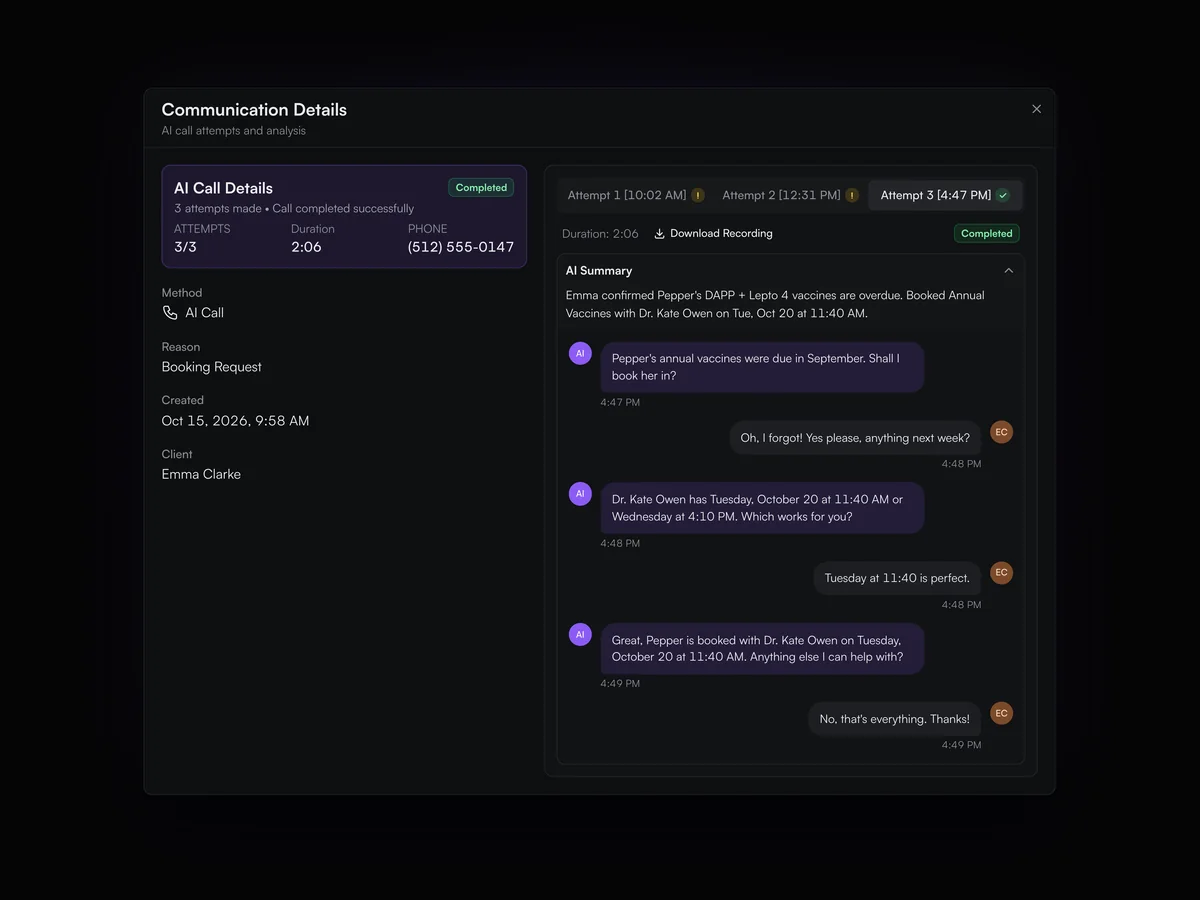
Calls run as a campaign to a list you choose, such as dogs overdue for vaccines, with up to three attempts per client. Every call keeps its recording, its transcript and an AI summary of what was agreed.

An AI call to Emma Clarke on its third attempt: the transcript where Pepper’s overdue vaccines are booked with Dr. Kate Owen, and the AI summary of the call

Connect your AI tools

Connect Claude or any assistant that supports MCP, and ask about your practice in plain English, within each user’s permissions.

Learn moreShow less

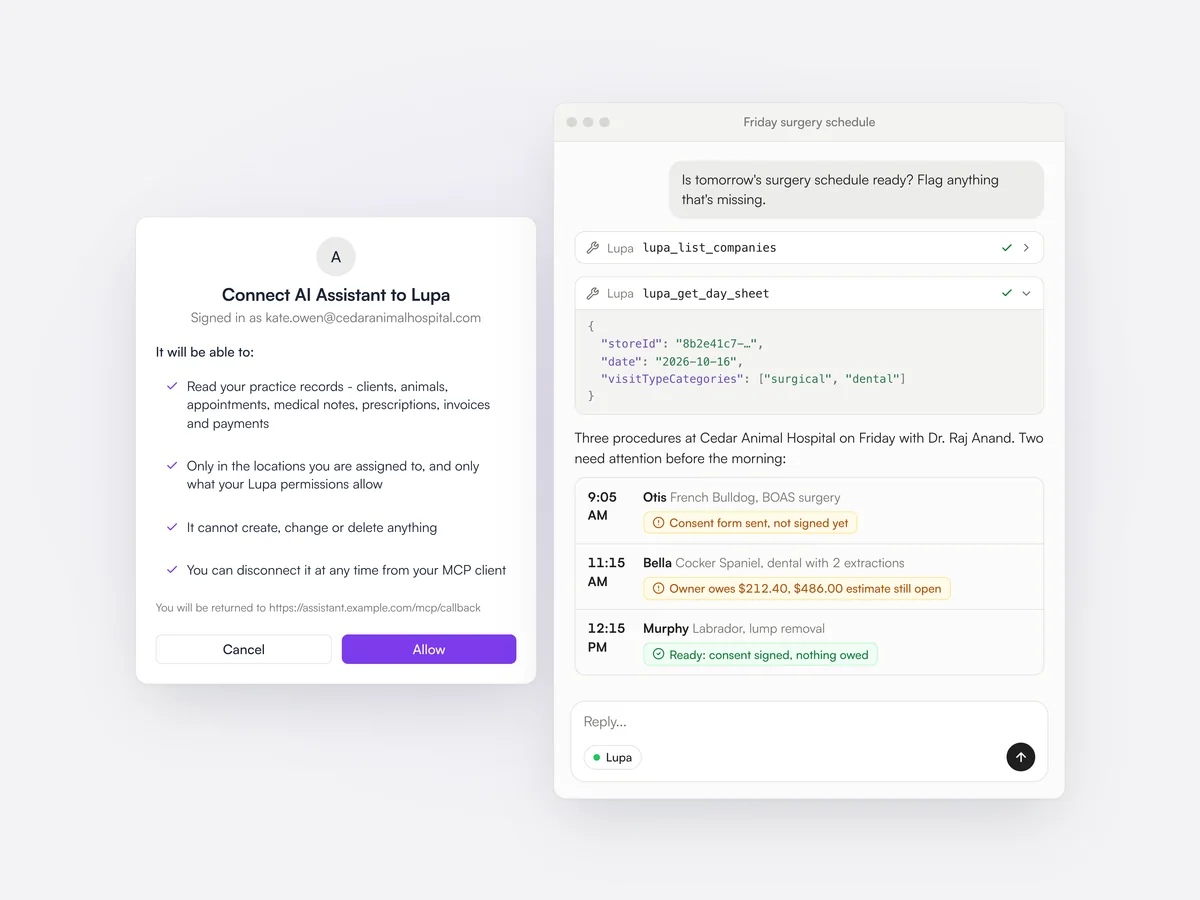
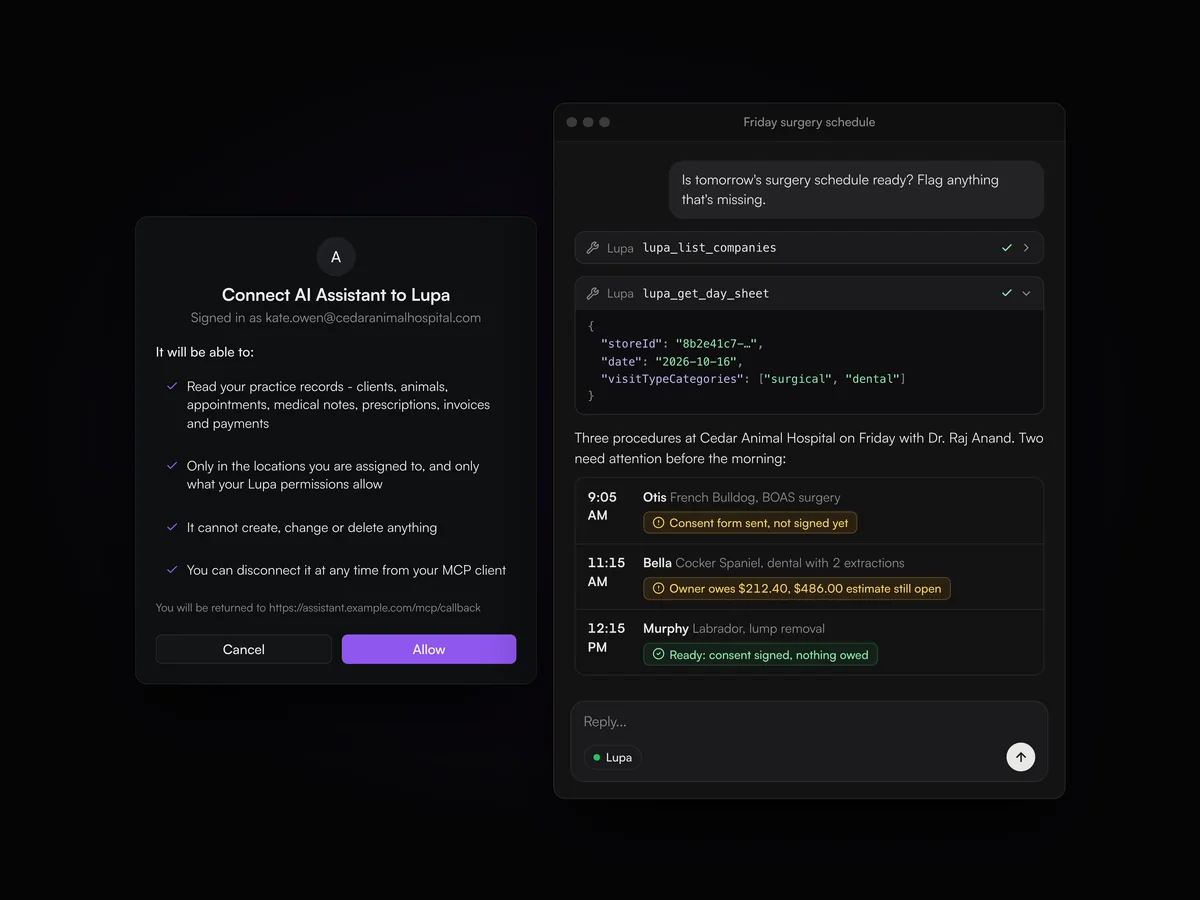
Lupa’s MCP server lets AI assistants that support the Model Context Protocol read practice data, such as the day’s list or debtors, after a team member signs in and approves access. What the assistant can see follows that person’s Lupa permissions.

Connecting an AI assistant to Lupa on the consent screen, and the assistant reading Friday’s surgery schedule through Lupa’s tools and flagging an unsigned consent form and an open balance

AI pet summaries

A summary of the pet’s conditions, drugs and vaccines at the top of the record.

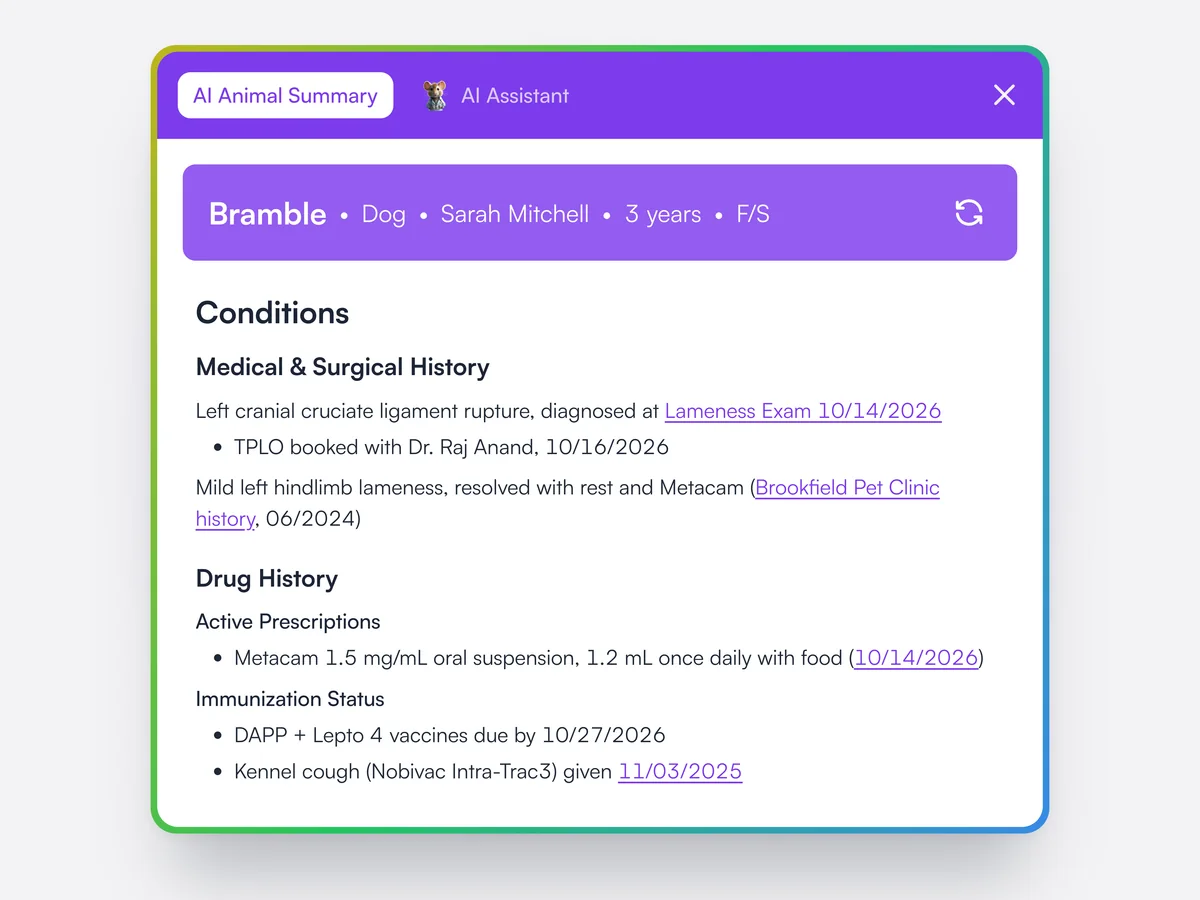
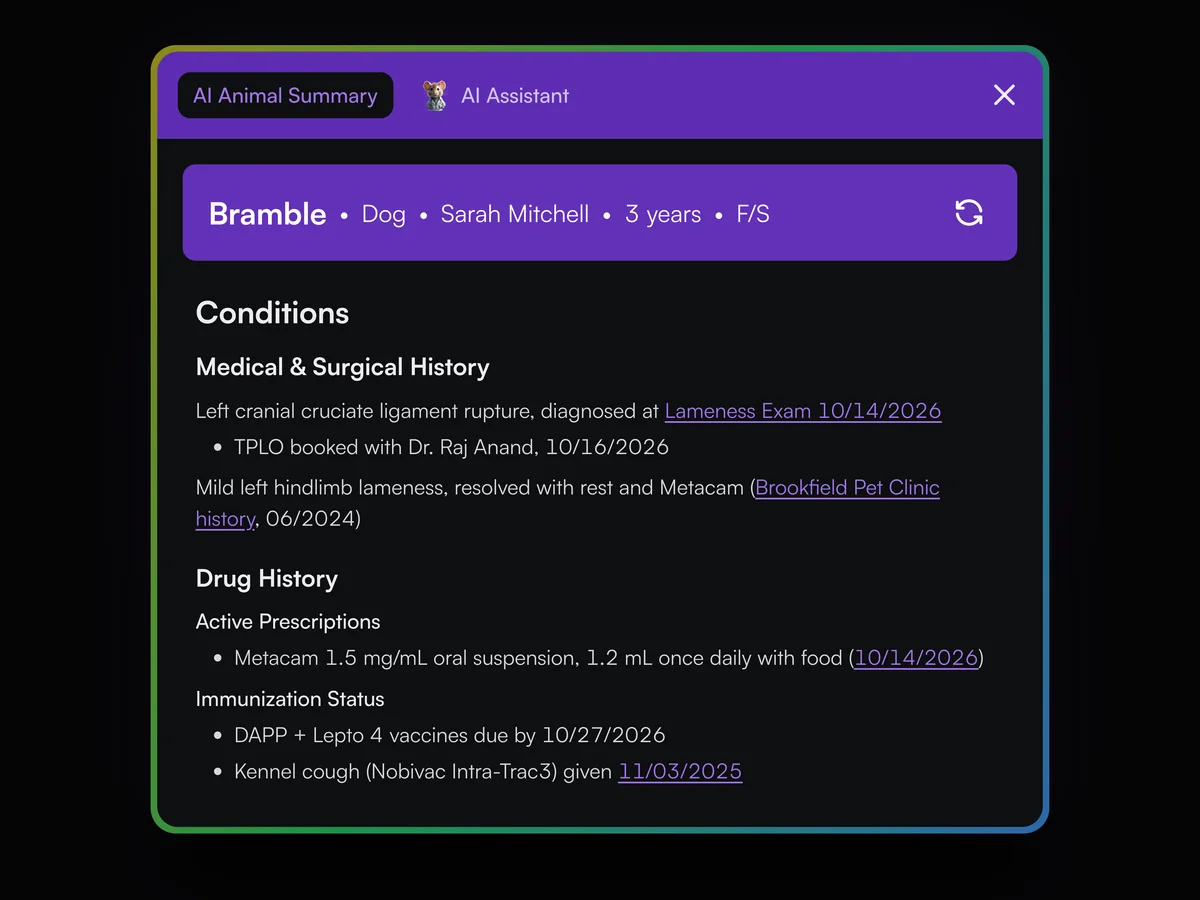
Lupa summarizes the pet’s history into conditions, current drugs and vaccination status, with links to the records it used.

Bramble's AI animal summary: her cruciate rupture and TPLO booking, an earlier lameness from her old records, Metacam as an active prescription and her vaccines due, with links back to the source records

Templates from your notes

Lupa Notes can build a template from the notes your vets already write.

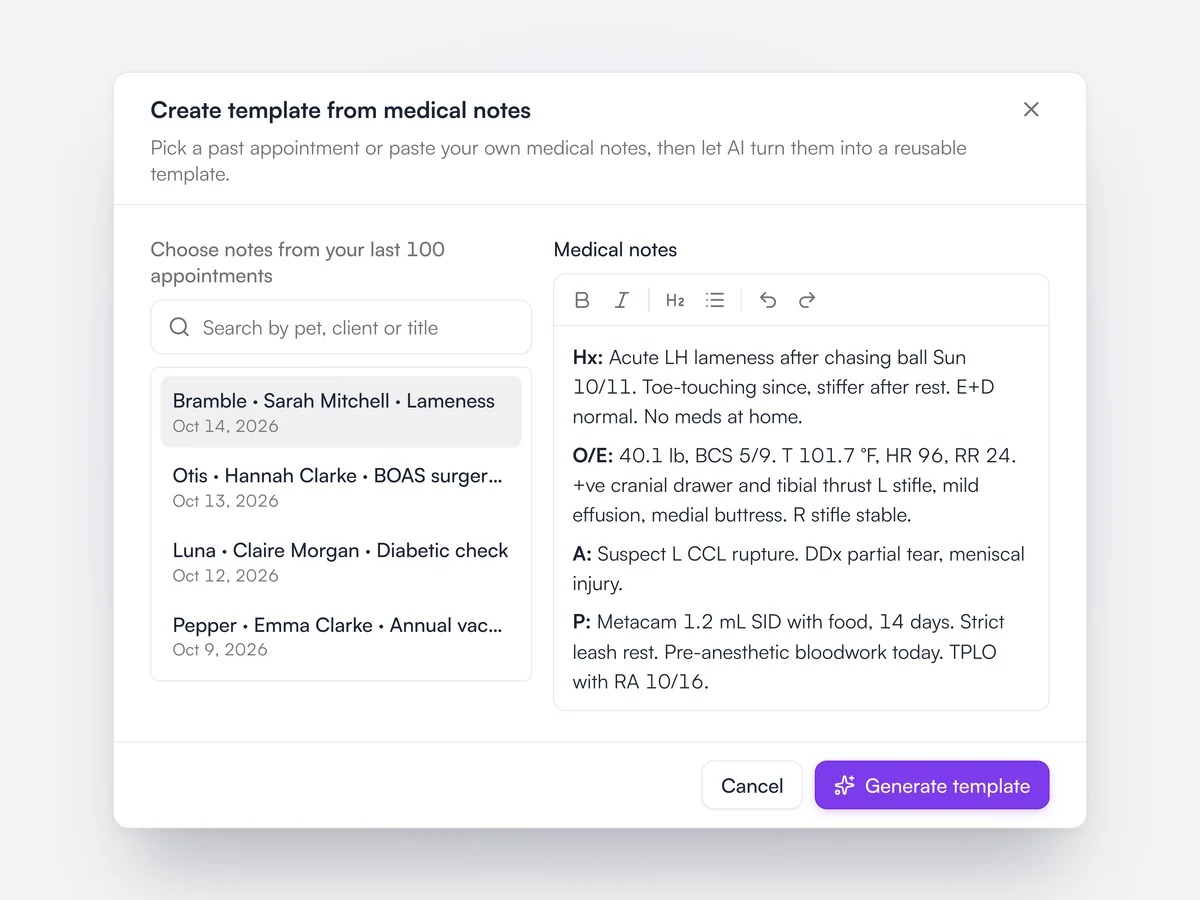
Instead of writing a template from scratch, the practice can give Lupa Notes examples of its own notes to build one from.

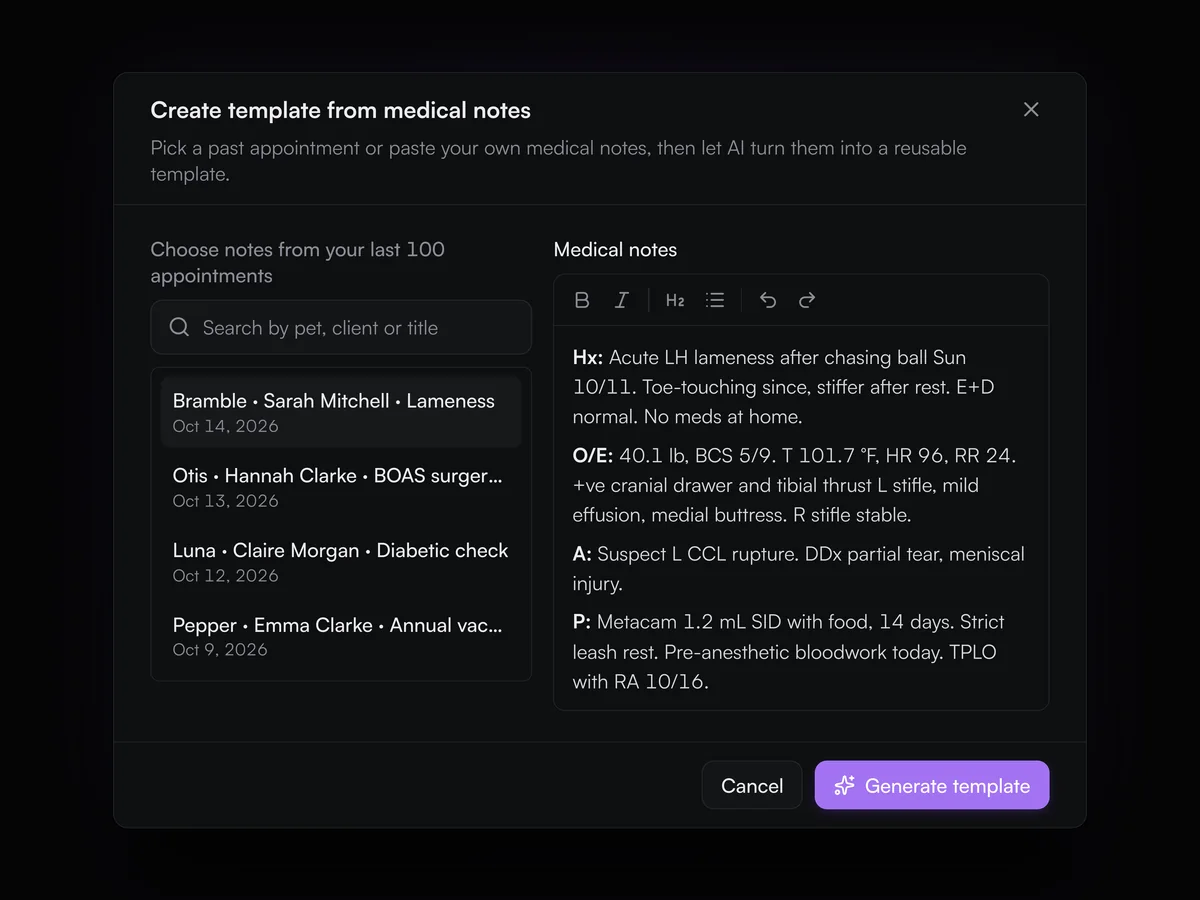
Creating a Lupa Notes template from medical notes: Bramble's lameness exam chosen from recent appointments, with Dr. Kate Owen's notes ready to turn into a template

Ask about a pet's documents

Jerry reads every referral letter, lab report and history uploaded to a pet and answers with its sources.

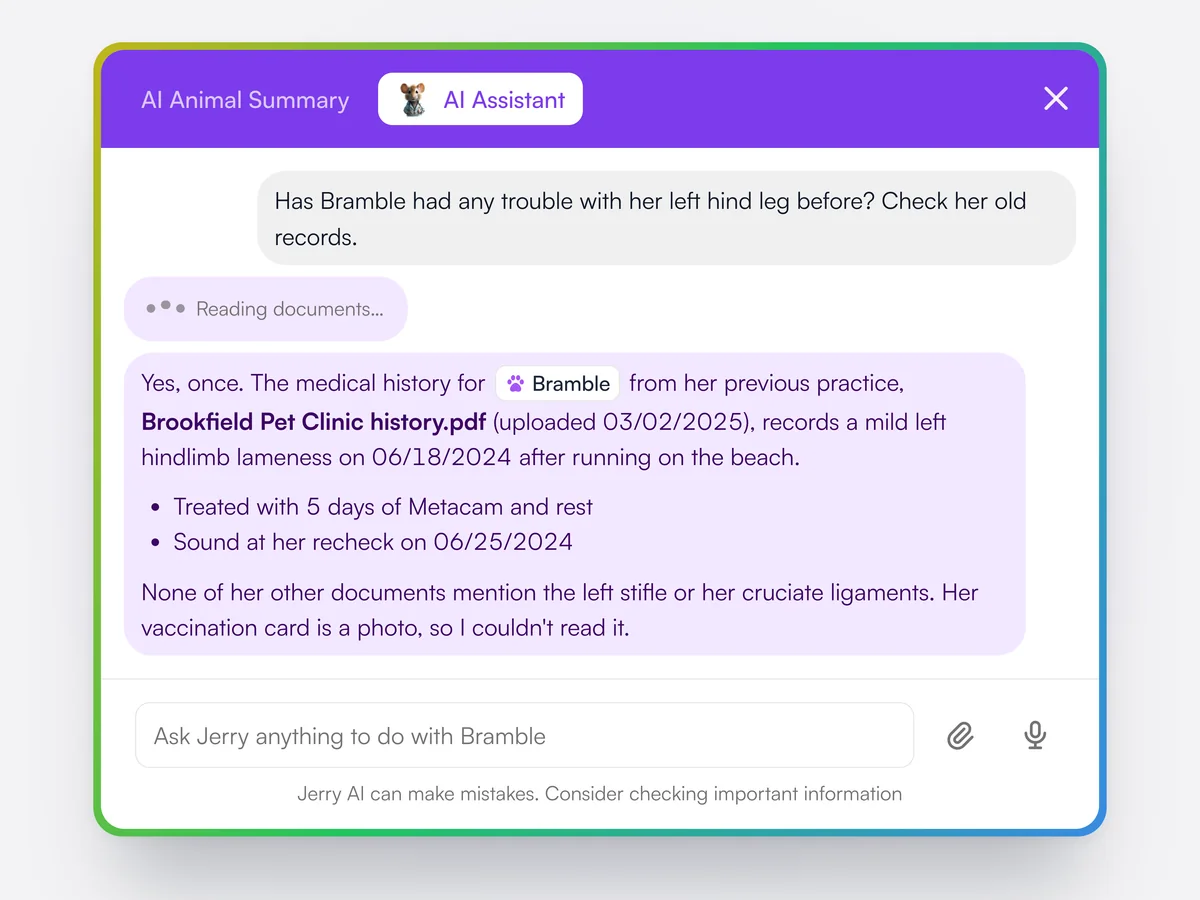
Ask Jerry a question such as whether a problem has ever been noted before, and it reads the full text of every readable document on the pet's record to answer. It says which document the answer came from, and says so when nothing is found. Files it cannot read, such as photos of paper records, are listed as unreadable.

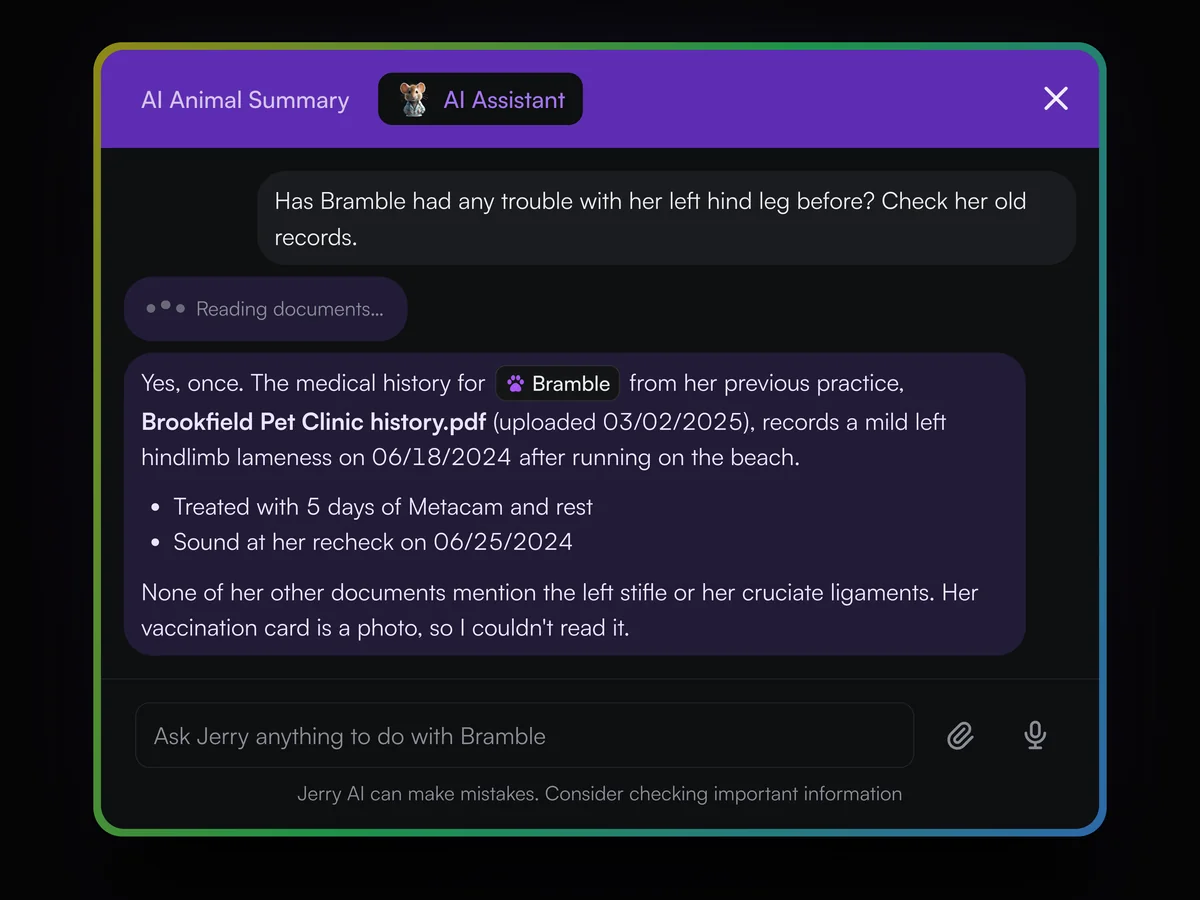
Jerry checking Bramble's old records: a mild left hindlimb lameness in June 2024 found in her history from Brookfield Pet Clinic, with the treatment and recheck, and a note that her photographed vaccination card could not be read

No-audio warning

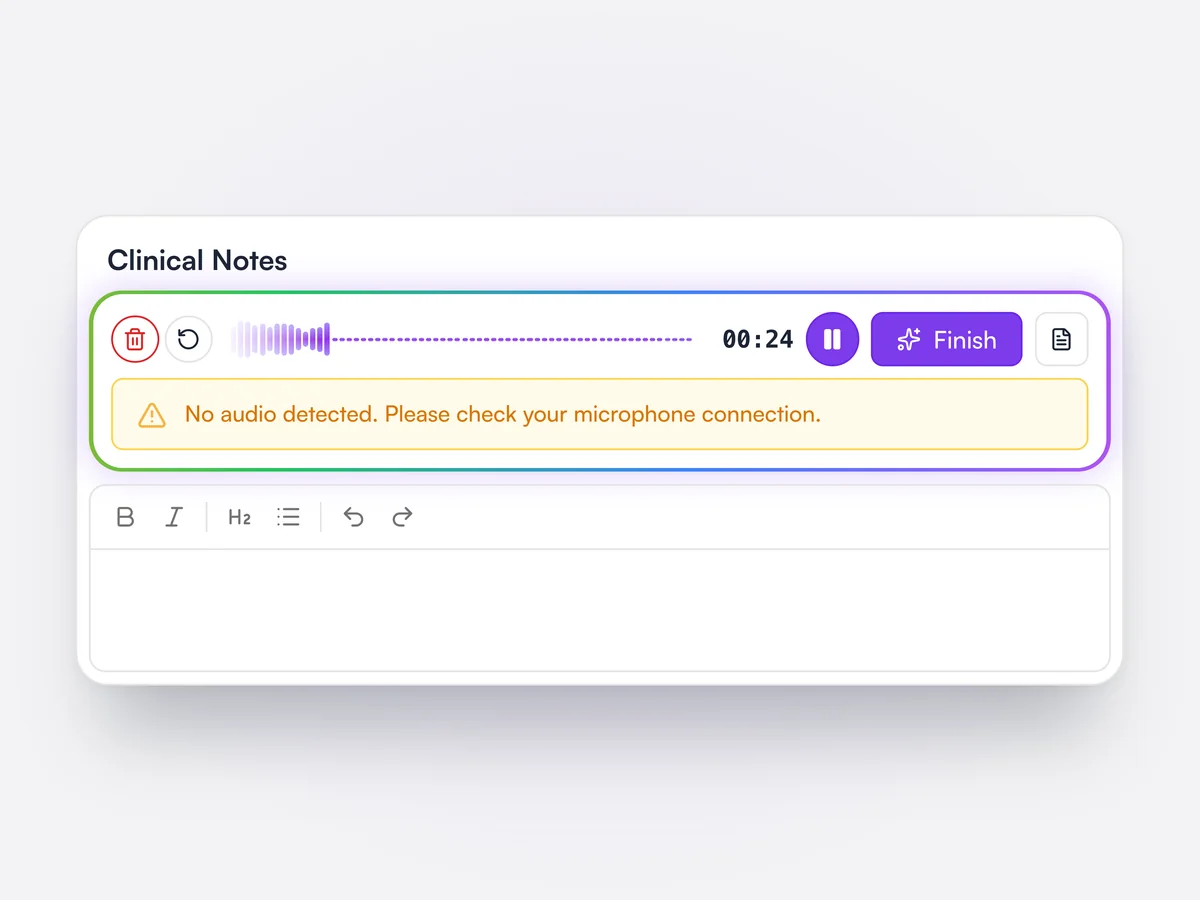
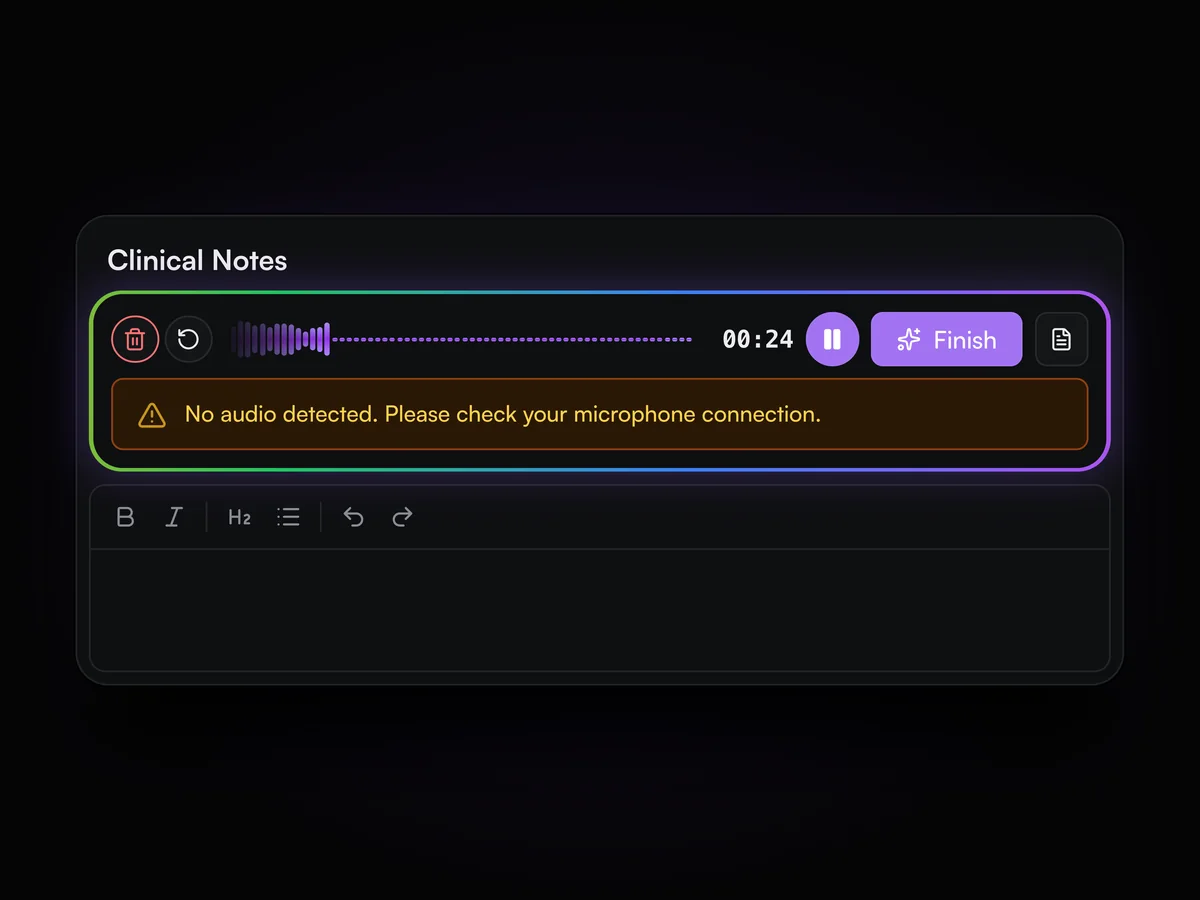
Lupa Notes warns during the exam if the microphone is picking up nothing.

If the microphone has been silent for 10 seconds while recording, for example the wrong device or a muted mic, a warning appears under the recording bar. It catches the problem during the exam instead of after the notes come back empty. Pauses in recording do not set it off.

A Lupa Notes recording with a flat waveform and the warning: No audio detected. Please check your microphone connection.

See the template while you record

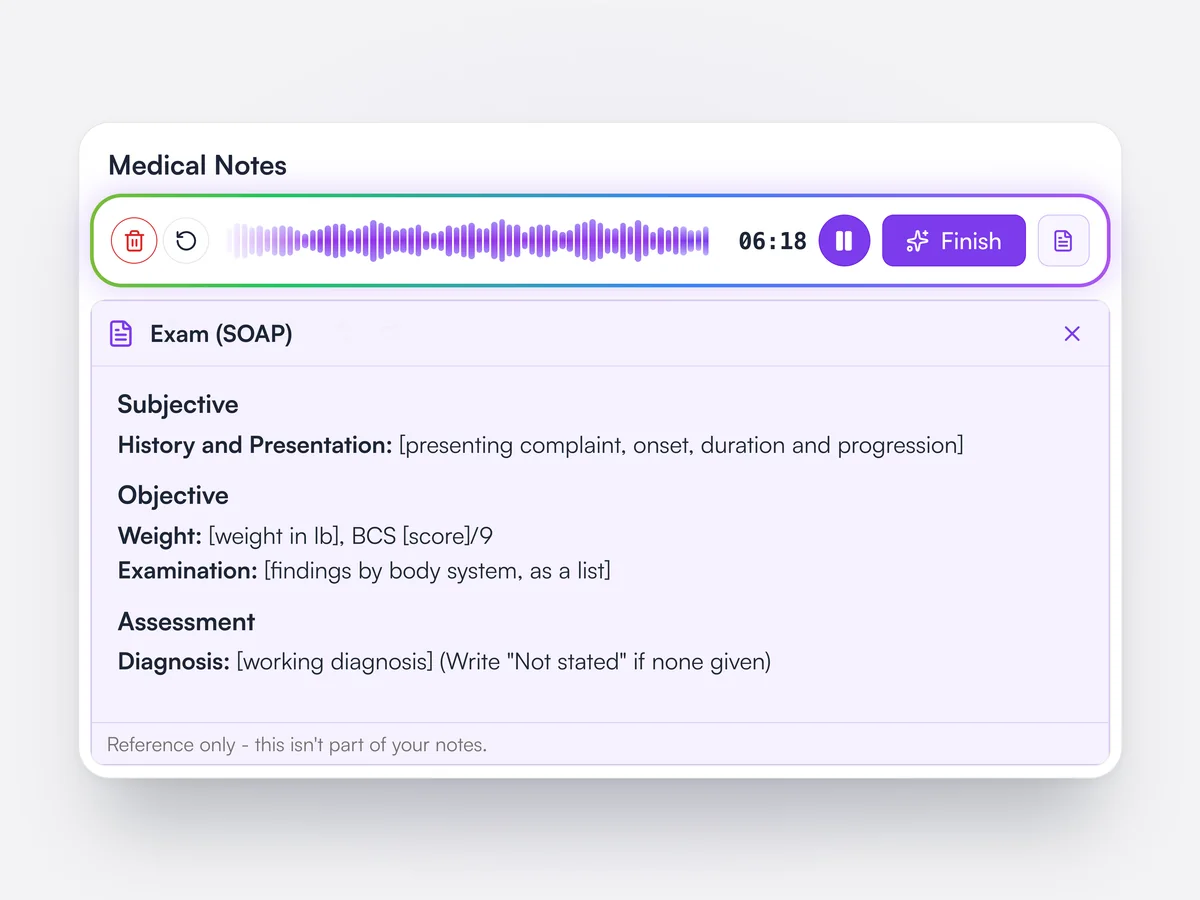
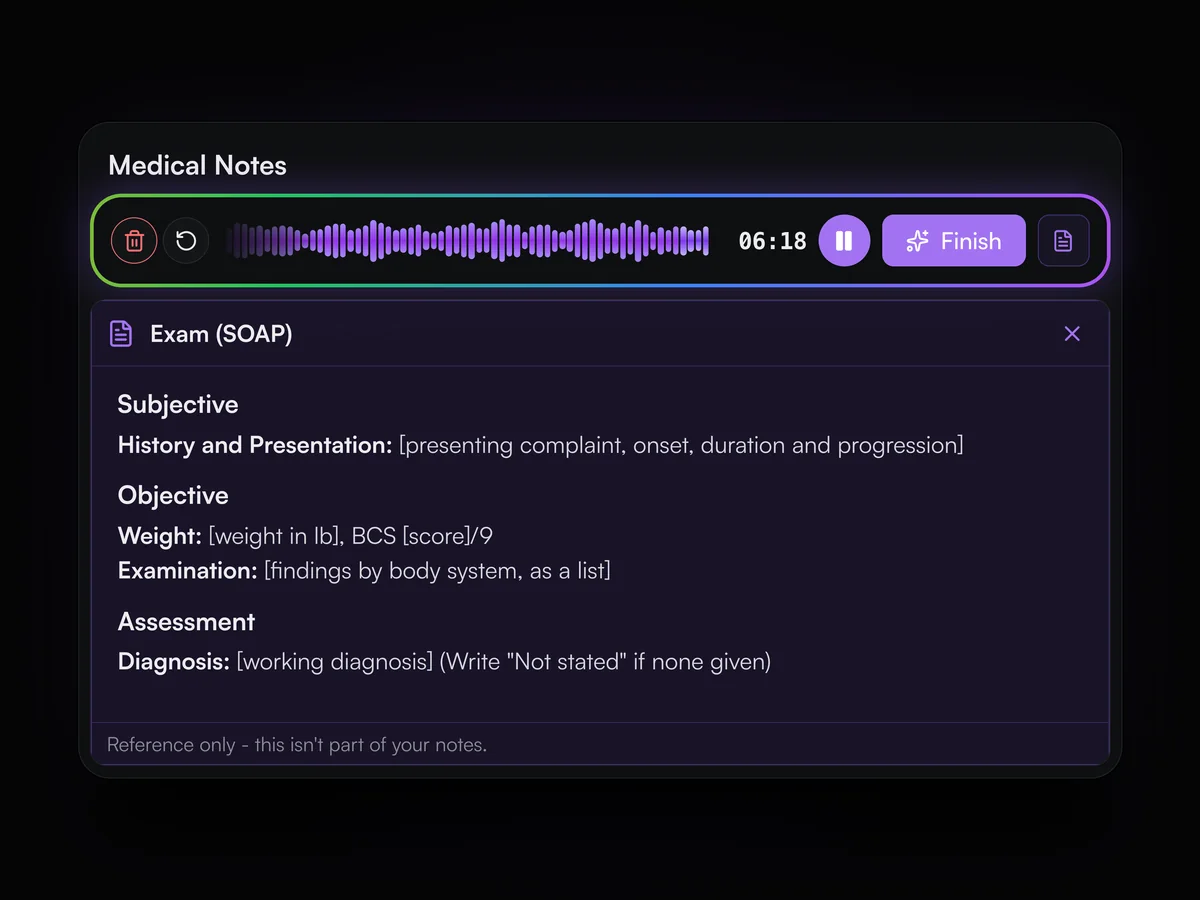
Open the chosen notes template beside the recording so you know what to cover.

While Lupa Notes is recording, the vet can show the selected template over the notes editor as a read-only reference. It lists the headings and placeholders the notes will be written to, so nothing the template asks for is missed in the exam. It is marked as reference only and is not added to the notes.

Lupa Notes recording at 06:18 with the Exam (SOAP) template open over the notes editor, showing its headings and placeholders, marked reference only

Test a template on a real exam

Try a notes template against a past recording before using it in clinic.

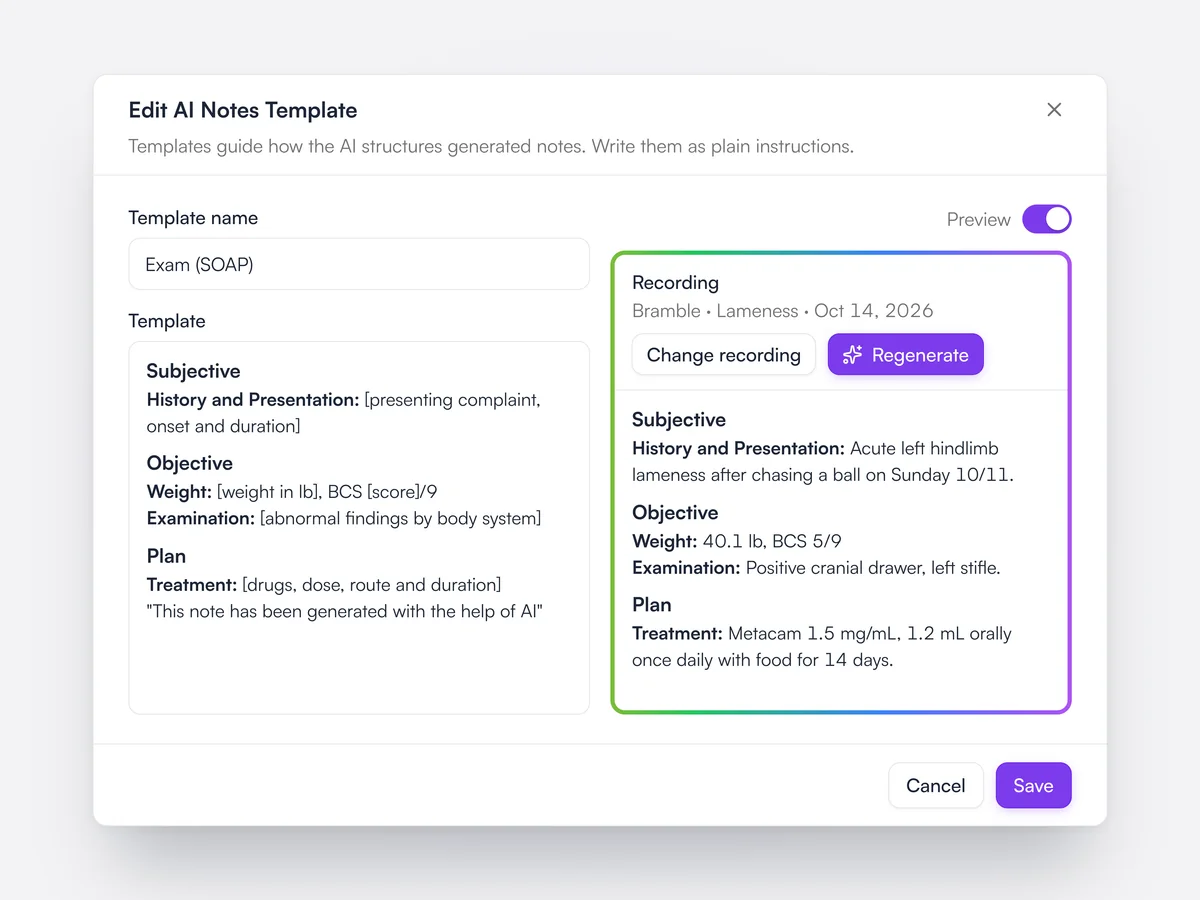
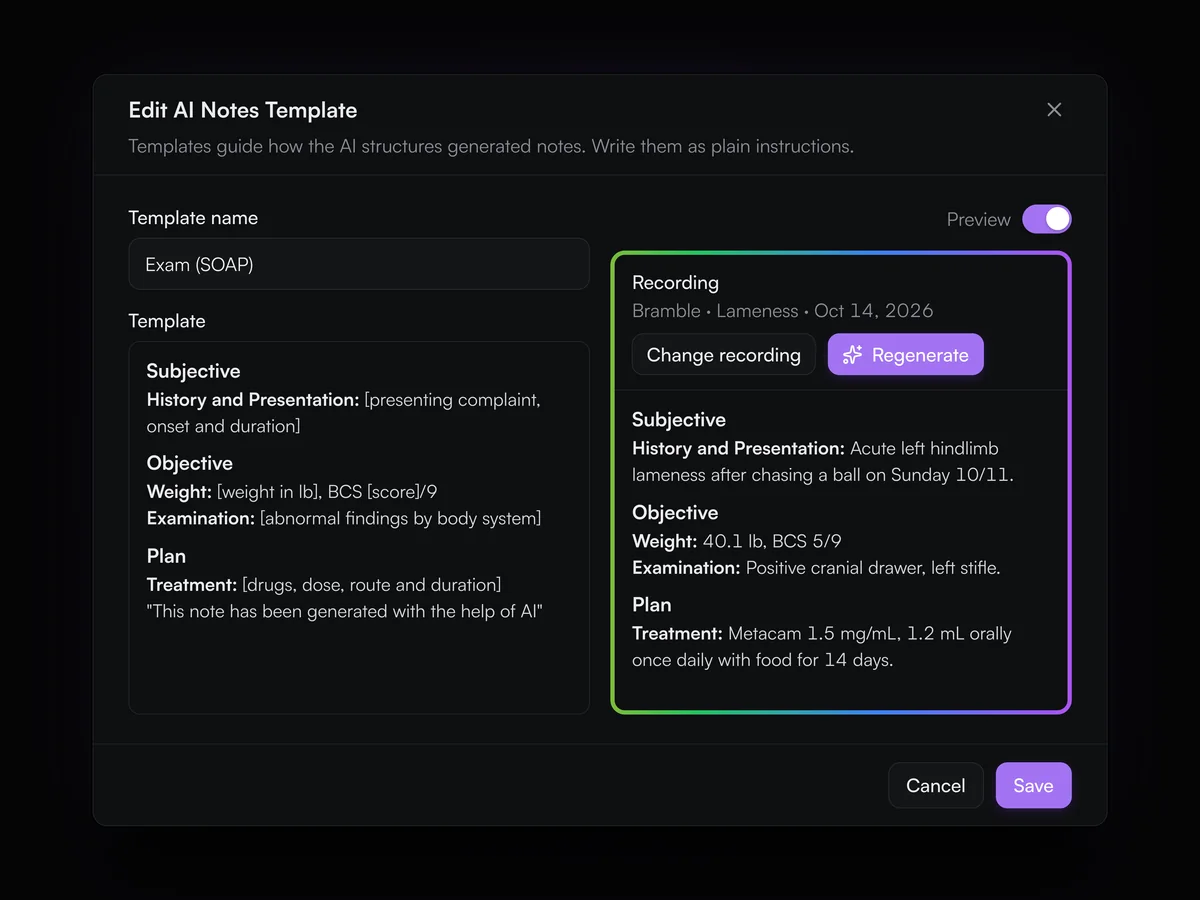
When writing or editing a Lupa Notes template, switch on Preview, pick a past recording and generate notes with the template as it stands. The vet can change the template and regenerate until the notes come out the way the practice wants. Templates use plain headings, [placeholders], (instructions) and "verbatim" text.

Editing the Exam (SOAP) template with Preview on: the template on the left and notes generated from Bramble's recorded lameness exam on the right

Exam transcripts

Every Lupa Notes recording keeps a searchable transcript, split by speaker, to copy or download.

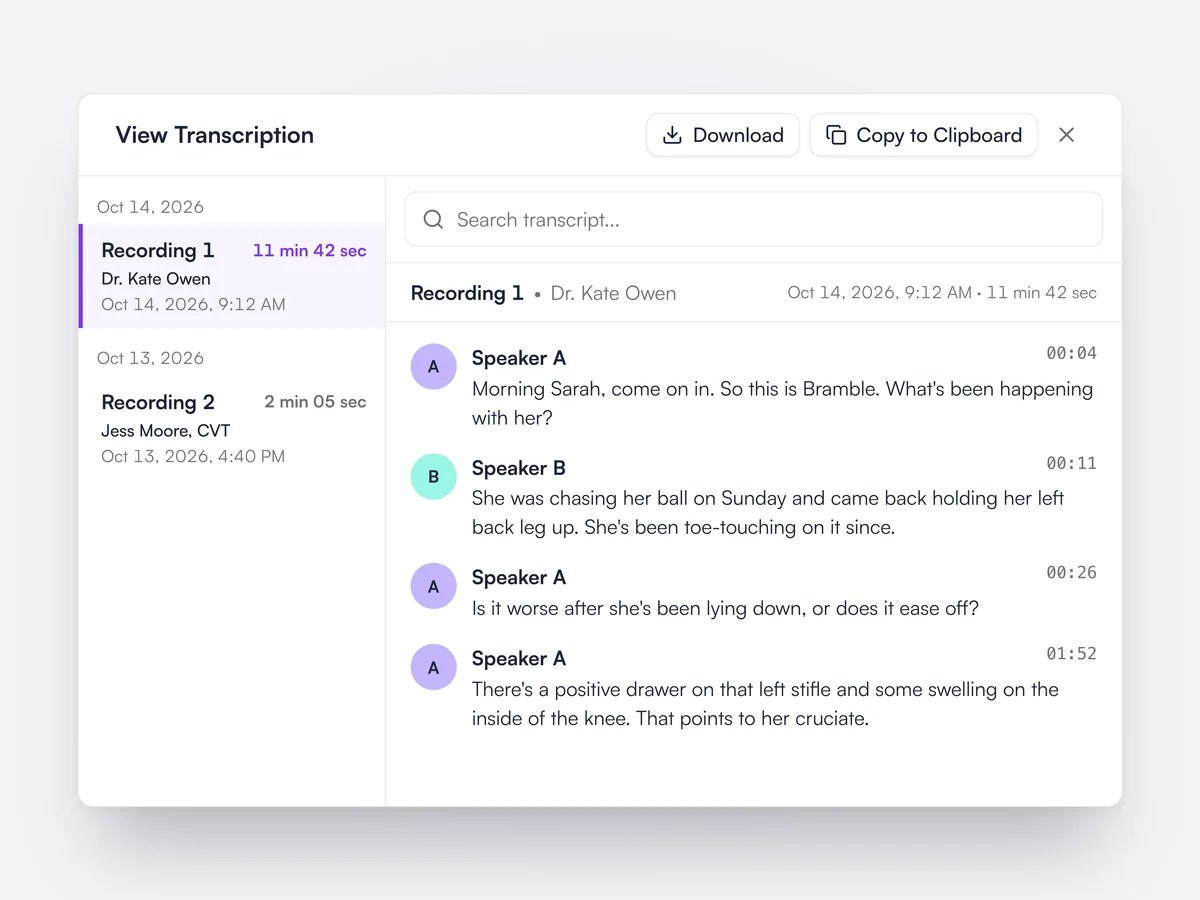
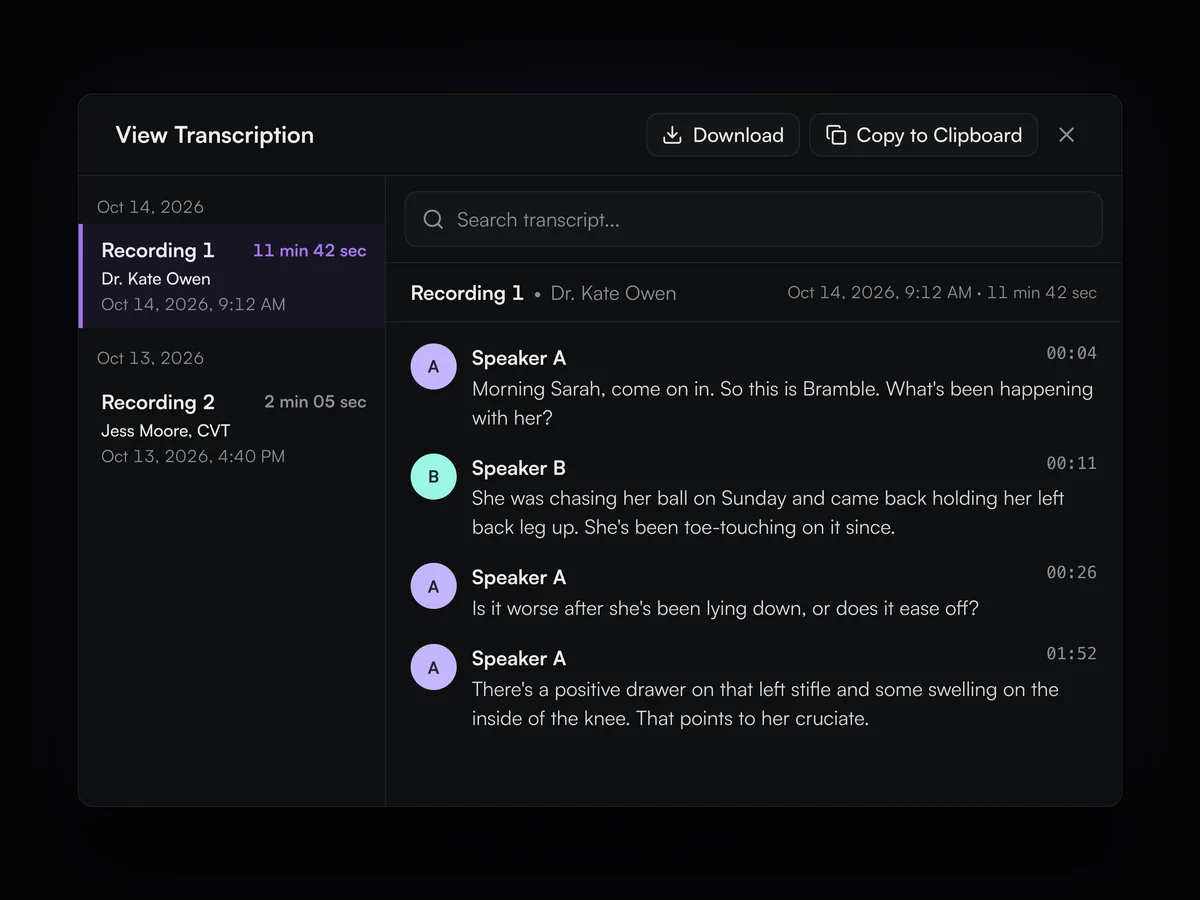
Each appointment keeps its recordings, with who recorded them, when and for how long. The transcript is split into speakers with timestamps, can be searched, copied, or downloaded as a PDF. Notes can be regenerated from a saved transcript if needed.

The transcript of Dr. Kate Owen's 11 minute exam with Bramble, split between two speakers with timestamps, with search, Download and Copy to Clipboard

Jerry for pet owners

Owners can ask Jerry about their own pet in the Lupa app, answered from the practice's records.

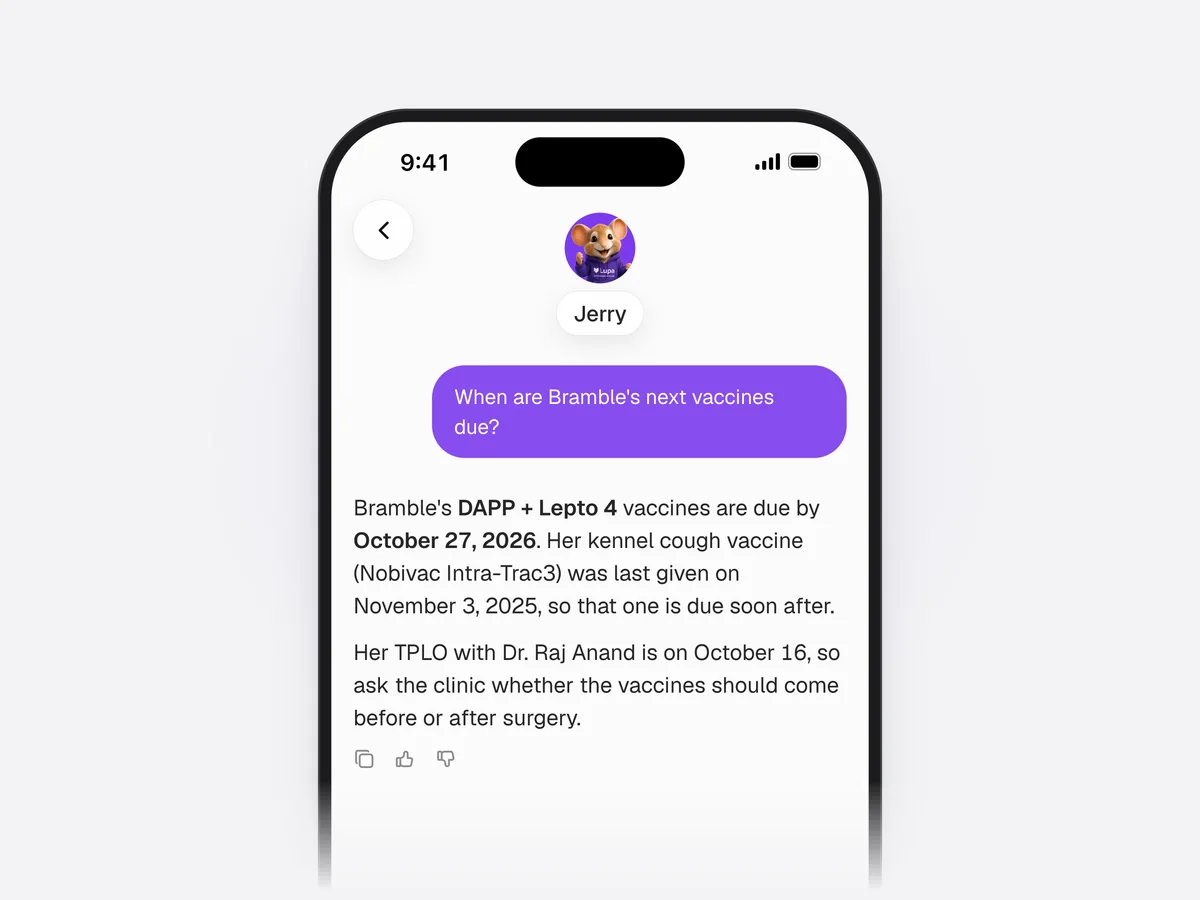
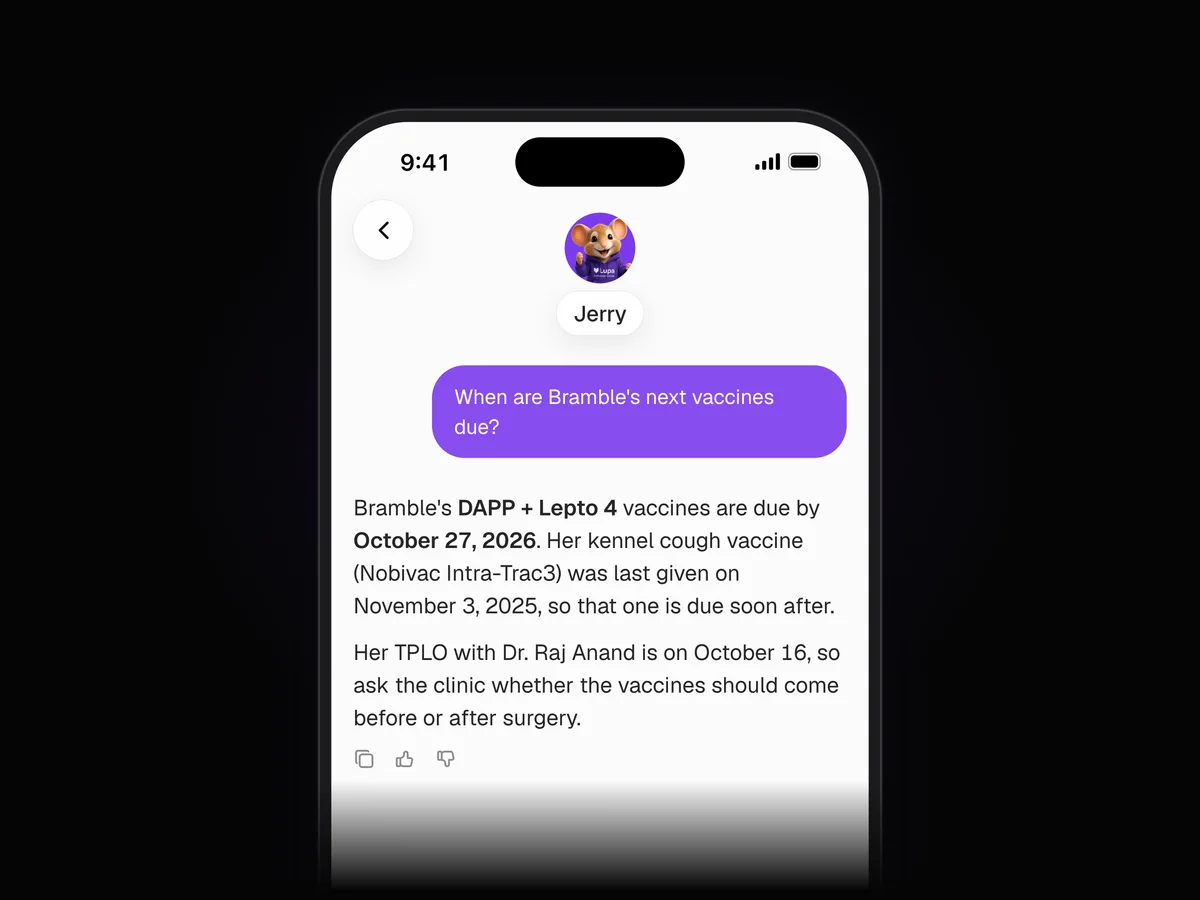
In the pet owner app, Jerry answers questions about the owner's pets using their records at the practice: vaccinations and other preventive care due, prescriptions, weight history, lab results and appointments. Owners can rate or copy each answer. The app reminds them that Jerry can be wrong and to check with a vet before acting.

Jerry in the Lupa app answering Sarah Mitchell: Bramble's DAPP + Lepto 4 vaccines are due by October 27, 2026, with a note about her TPLO on October 16